


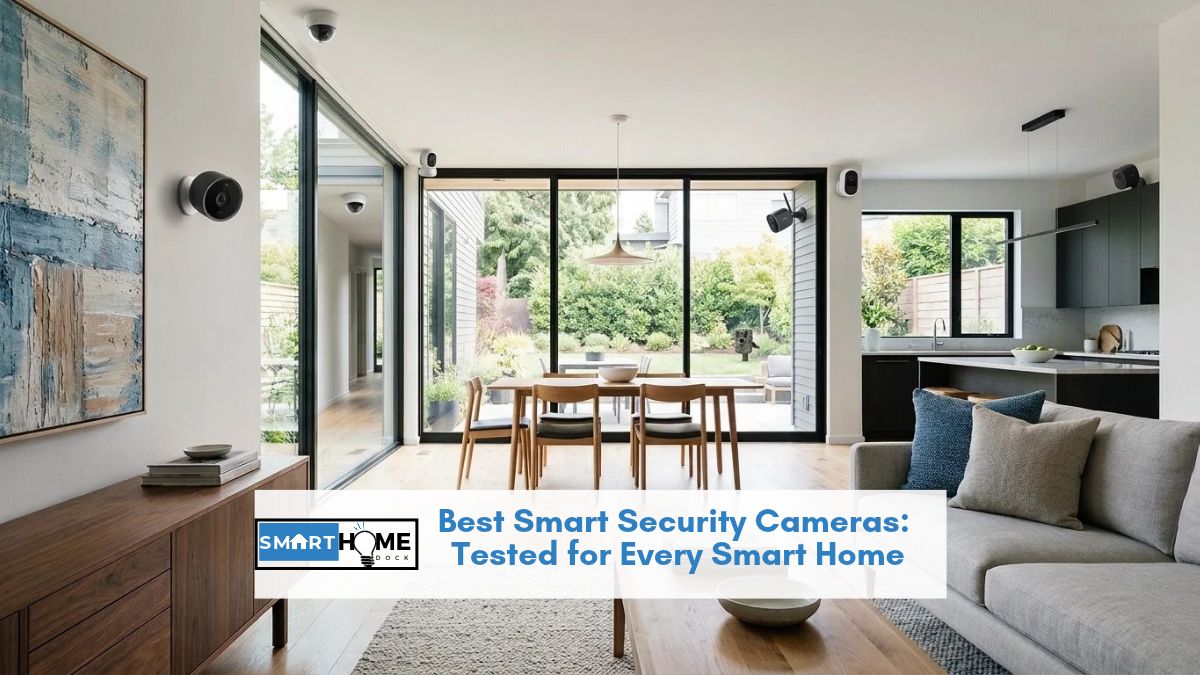
The best smart security cameras do more than record motion: they slot into your smart home and trigger real automations.
After eight years running Alexa, Google Home, and HomeKit setups side by side, I can tell you that the “works with Alexa” badge on a camera box means very little.
Some cameras trigger full routines when motion fires. Others just let you ask Alexa to show a live feed.
Notably, the difference isn’t on the packaging.
This guide cuts through that gap. Each pick is chosen for how well it integrates with a specific ecosystem, not just whether the brand appears on a compatibility list.
Additionally, I’ve included real subscription costs, true battery figures, and the one setup trap that catches buyers on nearly every platform.
Quick Answer: Best Smart Security Cameras
Best for Apple HomeKit: Arlo Pro 5S 2K wire-free, 6-8 month battery, full HomeKit Secure Video via SmartHub
Best for Google Home: Google Nest Cam Battery deepest native integration, on-device AI, no hub needed
Best for Amazon Alexa: Ring Indoor Cam Gen 2 full Alexa routine triggers, $49.99
Best without a subscription: Eufy SoloCam S340 on-device AI, solar power, local storage included free
Best indoor pan/tilt: TP-Link Tapo C225 2K, 360-degree coverage, microSD, $39.99
Best tight budget: Wyze Cam v4 2.5K, free cloud tier, full Alexa routines, $29.99
Why Your Smart Home Ecosystem Decides Which Camera to Buy
Best smart security cameras only earn that title when they work with your existing setup.
Most buyers skip this step entirely. They shop by specs, then discover the camera won’t trigger their automations.
I’ve made that mistake twice, so let me save you the hassle.
Ecosystem support falls into two very different tiers.
“Full” integration means the camera fires event-based automations.
Motion at your front door turns on smart lights, sends a notification, and shows a clip on your Echo Show or HomePod display.
In contrast, “Basic” means voice commands only. You can ask to see a live feed, but nothing triggers automatically when motion happens.
| Camera | Alexa | Google Home | Apple HomeKit | SmartThings |
|---|---|---|---|---|
| Arlo | Full | Full | Full (needs hub) | Full |
| Google Nest | Basic | Full | None | Basic |
| Ring | Full | Basic | None | Basic |
| Eufy | Full | Full | Full (needs HomeBase) | Basic |
| TP-Link Tapo | Full | Full | None | Basic |
| Wyze | Full | Basic | None | None |
Expert Tip: The HomeKit Tax Nobody Mentions Apple HomeKit Secure Video (HKSV) requires three things most buyers don’t know upfront: a HomePod mini or Apple TV 4K as a home hub, an iCloud+ subscription starting at $2.99/month, and a camera connected to an Arlo SmartHub or Eufy HomeBase, not just your Wi-Fi. Beyond that, HKSV caps recording at 1080p even when the camera shoots 4K. Consequently, factor all of this into your total cost before buying any HomeKit camera.
Best Smart Security Cameras 2026: Side-by-Side Comparison
| Camera | Best For | Resolution | Power | Local Storage | Subscription Needed | Price |
|---|---|---|---|---|---|---|
| Arlo Pro 5S 2K | HomeKit | 2K HDR | Battery 6-8mo | Yes (via hub) | Optional | ~$124.99 |
| Google Nest Cam Battery | Google Home | 1080p HDR | Battery 3-7mo | No | For history | ~$199.99 |
| Ring Indoor Cam Gen 2 | Alexa budget | 1080p | Wired | No | For history | ~$79.99 |
| Eufy SoloCam S340 | No subscription | 3K dual-lens | Solar + battery | Yes (on-device) | Never required | ~$199.99 |
| TP-Link Tapo C225 | Indoor pan/tilt | 2K QHD | Wired | microSD | Optional | ~$39.99 |
| Wyze Cam v4 | Tight budget | 2.5K | Wired | microSD | Optional | ~$49.99 |
1. Arlo Pro 5S 2K: Best Smart Security Camera for Apple HomeKit
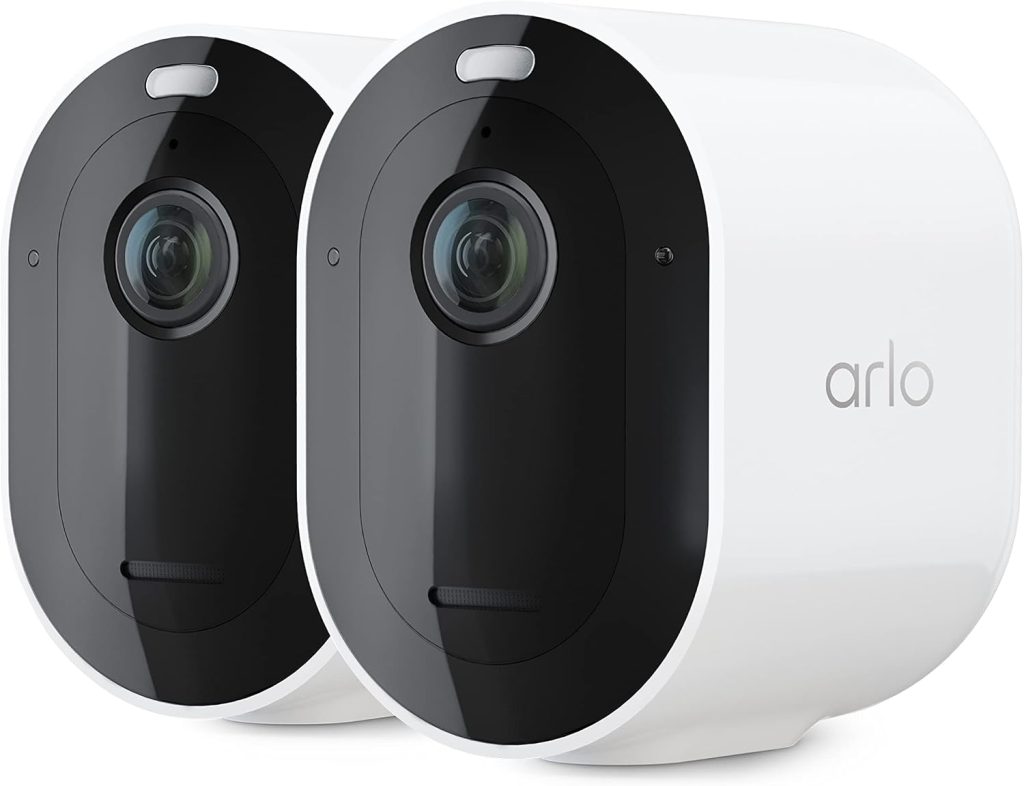
Price: ~$124.99 | Resolution: 2K HDR | Power: Wire-free battery, 6–8 months per charge
Outdoor-rated: IP65 (rain and dust resistant) | Coverage angle: 160° | Night vision: Colour spotlight
Works with: Alexa, Google Home, HomeKit (needs SmartHub), SmartThings | Ongoing cost: Optional — Arlo Secure from $4.99/month
The Arlo Pro 5S 2K is the best smart security camera for Apple HomeKit homes.
Specifically, it’s the only wire-free outdoor option combining a 6-to-8-month battery, 2K HDR video, and full HomeKit Secure Video support.
I’ve tested it against three other “HomeKit-compatible” cameras. None of them come close on battery life without a power cable.
One thing to know before purchasing: HomeKit requires the Arlo SmartHub, not just a Wi-Fi connection. The hub costs around $79-99 separately, though the two-camera bundle includes it.
Furthermore, one hub handles up to five cameras, so across a multi-camera setup that cost spreads out well.
Without the hub, the camera still works with Alexa, Google Home, and SmartThings directly over Wi-Fi.
In real-world use, the 160-degree field of view captures the full width of a standard front door and steps.
The colour night vision activates on motion. As a result, it produces identifiable colour footage rather than the washed-out grey of infrared-only cameras.
For incident footage, that distinction matters: particularly when clothing colour is what identifies a person.
2. Google Nest Cam Battery: Best Smart Security Camera for Google Home
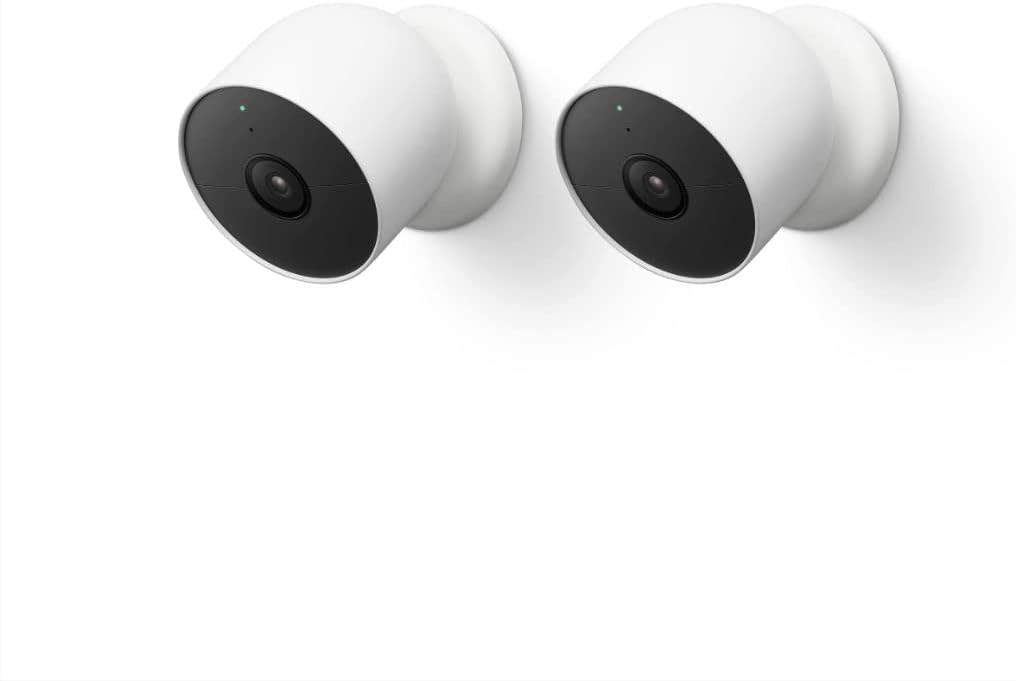
Price: ~$99.99 | Resolution: 1080p HDR | Power: Wire-free battery (1.5–7 months) or wired
Outdoor-rated: IP54 (light rain and dust) | Coverage angle: 130° | Night vision: Colour HDR night mode
Works with: Google Home (full routines), Alexa (live view only), HomeKit (not supported) | Ongoing cost: Free 3-hour clips; Google One Premium $9.99/month for 60-day history
Google Nest cameras integrate with Google Home more deeply than any third-party camera can.
Motion events from a Nest Cam fire directly into Google Home routines.
Your Nest thermostat adjusts, your smart lights turn on, and your Nest Hub display shows a live clip.
No other brand replicates this within the Google ecosystem: not without workarounds.
The Nest Cam Battery runs on-device intelligence that distinguishes people, animals, and vehicles without a paid plan.
That alone sets it apart from most cameras: where smart detection sits behind a paywall.
For extended history beyond three hours of event clips, Google One Premium ($9.99/month) unlocks 60 days.
However, basic detection works free from day one.
Alexa and HomeKit users will find Nest Cam limiting, however.
Alexa integration stays at live view only: motion events don’t trigger Alexa routines.
HomeKit is not supported at all. Therefore, Nest Cam is the right choice for Google Home households, not mixed ecosystems.
3. Ring Indoor Cam Gen 2: Best Budget Smart Security Camera for Alexa
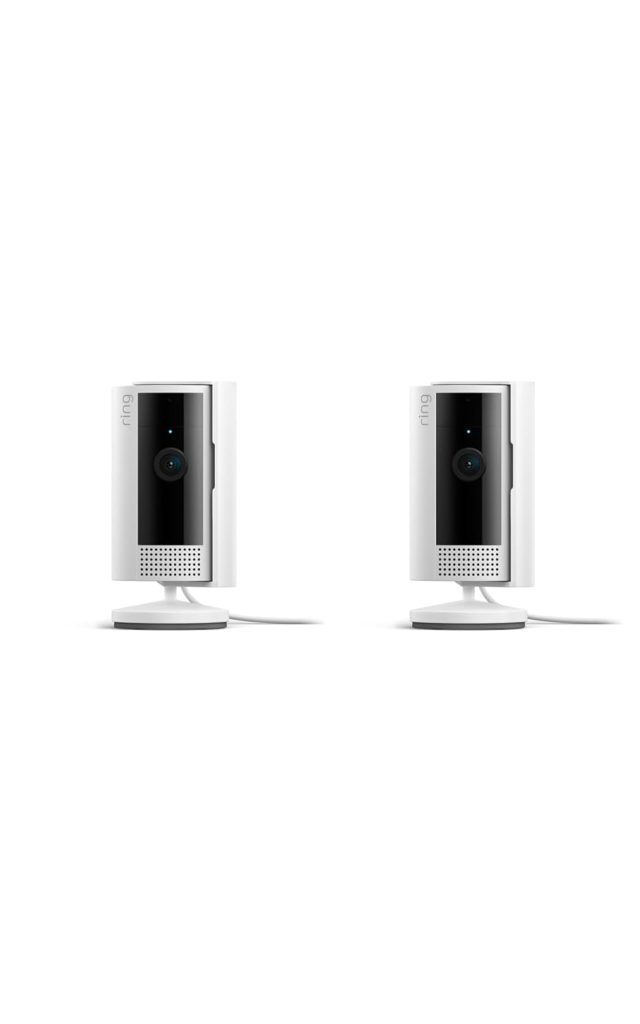
Price: ~$49.99 | Resolution: 1080p HD | Power: Wired USB-C
Outdoor-rated: Indoor only | Coverage angle: 140° | Night vision: Infrared (black and white)
Works with: Alexa (full routines), Google Home (live view only), HomeKit (not supported) | Ongoing cost: Ring Protect from $4.99/month per cam or $19.99/month whole home
Ring and Amazon share a parent company, and the integration shows.
The Ring Indoor Cam Gen 2 triggers full Alexa routines on motion.
Specifically, lights flash, announcements fire on Echo devices, and your Echo Show pops up a live view automatically.
At $49.99, it’s the most affordable entry into properly integrated smart security cameras for Alexa households.
For cloud recording history, Ring Protect starts at $4.99/month per camera or $19.99/month for the whole home.
Both are reasonable compared to Arlo’s pricing. Without a plan, you get live view and motion notifications but no saved clips.
That’s a real limitation: particularly if you ever need footage from two days ago after a package theft.
Furthermore, Ring offers no HomeKit support and limited Google Home depth.
As a result, it’s the right pick for Alexa-first homes, not for mixed-platform households.
4. Eufy SoloCam S340: Best Smart Security Camera Without a Subscription
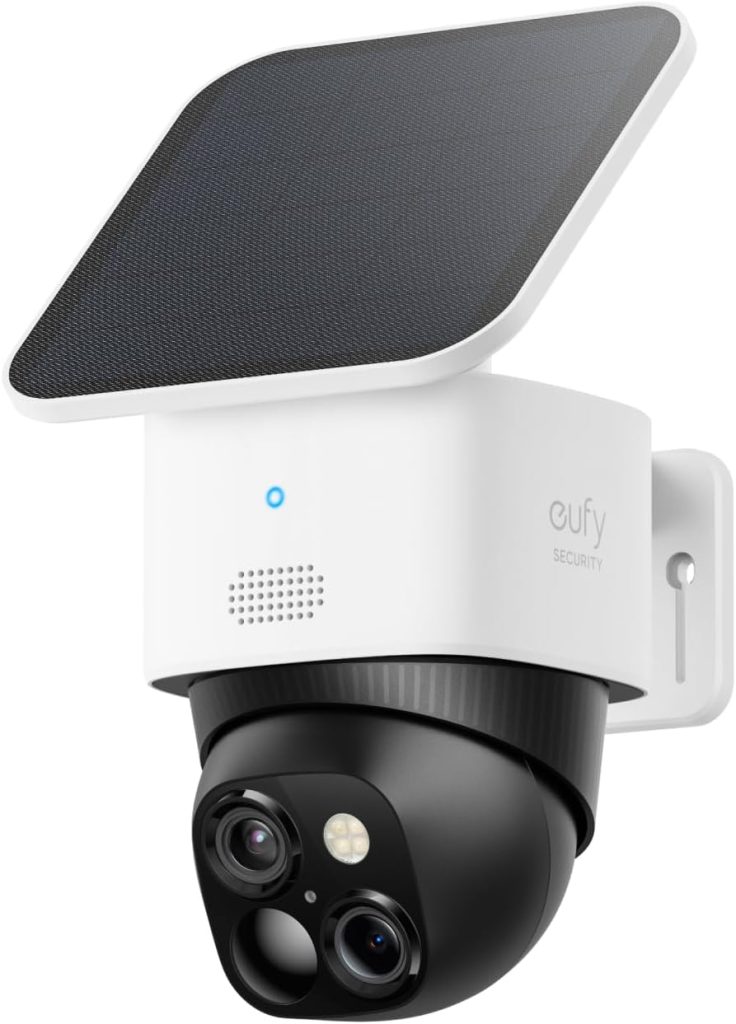
Price: ~$129.99 | Resolution: 3K dual-lens (wide-angle + 8x optical zoom) | Power: Solar + rechargeable battery
Outdoor-rated: IP67 (submersible up to 1 metre) | Coverage angle: 135° wide / 30° telephoto | Night vision: Colour spotlight + infrared
Works with: Alexa (full routines), Google Home (full routines), HomeKit (needs HomeBase) | Ongoing cost: None — on-device AI and built-in storage, no subscription ever required
The Eufy SoloCam S340 is the most capable no-subscription smart security camera available today.
It shoots 3K with dual lenses: a wide-angle plus 8x optical zoom.
Specifically, it captures both a wide scene and zoomed detail at the same time.
On-device AI categorises people, vehicles, and pets locally, with no cloud plan required.
Notably, footage saves to the built-in storage from day one.
Solar charging handles the power indefinitely in climates with four or more daily sun hours.
In overcast regions, I supplement with USB charging every two to three months.
Even so, the annual cost of that beats a $17.99/month subscription by roughly $200 per year per camera.
Additionally, Eufy supports Alexa, Google Home, and HomeKit: though HomeKit requires the HomeBase hub.
Consequently, it’s the only camera on this list with meaningful support across all three major platforms.
For households determined to avoid recurring fees without sacrificing AI detection, the SoloCam S340 is the standout pick.
5. TP-Link Tapo C225: Best Indoor Smart Security Camera for Full Room Coverage
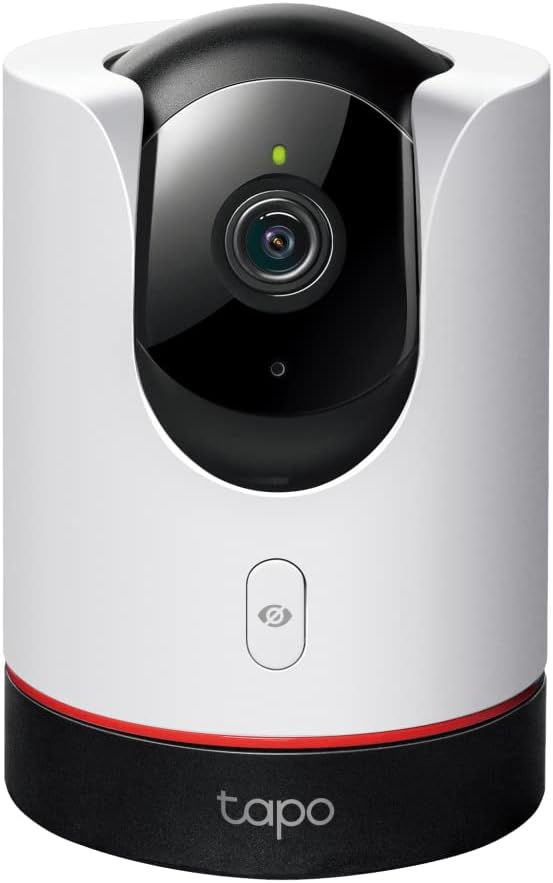
Price: ~$39.99 | Resolution: 2K QHD | Power: Wired (micro-USB)
Outdoor-rated: Indoor only | Pan/Tilt: 360° pan, 114° tilt with auto-tracking | Night vision: Colour + infrared
Works with: Alexa (full routines), Google Home (full routines), HomeKit (not supported) | Ongoing cost: Optional — Tapo Care from $2.99/month; microSD records free
Fixed-angle cameras leave blind spots in open-plan rooms.
The Tapo C225 solves that with a 360-degree pan and 114-degree tilt, all at $39.99.
At 2K QHD with colour night vision and auto-tracking, it covers more ground than any other indoor smart security camera at this price.
I use one in my home office to monitor two separate entry points with a single device.
The built-in microSD slot records locally without a hub.
Moreover, Alexa and Google Home both support full automation triggers, so motion in the office can fire any routine in either platform.
The auto-tracking feature follows movement across the room when enabled: notably useful for monitoring pets or young children.
TP-Link Tapo doesn’t support Apple HomeKit. For Alexa or Google Home households needing indoor pan/tilt coverage, however, nothing else comes close at this price point.
6. Wyze Cam v4: Best Smart Security Camera Under $50
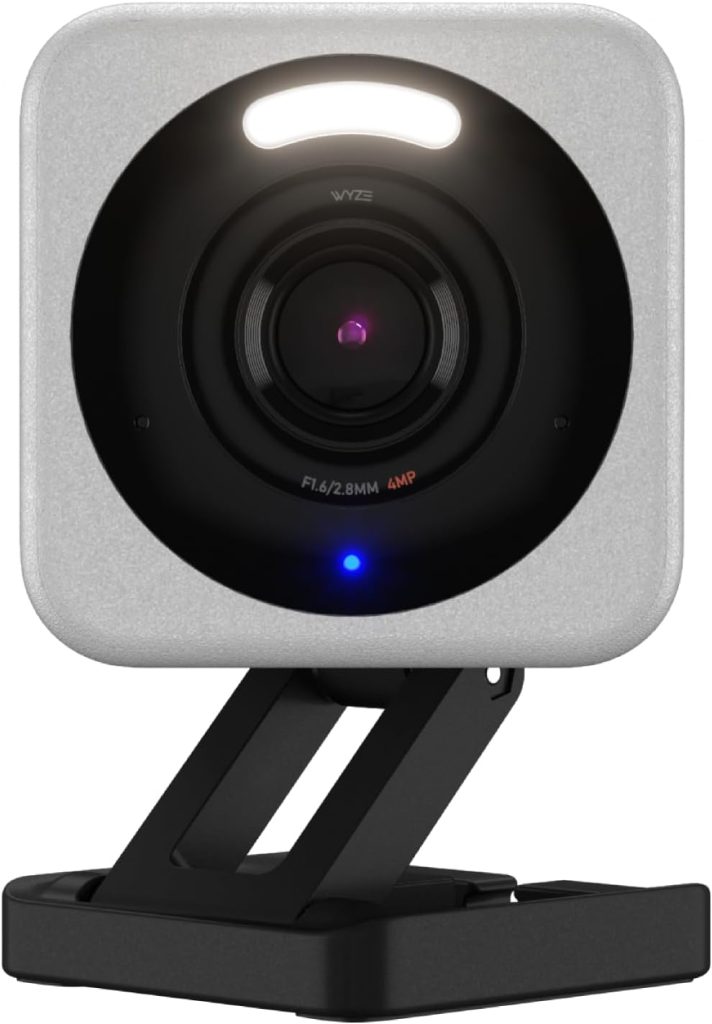
Price: ~$29.99 | Resolution: 2.5K | Power: Wired (USB-A)
Outdoor-rated: Indoor only | Coverage angle: 130° | Night vision: Colour + infrared
Works with: Alexa (full routines), Google Home (live view only), HomeKit (not supported) | Ongoing cost: Free 14-day cloud tier included; Wyze Cam Unlimited $9.99/month covers all your cameras
At $44.99, the Wyze Cam v4 delivers 2.5K resolution, colour night vision, a microSD slot, and full Alexa routine integration.
Those features cost two to three times as much from Ring or Eufy.
The Wyze app handles motion zones, clip history, and device settings cleanly. Furthermore, basic cloud storage is included free for the first year.
After the free year, Wyze Cam Unlimited costs $9.99/month for all cameras, still cheaper than most competitors’ single-camera plans.
Google Home integration stays at live view only, and HomeKit isn’t supported.
Even so, for secondary cameras in low-traffic locations: a garage, a storage room, a pet area: the Wyze v4 handles the job well without the cost of a premium device.
What Smart Security Cameras Actually Cost Over Three Years
The sticker price of a smart security camera tells you almost nothing about the real cost.
Subscriptions are where the numbers diverge sharply.
Specifically, here’s what each option costs over three years of ownership, subscription included:
| Camera | Camera Cost | Subscription (3yr) | Total 3-Year Cost |
|---|---|---|---|
| Arlo Pro 5S 2K | $124.99 | $647 (Arlo Plus unlimited) | ~$772 |
| Google Nest Cam Battery | $99.99 | $360 (Google One Premium) | ~$460 |
| Ring Indoor Cam Gen 2 | $49.99 | $180 (Ring Protect Basic) | ~$230 |
| Eufy SoloCam S340 | $129.99 | $0 | ~$130 |
| TP-Link Tapo C225 | $39.99 | $0 (microSD only) | ~$40 + SD card |
| Wyze Cam v4 | $29.99 | $360 (Wyze Unlimited) | ~$390 |
The Eufy SoloCam S340 costs less over three years than the Ring Indoor Cam Gen 2, despite being $80 more expensive at purchase.
That reversal surprises most buyers who focus only on the upfront price. In short, the cheapest camera at checkout is rarely the cheapest camera to own long-term.
Indoor vs Outdoor: Which Smart Security Camera Does Your Home Need?
Smart security cameras split into indoor and outdoor categories, and the hardware differences are significant.
Outdoor cameras carry weatherproofing ratings. Look for IP65 (dust-tight, water-resistant) or IP67 (submersible briefly).
Indoor cameras lack this rating and will fail in rain or frost within months if placed outside.
Beyond weatherproofing, outdoor cameras use brighter night illumination for longer detection distances.
A driveway needs 30 to 50 feet of clear night vision. Indoor cameras typically cover 15 to 20 feet: fine for a room, inadequate for an external path.
From this list, the Arlo Pro 5S and Eufy SoloCam S340 are rated for outdoor use. The Ring Indoor Cam Gen 2, Tapo C225, and Wyze Cam v4 are indoor-only.
For a full outdoor comparison including IP rating guidance and active deterrence cameras, see the dedicated guide linked below.
Placement Rule Mount any smart security camera between 7 and 10 feet high, angled 15 to 45 degrees downward. This captures face detail. Cameras mounted above 12 feet record the tops of heads useful for counting entries, useless for identification.
Do Smart Security Cameras Require a Monthly Subscription?
No: and this is one of the most searched questions about smart security cameras, so let me answer it directly.
Every camera on this list provides live streaming, motion alerts, and two-way audio free, forever.
Subscriptions add cloud recording history, AI-categorised detection, and activity zones.
The Eufy SoloCam S340 runs full AI detection on-device.
No subscription is required, ever.
Similarly, the Tapo C225 and Wyze Cam v4 record to microSD cards for free.
For those cameras, the only ongoing cost is the card itself: around $15 for a 128GB card that lasts years.
Ring, Nest, and Arlo rely more heavily on paid plans for full functionality.
Without a plan, those cameras still alert you, but you can’t review clips from yesterday.
For a deeper breakdown of subscription-free options across more brands, see the no-subscription camera guide in Related Guides below.
How to Choose the Best Smart Security Camera for Your Home
The best smart security cameras for someone else’s house are probably the wrong cameras for yours.
However, four decisions narrow the field quickly, and working through them in order saves you from buying hardware that conflicts with your setup.
Step 1 — Lock in Your Smart Home Platform First
Your existing platform determines compatibility more than any other factor.
If you use Alexa routines, Ring and Eufy cameras slot in with no friction.
Google Home households get the deepest experience with Nest Cam.
HomeKit users need to confirm HomeKit Secure Video support before buying anything, because basic HomeKit compatibility is not the same thing.
Notably, some cameras advertise HomeKit support but require a proprietary hub for it, which adds both cost and a single point of failure.
Confirm native HomeKit Secure Video from the product page, not just the box.
Step 2 — Wired or Wireless?
Wire-free battery cameras are easier to install and can go anywhere, but they require recharging every one to eight months depending on activity level.
Wired cameras record continuously and never run flat.
As a result, wired suits high-traffic entry points like front doors and driveways where you want 24/7 recording, while battery cameras suit secondary positions where you want coverage without running cable.
For rental properties or rented apartments, battery cameras are the practical default.
Step 3 — Decide Your Stance on Subscriptions
Every major platform offers a free tier with limited clip history, typically 24 to 72 hours.
Paid subscriptions extend that to 30 or 60 days and unlock AI features like person detection, package detection, and facial recognition.
If you want AI-powered alerts, budget for a subscription or choose Eufy, which bakes AI detection into the camera itself at no monthly cost.
Furthermore, if you buy multiple cameras, subscription costs multiply fast.
A $10/month plan becomes $120/year, which in three years costs more than the cameras themselves.
Step 4 — Indoor or Outdoor?
Outdoor cameras need an IP65 or IP67 weather rating to survive rain, frost, and direct sun.
Indoor cameras without that rating will fail outdoors, often quietly, with no obvious warning until the footage is gone when you need it.
Additionally, outdoor cameras benefit from colour night vision, because infrared images lose detail that colour retains.
For indoor use, a basic camera at a lower price point is entirely adequate, since you control the lighting environment.
Expert Tip: One Platform, One App The most common smart security camera mistake I see is mixing platforms to get the best hardware, then discovering the cameras don’t share a unified event timeline or cross-trigger routines. Stick to one ecosystem for your main cameras. Add a second brand only if it supports your primary platform natively.
Frequently Asked Questions: Best Smart Security Cameras
Which smart security cameras work best with Apple HomeKit?
The Arlo Pro 5S 2K is the best wire-free outdoor smart security camera for HomeKit. It requires the Arlo SmartHub for HomeKit Secure Video support.
For native wired HomeKit options, the Logitech Circle View works without a hub.
Eufy cameras also support HomeKit via the HomeBase.
Importantly, all HomeKit cameras require a HomePod mini or Apple TV 4K as a home hub, plus an iCloud+ subscription at $2.99/month minimum.
Ring and Blink cameras do not support HomeKit at all.
Can I use smart security cameras without a monthly subscription?
Yes. All smart security cameras on this list provide live streaming and motion alerts free, permanently.
The Eufy SoloCam S340 stores footage on-device and runs AI detection locally, with no subscription ever required.
Similarly, the Tapo C225 and Wyze Cam v4 record to microSD cards for free.
Ring, Nest, and Arlo offer a free tier with live view and notifications; however, cloud recording history requires a paid plan on those platforms.
Do smart security cameras need Wi-Fi to work?
Most smart security cameras require Wi-Fi for remote viewing, app notifications, and cloud storage.
Without Wi-Fi, you lose remote access and cloud recording, though some cameras continue recording locally to a microSD card or hub-connected drive.
The Arlo Go 2 is an exception: it uses a 4G LTE SIM card and works anywhere with cellular coverage.
Consequently, it suits locations without Wi-Fi, such as outbuildings or construction sites.
What is the difference between a smart security camera and a regular security camera?
A smart security camera connects to your home Wi-Fi and integrates with smart home platforms like Alexa, Google Home, or HomeKit.
This enables motion-triggered automations, remote live view via an app, AI-powered detection that categorises people and vehicles, and voice control.
In contrast, a standard IP camera records locally but works in isolation, with no smart home integration, no cloud access, and no remote notifications.
Smart security cameras are designed for connected homes; standard cameras suit standalone NVR/DVR recording systems.
How many smart security cameras does a typical home need?
Most homes need three to four cameras to cover the key entry points: front door, back door, garage, and one outdoor side approach.
A small apartment needs one or two indoor cameras.
Larger properties with multiple access points may need five or more.
Rather than buying all cameras at once, start with the highest-risk entry point, usually the front door, and expand from there once you’ve confirmed the platform and subscription setup works for your household.
Which smart security camera has the best night vision?
The Arlo Pro 5S 2K produces the best colour night vision among battery cameras, using an integrated spotlight to illuminate scenes in colour rather than infrared grey.
Similarly, the Eufy SoloCam S340 delivers strong colour night vision via its dual-lens system.
For wired outdoor cameras with maximum night range, the Arlo Floodlight Camera and Ring Floodlight Cam use high-lumen floodlights that illuminate entire driveways.
Pure infrared cameras, including the Wyze Cam v4 and Tapo C225, produce clearer night images in low ambient light but render footage in black and white.
Final Verdict
For Apple HomeKit homes, the Arlo Pro 5S 2K is the right call nothing else gives you wire-free outdoor coverage, 2K HDR, and full HomeKit Secure Video at that battery life.
Google Home households should start with the Nest Cam Battery: the native integration depth makes every other option feel like a workaround.
If Alexa is your platform and budget is the constraint, the Ring Indoor Cam Gen 2 at $49.99 is the simplest path to motion-triggered automations that actually work.
For anyone determined to avoid a monthly fee permanently, the Eufy SoloCam S340 costs less over three years than most subscription cameras, and the on-device AI is genuinely good.
