


You have probably seen smart plugs mentioned on a product page or heard someone say “just put it on a smart plug.”
But what is a smart plug, exactly, and is it actually worth buying?
The concept is simpler than most smart home technology, and once you understand what it does and does not do, the buying decision becomes simple.
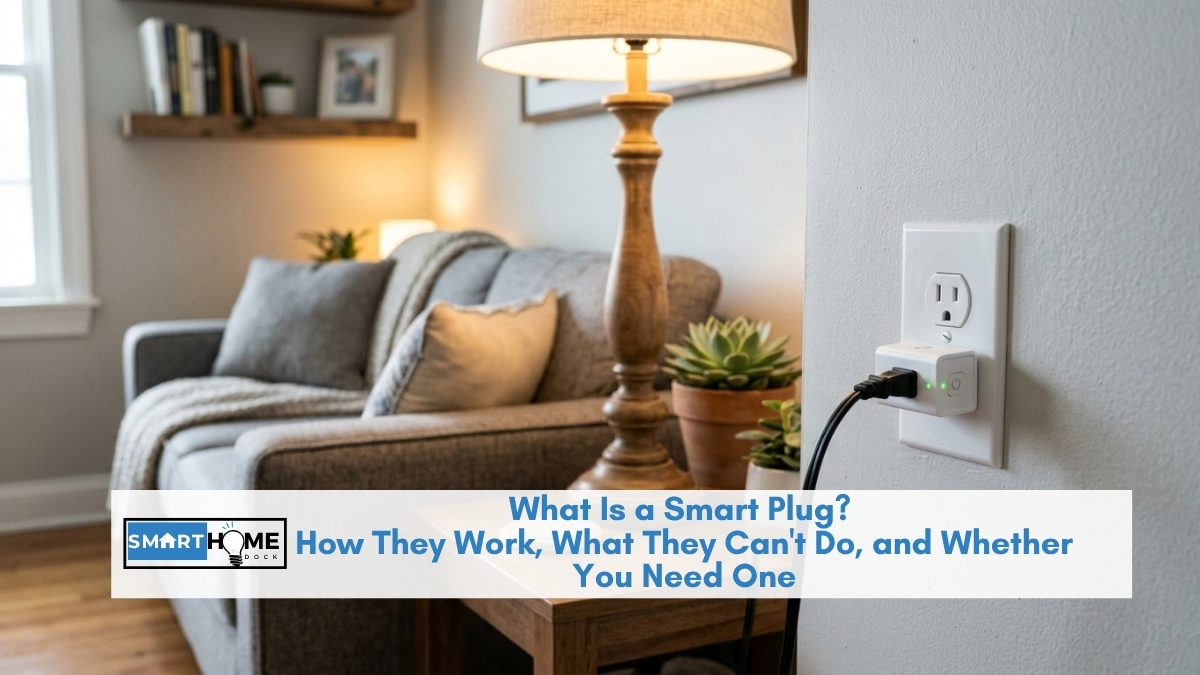
A smart plug is a small adapter that sits between a wall socket and any appliance you already own.
It does one thing: it puts a controllable switch between the mains power and whatever is plugged into it.
That single mechanism unlocks scheduling, remote control, voice commands, energy monitoring, and home automation: without replacing a single appliance and without any wiring work.
Quick Answer: What Is a Smart Plug?
A smart plug is a Wi-Fi or Thread adapter that plugs into a standard wall socket and makes any device plugged into it remotely controllable.
You can turn it on or off from your phone, set schedules, use voice commands via Alexa or Google Home, and monitor how much energy the connected device uses.
No installation, no wiring, no professional required.
Most smart plugs cost $8 to $40 and require no monthly subscription to use.
How Does a Smart Plug Work?
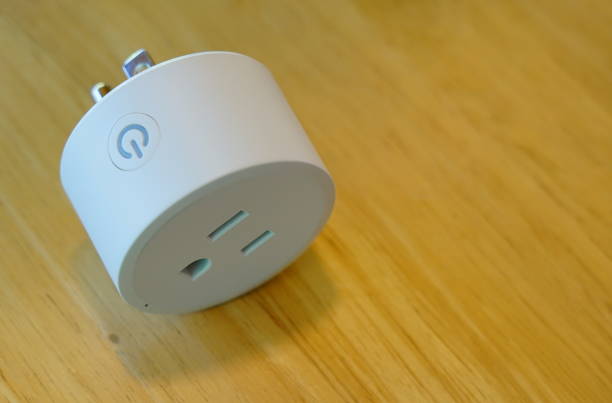
Mechanically, a smart plug contains a small relay, which is an electronically controlled switch.
When the plug receives an on command, the relay closes, and power flows through to whatever is connected.
When it receives an off command, the relay opens and power stops.
The plug itself draws a tiny amount of standby power (typically 1 to 2 watts) to stay connected to Wi-Fi and wait for the next command.
The communication happens over Wi-Fi in most smart plugs, or over Thread in premium models such as Eve Energy.
Both protocols connect the plug to your home network, which is what allows your phone, your voice assistant, and any automation you set up to send it commands.
Specifically, here is the full path a command takes:
- You say “Alexa, turn off the lamp” or tap Off in an app
- That command goes to the manufacturer’s cloud server (or, for local control, directly to your hub)
- The server sends the command to your smart plug over Wi-Fi or Thread
- The relay opens and the lamp loses power
For most smart plugs, steps 2 and 3 route through a cloud server, which means an internet connection is required.
However, Matter-certified smart plugs paired with a local hub (a HomePod Mini, Apple TV 4K, or Home Assistant) can skip the cloud entirely, so commands work even during internet outages.
The local vs cloud difference, in plain terms
Most smart plugs route commands through a manufacturer’s server in a data centre. This works reliably when your internet is up, but fails during outages.
A Matter smart plug paired with a HomePod Mini or Home Assistant processes commands on your own network, so the plug responds even when your broadband is down.
After 8 years of testing, I notice the local path also responds about twice as fast: under 200ms versus 400ms or more for cloud-routed commands.
What Can a Smart Plug Do?
Once a smart plug is connected, four distinct capabilities become available for any device plugged into it.
Remote on/off control
Turn any connected device on or off from anywhere using a phone app.
Notably, this works whether you are in the next room or on another continent, as long as your phone has internet access.
Practical uses include turning off a lamp you left on when you left the house, switching on a fan before you arrive home, or cutting power to a device you want to make sure is fully off.
Schedules and timers
Set any device to turn on or off at a fixed time, on a repeating schedule, or after a countdown timer.
Specifically, common uses are setting garden lights to come on at sunset and off at midnight, scheduling a coffee maker to start before you wake up, and automatically switching off a phone charger at 100% charge.
Schedules run locally on the plug itself in most cases, so they continue working during internet outages even on non-Matter plugs.
Voice control
Any smart plug that works with Alexa, Google Home, or Apple HomeKit responds to voice commands.
Furthermore, Matter-certified plugs work with all four major ecosystems simultaneously from a single setup, so you are not locked into one voice assistant.
Voice control works well for frequently toggled devices: lamps, fans, heaters: where pulling out a phone to press a button feels slower than just speaking.
Energy monitoring
Many smart plugs include a watt meter that tracks real-time power draw and historical kilowatt-hour consumption for whatever is plugged in.
This turns an otherwise invisible cost into legible data.
A gaming console and soundbar on standby, a wine fridge running continuously, a dehumidifier cycling on and off: the energy monitoring plug tells you exactly what each costs per month in electricity.
For a full explanation of energy monitoring and which plugs do it best, see our best smart plugs guide.
What a Smart Plug Cannot Do
Understanding the limits of a smart plug is as important as understanding the features.
Three common misconceptions are worth addressing directly.
It cannot make a dumb appliance smart.
A smart plug controls power to whatever is plugged into it, but it has no communication with the appliance itself.
Consequently, it cannot change a television’s volume, adjust a fan’s speed setting, or change a lamp’s brightness.
It can only switch the power on or off entirely.
An appliance that needs to be turned on manually after receiving power: one that boots to a standby state rather than turning straight on: will not behave as expected on a smart plug schedule.
It cannot handle high-current appliances safely.
Most smart plugs are rated for 10 to 15A (1,200 to 1,800W).
Space heaters (typically 1,500W), washing machines, tumble dryers, and air conditioning units draw at or beyond those limits and produce startup current spikes that can exceed the plug’s rating.
Using a standard smart plug with these appliances creates an overheating risk.
This is the most important safety point before buying.
It is not a smart switch replacement. A smart plug sits at the socket end and controls whatever is plugged into it.
It does not replace the wall switch that controls a ceiling light or permanently wired fitting.
For ceiling lights and hardwired fixtures, a smart switch or smart bulb is the correct solution.
Smart plugs work best with portable, plug-in appliances.
Smart Plug Energy Monitoring Explained
Energy monitoring is the feature that separates a useful smart plug from a basic timer.
Specifically, a smart plug with energy monitoring contains a current sensor alongside the relay.
This sensor measures how much electrical current flows through the plug at any moment, converts that into wattage, and logs the data over time as kilowatt-hours.
The data appears in the plug’s companion app and sometimes in a linked smart home platform. Importantly, you see real-time wattage (how hard the appliance is working right now), daily kilowatt-hour totals (how much it consumed today), and monthly totals (what it will add to your electricity bill this month).
Some apps let you enter your electricity rate, which converts the raw kWh data into a cost figure in local currency automatically.
Additionally, energy monitoring reveals standby waste, which most people underestimate significantly.
Devices that appear off often continue drawing power in standby mode.
A typical UK household wastes $100 to $150 per year on standby consumption.
One energy monitoring plug on the entertainment centre identifies that waste in the first week and gives you the data to decide whether a scheduled power-off is worth setting up.
Accuracy varies between plugs.
The best models read within 3% of a dedicated watt meter.
Budget models read within 5%, which is accurate enough for identifying power hogs and tracking monthly costs, though not precise enough for electricity bill reconciliation to the penny.
What Is a Matter Smart Plug?
Matter is an industry standard for smart home devices, launched in 2022 and now the dominant protocol for new smart home hardware.
A Matter-certified smart plug works with Amazon Alexa, Google Home, Apple HomeKit, and Samsung SmartThings simultaneously from a single QR code scan during setup.
No separate linking steps, no choosing an ecosystem, no compatibility research required.
Before Matter, buying a smart plug meant committing to one ecosystem. An Alexa plug did not work with HomeKit.
Switching voice assistants meant replacing hardware. Matter removes that trade-off entirely for any certified device.
Furthermore, Matter plugs often include local control, meaning commands route through your home network rather than a cloud server, so they work during internet outages and respond faster.
For anyone buying a smart plug in 2026, Matter certification is the single most important thing to check before purchasing.
Notably, most quality smart plugs at $10 and above now carry Matter certification.
The ones that do not are either budget models with limited ecosystem support or older stock still in distribution.
Smart Plug vs Smart Outlet: What Is the Difference?
A smart plug is a portable adapter that requires no installation.
You plug it into any existing wall socket, connect your device to it, and it works.
Moving house or rearranging a room means taking the plug with you.
It works in rented properties where you cannot make permanent modifications.
No electrician, no downtime, no tools required.
A smart outlet replaces the wall socket itself and provides the same remote control and scheduling capabilities, but permanently.
Installation requires turning off the circuit breaker and wiring the new outlet in place of the existing one, which most people hire an electrician to do.
Smart outlets are more discreet (no adapter protrudes from the wall), support higher current ratings in some models, and suit new builds or renovation projects where permanent installation is planned from the start.
For most people, smart plugs are the correct starting point.
They are cheaper, portable, reversible, and require no specialist skills.
Smart outlets make sense when permanent installation is planned, and the cleaner aesthetic of a flush socket is worth the installation cost.
Also Read: What is Matter? The Smart Home Standard Explained
Smart Plug Safety: What to Know Before You Buy
Safety certification is the most important thing to check when buying a smart plug.
In the US, look for UL or ETL certification on the packaging.
In the UK and Europe, look for CE marking.
These certifications confirm the plug has been tested to recognised electrical safety standards.
Avoid uncertified plugs sold at very low prices on marketplace listings: electrical components that overheat or fail in a socket-mounted device create a fire risk.
Additionally, match the plug’s amperage rating to the maximum draw of whatever you plan to connect.
Most smart plugs are rated 10A to 15A.
A space heater drawing 1,500W at 240V pulls approximately 6.25A, which is within a 10A plug’s rating: but many space heaters draw more during startup, and the continuous 100% load stresses the relay over time.
The safe rule is: use smart plugs for appliances that draw well below the plug’s maximum rating, not at it.
Furthermore, never daisy-chain smart plugs.
Plugging one smart plug into another, or into a non-surge-protected extension lead, bypasses the safety design of both devices and creates an overload risk.
Each smart plug should connect directly to a mains socket.
Frequently Asked Questions: What Is a Smart Plug?
What is a smart plug used for?
A smart plug is most commonly used for four things: scheduling appliances to turn on or off at set times (lamps at sunset, coffee makers before waking up, phone chargers on a timer), remote control from a phone app when away from home, voice control via Alexa, Google Home, or Siri, and energy monitoring to track what an appliance costs to run per month.
The most practical single use for most households is scheduling, because it automates the mundane on/off decisions that would otherwise require manual switching every day.
Do smart plugs need Wi-Fi?
Most smart plugs connect to your home Wi-Fi network and require an active internet connection for app control and voice commands.
Schedules often run locally on the plug itself, so they continue even if Wi-Fi drops temporarily.
Matter-certified plugs paired with a local hub (HomePod Mini, Apple TV 4K, or Home Assistant) can operate entirely without internet access, including app control, if the hub is on the same local network.
Eve Energy, which uses Thread rather than Wi-Fi, is the most resilient option for internet-outage scenarios.
However, for the vast majority of households with stable broadband, the distinction rarely matters in practice.
What is the difference between a smart plug and a smart outlet?
A smart plug is a portable adapter requiring no installation: plug it into any existing socket and it works immediately.
A smart outlet replaces the wall socket itself, which requires wiring work and typically an electrician.
Smart plugs are the right choice for most people: cheaper, portable, works in rentals, and reversible.
Smart outlets suit permanent installations in new builds or renovation projects where the cleaner flush aesthetic is worth the installation cost.
Can a smart plug turn on a TV?
A smart plug can restore power to a TV that was left on standby, but whether the TV actually turns on depends on its own behaviour on power restoration.
Some TVs boot to their last-used state (on) when power is restored; others boot to standby mode.
Additionally, a smart plug cannot send remote control commands to a TV: it only controls the power supply.
For full TV control (input switching, volume, source), a smart remote or a TV with native Wi-Fi control is the correct solution.
Smart plugs work best with simpler appliances that turn straight on when power is applied: lamps, fans, portable heaters, coffee makers.
Are smart plugs safe to leave plugged in all the time?
Yes, for certified plugs connected to appropriate appliances.
A UL or ETL-certified smart plug connected to a lamp, fan, or other low-to-moderate-draw device is safe to leave permanently installed.
The plug draws 1 to 2 watts of standby power continuously, which costs approximately $1 to $2 per year in electricity.
The risk scenario is a plug at or near its maximum amperage rating running a continuous high load: space heaters and high-current appliances: which causes relay wear and potential overheating over time.
For correctly rated, certified plugs on appropriate appliances, permanent installation is fine.
Final Verdict: Do You Need a Smart Plug?
For most households, the answer is yes, and the entry point is lower than it looks.
A single smart plug on a lamp or a coffee maker costs $8 to $15, requires no wiring, works in a rental, and is removable the moment it stops being useful.
If you have an Alexa or Google Home speaker already, the plug is the fastest way to add genuinely useful automation: a lamp on a schedule, a fan that turns off when you leave, a coffee maker that starts before you wake up.
For Apple HomeKit homes, a Matter-certified plug joins the Home app from a single QR code scan.
For households that want to track what their appliances actually cost to run, energy monitoring plugs identify standby power waste that typically covers the plug’s cost within two to three months.
The correct next step is our best smart plugs guide, which covers the specific models worth buying in 2026 across every ecosystem, use case, and budget.
