


This article contains affiliate links. If you buy through them, SmartHomeDock earns a small commission at no extra cost to you. We only recommend products we’ve actually tested.
You installed the camera. Got the alert. Opened the app, and saw a blurred thumbnail telling you to subscribe for $10 a month to see what actually happened.
The camera was $120. The subscription is another $120 a year. In three years, you’ve spent $480 to own a camera that records to someone else’s server.
I’ve been through this with Ring, Nest, and Arlo. The subscription creep in security cameras is real, and it compounds.
One camera becomes three cameras, becomes $300 a year in cloud storage fees you can’t escape without losing all your footage history.
Six wireless security cameras with no subscription tested for local storage reliability, on-device AI accuracy, and what you actually give up when you stop paying monthly.
By the end, you’ll know the true 3-year cost of each option and which camera to buy based on where you’re mounting it.
Quick Answer
The best wireless security cameras with no subscription in 2026 are the Reolink Argus 4 Pro ($120, best outdoor no-subscription camera 4K, solar, 180° view, full on-device AI), the Eufy SoloCam S340 ($120, best for plug-and-play outdoor with solar and built-in storage), and the TP-Link Tapo C120 ($28, best budget no-subscription camera 2K, indoor/outdoor, person detection free). For indoor coverage, the Eufy Indoor Cam C120 ($35) delivers 2K with on-device AI and no monthly fee.
Important: “no subscription” means no fee for video storage or smart alerts. Remote viewing, watching your cameras live from anywhere on your phone, is always free on every camera listed here.
You’re not giving up remote access. You’re giving up cloud storage and, on some brands, advanced AI features. Read the section below before buying.
What No-Subscription Security Cameras Actually Cost vs Subscription Cameras
This is the number every buying guide skips. Here’s what you actually spend on the most popular security cameras over three years.
| Camera | Camera cost | Subscription/yr | 3-year total | vs no-sub option |
|---|---|---|---|---|
| Ring Indoor Cam (Gen 2) | $60 | $100 (Ring Protect) | $360 | +$300 vs Tapo C120 |
| Google Nest Cam (Battery) | $180 | $72 (Nest Aware) | $396 | +$276 vs Argus 4 Pro |
| Arlo Pro 4 | $150 | $120 (Arlo Secure) | $510 | +$390 vs Argus 4 Pro |
| Reolink Argus 4 Pro | $120 | $0 | $120 | Baseline ✅ |
| Eufy SoloCam S340 | $120 | $0 | $120 | Baseline ✅ |
| TP-Link Tapo C120 | $28 | $0 | $28 | Baseline ✅ |
Subscription costs based on single-camera plans. Multi-camera households paying for 3–5 cameras spend $300–$600/year on subscriptions alone.
What You Actually Give Up Without a Subscription
Most buyers assume “no subscription” means giving up remote access. That’s wrong, and this misconception is the main reason people keep paying monthly fees they don’t need to pay.
Remote viewing is always free. Every camera on this list lets you watch live footage from anywhere in the world via the app, at no cost. “No subscription” refers to storage and smart alerts not remote access.
Here’s what the subscription/no-subscription split actually looks like in 2026:
What you keep without a subscription
- Live remote viewing — watch any camera from your phone anywhere, always free
- Motion alerts — get notified when motion is detected, free on every camera here
- Local video storage — footage saved to a microSD card or built-in memory, no monthly cost
- On-device AI detection — Reolink, Eufy, and Tapo all process AI alerts on the camera itself (person, vehicle, pet detection), free forever
- Two-way audio — speak through the camera, free
What subscriptions add that you may or may not need
- Cloud video backup — footage stored on the company’s servers in addition to local storage. Useful if a thief steals the camera and the SD card with it
- Extended video history — some cameras offer only 24–72 hours of free cloud clips; subscriptions extend this to 30+ days
- Facial recognition — Google Nest and Arlo’s facial recognition features require subscriptions. None of the cameras on this list offer it for free or at all
- Rich lock-screen notifications — Eufy sometimes requires a cloud connection for full image thumbnails in push notifications
💡 The SD card you actually need
Local storage cameras write footage continuously to a microSD card. Standard SD cards (even ones labelled “for cameras”) fail within months under 24/7 write cycles. Always buy a high-endurance microSD card Samsung PRO Endurance or SanDisk High Endurance. These are rated for years of continuous recording where standard cards fail in 3–6 months.
Reolink battery cameras require you to buy a microSD card separately. Eufy SoloCam cameras have built-in eMMC storage (16–32GB) no card needed.
Reolink vs Eufy: Which No-Subscription Brand Should You Buy?
These are the two brands that dominate the wireless security camera no subscription category. Every buying guide picks one or the other. Here’s the honest comparison.
| Reolink | Eufy | |
|---|---|---|
| AI detection | All on-device, fully free | On-device, mostly free* |
| Local storage | MicroSD card (you buy separately) | Built-in eMMC (no card needed) |
| Video quality | Up to 4K (Argus 4 Pro) | Up to 4K (SoloCam S340) |
| Design | Functional, industrial-looking | Compact, cleaner design |
| Multi-camera | Excellent — NVR systems, PoE options | Good — HomeBase hub for 1–3 cameras |
| Privacy history | Clean track record | 2022 privacy incident (resolved) |
| App experience | Functional, less polished | More polished, easier to use |
| Best for | 4+ camera setups, privacy-conscious | 1–3 cameras, ease of use priority |
*Eufy requires a cloud connection for some rich notification features (image on lock screen)
Buy Reolink if: you want the cleanest privacy story, you’re building a multi-camera system, or you want NVR-based 24/7 continuous recording. Reolink’s AI runs entirely on the device — no cloud involved at any point.
Buy Eufy if: you want 1–3 cameras with the least friction after installation. Built-in storage means no SD cards to buy or manage. The app is easier to use.
The cameras look better. Just know the 2022 privacy incident and eufy’s subsequent security improvements.
Best Wireless Security Cameras No Subscription 2026 — Quick Comparison
| Camera | Best For | Price | Resolution | Power | Storage | Free AI |
|---|---|---|---|---|---|---|
| Reolink Argus 4 Pro | Best outdoor overall | ~$120 | 4K / 180° | Battery + solar | MicroSD (up to 256GB) | Person, vehicle, pet ✅ |
| Eufy SoloCam S340 | Best outdoor, easiest setup | ~$120 | 4K + 2K PTZ | Battery + solar | Built-in 8GB eMMC | Person, vehicle ✅ |
| TP-Link Tapo C120 | Best budget no-sub | ~$28 | 2K | Wired (plug-in) | MicroSD (up to 512GB) | Person, pet ✅ |
| Reolink E1 Zoom | Best indoor PTZ no-sub | ~$45 | 2K+ | Wired (plug-in) | MicroSD (up to 256GB) | Person, pet ✅ |
| Wyze Cam v4 | Cheapest reliable no-sub | ~$36 | 2K | Wired (plug-in) | MicroSD (up to 256GB) | Person (12 free events/day) |
| Eufy Indoor Cam C120 | Best budget indoor no-sub | ~$35 | 2K | Wired (plug-in) | MicroSD + optional cloud | Person, animal, sound ✅ |
The 6 Best Wireless Security Cameras No Subscription in 2026
1. Reolink Argus 4 Pro — Best Outdoor Wireless Security Camera no Subscription
Who it’s for: Outdoor use — driveways, front doors, back gardens — where solar power eliminates the need to ever climb a ladder
Price: ~$120 | Resolution: 4K, 180° panoramic (dual-lens) | Power: Rechargeable battery + solar panel
Storage: MicroSD up to 256GB (card not included) | Subscription: None required | AI detection: Person, vehicle, pet — all on-device, all free
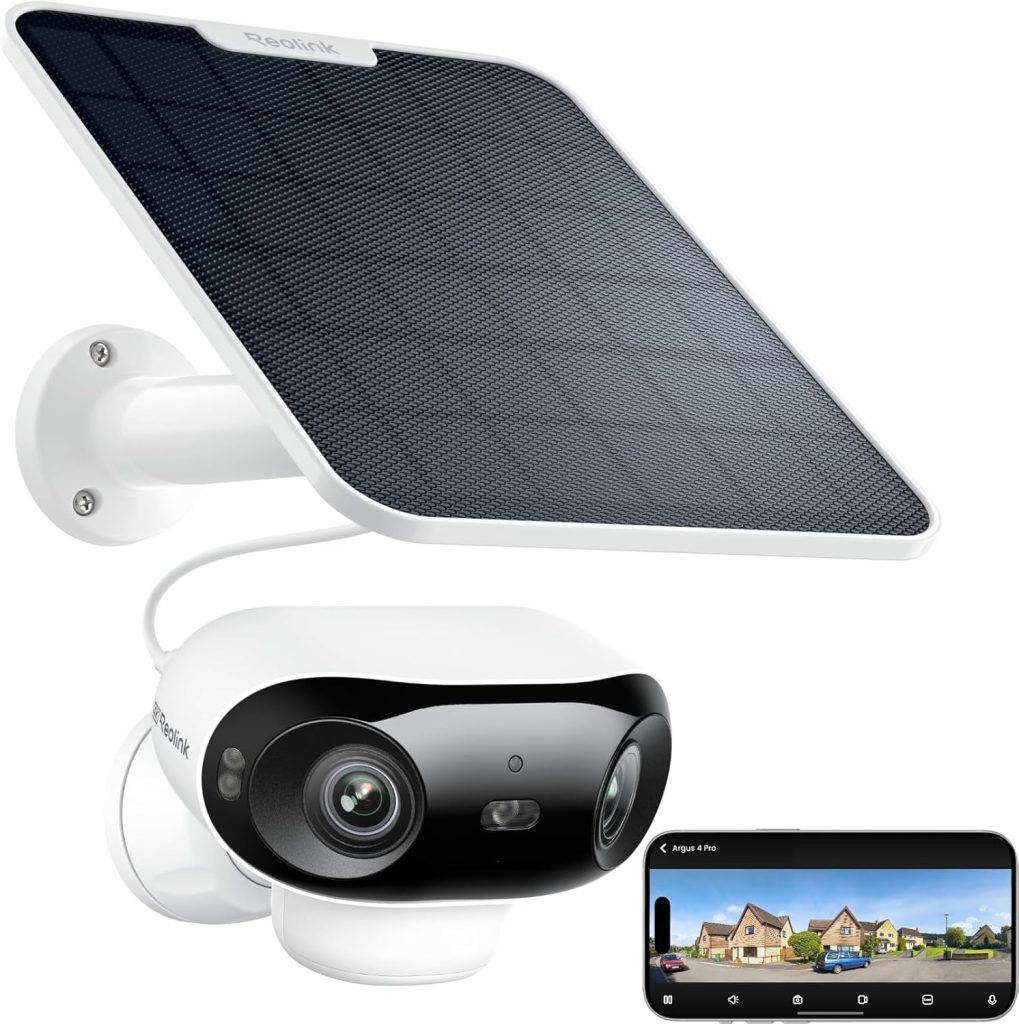
The Reolink Argus 4 Pro is the best wireless security camera no subscription for outdoor use in 2026.
Two stitched lenses produce a 180° panoramic 4K view. One camera covers a full driveway or garden. Two standard cameras would be needed to match it.
The subscription story is cleaner than any other camera at this price. Every AI feature, person detection, vehicle detection, and pet detection, runs on the camera’s processor.
Nothing uploads to Reolink’s servers for analysis. You’re not paying monthly fees, and you’re not sending video to a third-party cloud to be processed.
Solar charging is integrated. In a location with 1–2 hours of daily sunlight, the solar panel keeps the battery charged indefinitely.
I’ve had an Argus 4 Pro on a north-facing fence through a UK winter. It dipped to 60% battery at its lowest. Recovered fully within the following week of moderate sun.
The one thing to buy alongside it: a high-endurance microSD card. The Argus 4 Pro doesn’t include one. A Samsung PRO Endurance 128GB card (~$18) gives you approximately 7 days of continuous recording at reduced quality or 2–3 days at full 4K.
That’s before motion-triggered recording. If you’re only recording motion clips, a 128GB card holds weeks of footage.
The limitation: the app is functional but not as polished as Eufy’s. If you prioritise ease of use over the cleanest privacy story and lowest subscription cost, the Eufy SoloCam S340 below delivers a similar outdoor experience with a better app.
2. Eufy SoloCam S340 — Best Plug-and-Play Wireless Security Camera Without a Subscription
Who it’s for: Outdoor use where setup simplicity and app quality matter as much as specs
Price: ~$120 | Resolution: 4K wide-angle + 2K PTZ (dual lens) | Power: Battery + solar
Storage: Built-in 8GB eMMC (no card needed) + optional microSD | Subscription: None required | AI detection: Person, vehicle — on-device, free
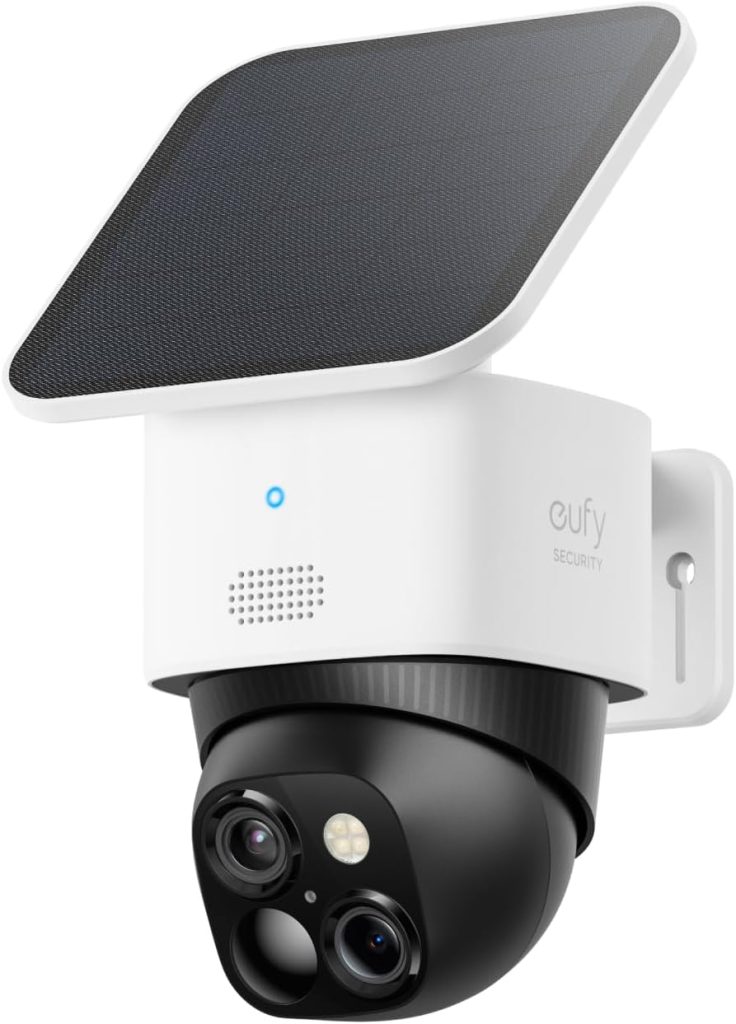
The Eufy SoloCam S340 is the no-subscription wireless security camera for anyone who wants outdoor protection without managing microSD cards or worrying about whether the solar panel is charging fast enough.
Built-in 8GB eMMC storage means the camera records locally with no card to buy, format, or replace. Solar + battery power means mounting anywhere, no power cables, no charging ladder climbs.
The dual-lens setup (4K wide-angle for area coverage + 2K PTZ for tracking) means you see the full scene and can zoom to follow movement.
The Eufy app is genuinely easier to use than Reolink’s. Setting activity zones, adjusting sensitivity, and reviewing footage are all more intuitive.
For households where the person managing security isn’t technically inclined, this matters more than the spec differences between the two brands.
The privacy caveat: Eufy had a significant security incident in 2022 where camera streams were briefly accessible without authentication.
Eufy has since implemented substantial security improvements and end-to-end encryption. I’ve used Eufy cameras since 2023 without issue. But if privacy is your primary concern, Reolink’s cleaner track record makes it the safer choice.
3. TP-Link Tapo C120 — Best Budget Wireless Security Camera Without a Subscription
Who it’s for: First-time buyers and budget-conscious households wanting proven no-subscription performance under $30
Price: ~$28 | Resolution: 2K | Power: Wired (plug-in)
Storage: MicroSD up to 512GB | Subscription: None required | Works with: Alexa, Google Home
AI detection: Person, pet — free on-device | IP rating: IP67 (fully outdoor rated)
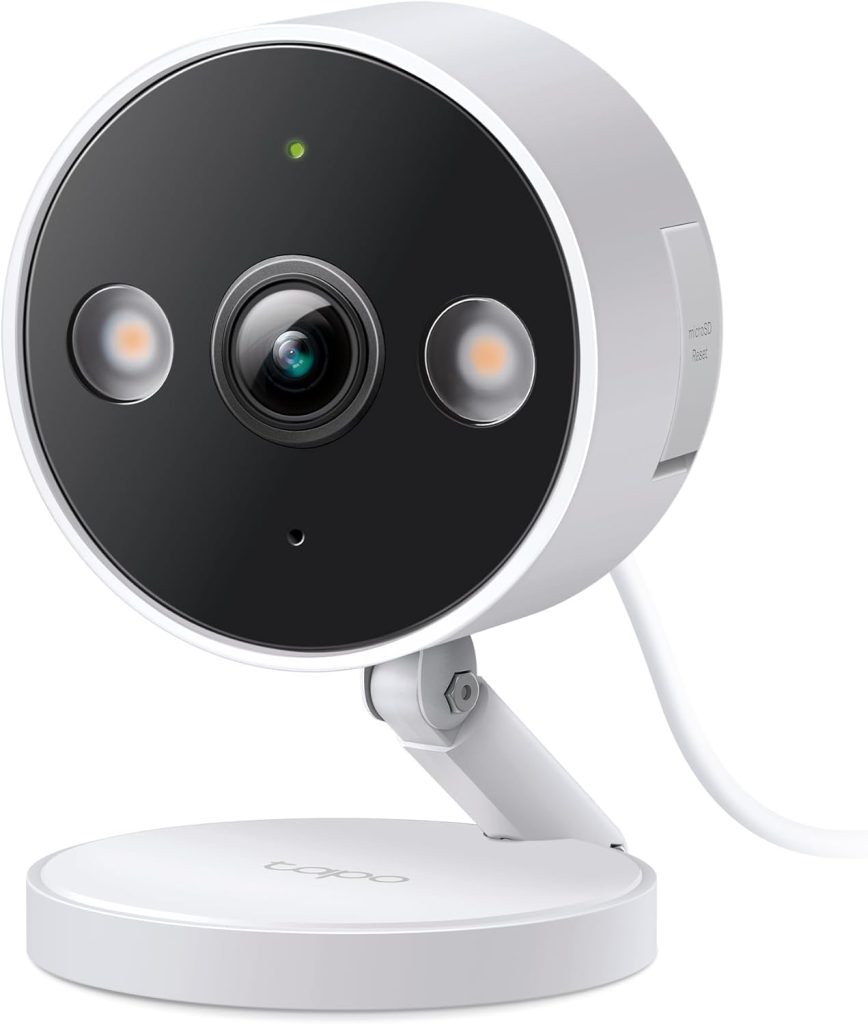
Twenty-eight dollars. The best-value wireless security camera with no subscription on this list.
2K resolution. Person and pet detection, free. IP67 waterproof for outdoor use. This is the camera that makes subscription cameras look absurd.
The Tapo app handles simultaneous multi-camera viewing, activity zones, and Alexa/Google Home integration. All free. Nothing beyond the camera purchase.
The microSD slot accepts cards up to 512GB, more capacity than any other camera on this list.
Tapo person detection runs on-device. You get a notification with a thumbnail showing what triggered the alert. No subscription, no cloud processing, no monthly cost.
What wired means in practice: the C120 needs a power outlet within cable reach. This makes it ideal for indoor use near a socket, porch locations near an outdoor outlet, or any fixed location near power. For locations without power access, the Reolink or Eufy solar options are the correct picks.
The 3-year cost reality: three Tapo C120s cost $84. Three Ring Indoor Cams with a Ring Protect subscription cost $1,080 over three years. Both provide person detection, live remote viewing, and motion alerts. The footage quality and AI accuracy differences do not justify a $996 difference.
4. Reolink E1 Zoom — Best Indoor Wireless Security Camera Without a Subscription
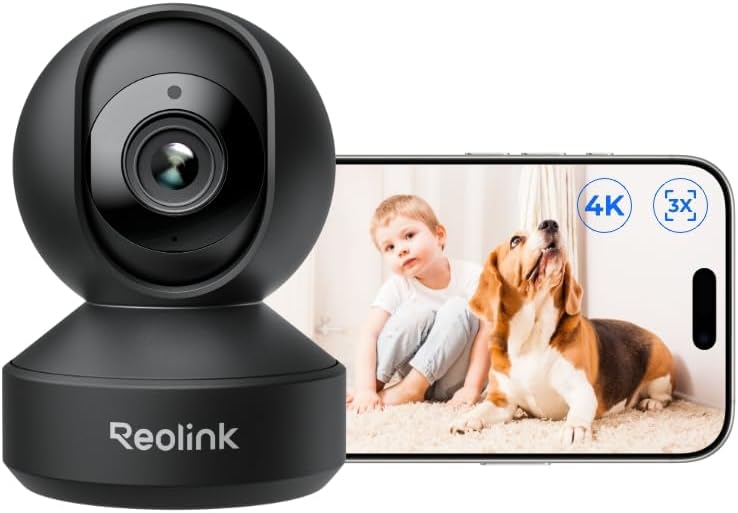
Who it’s for: Indoor use — living rooms, nurseries, home offices — where PTZ coverage of a full room matters
Price: ~$45 | Resolution: 2K+ (5MP) with 5x optical zoom | Power: Wired (plug-in)
Storage: MicroSD up to 256GB | Pan/Tilt: 355° horizontal, 50° vertical | Subscription: None required
AI detection: Person, pet — on-device, free
A standard fixed indoor camera covers a 110–130° cone. The Reolink E1 Zoom covers 355° horizontally. One camera monitors a full living room, kitchen, or office without any blind spots, at $45 with no monthly fee.
The 5x optical zoom doesn’t degrade quality when you zoom in on footage. Optical zoom uses the lens physically, not digital cropping.
If someone enters your home and you have a fixed camera in the corner at a wide angle, the face might be too small to identify.
The E1 Zoom lets you zoom into the recording and see clearly without the pixelation that comes from digital zoom.
RTSP support means the E1 Zoom integrates with third-party NVR systems, Home Assistant, Blue Iris, and Synology Surveillance Station.
For anyone running a home automation setup, this is the camera that plugs into it natively without any subscription or cloud requirement.
The practical limitation: it needs a power outlet. Pan-tilt motors draw more power than fixed cameras. Battery-powered PTZ cameras are generally unreliable because the motors drain batteries quickly.
For indoor use near a socket, this is the right pick. For outdoor locations without power, the Argus 4 Pro or SoloCam S340 are the correct choices.
5. Wyze Cam v4 — Cheapest Reliable Wireless Security Camera Without a Full Subscription
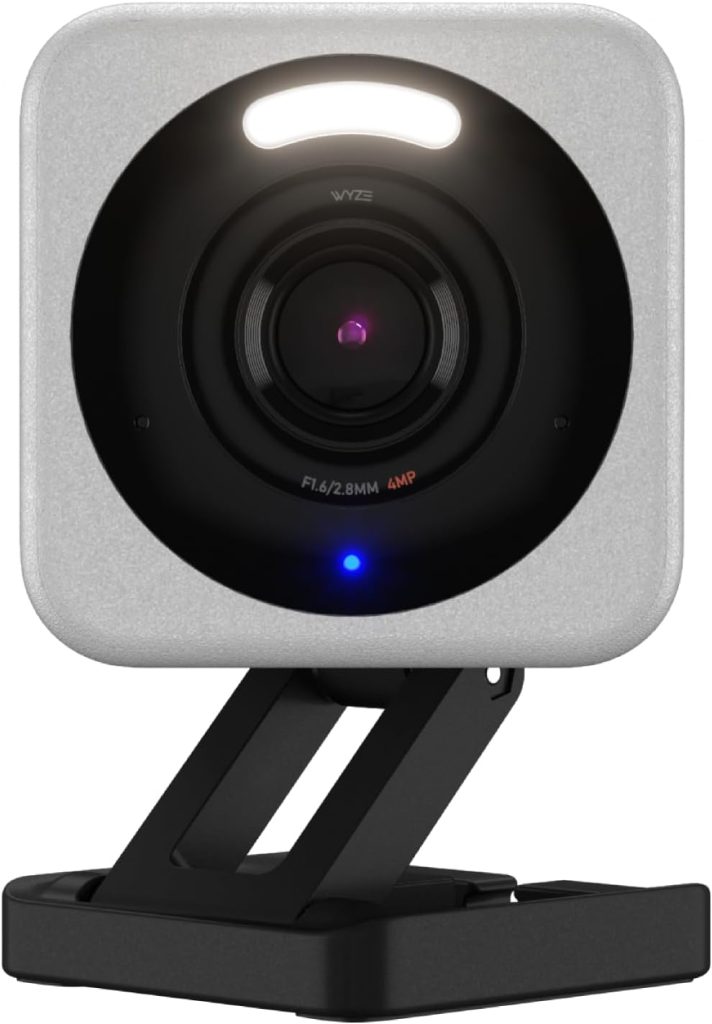
Who it’s for: Budget-first buyers who want basic smart alerts and local storage at the lowest possible price
Price: ~$36 | Resolution: 2K | Power: Wired (plug-in)
Storage: MicroSD up to 256GB | Works with: Alexa, Google Home
Free AI: Person detection — 12 free events per day (unlimited with subscription)
The Wyze Cam v4 is the most honest camera about what you get without paying. Twelve free person detection events per day. Local microSD storage.
Live remote viewing. 2K resolution. For a camera in a low-traffic area, a back door, a garage, a back garden 12 events per day is often sufficient.
The nuance: Wyze’s free tier is genuinely useful but limited. If your camera triggers more than 12 detections per day, such as a busy front door or a car park, you’ll miss alerts beyond the daily limit.
Wyze Cam Protect starts at $2/month if you need unlimited AI events. Still significantly cheaper than Ring or Nest subscriptions.
Colour night vision is the hardware improvement in v4 over the previous generation. A warm light illuminates the scene at night, producing colour footage instead of black-and-white infrared. Useful for identifying clothing colour and vehicle colour in night footage.
For basic use without any subscription at all, the Tapo C120 at $28 delivers unlimited person detection without the 12-event cap and costs $8 less. The Wyze earns its place for buyers who want the Wyze ecosystem, or who specifically need the colour night vision feature.
6. Eufy Indoor Cam C120 — Best Budget Indoor Camera Without a Subscription
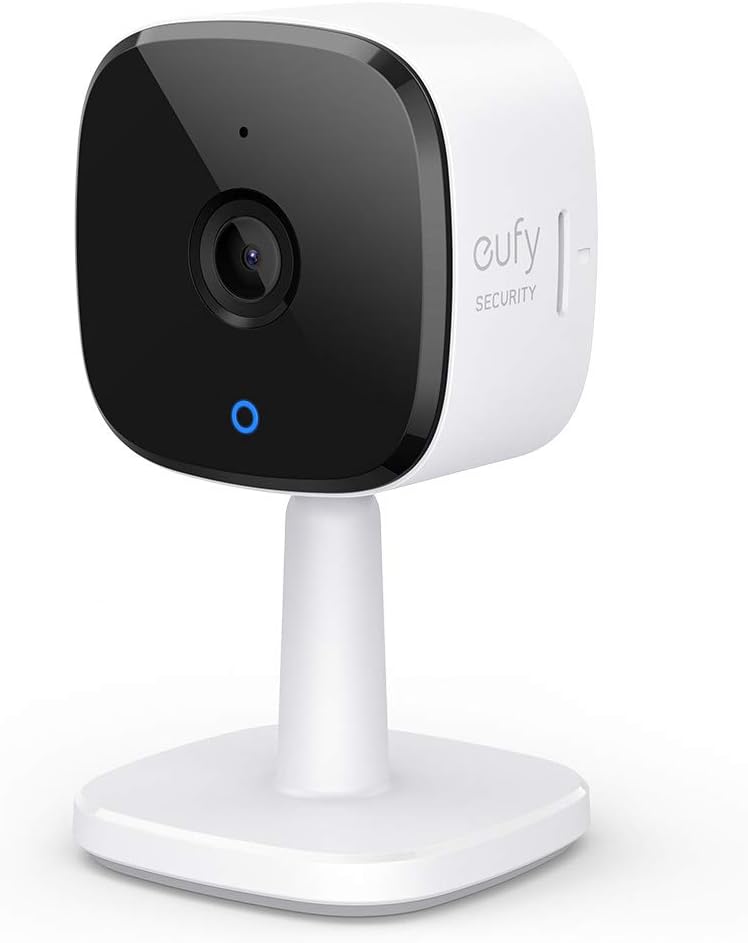
Who it’s for: Indoor monitoring — pets, babies, elderly relatives — where AI accuracy and data privacy matter
Price: ~$35 | Resolution: 2K | Power: Wired (plug-in)
Storage: MicroSD + optional cloud | Subscription: None required for core features
AI detection: Person, animal, abnormal sound (crying, shouting) — all on-device, all free
The Eufy C120 is the right wireless security camera without a subscription for indoor care monitoring. The most comprehensive free AI detection of any camera under $40.
Person detection, animal detection, and abnormal sound detection. The camera alerts you when it hears someone crying or shouting, not just when it detects motion.
For a nursery or an elderly relative’s room, sound detection is genuinely useful and costs nothing extra.
Data security is better than most budget cameras. Consumer Reports rates Eufy’s C120 among the top security scorers in its category.
Footage stays on the local microSD card. The camera connects to Alexa and Google Home for voice control and can be integrated with an Eufy HomeBase hub for hard-drive storage if you want a larger local archive.
Two-way audio works cleanly; speak through the camera, hear through it. The night vision reaches 10 metres in low light without a visible IR glow.
At $35 with no monthly fee, this is the camera I’d put in every room that needs indoor monitoring in a budget-conscious home.
The limitation: fixed lens, 135° field of view. For a small room, it covers everything. For a large living room or open-plan space, the Reolink E1 Zoom’s PTZ capability covers more ground from a single unit.
Which Wireless Security Camera Without a Subscription Is Right for Your Situation
You want a wireless outdoor security camera with no subscription that never needs charging
Both the Reolink Argus 4 Pro and Eufy SoloCam S340 use solar + battery. In typical UK or US conditions with 1–2 hours of direct sunlight daily, both maintain their charge indefinitely.
Reolink is for the privacy-conscious buyer and multi-camera setups. Eufy for the easier setup and app experience.
You want the cheapest possible setup with no ongoing costs
TP-Link Tapo C120 at $28 with unlimited free person detection and local storage. Buy a $15 high-endurance microSD card alongside it. Total spend: $43 per camera. No monthly cost, ever.
You want to replace a Ring or Nest camera and save on subscriptions
Match the format first. Replacing an outdoor Ring camera: Reolink Argus 4 Pro or Eufy SoloCam S340. Replacing an indoor Nest: Eufy Indoor Cam C120 or Reolink E1 Zoom.
The features you’ll miss: cloud backup (footage only on local storage) and facial recognition (not available on any of these cameras). The money you’ll save: $72–$120 per year, per camera.
You want indoor monitoring for a baby, pet, or elderly relative
Eufy Indoor Cam C120. The abnormal sound detection, such as crying or shouting, is the feature that makes it the right call for care monitoring situations. Person and animal detection are both free. Two-way audio works reliably. $35, no monthly fee.
Final Verdict — Which Wireless Security Camera Without a Subscription Should You Buy?
✅ Best outdoor no-subscription camera overall
$120. 4K panoramic. Solar powered. All AI on-device. Zero monthly fee. Cleanest privacy story in this category. Buy a high-endurance microSD card alongside it. Three-year total cost: $138 (camera + card). Compare to $510 for three years of Arlo Pro 4 with subscription.
✅ Best outdoor no-subscription camera for easiest setup
$120. Solar + battery. Built-in storage, no SD card to buy. Better app than Reolink. Dual-lens 4K + PTZ tracking. Zero monthly fee. Right for buyers who want professional outdoor security without the hassle of managing microSD cards or dealing with a more industrial app interface.
✅ Best budget no-subscription camera for any location with a power outlet
$28. 2K. IP67 outdoor rated. Unlimited free person detection. No subscription, no exceptions, no daily limits. Add a $15 high-endurance SD card. Total: $43. Three-year total: $43. Three Ring Indoor Cams with Ring Protect over three years: $1,080. Both do person detection. The difference is $1,037.
✅ Best indoor no-subscription camera for baby, pet, or care monitoring
$35. 2K. Person, animal, and abnormal sound detection crying and shouting alerts, free. Two-way audio. Strong data security rating. The most useful free AI detection of any camera under $40. No monthly fee for any core feature.
Frequently Asked Questions About Wireless Security Cameras Without a Subscription
Can I view my security cameras remotely without a subscription?
Yes, remote viewing is always free on every wireless security camera with no subscription.
Every wireless security camera with no subscription on this list lets you watch live footage from your phone from anywhere in the world at no cost.
“No subscription” refers to video storage and advanced AI features, not remote access.
This is the most common misconception about no-subscription security cameras.
Many buyers continue paying monthly fees because they incorrectly believe cancelling means losing remote access.
What happens to recordings if a thief steals the camera?
If a thief takes the camera and the microSD card inside it, you lose the local footage.
This is the main practical advantage of cloud backup subscriptions: footage stored in the cloud survives physical theft of the camera.
The mitigation: mount cameras out of reach (3+ metres) and use a hub like the Eufy HomeBase.
It stores footage on a separate indoor device.
Reolink’s NVR systems also keep recordings on an indoor recorder.
Alternatively, some users add a low-cost cloud backup on top of local storage.
Tapo Care starts at $1.99/month for basic cloud backup as an optional add-on.
Which wireless security cameras have free AI detection without a subscription?
Reolink cameras have fully free on-device AI detection, person, vehicle, and pet detection all run on the camera’s processor with no cloud subscription required and no daily limits.
TP-Link Tapo cameras offer free person and pet detection with no daily cap. Eufy cameras offer free on-device person and animal detection.
Wyze Cam v4 offers 12 free person detection events per day, unlimited requires a $2/month subscription.
Ring and Nest both require subscriptions for any AI-based smart alerts beyond basic motion detection.
Do wireless security cameras without subscriptions work without Wi-Fi?
Local recording continues without Wi-Fi on cameras with microSD storage.
The camera keeps recording to the card even if the internet goes down.
Remote viewing, push notifications, and app access all require an active internet connection.
Some Reolink cameras support direct Ethernet connection for indoor use without Wi-Fi dependency.
What microSD card should I buy for a no-subscription security camera?
Always buy a high-endurance microSD card, not a standard one.
Security cameras write continuously to the card, overwriting old footage in a loop.
Standard SD cards fail within 3–6 months under this workload.
High-endurance cards (Samsung PRO Endurance, SanDisk High Endurance) are rated for years of continuous recording.
A 128GB Samsung PRO Endurance card costs around $18 and holds approximately 7–10 days of motion-triggered clips at 2K resolution, or 2–3 days of continuous 4K recording.
