


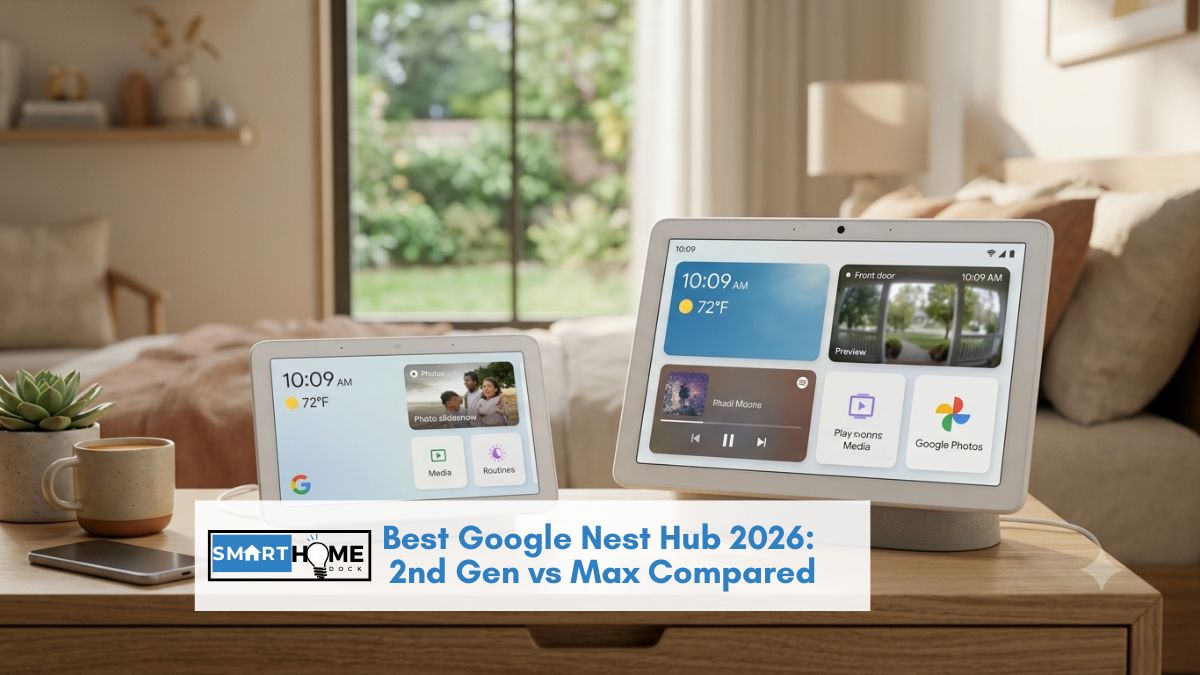
This article contains affiliate links. If you buy through them, SmartHomeDock earns a small commission at no extra cost to you. We only recommend products we’ve actually tested or verified.
The Google Nest Hub lineup has two models. One costs $119. One costs $250. The difference between them is not just price and screen size, it’s which room each one is actually designed for.
For those looking for the best Google Nest Hub, knowing your space is crucial. Ultimately, the best Google Nest Hub will depend on your specific needs and preferences.
Choosing the best Google Nest Hub means considering how it integrates into your household. Many users have found the best Google Nest Hub to be an essential home assistant.
Now, let’s explore the features that make the best Google Nest Hub stand out.
Get this right before comparing anything else, and the decision takes thirty seconds. The Nest Hub 2nd Gen is the bedroom device: compact, no camera, Thread border router included, Sleep Sensing via radar.
The Nest Hub Max is the living room device: 10-inch display, front camera for video calls, and superior speakers.
The best Google Nest Hub 2nd Gen offers remarkable versatility for various rooms. For larger spaces, the best Google Nest Hub Max provides a premium experience.
Many find the best Google Nest Hub to be a great addition to their smart home setup.
Both now run Gemini for Home, Google’s AI assistant upgrade rolling out in 2026. Both fully support Matter.
This guide covers both current Google Nest Hub models, the honest Gemini update picture, the sleep tracking status question every buyer asks, and the one thing nobody else mentions: whether to buy now or wait for the rumoured new Google Home Display.
When considering the best Google Nest Hub, think about the privacy features offered.
Quick Answer: Best Google Nest Hub 2026
Best for bedrooms, kitchens, and desks: Google Nest Hub 2nd Gen (~$119 currently discounted to ~$89) — 7-inch display, no camera, Thread border router, Sleep Sensing, Matter. The right choice for any room where you don’t need a camera and the compact size fits the space.
Best for living rooms and shared spaces: Google Nest Hub Max (~$250, frequently discounted to ~$150–$170) — 10-inch display, front camera for video calls and security monitoring, stereo speakers with subwoofer, Face Match. The right choice for rooms where the screen is watched from a distance and video calling matters.
The “should I wait?” answer: a Google Home Display with newer hardware and Gemini-optimised processing is reportedly in development based on May 2026 code found in the Google Home app. If you can wait 6–12 months, waiting is reasonable. If you need a Google smart display now, both current models are fully supported and actively updated with Gemini for Home.
Overall, the best Google Nest Hub meets a variety of needs for different users. Finding the best Google Nest Hub model for your lifestyle is key.
The Whole Decision in One Framework: Which Room?
Every spec comparison between the Nest Hub 2nd Gen and Nest Hub Max becomes clear once you know which room the device is going in. No other decision matters as much.
| Room | Right model | Why |
|---|---|---|
| Bedroom | 2nd Gen ✅ | No camera (privacy), Sleep Sensing, compact for nightstand, ambient light dimming |
| Kitchen | 2nd Gen ✅ | Smaller footprint on counter, adequate for recipes and timers, lower price if it gets splashed |
| Home office/desk | 2nd Gen ✅ | Compact, Thread hub for desk devices, no camera if privacy-conscious |
| Living room | Max ✅ | 10-inch display visible from a distance, stereo speakers fill the room, shared family hub |
| Family kitchen/dining area | Max ✅ | Larger display for recipes at a distance, video calls with family, shared calendar visible |
| Entryway/hallway | Max ✅ | Camera doubles as entryway security monitor, Face Match shows personal info on arrival |
If the room is private or compact: bedroom, personal office, small kitchen, the 2nd Gen is the correct choice.
If the room is shared, large, or needs a camera, living room, family kitchen, or entryway, the Max justifies its $130 premium. That’s the whole decision. Everything below is supporting detail.
In conclusion, the best Google Nest Hub can significantly enhance your daily routines.
What’s Changed in 2026: Gemini for Home and the New Hardware Rumour
Gemini for Home — the AI upgrade
Google is replacing Google Assistant on Nest Hub devices with Gemini for Home — its generative AI assistant.
Both the Nest Hub 2nd Gen and Nest Hub Max are on the confirmed update list. The standard “Hey Google” wake word continues working for commands.
Gemini Live, extended conversational AI, is available on the Nest Hub 2nd Gen and Max specifically, unlike older or lower-powered Google speakers that receive only basic Gemini command capabilities.
The practical improvement: Gemini for Home understands natural language requests more accurately than the original Google Assistant.
“Hey Google, when I leave for work tomorrow, turn off all the lights and set the thermostat to eco” works as a single voice command rather than requiring manual routine creation in the app.
⚠️ The honest Gemini rollout picture
The Gemini for Home update has been rolling out gradually since late 2025. User reports include rough edges; some experienced display issues after the update; others reported Gemini turning on the wrong lights or misidentifying commands.
These are early-rollout issues consistent with any major software update on existing hardware. For the majority of users, the Gemini update is working correctly, and the AI improvement is genuine.
If you experience issues after the Gemini update, rolling back to the previous firmware via the Google Home app settings resolves most problems while Google patches them.
Should you wait for the Google Home Display?
Code discovered in a May 2026 Google Home app update suggests Google is developing a new smart display, referred to internally as the “Google Home Display.” No official announcement has been made.
The Nest Hub 2nd Gen was released in March 2021, making it over five years old in June 2026, the longest gap between smart display generations from any major manufacturer.
The case for waiting: the rumoured device likely includes a newer processor better suited to Gemini’s AI demands, potentially improved display resolution, and design updates reflecting five years of product evolution.
The case for buying now: neither model is discontinued. Both receive Gemini updates. Both fully support Matter. At $89 for the 2nd Gen (current discounted price), the value case for buying now is strong.
If the Google Home Display launches in late 2026, you’ll have 6–12 months of use before needing to decide whether to upgrade.
The verdict: if you need a Google smart display today, buy the 2nd Gen at the current discounted price. If you can wait 6–12 months without a device, waiting for the potential hardware refresh is reasonable. Do not pay full price ($100) for the 2nd Gen in June 2026, it’s available below MSRP at most retailers.
More users are realizing that the best Google Nest Hub is worth the investment.
Google Nest Hub 2nd Gen vs Nest Hub Max: Full Comparison
| Feature | Nest Hub 2nd Gen | Nest Hub Max |
|---|---|---|
| Price | ~$89–$119 | ~$150–$250 |
| Display size | 7-inch (1024×600) | 10-inch (1280×800) ✅ |
| Camera | None (privacy ✅) | 6.5MP with Face Match ✅ |
| Speaker | Single full-range driver | Stereo: 2x 10W tweeters + 30W woofer ✅ |
| Thread border router | ✅ Yes | ❌ No |
| Matter support | ✅ Full (Wi-Fi + Thread) | ✅ Full (Wi-Fi only) |
| Sleep Sensing | ✅ Yes (Soli radar) | ❌ No |
| Quick Gestures | ✅ Yes (Motion Sense) | ✅ Yes (gesture control) |
| Video calling | Receive only (no camera) | ✅ Full two-way video |
| Gemini for Home | ✅ Full Gemini Live | ✅ Full Gemini Live |
| Face Match | ❌ No camera | ✅ Up to 6 people |
| Colours | Chalk, Charcoal, Sand, Mist (4 options) | Chalk, Charcoal (2 options) |
| Best room | Bedroom, kitchen, office | Living room, family kitchen, entryway |
The Thread gap is the most overlooked spec in this comparison. The Nest Hub 2nd Gen is a Thread border router — it connects Thread-based Matter devices (Eve sensors, some Yale locks, Nanoleaf panels) to your Google Home network.
The Nest Hub Max does not have Thread. For smart homes with Thread-based devices, the 2nd Gen provides better hub capability despite the smaller screen.
Google Nest Hub Reviews: Both Models in Depth
Google Nest Hub 2nd Gen — Best Google Nest Hub for Most Buyers
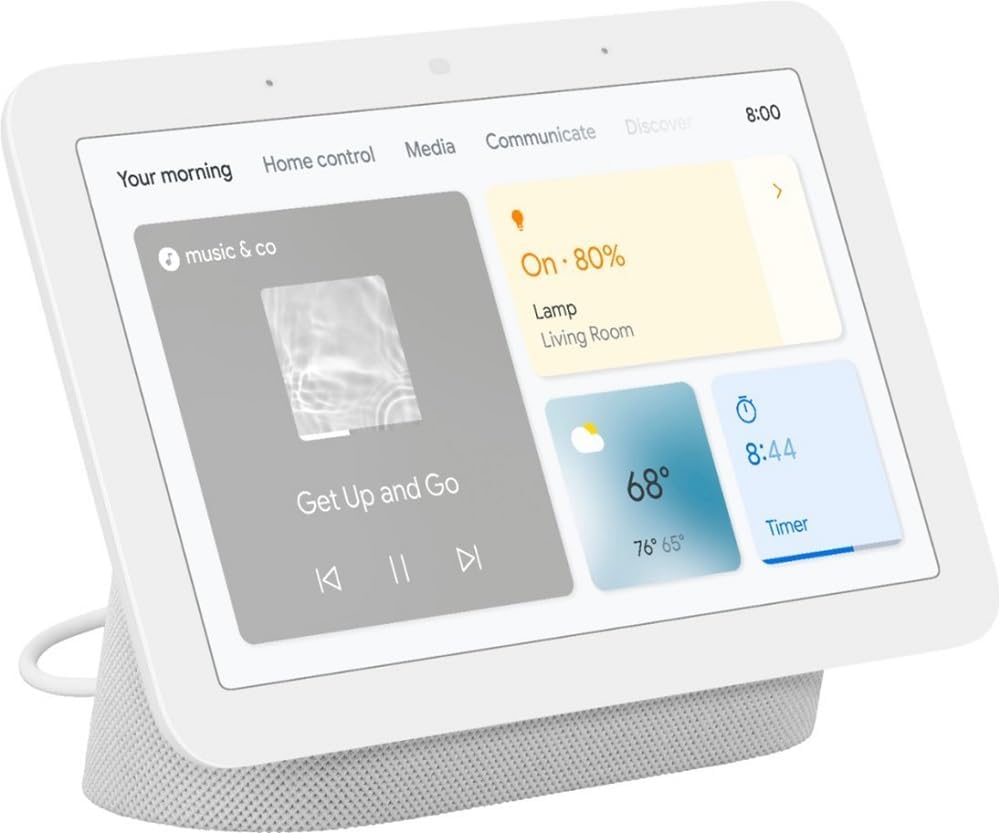
Who it’s for: Bedrooms, kitchens, and desks — anyone wanting a compact Google smart display with Thread hub capability and sleep tracking
Price: ~$89–$119(discounted from $99 MSRP) | Display: 7-inch touchscreen, 1024×600 | Camera: None
Hub: Thread border router ✅ + Matter (Wi-Fi + Thread) | Sleep Sensing: Yes (Soli radar) | Gemini: Full Gemini Live ✅
Works with: Google Home, Alexa (limited), all Matter-certified devices
No other smart display matches the 2nd Gen’s combination at the price: Thread border router, Sleep Sensing, compact design, and Gemini for Home, all under $100.
The no-camera design is a feature in the bedroom, not a limitation. Privacy-conscious buyers placing a smart display on a nightstand don’t want a camera pointing at the bed while they sleep.
The Soli radar-based Sleep Sensing works entirely without a camera; it tracks movement and breathing patterns through radar, identifying sleep stages, disturbances, and consistency.
This is the only mainstream smart display that does this without a camera or a wearable.
Sleep Sensing in 2026: Google originally planned to move Sleep Sensing behind a Fitbit Premium paywall ($9.99/month). As of June 2026, this transition has been delayed multiple times, and sleep Sensing remains free.
Google has not announced a new date for the paywall change. For buyers considering the 2nd Gen primarily for sleep tracking, it is currently free. The future pricing uncertainty is real but has been pushed back consistently.
Thread border router capability makes the 2nd Gen a more capable smart home hub than the Max for homes with Thread-based devices.
Place it in the living room or kitchen, and it serves as the Thread infrastructure anchor for Eve sensors, Thread-enabled locks, and Nanoleaf panels alongside its Google Home Matter controller role. The Max doesn’t offer this.
Ambient light sensing automatically adjusts the display brightness to match room lighting, dimming at night without manual adjustment.
The photosensitive display is calibrated for bedside use specifically, reducing blue light impact during sleeping hours.
Quick Gestures via Motion Sense let you pause music, snooze alarms, and stop timers with a hand wave, useful for cooking with wet hands or waking slowly in the morning.
The display limitation: 7 inches at 1024×600 resolution is adequate for bedside and kitchen use, but cramped for watching video content from across a room. Anyone intending to stream YouTube or video call from a living room seating position will find the screen too small. That’s Max’s job.
Google Nest Hub Max — Best for Living Rooms and Video Calling
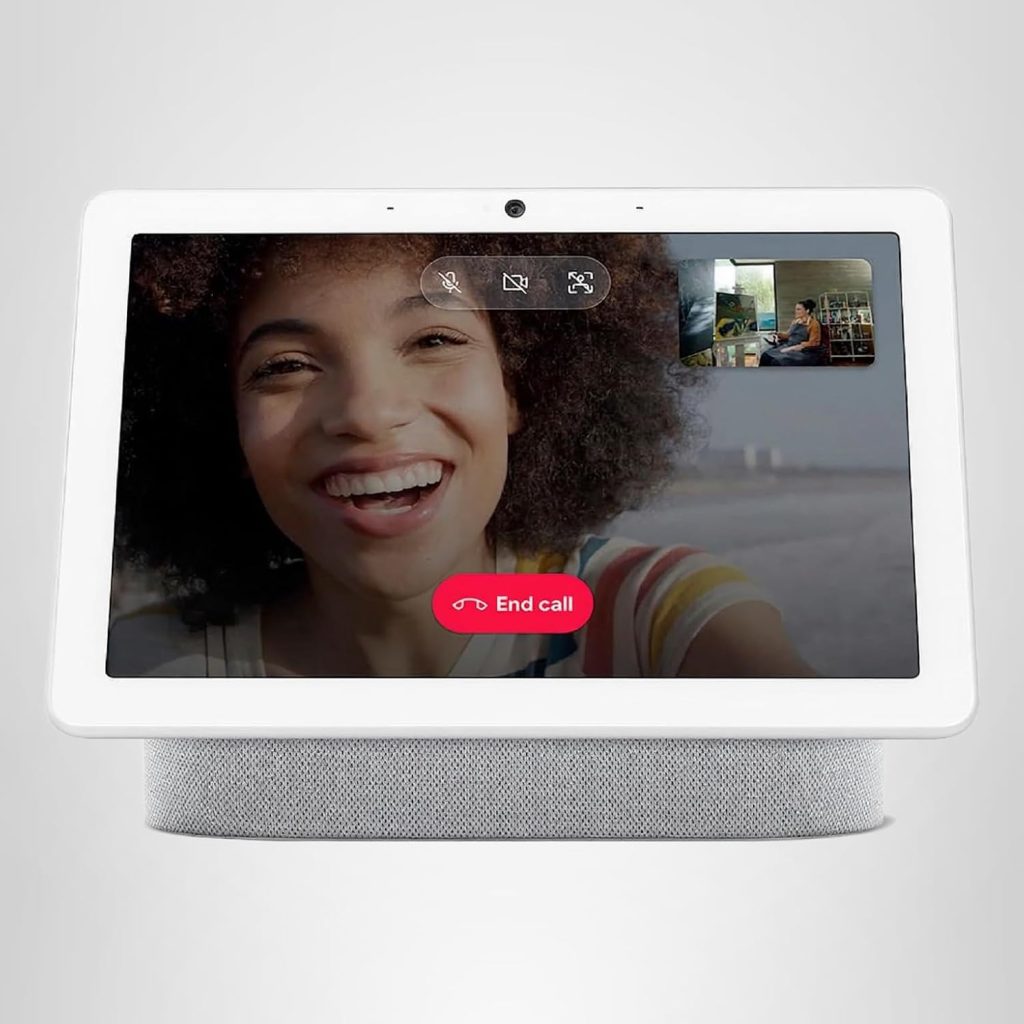
Who it’s for: Living rooms, family kitchens, and entryways where the display is watched from a distance and video calls or camera monitoring matter
Price: ~$250 (frequently discounted to $149–$170) | Display: 10-inch HD, 1280×800 | Camera: 6.5MP, 127° field of view
Speaker: 2x 10W tweeters + 30W subwoofer | Hub: Matter controller (Wi-Fi only — no Thread) | Gemini: Full Gemini Live ✅
Face Match: Up to 6 people | Works with: Google Home, all Matter-certified devices
The Nest Hub Max is Google’s best smart display for shared spaces.
The 10-inch display at 1280×800 is visible and readable from a sofa or dining table; the 2nd Gen’s 7-inch screen requires walking closer to read clearly.
For a living room or open-plan kitchen where the Nest Hub serves as a shared information display, recipe guide, and media screen for multiple household members, the size gap is meaningful.
Think about how the best Google Nest Hub can simplify your life. The 6.5MP camera does three distinct jobs.
Investing in the best Google Nest Hub will provide you with long-term benefits. The best Google Nest Hub offers a seamless integration with your other smart devices.
First, video calls via Google Meet, two-way video with family or colleagues directly from the kitchen or living room without opening a laptop.
Second, a security camera for the room it’s placed in, viewable remotely through the Google Home app and from other Nest displays in the house.
Third, Face Match personalises the experience for up to six people; the Max recognises who approaches and shows that person’s calendar, reminders, and commute rather than generic household information.
The stereo speaker system, two 10W tweeters plus a 30W rear-firing subwoofer, fills a medium living room with noticeably better audio than the 2nd Gen’s single driver.
For background music during cooking or as an ambient music source in an open-plan space, the Max sounds substantially better.
The price consideration: the Nest Hub Max lists at $250 but regularly sells for $149–$170 at major retailers.
At $149, the premium over the $89 2nd Gen narrows to $60, the right comparison if the Max features are wanted.
At full list price, the value calculation is less clear. Set a price alert and buy the Max at or below $170.
No Thread border router. This is Max’s one meaningful smart home limitation versus the 2nd Gen.
Thread devices, Eve sensors, Nanoleaf Thread panels, some Matter locks, need a Thread border router to connect locally. The Max routes Thread device connections through Wi-Fi and Matter controllers only.
For homes planning significant Thread device investment, adding a HomePod Mini or ensuring at least one 2nd Gen Nest Hub is in the setup covers the Thread infrastructure gap.
Google Nest Hub Sleep Tracking: How It Works and Whether It’s Still Free
Sleep Sensing is the feature that makes the Nest Hub 2nd Gen the right bedroom smart display. Understanding what it does and its 2026 status matters before buying.
How Sleep Sensing works
The Nest Hub 2nd Gen contains Google’s Soli radar chip, the same technology in Pixel phones for gesture detection.
Placed on a nightstand, the Soli radar emits low-powered radio waves that detect tiny movements, including breathing and body motion.
It identifies sleep stages (light, deep, REM), tracks sleep duration, logs disturbances (coughing, snoring, light changes, room temperature), and compiles the data into a morning Sleep Summary in the Google Fit or Fitbit app.
No camera involved. No wearable required. The radar works through air; you don’t need to be touching anything for it to detect sleep patterns.
This is the only approach that makes it practical for bedrooms: a camera is a privacy concern, and a wearable requires charging.
Is Sleep Sensing still free in 2026?
Yes, as of June 2026, Sleep Sensing is free. Google has delayed moving it to Fitbit Premium multiple times. No new paywall date has been announced. The feature works with a free Google account.
The uncertainty: Google’s stated intention to eventually move Sleep Sensing behind a subscription remains. It hasn’t happened yet.
For buyers considering the 2nd Gen primarily for sleep tracking, the feature works for free now, but building reliance on it without acknowledging the possible future paywall is not the full picture.
Consider it a current free bonus alongside the smart display’s other functions rather than the primary reason to buy.
Google Nest Hub as a Smart Home Hub: Thread, Matter, and Google Home
Both Nest Hub models serve as Google Home controllers; they pair with, control, and automate any Google Home-compatible device. The difference in hub capability is the Thread border router.
Nest Hub 2nd Gen hub capability
- Thread border router: connects Thread-based Matter devices locally, routing commands without cloud dependency
- Matter controller: pairs with any Matter-certified device via QR code — lights, plugs, locks, thermostats, sensors
- Google Home Hub: manages all Google Home routines and automations for the household
- Gemini for Home: natural language smart home command via voice
Nest Hub Max hub capability
- Thread border router: ❌ Not included — Thread devices connect via Wi-Fi/Matter only
- Matter controller: full Matter support for Wi-Fi-based Matter devices
- Google Home hub: full automation and device management
- Gemini for Home: full Gemini Live for natural language commands
For homes building a Google Home ecosystem with Thread devices, the 2nd Gen is the superior hub. The Max handles Wi-Fi Matter devices fully but misses Thread.
One 2nd Gen in the home provides Thread infrastructure for the whole house, additional devices (more 2nd Gens, or an Echo 4th Gen, HomePod Mini) extend Thread mesh coverage if needed.
For the full picture of smart home hub options, including Samsung SmartThings, Echo Hub, and Homey Pro, see our complete smart home hub guide.
Google Nest Hub vs Amazon Echo Show: Which Smart Display to Buy
The two dominant smart display ecosystems. Which wins depends on which voice assistant you prefer — and on one specific feature advantage on each side.
| Category | Nest Hub 2nd Gen | Echo Show 8 (3rd Gen) |
|---|---|---|
| Price | ~$89 | ~$150 |
| Display | 7-inch | 8-inch ✅ |
| Camera | None | 13MP auto-framing ✅ |
| Thread border router | ✅ | ❌ |
| Sleep Sensing | ✅ (radar-based) | ❌ |
| Voice assistant | Gemini for Home | Alexa+ |
| Device compatibility | Google Home ecosystem | Alexa — 100,000+ devices ✅ |
| Google services integration | ✅ Deep (Calendar, Maps, Gmail) | Limited |
Ultimately, your choice of the best Google Nest Hub will depend on personal preferences.
Buy the Nest Hub 2nd Gen when you use Android and Google services (Gmail, Google Calendar, Google Photos), want sleep tracking without a camera, need Thread border router capability, or already have Google Home smart devices. At $89 it’s $61 less than the Echo Show 8 with better hub capability and sleep tracking.
Buy the Echo Show 8 when you use Amazon services (Alexa+, Prime Video, Ring cameras, Echo devices elsewhere in your home), want the auto-framing camera for video calls, or need the broadest third-party device compatibility. For an established Alexa household, the Show 8 integrates more deeply than the Nest Hub would.
For a detailed guide on Alexa and Echo devices, see our best Amazon Echo guide.
Frequently Asked Questions About Google Nest Hub
Users agree that the best Google Nest Hub has changed how they interact with technology.
Is the Google Nest Hub worth buying in 2026?
Yes, at the current discounted price of ~$89 for the 2nd Gen, with the caveat that newer hardware appears to be in development.
At $89, the Nest Hub 2nd Gen offers Thread border router, Sleep Sensing, Matter support, Gemini for Home, and a capable 7-inch display at a lower cost than any comparable smart display.
If you need a Google smart display today, it’s worth buying at the current price.
If you can wait 6–12 months, a Google Home Display with newer hardware may be worth waiting for based on May 2026 code found in the Google Home app update.
What is the difference between Nest Hub and Nest Hub Max?
The Nest Hub Max has a larger 10-inch display, a 6.5MP camera for video calls and security monitoring, stereo speakers with a subwoofer, and Face Match personalisation for up to six people.
The Nest Hub 2nd Gen has a 7-inch display, no camera, a Thread border router (which the Max lacks), Sleep Sensing via Soli radar, and four colour options versus the Max’s two.
The 2nd Gen is better for bedrooms, kitchens, and desks.
The Max is better for living rooms, family spaces, and anywhere video calls or distance viewing matter.
Does Google Nest Hub have a Thread border router?
The Nest Hub 2nd Gen has a Thread border router and supports Matter via both Thread and Wi-Fi.
The Nest Hub Max does not have a Thread border router; it supports Matter via Wi-Fi only.
This matters for homes with Thread-based Matter devices like Eve sensors, Nanoleaf Thread panels, and some Matter-enabled smart locks.
The 2nd Gen is the superior smart home hub for Thread device connectivity despite its smaller screen.
Is Google Nest Hub Sleep Sensing still free in 2026?
Yes, Sleep Sensing is free as of June 2026. Google has repeatedly delayed moving it to a Fitbit Premium paywall ($9.99/month) and has not announced a new transition date.
The feature works with a free Google account.
The uncertainty remains: Google’s stated intention to eventually monetise Sleep Sensing has not been abandoned, only delayed.
For buyers considering the 2nd Gen primarily for sleep tracking, the feature works free currently, but treating it as a guaranteed free feature indefinitely isn’t entirely accurate.
Can Google Nest Hub work with Alexa?
The Google Nest Hub works with Alexa indirectly through Matter.
Matter-certified devices paired to Google Home appear in Alexa via Matter multi-admin.
You can add the same Matter device to both Google Home and Alexa simultaneously using the same QR code.
However, the Nest Hub itself responds only to Google Assistant and Gemini, not to Alexa wake words.
For both Google Home and Alexa control, place an Echo device alongside the Nest Hub and link Matter devices to both platforms.
Researching the best Google Nest Hub options available can lead you to the perfect device.
Final Verdict — Which Google Nest Hub Should You Buy?
The best Google Nest Hub can be an invaluable tool for managing your daily tasks.
✅ Bedroom, kitchen, or desk — compact Google smart display with Thread hub and sleep tracking
Buy: Google Nest Hub 2nd Gen (~$89).
With the best Google Nest Hub, you can easily control your smart devices.
7-inch display, no camera, Thread border router, Matter, Sleep Sensing (currently free), Gemini for Home. The right Nest Hub for private rooms and personal use. Better hub capability than the Max for Thread-based devices. Buy at the current discounted price; don’t pay $119 MSRP.
✅ Living room or family kitchen — shared space, video calls, content from across the room
Buy: Google Nest Hub Max (~$150–$170 on sale).
10-inch display visible from a sofa. 6.5MP camera for video calls and room monitoring. Stereo speakers with a subwoofer. Face Match for 6 people. Gemini for Home. Buy at $150–$170 during sales; set a price alert. Do not buy at the full $250 list price in 2026.
⏳ You can wait 6–12 months
Consider waiting for the Google Home Display.
Code in a May 2026 Google Home app update suggests new smart display hardware is in development. The Nest Hub 2nd Gen is over five years old.
If you don’t urgently need a device, waiting for the potential hardware refresh is a reasonable choice. The current models will remain fully supported and updated with Gemini for Home in the meantime.
