


The most common question after installing a Ring doorbell is how long does ring doorbell battery last. Ring publishes a six to twelve month range.
That figure is accurate in the same way that a car manufacturer’s fuel economy rating is accurate: it reflects optimal conditions, not the driveway you actually live on.
The honest real-world answer for most buyers is four to eight months per charge.
That is the typical range under moderate use: ten to twenty motion events per day, ambient temperatures above freezing, a Wi-Fi signal that does not constantly drop, and a doorbell that is not running 4K continuous recording with Live View opened multiple times daily.
Knowing which factors are pulling your battery toward the low end of that range: and which three settings changes give back the most battery life per adjustment: is more useful than the manufacturer’s best-case figure. That is what this guide covers.
Quick Answer: How Long Does a Ring Doorbell Battery Last?
How long does a Ring doorbell battery last? Ring’s published range is six to twelve months. Real-world typical use is four to eight months.
What drives it toward four months: high motion event frequency (20+ events daily), cold weather (below freezing), weak Wi-Fi signal, frequent Live View sessions, and 4K video on the Pro model.
What drives it toward eight to twelve months: fewer than ten motion events daily, mild temperature, strong Wi-Fi, motion zones tightened to avoid street traffic, and Rich Notifications disabled.
Solar shortcut: The Ring Solar Charger ($29.99) effectively eliminates manual recharging for doors with five or more hours of direct sun daily and fewer than thirteen motion events per day. For covered porches, the Ring Solar Panel ($49.99) with a longer cable positions the panel where sun reaches.
Ring Doorbell Battery Life by Model: 2026 Lineup
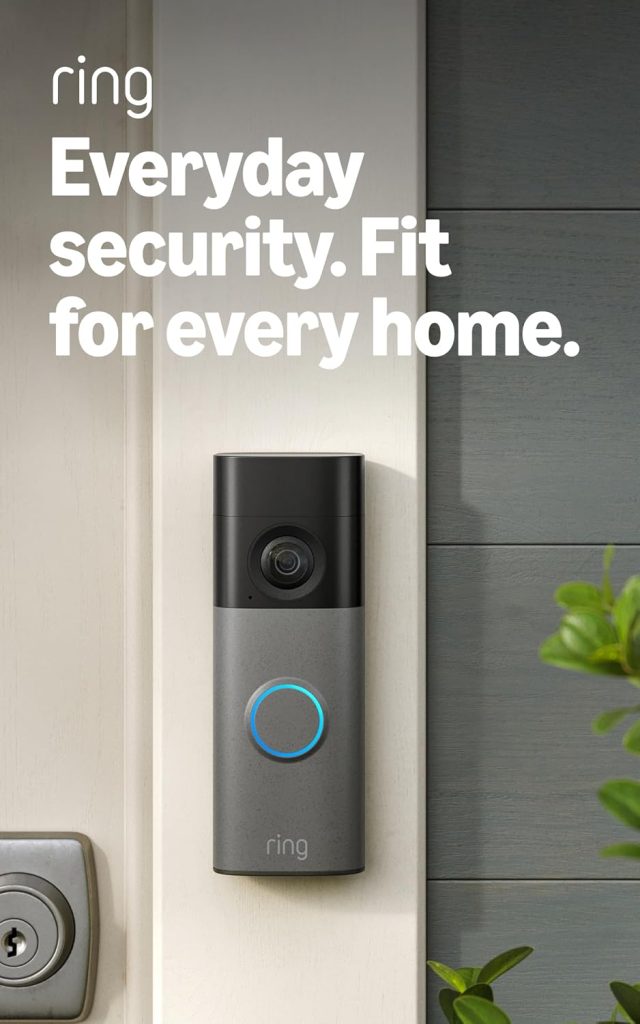
Battery life varies meaningfully across the current Ring lineup because resolution, radio complexity, and battery capacity all differ between models.
The table below reflects real-world typical use, not Ring’s published best-case figures.
| Model | Typical real-world life | Ring’s published range | Battery removal | Solar compatible |
|---|---|---|---|---|
| Battery Doorbell (2nd Gen) | 5 to 8 months | 6 to 12 months | Whole unit off bracket | ✅ |
| Battery Doorbell Plus (2nd Gen) | 6 to 10 months | 6 to 12 months | Quick Release (side button) | ✅ |
| Battery Doorbell Pro (2nd Gen) | 4 to 7 months | 6 to 12 months | Quick Release (redesigned) | ✅ |
| Wired Doorbell Pro | N/A: always on | N/A | Wired power, no battery | N/A |
| Doorbell Elite | N/A: PoE powered | N/A | Network cable power | N/A |
Consequently, the Battery Doorbell Pro (2nd Gen) has the shortest typical battery life of the three battery models despite being the most expensive.
Specifically, 4K video recording and the 3D Motion Detection radar draw significantly more power than the standard 2K models.
For buyers who choose the Pro specifically for 4K, the trade-off is more frequent battery charging. Pairing the Pro with a Ring Solar Charger is a particularly strong combination for this reason.
The Battery Doorbell Plus (2nd Gen) achieves longer typical real-world life than the base Battery Doorbell in part because its dual-band Wi-Fi capability (2.4GHz and 5GHz) reduces the power drain that occurs when a 2.4GHz-only doorbell constantly searches for a signal in a congested wireless environment.
Ring Doorbell Battery Drain: What Actually Kills the Battery
Understanding what drives ring doorbell battery drain and how long a Ring doorbell battery lasts under those conditions makes it possible to make targeted adjustments rather than generic “reduce usage” advice.
These five factors account for the difference between a doorbell that lasts four months and one that lasts nine.
1. Motion event frequency
Every motion event triggers a recording, which activates the camera sensor, the infrared or colour night vision LEDs, the processor, and the wireless radio simultaneously.
At ten events per day, this is manageable.
At forty events per day: a front door facing a busy street: it becomes the dominant battery drain factor.
The practical fix is motion zone adjustment, covered in the extension section below.
2. Cold weather
Specifically, lithium-ion batteries lose approximately 20% efficiency at or below 0°C (32°F).
At -20°C (-5°F), Ring doorbells may fail to charge entirely and can enter a protection mode that limits functionality until temperature rises.
Notably, this performance reduction is temporary: batteries recover to normal performance when temperature returns above freezing.
Cold weather does not permanently damage the battery unless the doorbell is stored (not in use) at extreme temperatures for extended periods.
For buyers in cold climates: expect to recharge two to three times more frequently in winter months than in summer.
A Ring Solar Charger provides minimal benefit in winter (shorter days, lower sun angle) and is most valuable in spring through autumn.
3. Weak Wi-Fi signal
Notably, when the Ring doorbell cannot maintain a reliable Wi-Fi connection, it enters a higher-power search mode to reconnect.
Constant disconnections and reconnections drain the battery significantly faster than continuous connection does.
The specific threshold that matters: Ring recommends a minimum -65 dBm signal strength at the doorbell location for normal operation.
Below this, the doorbell works harder and drains faster.
Checking the Device Health section in the Ring app shows current signal strength as RSSI: values between -40 and -60 are good, -65 to -80 are marginal, and below -80 are poor.
4. Live View usage
Specifically, manually opening the Live View in the Ring app activates the camera in full streaming mode.
Each Live View session consumes approximately 1% of the battery per minute of viewing.
Ten daily check-ins of three minutes each consume 30% of battery per month on Live View alone, independent of any motion events.
This is frequently overlooked by buyers who habitually check their front door camera throughout the day.
5. Video resolution and features
The Battery Doorbell Pro (2nd Gen) runs 4K video and a 3D Motion radar chip simultaneously.
Both consume more power than the 2K processing on the standard and Plus models.
Furthermore, Rich Notifications: the setting that sends a video preview thumbnail with every motion alert: require the camera to process and encode a short clip for each notification.
Disabling Rich Notifications is one of the three highest-impact battery settings changes available.
How to Extend Ring Doorbell Battery Life: The Three Changes That Matter Most
Most guides on how to extend Ring doorbell battery life list eight to twelve generic tips.
The honest ranking: three changes account for the majority of recoverable battery life. The rest are marginal.
Change 1: Tighten your motion zones (biggest single impact)
Open the Ring app, go to your doorbell’s Motion Settings, and draw your motion zone to exclude the street, pavement, or any area generating movement that is not relevant to your front door.
A motion zone that covers your front path and door only, rather than extending to the road, can reduce daily event counts from forty to ten on a typical suburban front door.
Consequently, this single change can extend battery life from four months to seven or eight months without adjusting any other setting.
Change 2: Disable Rich Notifications
In the Ring app, go to Device Settings, then Notifications, and disable Rich Notifications (or Video Previews in some firmware versions).
This stops the doorbell from encoding a video thumbnail for every motion alert.
The notification still arrives with the motion alert: you just open the app to see the clip rather than seeing a preview in the notification itself.
Battery impact: meaningful, particularly on high-event-count installations.
Change 3: Reduce motion sensitivity to Standard
If your motion sensitivity is set to High or Maximum, reduce it to Standard.
High sensitivity triggers on small movements at the edge of the motion zone: birds, leaves, light changes.
Standard sensitivity requires larger, clearer motion to trigger.
Combined with tighter motion zones, sensitivity reduction typically cuts event counts by 30 to 50% on a busy installation.
The additional settings worth adjusting
After the three main changes above, these adjustments provide further improvement:
Motion Frequency: in Device Settings, change Motion Frequency from Regular to Light or Standard. Light mode adds a brief rest period between detections, skipping some low-priority events. For most front doors this is imperceptible in practice.
Video Recording Length: reduce the default recording length from 60 seconds to 30 seconds per event. Most motion events are fully captured within 15 to 20 seconds. Reducing recording length means each event consumes less battery to store and transmit the clip.
Snapshot Capture: Snapshot Capture takes a still image every 30 seconds or 1 minute regardless of motion detection. Disabling it reduces background power consumption, particularly overnight when motion events are rare but snapshots still fire.
Ring Doorbell Solar Charger: Is It Worth It?
Notably, Ring launched two solar accessories alongside the March 2026 lineup refresh: the Ring Solar Charger at $29.99 and the Ring Solar Panel at $49.99.
Both are compatible with all three battery doorbell models.
The Solar Charger integrates directly into the doorbell’s mounting bracket behind the doorbell body, requiring no separate panel mounting or cable management.
In a south-facing location with five or more hours of direct sun per day, the Solar Charger generates approximately 200 mAh of charge daily: enough to offset typical usage if motion events are fewer than thirteen per day.
In this situation, the battery level stays stable without ever requiring manual recharging.
The Solar Panel at $49.99 mounts separately from the doorbell on a longer cable.
For doors under a covered porch or roof overhang where the doorbell itself does not receive direct sun, the Solar Panel positions the charging surface where sunlight does reach.
The honest assessment of ring doorbell solar charger effectiveness:
- High sun, low traffic door: effectively eliminates manual recharging. Strong recommendation.
- High sun, high traffic door (20+ events daily): extends battery life meaningfully but does not eliminate recharging. Still worthwhile at $30.
- Low sun or north-facing installation: minimal benefit. Manual charging remains necessary.
- Winter in northern climates: shorter days and lower sun angles reduce solar effectiveness significantly between November and February.
For the Battery Doorbell Pro (2nd Gen) specifically, adding a Solar Charger is a particularly strong investment given the Pro’s higher power consumption from 4K and 3D Motion radar.
The $30 Solar Charger paired with the $250 Pro is the best way to manage the Pro’s shorter typical battery life without accepting frequent manual recharging.
How to Check Your Ring Doorbell Battery Percentage
The Ring app shows battery status in the Device Health section. To check current battery level:
- Open the Ring app and tap the three-line menu icon in the top left.
- Tap Devices and select your Ring doorbell from the list.
- Tap Device Health.
- The battery percentage displays under Battery Level. Ring also shows the status as Good, Fair, or Low.
Ring sends a push notification when the battery drops below approximately 20 to 30% remaining.
The specific percentage for the low-battery notification varies slightly by model and firmware version, but all current 2nd Gen models send the notification with sufficient lead time to allow recharging before the battery reaches zero.
How Long Does a Ring Doorbell Battery Take to Charge?
A fully depleted Ring doorbell battery typically takes five to ten hours to reach full charge. The specific time depends on the model and the USB charger used.
Specifically, all current 2nd Gen Ring battery doorbells use USB-C charging. Specifically:
- Battery Doorbell (2nd Gen): requires removing the full doorbell from the bracket to access the charging port. Use a USB-C cable and a standard USB wall adapter.
- Battery Doorbell Plus (2nd Gen) and Pro (2nd Gen): use the Quick Release Battery Pack. Press the side release button, slide the battery out, charge it on any USB-C charger indoors, and slide it back in. The doorbell stays mounted on the bracket throughout.
Specifically, during charging, the battery LED shows red and green lights while charging and solid green when fully charged.
Ring does not specify precise charging times because they vary with charger wattage and starting battery level.
A standard 12W USB adapter charges faster than a 5W phone charger using the same cable.
For high-traffic doorbells that need more frequent recharging, buying a second Quick Release Battery Pack and keeping it pre-charged eliminates downtime entirely.
Swap the depleted pack for the charged spare, charge the depleted pack at leisure, and rotate them on the next cycle.
Ring Doorbell Battery Replacement: When and How
Lithium-ion batteries degrade over charge cycles.
After approximately 500 full charge cycles, a Ring doorbell battery typically retains 70 to 80% of its original capacity.
At normal recharge frequency of two to three times per year, 500 cycles represents roughly 165 to 250 years of use; this degradation is not a practical concern within the realistic ownership period of a Ring doorbell.
In practice, battery replacement becomes relevant when the doorbell begins needing recharging noticeably more frequently despite no change in usage patterns.
If a doorbell that previously lasted six months begins needing recharging every two months with identical settings and motion frequency, the battery capacity has degraded.
Additionally, Ring sells replacement battery packs directly.
Third-party lithium-ion replacements are also available at lower cost for Ring Doorbell models 1 through 4 and most Quick Release Pack models: these are typically rated at 3.65V and 6,040 mAh, which matches Ring’s OEM specification.
Swapping the Quick Release Pack takes approximately two minutes.
Frequently Asked Questions: Ring Doorbell Battery Life
Is the Ring solar charger worth buying?
How long does a Ring doorbell battery last?
Ring publishes a six to twelve month range, but the honest real-world figure for most buyers is four to eight months under moderate use.
Moderate use means ten to twenty motion events daily, ambient temperatures above freezing, and a Wi-Fi signal above -65 dBm at the doorbell.
High-traffic doors facing streets, doors in cold climates, and the Battery Doorbell Pro (2nd Gen) running 4K video all trend toward the lower end of the range.
Quiet residential side doors with tight motion zones can approach the upper end.
The three settings changes with the highest battery impact are tightening motion zones, disabling Rich Notifications, and reducing motion sensitivity to Standard.
How do I check my Ring doorbell battery level?
Open the Ring app, tap the menu icon in the top left, go to Devices, select your doorbell, and tap Device Health.
The ring doorbell battery percentage displays under Battery Level as a percentage and a status label.
Ring sends a push notification automatically when the battery drops below approximately 20 to 30%.
For the notification to reach your phone reliably, ensure Ring app notifications are enabled in your phone’s system notification settings.
Does cold weather affect Ring doorbell battery life?
Yes, significantly. Ring doorbell battery cold weather performance drops by approximately 20% efficiency at 0°C (32°F) and worsens further below that.
The doorbell may enter a protection mode below -20°C (-5°F) and decline to charge. Importantly, this performance reduction is temporary.
The battery recovers to normal performance when temperature rises above freezing.
In cold climates, plan for more frequent recharging between November and March and accept that solar charging provides reduced benefit during the same period.
How long does a Ring doorbell battery take to charge?
Five to ten hours from fully depleted to full charge, depending on the model and charger wattage.
All 2nd Gen Ring battery models use USB-C.
The base Battery Doorbell (2nd Gen) requires removing the whole doorbell from its bracket to access the charging port.
The Battery Doorbell Plus (2nd Gen) and Pro (2nd Gen) use a Quick Release Battery Pack removable with a side button, allowing the doorbell to stay mounted while the battery charges indoors.
A 12W or higher USB-C charger reduces charging time compared to a 5W phone charger.
Is the Ring solar charger worth buying?
Yes, for south-facing or well-sunlit locations with fewer than thirteen motion events daily.
The Ring Solar Charger at $29.99 integrates into the mounting bracket and on a sunny day generates approximately 200 mAh of charge: enough to offset typical usage in those conditions and effectively eliminate manual recharging.
For north-facing installations, covered porches, or high-traffic doors, the Solar Charger extends battery life but does not replace manual charging.
The Ring Solar Panel at $49.99 mounts separately on a longer cable and is worth the extra $20 for installations where the doorbell itself does not receive direct sun but a nearby surface does.
