


This article contains affiliate links. SmartHomeDock earns a small commission if you buy through them, at no extra cost to you. We only recommend products we’ve actually tested.
The Philips Hue lineup in 2026 has a naming problem. Hue White, Hue White Ambiance, Hue White and Color Ambiance, Hue Essential, Hue Essential White and Color Ambiance,
Hue White and Color Ambiance 800, Hue White and Color Ambiance 1600: these are all different products with different prices and capabilities.
They look identical in an Amazon listing. They are not interchangeable.
Most buyers searching for the best Philips Hue bulbs have already decided on the brand.
The question they are actually trying to answer is which specific Hue bulb to buy, and whether they need a Bridge to use it.
This guide answers both, starting with the decision that changes the entire cost calculation.
Quick Answer: Best Philips Hue Bulbs
Best for most rooms (colour + tunable white): Hue Essential White and Color Ambiance (~$30/bulb): full 16 million colours, 2,200K to 6,500K tunable white, 800 lumens. Same colour range as the standard bulb at under half the price. The correct starting point for almost every buyer.
Best for large rooms needing maximum brightness: Hue White and Color Ambiance 1600 (~$60/bulb): 1,521 lumens, Chromasync precision colour, dims to 0.2%. The only Hue bulb with enough output for a living room floor lamp or a high-ceiling space.
Best for white-light only rooms (kitchen, bathroom, office): Hue White Ambiance (~$25/bulb): tunable white 2,200K to 6,500K, no colour. Right for spaces where you want variable white temperature without paying for colour you will never use.
Best starter kit: Hue Essential Starter Kit (2 bulbs + Bridge, ~$68 to $80): the lowest-cost way to enter the full Hue ecosystem with a Bridge included.
Do you need a Bridge? Not for basic on/off and dimming via Bluetooth. Yes for Alexa, Google Home, HomeKit, remote access, automations, and scenes. See the Bridge section below.
Philips Hue Essential vs White and Color Ambiance: The Decision That Changes Everything
Before any room-by-room recommendation, this distinction deserves the space most guides give it in footnotes.
The Hue Essential White and Color Ambiance and the standard Hue White and Color Ambiance deliver the same colour range (16 million colours), the same colour temperature range (2,200K to 6,500K), and the same maximum brightness (800 lumens).
They use the same Hue app, the same Bridge, the same Alexa and Google Home integration, and the same scenes and automations.
The standard bulb costs approximately $50. The Essential costs approximately $30. Both work identically in the Hue app.
Specifically, the two differences are real but narrower than the price gap suggests:
- Minimum dimming: the standard Hue White and Color Ambiance dims to 0.2% (Chromasync, essentially off-level for sleep-friendly ambience). The Essential dims to 2%. In a dark bedroom at 2%, both are below the threshold of comfortable visibility. For most real-world use cases, the dimming difference is imperceptible.
- Chromasync colour precision: the standard Hue bulb uses Chromasync colour science that produces marginally more accurate colour rendering at the warm end of the spectrum. TechRadar tested both side-by-side and found the difference visible only in careful direct comparison. In daily use, the Essential’s colour output is not meaningfully distinguishable from the standard.
Specifically, the one scenario where the standard bulb genuinely outperforms the Essential is a large room: a living room over 250 square feet, a high-ceiling space, or anywhere that needs a second bulb as a primary light source at full brightness.
In all other situations, the Essential delivers the same Hue experience at under half the price.
The real cost of starting a Hue system in 2026
The Hue Bridge costs approximately $65.99 standalone. The Hue Essential Starter Kit (2 bulbs plus Bridge) costs approximately $68 to $80, meaning the two Essential bulbs are essentially free.
The 4-bulb Essential Starter Kit is similarly priced relative to buying the Bridge separately.
If you are starting a new Hue system and need a Bridge, always buy a Starter Kit rather than the Bridge and bulbs separately.
The bundled price makes the first bulbs effectively zero cost.
After buying the Starter Kit, additional Essential bulbs at $30 each expand the system at the lowest per-bulb cost available in the Hue ecosystem.
Do Philips Hue Bulbs Need a Bridge?
This is the most-searched question about Philips Hue and deserves a direct answer before any product comparison.
Notably, every current Philips Hue bulb works via Bluetooth without a Bridge for basic on/off control and dimming.
The Hue app detects bulbs via Bluetooth when your phone is in the same room. You can control brightness, turn bulbs on and off, and set colour.
The Bluetooth-only experience is limited to 10 bulbs maximum and requires your phone to be in Bluetooth range of the bulbs: there is no remote access, no voice control via Alexa or Google Home without additional setup, and no scheduled automations.
Specifically, the Hue Bridge adds all of this. Specifically:
- Remote access: control your lights from anywhere via the Hue app, not just when your phone is in the same room
- Voice control: Alexa, Google Assistant, and Siri all connect to Hue via the Bridge
- Automations and scenes: “turn on at sunset,” “dim to 20% at 10pm,” “morning wake-up routine” all require the Bridge
- Apple HomeKit integration: full HomeKit support routes through the Bridge
- Matter support: the Bridge acts as a Matter controller, making Hue bulbs accessible from any Matter-compatible ecosystem
- Expanded capacity: up to 50 lights and 10 accessories per Bridge
- Third-party integrations: SmartThings, Home Assistant, IFTTT, and other platforms all connect through the Bridge
The honest answer: if you want Hue to function as a smart lighting system rather than a dimmable Bluetooth lamp, you need the Bridge.
Buy it as part of a Starter Kit to minimise the cost.
| Feature | Bluetooth only (no Bridge) | With Hue Bridge |
|---|---|---|
| On/off and dimming | ✅ | ✅ |
| Colour control | ✅ (limited scenes) | ✅ (full scene library) |
| Remote access (away from home) | ❌ | ✅ |
| Alexa / Google Home voice control | ❌ | ✅ |
| Apple HomeKit / Siri | ❌ | ✅ |
| Automations and schedules | ❌ | ✅ |
| Matter support | ❌ | ✅ (Bridge as Matter controller) |
| Maximum bulbs | 10 | 50 bulbs + 10 accessories |
Philips Hue White vs White Ambiance vs Color Ambiance: Which Bulb Type Do You Need?
Hue offers three fundamental bulb tiers. Understanding them before looking at specific models prevents the most common Hue buying mistake: paying for colour capability in rooms where it will never be used, or buying white-only bulbs and wishing for colour later.
Hue White (~$15 per bulb)
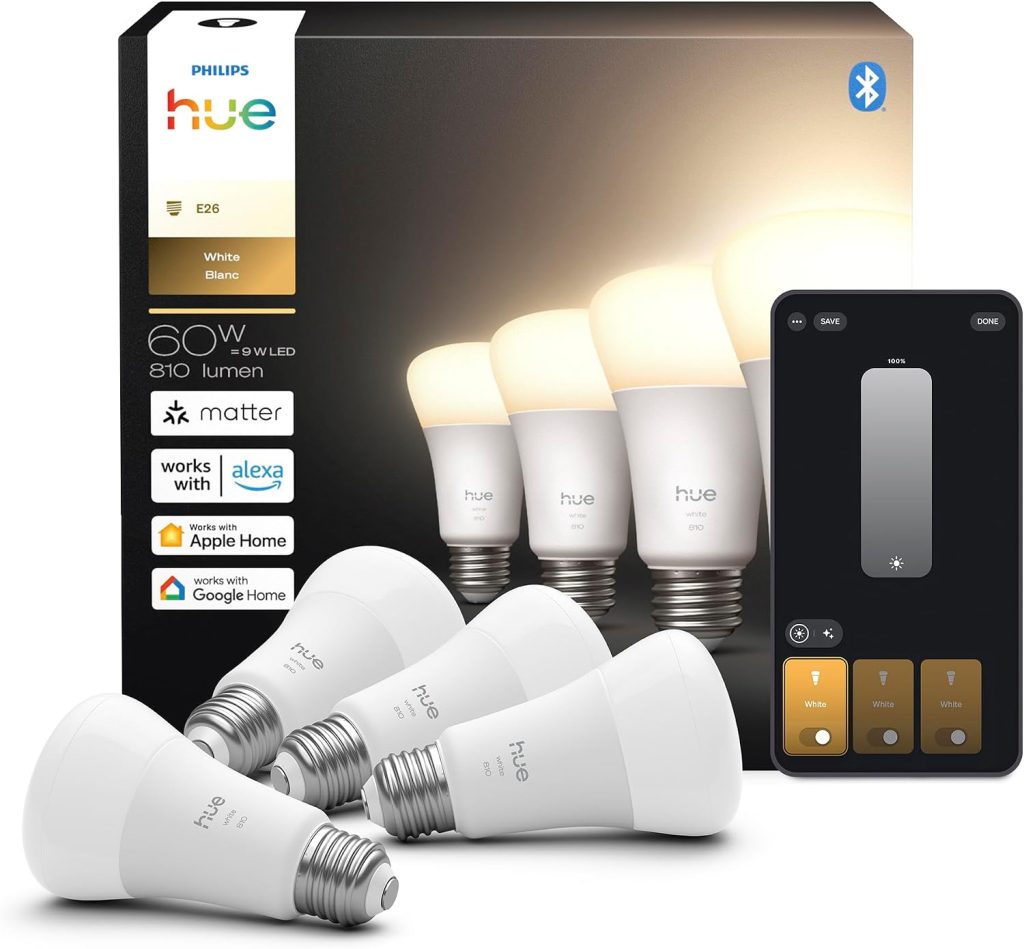
Fixed warm white at 2,700K. Dimmable. No colour temperature adjustment. No colour.
The lowest-cost Hue bulb and correct for any space where you simply want a dimmable warm white smart bulb: wardrobes, utility rooms, hallways, garage lighting.
Integrates fully into the Hue ecosystem via Bridge. Notably, Hue White bulbs act as Zigbee repeaters on your mesh, extending signal range to other Hue devices even though they are the simplest product in the lineup.
Hue White Ambiance (~$25 per bulb)
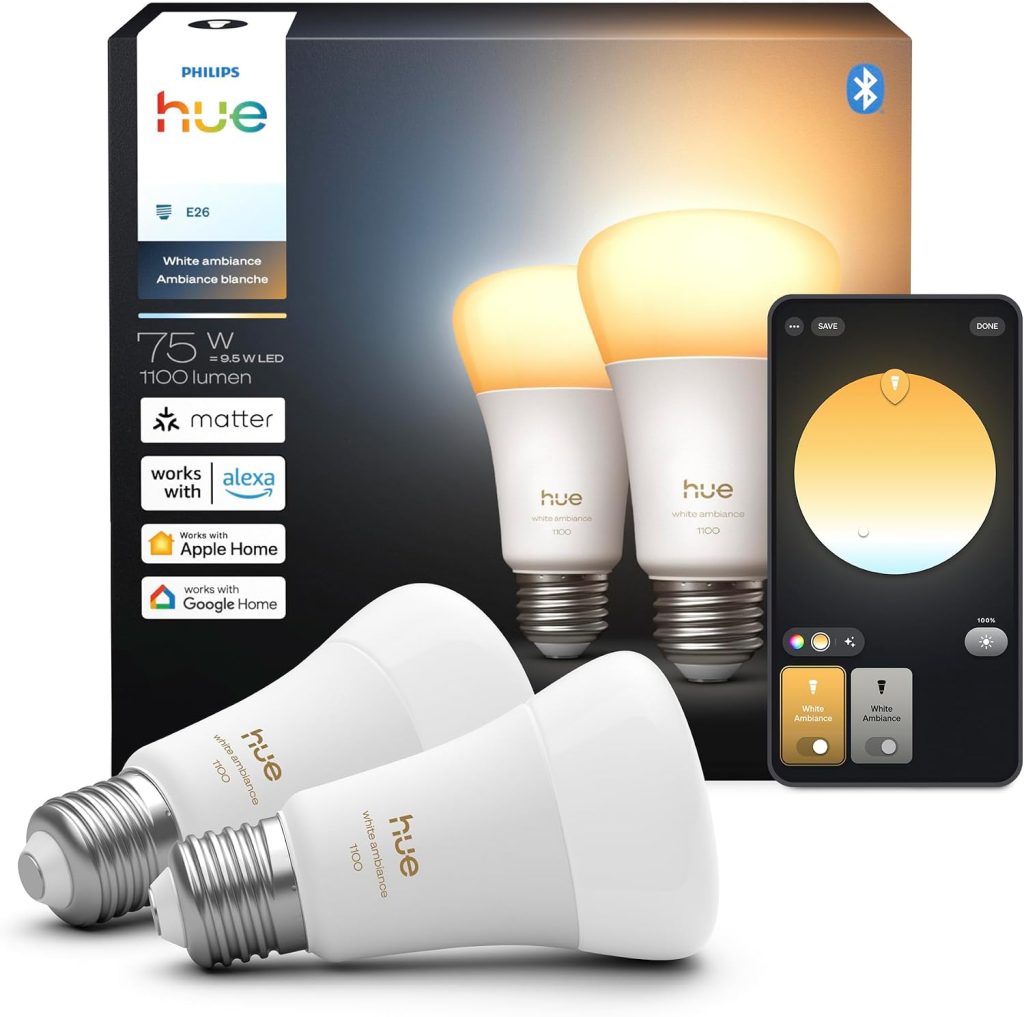
Tunable white from 2,200K (very warm candlelight) to 6,500K (cool daylight). No colour: only white light at variable temperatures.
Right for kitchens, home offices, bathrooms, and any room where the lighting task changes throughout the day: warm in the evening for relaxation, cool in the morning for focus.
The sunrise wake-up routine that shifts from 2,700K warm amber to bright 5,000K daylight over 30 minutes runs on White Ambiance bulbs without needing colour capability.
Furthermore, White Ambiance bulbs support all Hue Formulas and circadian lighting routines.
For rooms where colour will genuinely never be used, these save approximately $25 per bulb over the colour versions.
Hue Essential White and Color Ambiance (~$30 per bulb)
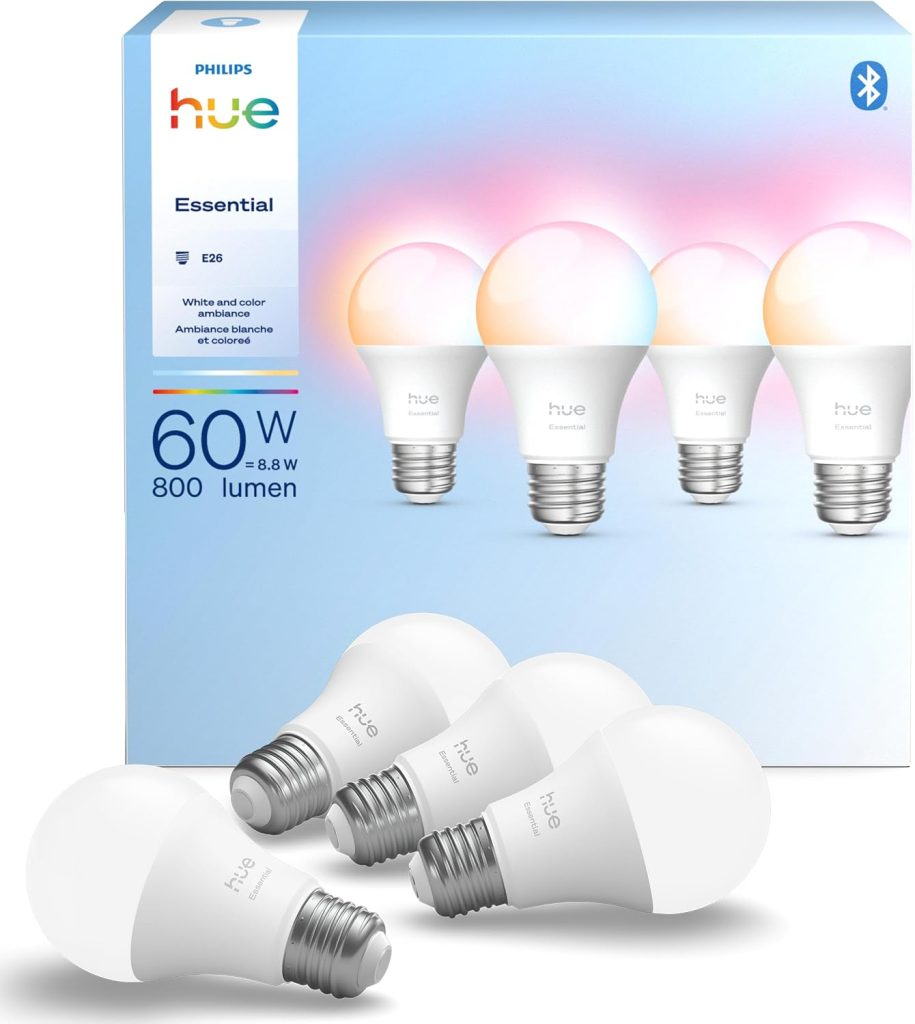
Full 16 million colours plus full tunable white from 2,200K to 6,500K. 800 lumens. Dims to 2%.
As described in the section above, this is the correct choice for most buyers who want colour capability.
Same colour range as the standard White and Color Ambiance at under half the price. See the Essential vs standard comparison above for the complete breakdown.
Hue White and Color Ambiance Standard (~$50 per bulb at 800 lm, ~$60 at 1,600 lm)
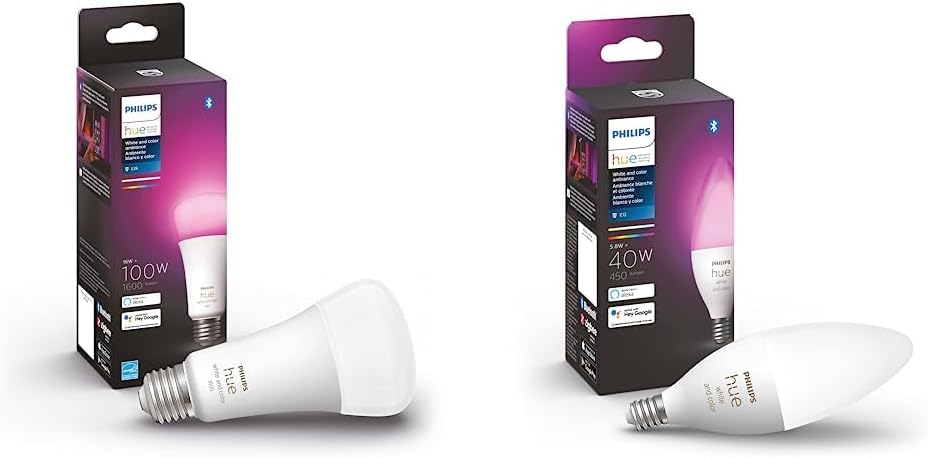
The original flagship Hue bulb in two brightness versions.
The 800-lumen version at $50 delivers the same colour range as the Essential with Chromasync colour precision and 0.2% minimum dimming.
The 1,521-lumen version at $60 is the correct choice for large rooms where the standard 800 lumens is insufficient.
Admittedly, the 800-lumen standard is difficult to justify over the Essential for most buyers.
The 1,600-lumen version, however, has no Essential equivalent: it is the only high-brightness Hue colour bulb available, and it earns its price for large room installations.
Hue Filament (~$25 per bulb)
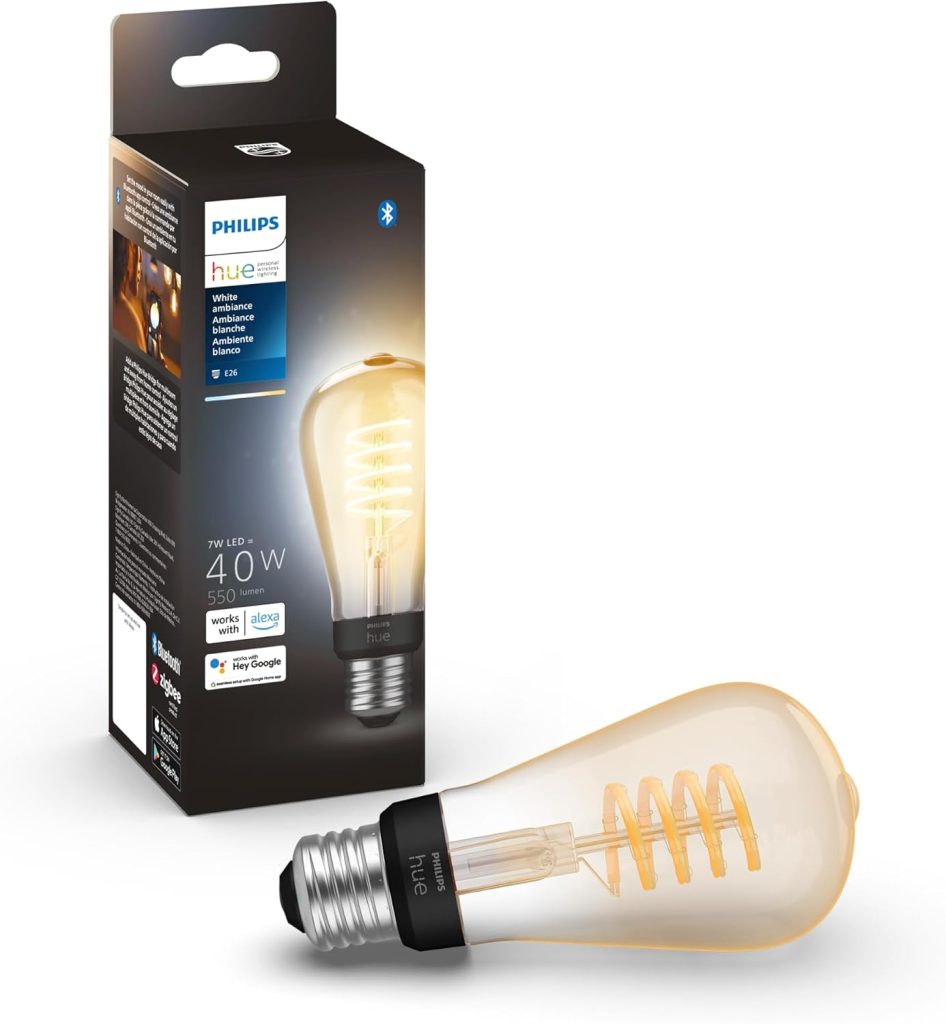
Decorative vintage-style bulb with visible glowing filament coil, warm amber glass, and warm white output only. No colour, no tunable temperature.
Right for pendant lights, exposed-bulb fixtures, and table lamps where the bulb itself is visible as part of the room’s aesthetic.
The filament styling looks genuinely good in an Edison-style fitting in a way that a standard smart bulb does not.
Best Philips Hue Bulbs by Room: The Practical Guide
The right Hue bulb changes by room based on two factors: whether colour is genuinely useful in that space, and whether maximum brightness matters.
| Room | Recommended bulb | Why |
|---|---|---|
| Living room (standard ceiling or lamp) | Hue Essential White and Color | Colour for evening ambience and movie scenes. 800 lm sufficient for most living rooms with multiple fixtures. Essential saves $20 per bulb over standard. |
| Living room (large space, floor lamp as primary light) | Hue White and Color Ambiance 1600 | 1,521 lm needed when one bulb must carry the room. No Essential equivalent at this brightness. |
| Bedroom | Hue Essential White and Color | Colour for relaxation scenes, warm amber wind-down. 2% minimum dimming sufficient for bedside night-light levels. |
| Kitchen | Hue White Ambiance | Tunable white for task lighting (cool white for food prep, warm white for evening). Colour rarely useful in a kitchen. Saves $5 to $25 per bulb over colour versions. |
| Home office | Hue White Ambiance | Circadian lighting routines shift colour temperature through the workday without colour needed. Cool white for focus, warm white for wind-down. |
| Bathroom | Hue White Ambiance | Cool white for morning grooming accuracy, warm white for relaxed evening bath. Colour not useful here. |
| Hallway or landing | Hue White | Fixed warm white dimmable is sufficient for a transit space. Lowest cost per bulb. Still joins the Hue ecosystem and can be included in “leave home” and “arrive home” automations. |
| Dining room | Hue Essential White and Color or Hue Filament | Essential for a standard fitting where colour scenes at dinner add ambience. Filament for an exposed-bulb pendant where the bulb is part of the room’s aesthetic. |
| Children’s bedroom or playroom | Hue Essential White and Color | Colour for play scenes and nightlight routines. Essential is the right cost for a room that may need repainting and refitting over the years. |
Philips Hue with Alexa, Google Home, and Apple HomeKit
Hue’s ecosystem compatibility is the broadest of any smart bulb brand in 2026. Specifically:
Philips Hue compatible with Alexa: Specifically, voice control works via the Hue Alexa skill.
“Alexa, set the living room to 40%” and “Alexa, turn on the Movie scene” both work natively. Amazon Echo Show devices display the Hue app interface for visual scene control.
Hue groups map directly to Alexa groups, so voice commands work across rooms and scenes without manual device-by-device setup.
Philips Hue with Google Home: works via the Hue Google Home integration.
Google Assistant supports brightness, colour temperature, colour changes, and scene activation. Additionally, the Google Home Automations engine can trigger
Hue scenes based on presence, time, and Google Calendar events, making Hue the best-integrated smart bulb in a Google Home household.
Philips Hue HomeKit: Specifically, full Apple HomeKit support routes through the Bridge. Hue rooms map to HomeKit rooms automatically.
Siri voice commands work across all Hue devices. Apple Home Automations using Hue bulbs run locally on the HomePod Mini or Apple TV 4K without cloud routing.
HomeKit Secure Video does not apply to Hue bulbs (that feature is for cameras), but all other HomeKit features work completely.
Philips Hue Matter: as of 2026, the Hue Bridge supports Matter as a controller.
Hue bulbs appear in Matter-compatible apps including Apple Home, Google Home, Alexa, and SmartThings as standard Matter devices.
Matter does not replace the Hue app for advanced scenes and automation: it provides a cross-ecosystem control layer on top of the native Hue experience.
Notably, no subscription is required for any Hue functionality.
The Hue app, all scenes, all automation features, remote access via Bridge, and all ecosystem integrations are included in the hardware purchase price.
This distinguishes Hue from Ring (subscription for cloud clip storage) and some other smart home ecosystems that gate features behind paid plans.
Are Philips Hue Bulbs Worth It in 2026?
Importantly, the honest answer depends on two things: what you are comparing them to, and how many bulbs you are planning to buy.
Furthermore, for buyers comparing Hue to cheap Wi-Fi bulbs under $10: yes, Hue is worth it for reliability, ecosystem depth, and longevity.
Hue bulbs carry a 3-year warranty and a rated lifespan of 25,000 hours.
Budget Wi-Fi bulbs frequently fail, disconnect from networks, and lose manufacturer support within 2 to 3 years.
The per-bulb cost difference narrows significantly over a 5-year ownership period.
For buyers comparing Hue to LIFX, Nanoleaf Essentials, or WiZ: the comparison is closer.
LIFX delivers comparable colour accuracy without any hub and costs roughly $20 to $30 per bulb.
Nanoleaf Essentials is Matter-certified and hub-free. WiZ is Matter-certified and available for approximately $8 per bulb.
Consequently, the case for Hue over these alternatives rests specifically on ecosystem depth (Hue’s third-party integration library is the most extensive in smart lighting) and the Zigbee reliability advantage in multi-bulb installations.
A home with 20 or more bulbs running on Hue’s Zigbee mesh is more stable than the equivalent Wi-Fi setup, which puts increasing demands on the router as device count scales.
For whole-home installations of 15 or more bulbs: Hue is the clearest recommendation.
The Zigbee mesh self-repairs, the Bridge handles all device management locally, and the automation depth available through Hue’s native API and third-party integrations (Home Assistant, IFTTT, SmartThings) is unmatched.
Furthermore, the 3-year warranty and 25,000-hour rated lifespan mean a whole-home Hue installation in 2026 should not require any bulb replacement until 2033 or later at normal usage rates.
For 1 to 5 bulbs in a single room: a hub-free alternative at lower cost may be the practical choice, particularly if you are not planning to expand.
LIFX hub-free and Nanoleaf Matter avoid the Bridge cost entirely and still deliver Alexa, Google, and HomeKit compatibility via Matter.
Frequently Asked Questions: Philips Hue Bulbs 2026
What is the best Philips Hue bulb to buy in 2026?
For most rooms, the Philips Hue Essential White and Color Ambiance is the correct recommendation.
It delivers the same 16 million colour range and 2,200K to 6,500K tunable white as the standard White and Color Ambiance at under half the price per bulb.
The practical difference is minimum dimming (2% versus 0.2%) and marginally less Chromasync colour precision at the warm end of the spectrum.
For most rooms and most buyers, neither difference is meaningful in daily use.
For large rooms requiring maximum brightness, the Hue White and Color Ambiance 1600 at ~$60 per bulb is the only Hue colour option with 1,521 lumens of output.
For rooms where colour will never be used, the Hue White Ambiance at ~$25 per bulb covers the same white temperature range without the colour premium.
Do Philips Hue bulbs need a Bridge?
No, for basic use.
Every current Philips Hue bulb works via Bluetooth without a Bridge for on/off, dimming, and colour control when your phone is in the same room.
However, Alexa voice control, Google Home, Apple HomeKit, remote access from outside the home, scheduled automations, and Matter support all require the Hue Bridge (~$65.99).
The Bridge also expands capacity from 10 bulbs (Bluetooth limit) to 50 bulbs plus 10 accessories.
For anyone wanting Hue to function as a smart lighting system rather than a Bluetooth lamp, the Bridge is necessary.
Buy it as part of a Starter Kit to get the first bulbs at effectively zero additional cost relative to buying the Bridge separately.
What is the difference between Philips Hue White, White Ambiance, and White and Color Ambiance?
Specifically, Hue White produces a fixed warm white at 2,700K: one colour temperature, adjustable brightness only.
Hue White Ambiance produces tunable white from 2,200K (warm candlelight) to 6,500K (cool daylight), with no colour capability.
This is the right choice for kitchens, home offices, and bathrooms where the white temperature changes throughout the day but colour is not needed.
Hue White and Color Ambiance adds full 16 million colour control on top of the tunable white range.
The Essential version delivers this at ~$30 per bulb; the standard version at ~$50 per bulb.
For rooms where colour scenes are genuinely part of the daily use, the color ambiance range is worth the premium over white-only bulbs.
Is Philips Hue compatible with Alexa?
Yes, Philips Hue compatible with Alexa is one of the most mature smart lighting integrations available.
With the Hue Bridge connected and the Hue Alexa skill enabled, every Hue bulb, room, and scene is controllable by voice.
“Alexa, set the bedroom to 30%” and “Alexa, turn on the Relax scene in the living room” both work reliably.
Hue rooms and groups map automatically to Alexa groups for room-level voice commands without manual configuration.
Additionally, Hue bulbs appear in Alexa Routines, enabling complex automations where a bulb colour change can be one step in a multi-device sequence.
How many Philips Hue bulbs can one Bridge support?
One Hue Bridge supports up to 50 lights and 10 accessories (switches, sensors, motion detectors).
For most households, this is more than sufficient for a whole-home installation.
Very large homes with more than 50 light points can add a second Bridge, with each Bridge controlling its own zone of bulbs.
Bulbs and accessories register to the Bridge over Zigbee.
Each powered Hue bulb acts as a Zigbee repeater in the mesh, so a home with more bulbs has a stronger, more reliable mesh network regardless of room size or distance from the Bridge.
Final Verdict: Which Philips Hue Bulbs to Buy
For most buyers starting a Hue system, the Hue Essential Starter Kit (~$68 to $80 for 2 bulbs plus Bridge) is the correct entry point: the Bridge cost is effectively absorbed into the bundle, and the Essential White and Color Ambiance bulbs deliver the same colour range as the standard at under half the per-bulb price when buying additional bulbs later.
Additional rooms running Essential bulbs at ~$30 each cover the majority of living rooms, bedrooms, and common areas, with Hue White Ambiance at ~$25 the right call for kitchens, bathrooms, and offices where colour capability is genuinely unnecessary.
The Hue White and Color Ambiance 1600 at ~$60 earns its price specifically for large rooms where one bulb needs to carry the full ambient load without a second fixture, since no Essential equivalent exists at that brightness level.
For buyers who are not ready to invest in the Bridge and the full ecosystem, LIFX hub-free colour bulbs or Nanoleaf Essentials Matter bulbs cover the same colour range with no Bridge requirement, at the cost of less ecosystem depth and lower reliability in large installations.
