


SmartHomeDock is reader-supported. We may earn a commission if you buy through links on this page, at no extra cost to you.
Either your outdoor lights are on all night, or you remember to switch them off at midnight when you’re half asleep. A timer fixes this.
However, the $12 mechanical timer and the $25 smart outdoor plug both claim to solve the same problem. They don’t work the same way at all.
Specifically, the mechanical timer needs to be adjusted twice a year manually because the sun sets 73 minutes earlier in December than in August.
The smart plug reads your location and adjusts automatically every single day.
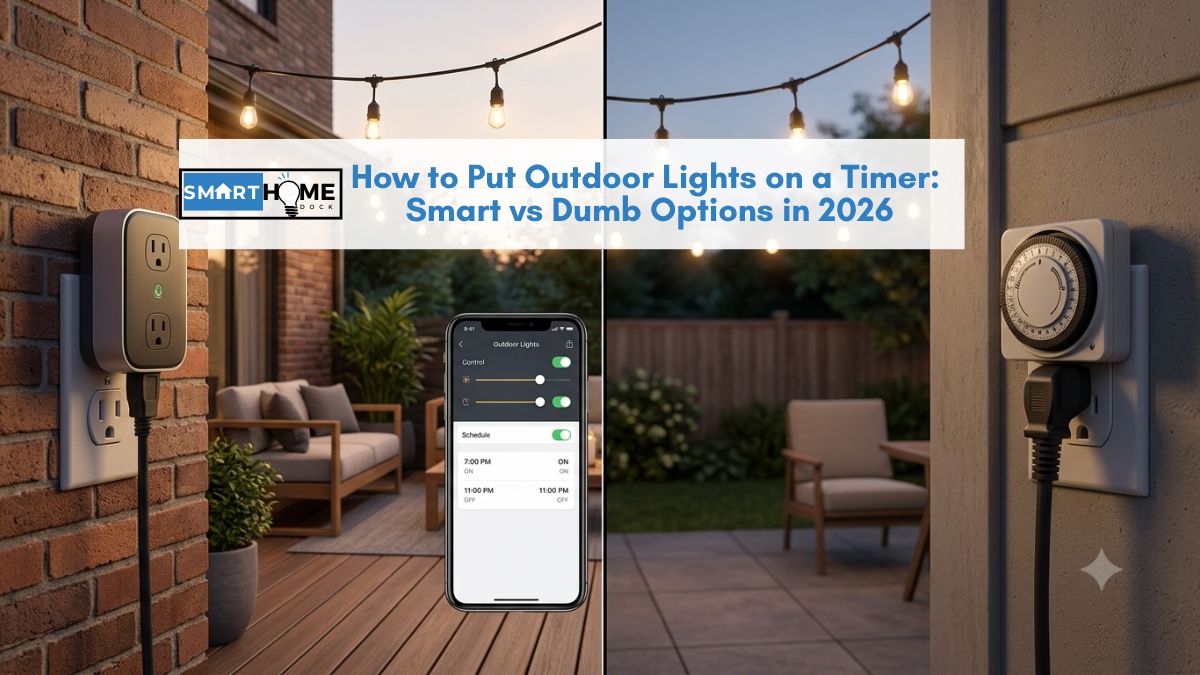
This guide covers how to put outdoor lights on a timer using every available method, dumb mechanical timers, photocell sensors, and smart outdoor plugs, with an honest comparison, the step-by-step setup for each, and exactly which option is worth buying in 2026.
Quick Answer: How to Put Outdoor Lights on a Timer
Fastest method (no smart home needed): plug a dusk-to-dawn photocell timer (~$12–$20) into your outdoor socket. Plug your lights into the timer. Done; lights turn on at dark, off at dawn automatically.
Best method (recommended): use a smart outdoor plug (~$20–$30). Set sunrise/sunset scheduling in the Alexa or Google Home app. The schedule auto-adjusts to local daylight every day, works remotely from your phone, and adds Away Mode for holiday security.
Best outdoor smart plugs in 2026: Kasa EP40A (~$25) for Alexa/Google, TP-Link Tapo P400M (~$30) for Matter. Both are IP64 weatherproof with dual independently controlled outlets.
Three Ways to Put Outdoor Lights on a Timer: Compared
| Method | Cost | Auto sunset adjust | Remote control | Power cut proof | Away Mode |
|---|---|---|---|---|---|
| Mechanical dial timer | ~$8–$12 | ❌ Manual seasonal adjust | ❌ | ❌ Loses time | ❌ |
| Digital programmable timer | ~$15–$25 | ❌ Manual seasonal adjust | ❌ | ⚠️ Battery backup (some) | ❌ |
| Dusk-to-dawn photocell timer | ~$12–$20 | ✅ Light sensor | ❌ | ✅ | ❌ |
| Smart outdoor plug ✅ Recommended | ~$20–$35 | ✅ GPS-based, daily | ✅ From anywhere | ✅ Resumes schedule | ✅ Randomised occupancy |
Why a Smart Outdoor Plug Beats a Dumb Timer on Every Criterion
The price gap between a mechanical timer ($12) and a smart outdoor plug ($25) is $13. Here’s what that $13 buys:
Problem 1: The seasonal adjustment problem
Sunset in London moves from 9:21 pm on June 21st to 3:55 pm on December 21st, a difference of over five hours.
A mechanical timer set for summer evenings runs in full daylight by December. Consequently, it needs manual adjustment roughly every six weeks to stay accurate throughout the year.
A smart outdoor plug reads your home’s GPS coordinates and calculates local sunset time daily.
Set it once to “turn on at sunset,” and it stays accurate throughout the year without any manual input — in January, July, and every month between them.
Problem 2: Power cuts reset dumb timers
Mechanical dial timers lose their position after any power interruption, a brief outage, a tripped fuse, or an electrician working on the circuit.
After a power cut, the timer is wrong until someone goes outside to reset it. Additionally, digital timers without battery backup lose their programmed schedule entirely.
Smart outdoor plugs reconnect to Wi-Fi after a power cut and resume their schedule automatically. No manual reset needed.
Problem 3: You can’t control them remotely
Furthermore, a dumb timer has one schedule.
If you arrive home late and the lights have already switched off, you walk to the dark outdoor socket and turn them on manually.
If you’re on holiday and want to change the schedule, you can’t.
Furthermore, smart outdoor plugs are controllable from anywhere.
Consequently, you can open the Kasa or Google Home app from another country and change the schedule or check whether lights are currently running.
Problem 4: Photocell sensors get confused
Notably, dusk-to-dawn photocell timers use a physical light sensor to detect darkness.
However, streetlights, bright moons, car headlights, and nearby indoor light fixtures all trigger false readings, causing outdoor lights to switch off unexpectedly or flicker on and off erratically.
Smart outdoor plugs, however, calculate sunset using GPS and time data, not a physical sensor.
They aren’t affected by ambient light conditions and don’t produce false triggers.
Problem 5: No Away Mode
A dumb timer runs the same pattern every night, predictable to anyone watching the house.
Smart outdoor plugs have Away Mode: a randomised schedule that varies turn-on and turn-off times within a set window, genuinely simulating occupancy patterns.
For homes left empty on holiday, this is meaningfully more convincing to potential intruders than a fixed schedule.
💡 The honest verdict after 8 years of outdoor lighting setups
I used mechanical timers for my first three years of smart home building because I didn’t know smart outdoor plugs existed for garden use. Then I switched to a Kasa EP40A on my patio string lights. The schedule has adjusted itself for three years without intervention. Through BST changes, DST adjustments, and multiple winter power cuts.
The $13 premium paid for itself the first time I adjusted the schedule from a hotel in another country. That’s it. Never looked back at dumb timers for outdoor use.
Outdoor Smart Plug Weatherproofing: What IP Rating You Actually Need
The most common outdoor smart plug failure is water ingress.
Buying the wrong weatherproof rating for your installation position is the single biggest mistake outdoor buyers make.
| IP Rating | Protection level | Suitable for | Not suitable for |
|---|---|---|---|
| IP44 | Splash-resistant from any direction | Covered patios, porches, eaves, rain doesn’t directly hit the plug | Exposed garden positions, direct rainfall |
| IP64 | Dust-tight + splash-resistant | Most outdoor positions including light rain exposure | Submerged or constant direct water jets |
| IP65 | Dust-tight + water jet resistant | Exposed garden positions, heavy rain, hosepipe splashing nearby | Submerged use |
| IP67/IP68 | Submersion-rated | Pond features, water feature lighting | — |
For most garden and patio use: IP64 is the correct minimum. The Kasa EP40A and Tapo P400M are both IP64 suitable for the majority of outdoor residential positions, including moderate rain exposure.
For covered patios and porches: IP44 is technically sufficient, but IP64 costs the same and provides better long-term protection. Always buy IP64 minimum regardless of position.
Best Outdoor Smart Plugs for Putting Lights on a Timer in 2026
1. Kasa EP40A — Best Outdoor Smart Plug Overall
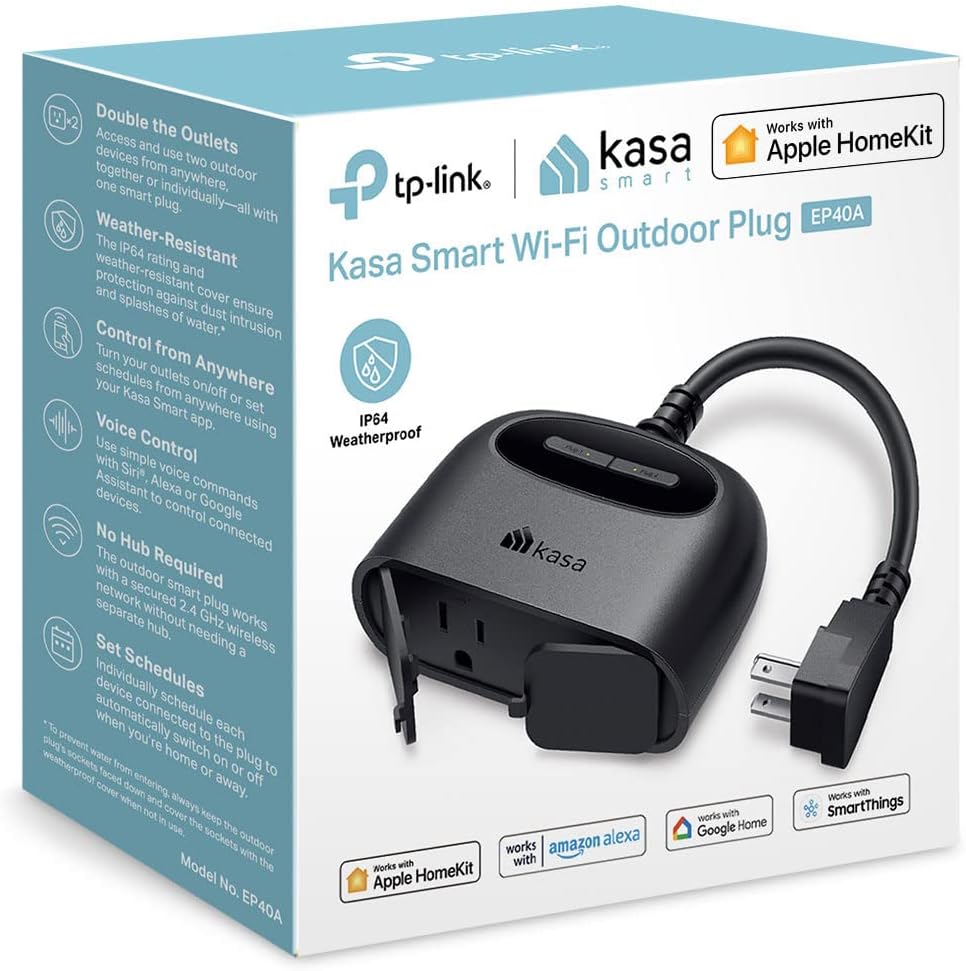
Who it’s for: Alexa or Google Home households wanting the best outdoor timer plug for garden lights, patio string lights, and seasonal decorations
Price: ~$25 | Weatherproofing: IP64 — dust-tight and splash-resistant
Outlets: 2 independently controlled AC outlets | Energy monitoring: ✅
Platforms: Alexa, Google Home, HomeKit (via Kasa app) | Matter: ❌ (Wi-Fi direct)
Max load: 15A per outlet | Plug design: Right-angle — sits flat against outdoor socket
The Kasa EP40A is the best outdoor smart plug for putting lights on a timer for most UK and US gardens.
Two independently controlled outlets let you run front garden lights and back patio string lights on completely different schedules from one device.
Notably, the right-angle plug head sits flat against the outdoor socket rather than protruding forward, reducing wind stress and keeping the cable drip loop correctly positioned.
Notably, sunrise/sunset scheduling adjusts daily based on your location. Set it once, and the lights track local sunset accurately year-round.
No seasonal adjustment. No manual correction after Daylight Saving Time changes. Specifically, the Kasa app handles BST and DST transitions automatically.
Away Mode randomises the schedule within a set window.
Enable it before going on holiday, and the lights turn on and off at slightly different times each evening, with no predictable pattern for anyone watching the property.
Energy monitoring per outlet tracks the running cost of your outdoor lighting.
At 2026 UK electricity prices, patio string lights running six hours nightly cost approximately £18–£25 per year. Worth knowing before leaving them on all night by default.
The limitation: no Matter support. The EP40A is a Wi-Fi direct device connecting to Alexa and Google Home but not natively to HomeKit via Matter. For Apple HomeKit users or full Matter compatibility, the Tapo P400M below is the correct choice.
2. TP-Link Tapo P400M — Best Matter Outdoor Smart Plug
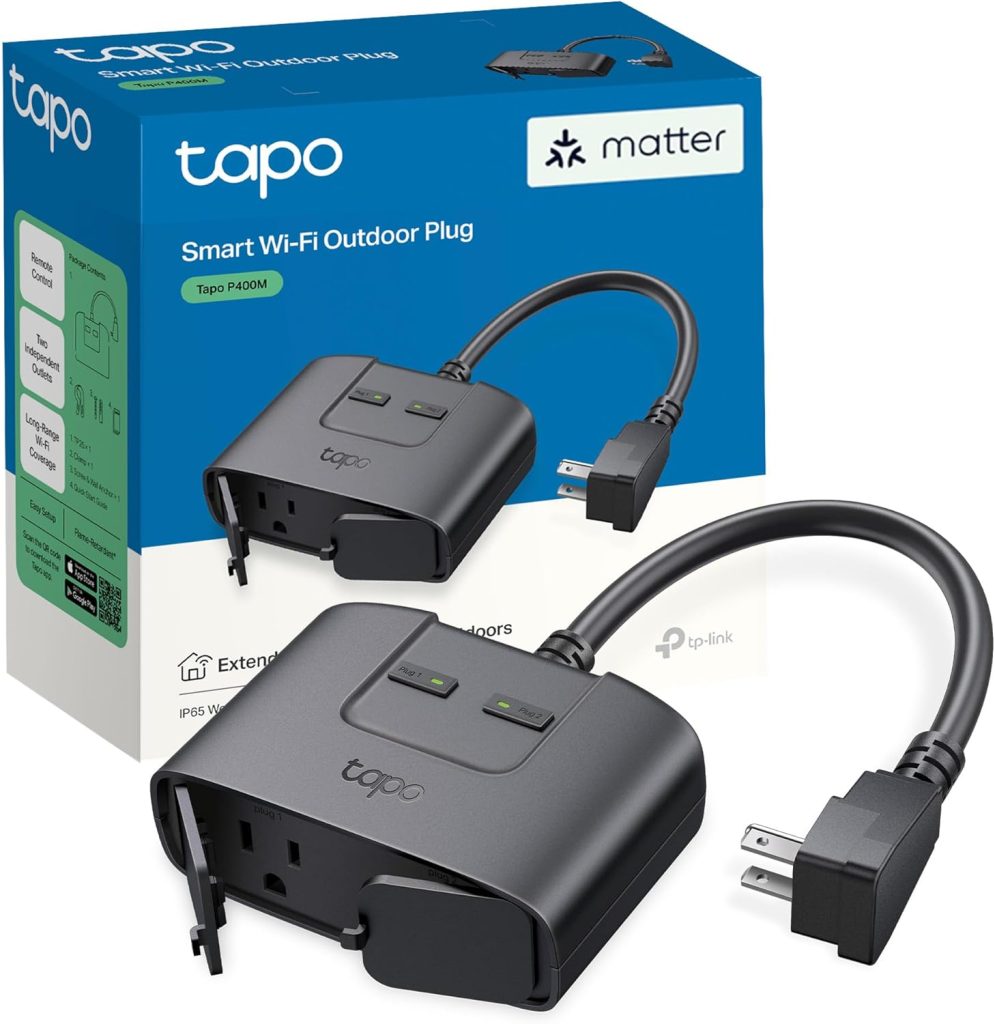
Who it’s for: HomeKit users or anyone wanting Matter compatibility for outdoor lighting — works with all four major platforms
Price: ~$30 | Weatherproofing: IP64
Outlets: 2 independently controlled AC outlets | Energy monitoring: ✅
Platforms: Alexa, Google Home, HomeKit, SmartThings (all via Matter) | Matter: ✅
Max load: 15A per outlet
The Tapo P400M is the correct outdoor smart plug for HomeKit users and anyone building a Matter-first smart home.
Matter certification means both outlets pair with Alexa, Google Home, HomeKit, and SmartThings simultaneously from a single QR code scan, no separate setup per platform, no ecosystem lock-in.
Importantly, Apple HomeKit sunrise/sunset automations run locally through your HomePod Mini or Apple TV 4K.
Consequently, outdoor lights switch on and off at the correct time even during internet outages — particularly relevant for security lighting that should work regardless of broadband status.
At $30, the P400M costs $5 more than the EP40A. That $5 buys Matter compatibility and HomeKit local processing, worth it for Apple households, less critical for Alexa-only setups.
3. BN-LINK Outdoor Timer (Dusk to Dawn) — Best Dumb Timer Option
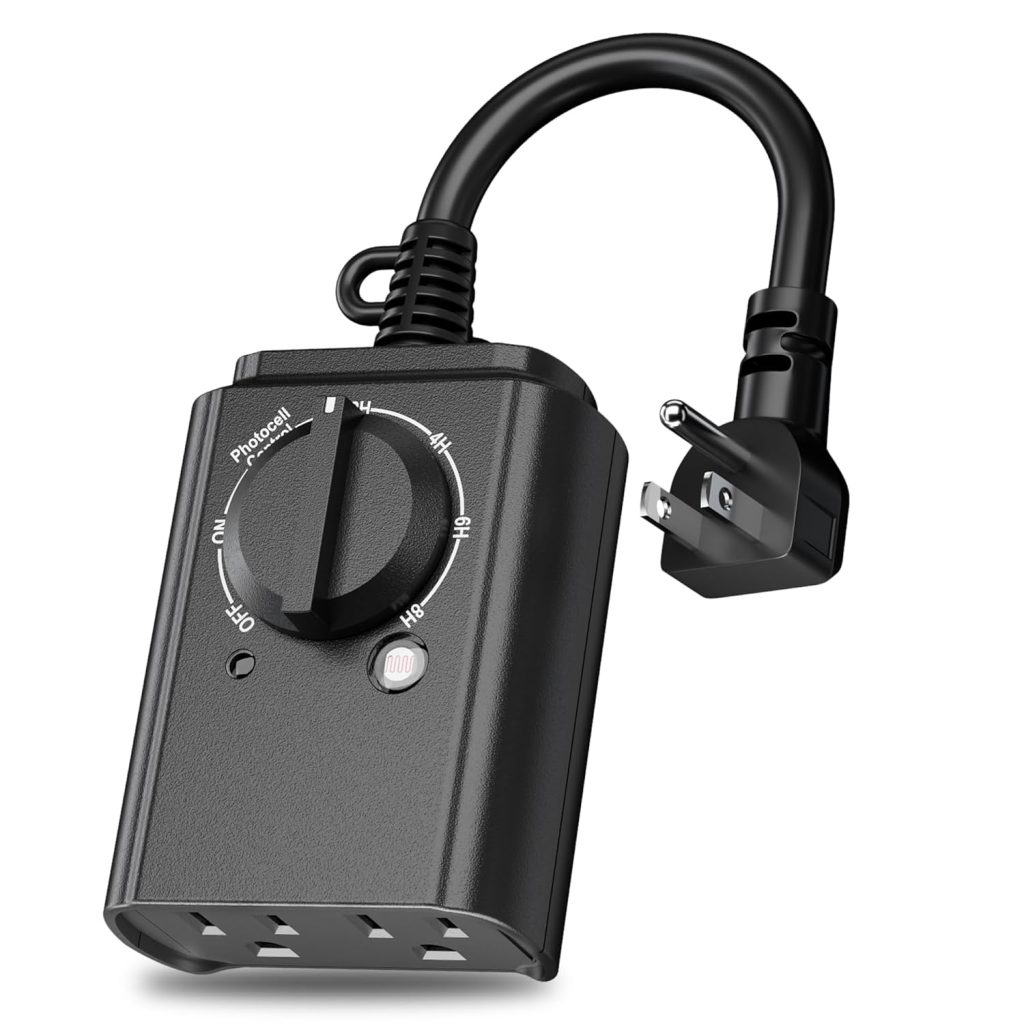
Who it’s for: Anyone who doesn’t want Wi-Fi involved, doesn’t have a smartphone, or needs the simplest possible setup with zero ongoing management
Price: ~$15–$18 | Weatherproofing: Weatherproof cover included
Outlets: 2 outlets | Timer type: Photocell dusk-to-dawn + countdown options (2/4/6/8hr)
Smart home integration: ❌ None | Remote control: ❌
The BN-LINK is the right choice for the specific buyer who genuinely doesn’t want any smart home involvement.
Plug it into an outdoor socket, plug your lights into the BN-LINK, select dusk-to-dawn mode on the dial, and walk away. The photocell sensor handles everything: no app, no Wi-Fi, no account creation.
The countdown options (2, 4, 6, or 8 hours after dusk) add flexibility for porch lights where all-night running isn’t needed.
Furthermore, the photocell means no seasonal adjustment is needed — the sensor responds to actual darkness rather than a programmed time.
The honest limitation: all the problems described earlier in this article apply. Streetlights and car headlights can trigger false readings.
It can’t be controlled remotely. Away Mode doesn’t exist.
For the buyer who explicitly wants simplicity above everything else and accepts these trade-offs, the BN-LINK is a reliable, proven product at a fair price.
How to Set Outdoor Lights to Turn On at Sunset — Step by Step
Method 1: Alexa sunrise/sunset scheduling for outdoor lights
- Plug the Kasa EP40A or Tapo P400M into your outdoor socket. Ensure the socket is switched on. The plug’s LED indicator lights up when powered.
- Open the Alexa app. Tap the Devices tab, then the + button, then Add Device. For Matter plugs, select Matter. For Kasa direct, select Smart Plug and follow the Kasa skill pairing.
- Once discovered, tap the device. Select Schedules, then Add Schedule.
- Set the On trigger to Sunset. Tap “At Time,” switch to “At Sunset,” and optionally set an offset (e.g. “15 minutes before sunset” for dusk rather than full dark).
- Set the Off trigger to Sunrise — or a specific time if you prefer lights to turn off at midnight rather than dawn.
- Save the schedule. It activates the same day and auto-adjusts to local sunset daily going forward.
Additionally, for Away Mode: in the Alexa app, tap the plug device, select Away Lighting, and enable it. Alexa randomises the schedule within the sunset/sunrise window when activated.
Method 2: Google Home sunrise/sunset scheduling for outdoor lights
- Pair the smart outdoor plug in the Google Home app via the + button, Add device, and scan the QR code (Matter) or use the Kasa/Tapo integration.
- Open the Automations tab in Google Home. Tap the + button to create a new automation.
- Set Starter to “Sunset.” Google Home uses your home address to calculate local sunset automatically.
- Set Action to turn on the outdoor plug. Add a second automation for Sunrise → turn off, or set a specific time for lights-off.
- Save. The automation runs daily and adjusts to local daylight automatically.
Method 3: Dumb photocell timer setup (no app)
- Plug the BN-LINK timer into your outdoor socket. The socket must be switched on.
- Turn the mode dial to your preferred setting: Dusk to Dawn (on at dark, off at sunrise), or a countdown option (2/4/6/8 hours after dusk).
- Plug your lights into the BN-LINK’s outlet. The photocell handles the rest automatically.
- Position the timer away from nearby light sources. Mount it where the photocell can read natural light — not where it faces a streetlight, porch light, or indoor window.
Setup time: under 30 seconds. No app, no Wi-Fi, no account required.
Frequently Asked Questions: Outdoor Lights on a Timer
Can I put outdoor lights on a timer without a smart plug?
Yes, a dusk-to-dawn photocell timer (~$15) plugs directly into an outdoor socket and turns lights on at dark and off at dawn without any smart home equipment.
However, photocell sensors can trigger incorrectly due to streetlights or car headlights, and the schedule can’t be adjusted remotely.
For anyone with a smartphone and existing Alexa or Google Home devices, a smart outdoor plug at $25 is a meaningful upgrade for a small additional cost.
How do I put outdoor Christmas lights on a timer?
A smart outdoor plug with sunrise/sunset scheduling is the best option for outdoor lights on a timer; it turns Christmas lights on at dusk and off at a set time (midnight or later) automatically, adjusts to shorter winter daylight daily, and can be controlled remotely if you want to turn them off early.
The BN-LINK dusk-to-dawn photocell timer is the simplest no-tech option at ~$15 if no smart home integration is wanted.
Both work by plugging the Christmas lights into the timer’s outlet. Consequently, no wiring is required.
What is the best outdoor smart plug for garden lights?
The Kasa EP40A (~$25) is the best outdoor smart plug for most gardens in 2026.
IP64 weatherproof, dual outlets, auto-adjusting sunrise/sunset scheduling, energy monitoring, Away Mode, and Alexa/Google Home compatibility.
For Apple HomeKit users or Matter compatibility across all platforms, the TP-Link Tapo P400M (~$30) is the correct choice.
Both are dual-outlet IP64 devices suitable for most outdoor residential positions.
Will a smart outdoor plug work in rain?
Yes, if it has an appropriate IP rating. IP64-rated smart outdoor plugs, including the Kasa EP40A and Tapo P400M, are dust-tight and splash-resistant, suitable for most residential garden positions including exposure to rain.
They are not designed for direct water jets or submersion.
Furthermore, install with outlets facing down or sideways, not upward, to prevent water pooling.
For covered patio positions, IP44 is technically sufficient, but IP64 costs the same and provides better protection long-term.
Do outdoor light timers work during a power cut?
Dumb mechanical timers lose their position or programming after a power cut and need manual resetting.
Digital timers with battery backup maintain their schedule but won’t operate lights until power returns.
Smart outdoor plugs reconnect to Wi-Fi automatically after a power cut and resume their scheduled programming without manual intervention.
For smart outdoor plugs with HomeKit and a HomePod Mini, automations run locally; the schedule continues even if the internet connection (rather than mains power) goes down.
What to Do Next
✅ Best for most gardens — Alexa or Google Home
Buy the Kasa EP40A (~$25). Two independent outlets, IP64, sunrise/sunset auto-scheduling, Away Mode, energy monitoring. Set up in under 10 minutes via the Kasa app.
✅ Apple HomeKit household or Matter-first setup
Buy the Tapo P400M (~$30). Full Matter — works with Alexa, Google Home, HomeKit, and SmartThings simultaneously. HomeKit automations run locally via HomePod Mini.
✅ No smart home — simplest possible setup
Buy the BN-LINK dusk-to-dawn timer (~$15). Photocell auto-detects dark, no app or Wi-Fi needed, plug-and-play. Best for anyone who explicitly doesn’t want app involvement.
