


Three years ago, a reader messaged me to say she’d spent £140 on Philips Hue bulbs that wouldn’t talk to her Google Nest Hub.
The bulbs weren’t broken. She didn’t have a Hue Bridge. Nobody had told her she needed one. The box certainly didn’t mention it.
That gap between what a product claims and what a first-time buyer actually needs to know is why this guide exists. The best smart bulbs in 2026 are not the ones with the most impressive spec sheet.
They’re the ones that connect reliably to the assistant you already own, respond without lag, and don’t require a separate $60 hub just to work.
I’ve been testing smart bulbs across Alexa, Google Home, and HomeKit setups for over eight years. Every pick in this guide is flagged for whether it needs a hub, which ecosystems it works with natively, and who it’s actually right for. No padding, no affiliate-first ordering.
Quick Answer
The best smart bulbs in 2026 are the Philips Hue White & Color A19 (best overall for reliability), the TP-Link Tapo L535E (best value, no hub needed), and the Nanoleaf Essentials A19 (best for Matter and Thread). For a budget colour option under $10, the Wyze Bulb Color delivers. For mixed-ecosystem homes running Alexa, Google, and HomeKit, the Meross MSL120 is the only pick that works natively across all four platforms via Matter.
Hub note: Philips Hue and Sengled Classic require a hub for full functionality. Every other pick on this list works with Wi-Fi alone.
Best Smart Bulbs 2026 — Quick Comparison Table
I’ve included the four details that actually matter: protocol, whether a hub is required, lumen output, and which ecosystems work natively, not just “compatible via workaround.”
| Smart Bulb | Best For | Price | Lumens | Protocol | Hub Needed? | Works With |
|---|---|---|---|---|---|---|
| Philips Hue White & Color A19 | Best overall | ~$50 | 1,100 | Zigbee + BT + Matter | Optional (Bridge recommended) | Alexa, Google, HomeKit, Matter |
| TP-Link Tapo L535E | Best value | ~$13 | 1,100 | Wi-Fi + Matter | No | Alexa, Google, Matter |
| Nanoleaf Essentials A19 | Best Matter/Thread | ~$20 | 1,100 | Thread + BT | Thread border router* | Alexa, Google, HomeKit, Matter |
| LIFX A19 Color | Best no-hub colour | ~$35 | 1,100 | Wi-Fi (direct) | No — ever | Alexa, Google, HomeKit |
| Sengled Classic E26 | Best budget Zigbee | ~$8 | 800 | Zigbee | Yes — Zigbee hub required | Alexa (via hub), SmartThings |
| Kasa KL125 | Best for beginners | ~$12 | 900 | Wi-Fi | No | Alexa, Google |
| Wyze Bulb Color | Best under $10 colour | ~$9 | 800 | Wi-Fi + BT | No | Alexa, Google |
| Meross Smart Bulb MSL120 | Best multi-ecosystem | ~$11 | 810 | Wi-Fi + Matter | No | Alexa, Google, HomeKit, SmartThings |
*Thread border router = Apple TV 4K (2nd gen+), HomePod mini, or Google Nest Hub 2nd gen you likely already own one.
How to Choose the Right Smart Bulbs for Your Home
Most best smart bulbs guides lead with specs. However, the three questions below eliminate 80% of the options before you even look at a product page. Answer them first.
Question 1: Which voice assistant do you use?
This is the most important filter. Alexa, Google Home, and HomeKit are not equally compatible with every bulb some integrate deeply with native features, others just respond to basic on/off commands.
For a dedicated Alexa setup, our best smart bulbs for Alexa guide covers six Alexa-native picks with completely different products from this list.
A Google Home-first setup, our best smart bulbs for Google Home guide leads with hub-free, Google-certified options.
Question 2: Do you want colour or just white?
Colour-changing smart bulbs cost between $9 and $50 each. Tunable white bulbs, which shift between warm and cool white, start at $8.
If your main goal is scheduling, dimming, or voice control, tunable white saves significant money without sacrificing much functionality.
Colour is worth the premium for accent lighting, entertainment rooms, and mood-setting spaces. It’s overkill for your hallway.
Question 3: Hub or no hub?
Hub-free Wi-Fi bulbs are the simplest starting point screw them in, connect through the app, done in five minutes. The trade-off is network load.
Adding 15 or more Wi-Fi bulbs to a standard router causes real congestion: slower response times, dropped commands, and interference with other devices on the same 2.4GHz band.
Zigbee bulbs (Philips Hue) and Thread bulbs (Nanoleaf) run on their own dedicated mesh network and never touch your Wi-Fi router.
Furthermore, both mesh types get more reliable as you add devices; each bulb strengthens the network. If you’re planning more than two rooms of smart bulbs, a hub-based system pays for itself in reliability within the first month.
💡 Expert Tip — Nyamweru’s 8 Years of Testing
The most common complaint I get from readers is: “My smart bulbs stop responding randomly.” Nine times out of ten, it’s Wi-Fi congestion, too many devices competing on one 2.4GHz band.
The fix: move to Thread or Zigbee for your bulbs and keep Wi-Fi for phones, tablets, and streaming. Alternatively, enable a separate 2.4GHz SSID on your existing router just for smart devices. I’ve been running a dedicated IoT SSID for six years and haven’t had a dropped bulb command since.
The 8 Best Smart Bulbs in 2026 — Tested and Ranked
1. Philips Hue White & Color Ambiance A19 — Best Smart Bulb Overall
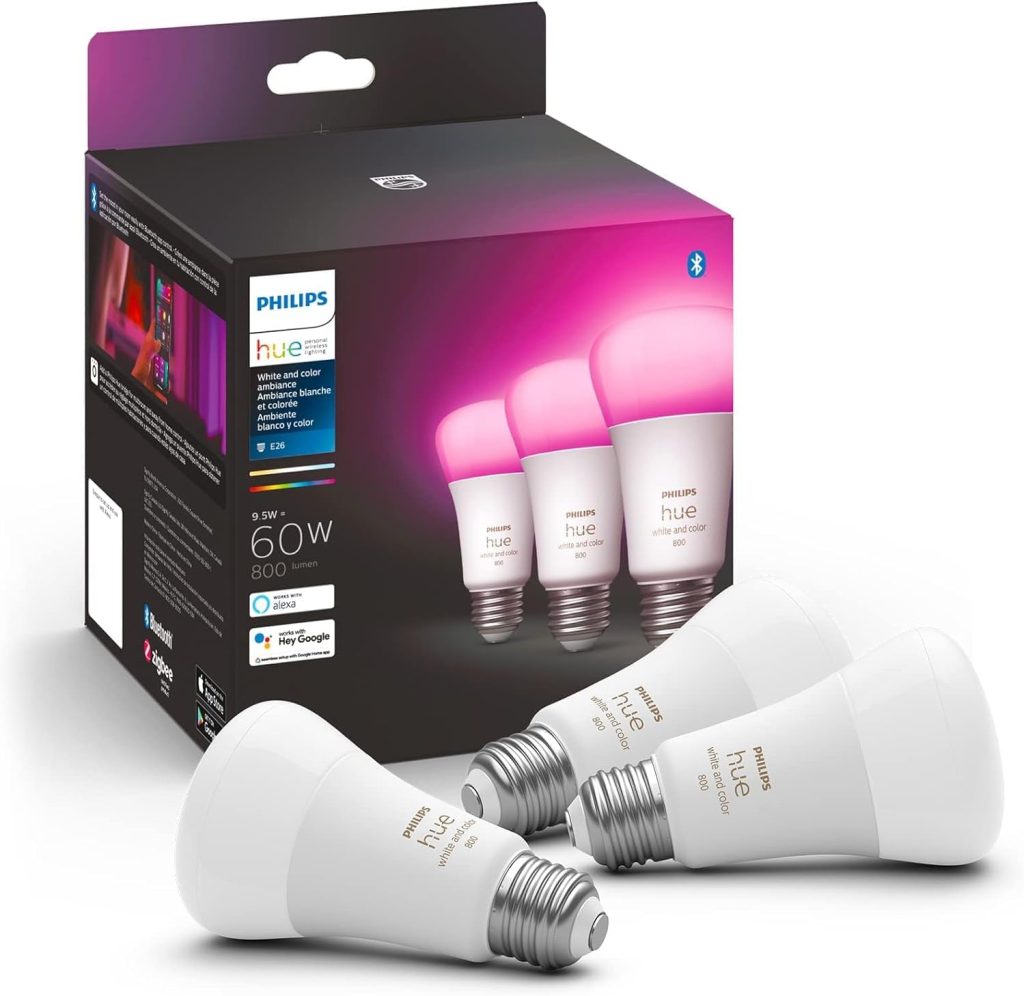
🏆 Best Overall Smart Bulb
Price: ~$50 | Protocol: Zigbee + Bluetooth + Matter | Hub: Optional (Bridge recommended) | Lumens: 1,100
Works with: Alexa, Google Home, HomeKit, Matter | Colour: 16 million colours + tunable white 2,000K–6,500K
Philips Hue has held the top spot in every major smart bulb comparison for over five years. After testing the current generation against newer Matter-native competitors, I can confirm why: the response time is unmatched.
Tap the app or give a voice command Hue responds in under 100 milliseconds, consistently, every time.
That consistency is the product of the Zigbee mesh network. Unlike Wi-Fi bulbs that talk directly to your router, Hue bulbs communicate with each other and route through the Bridge. The network gets faster and more reliable as you add bulbs, not slower.
The 2026 Bridge Pro supports up to 150 devices and runs entirely locally. Your lights work even when the internet goes down, which is more than most smart home devices can claim.
Additionally, the Bridge enables automations based on sunrise/sunset, motion sensors, and other device states that Bluetooth-only mode cannot match.
At $50 per colour bulb, Hue is not cheap. However, the cost argument shifts when you look at lifespan. Philips rates these at 25,000 hours, and I personally have Hue bulbs from 2018 still running. For a permanent home setup, the maths works out.
⚠️ Watch Out: The Hue Bridge is optional but strongly recommended for anyone buying more than three bulbs. Without it, you’re limited to Bluetooth control no remote access, no advanced automations, and no Alexa or Google Home routines that trigger based on time or sensor data. The Bridge (~$60) transforms what the bulbs can do.
2. TP-Link Tapo L535E — Best Value Smart Bulb
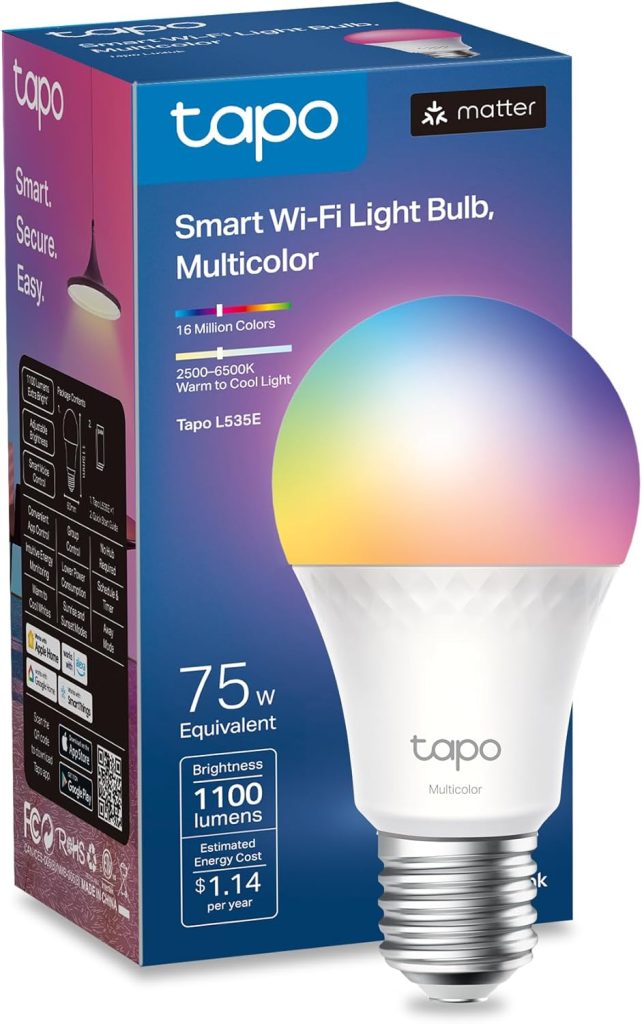
💰 Best Value Pick
Price: ~$13 | Protocol: Wi-Fi + Matter | Hub: None required | Lumens: 1,100
Works with: Alexa, Google Home, Matter | Colour: Full RGBW + tunable white
Thirteen dollars for a colour smart bulb with Matter support and 1,100 lumens of output.
When the L535E launched, I genuinely assumed the Matter integration would be half-baked, bolted on to claim the certification rather than deliver the performance. It isn’t.
The Matter connection is responsive, the colour reproduction is accurate across the full warm-to-cool spectrum, and the Tapo app is one of the cleanest interfaces in the smart bulb category.
Setup takes under three minutes and requires nothing beyond a phone and a 2.4GHz Wi-Fi network.
The only limitation worth flagging: the L535E doesn’t run on Thread, which means it adds to your Wi-Fi device count.
For one or two bulbs, this is irrelevant. For ten or more in a single home, consider mixing in Thread-based bulbs (Nanoleaf Essentials, see below) to keep network performance stable.
Consequently, if smart lighting doesn’t work out for you, you’re out $13, not $50. For anyone building their first smart bulb setup, this is where I tell them to start.
3. Nanoleaf Essentials A19 — Best for Matter and Thread
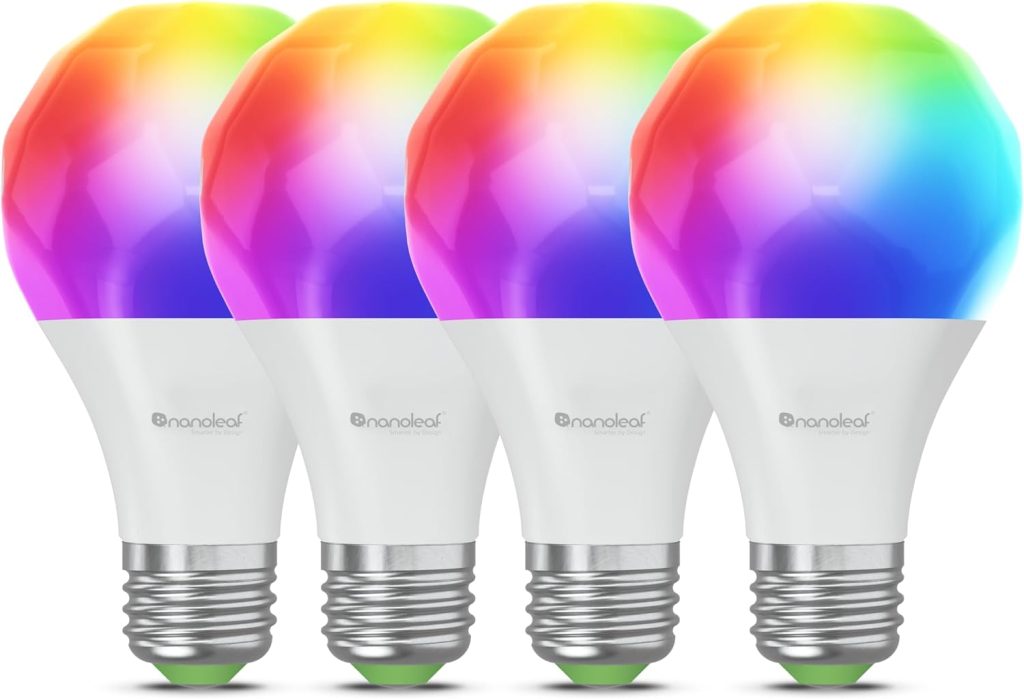
🔗 Best Matter & Thread Bulb
Price: ~$20 | Protocol: Thread + Bluetooth | Hub: Thread border router required | Lumens: 1,100
Works with: Alexa, Google Home, HomeKit, Matter
Note: Apple TV 4K (2nd gen+), HomePod mini, or Nest Hub 2nd gen acts as the Thread border router
The Nanoleaf Essentials is the only bulb on this list that runs exclusively on Thread the mesh networking protocol that Matter uses for low-latency, local device control.
This distinction matters more than any other spec on its packaging.
Thread bulbs don’t connect to your Wi-Fi. Instead, they form a self-healing mesh that routes through a Thread border router, which you likely already own if you have an Apple TV 4K, a HomePod mini, or a Google Nest Hub 2nd gen.
The result is sub-200ms response times and a network that continues working during a Wi-Fi outage.
For HomeKit users, the Nanoleaf Essentials is the strongest argument for Thread: all processing happens locally on the Apple TV or HomePod.
No cloud request, no latency from a server in another country. The bulb turns on before you’ve finished the command.
Furthermore, Thread’s mesh architecture means each Nanoleaf Essentials bulb acts as a router for other Thread devices.
Add more bulbs, sensors, and plugs the network becomes stronger and more redundant with every device. This is the architecture of a permanent smart home, not a gadget experiment.
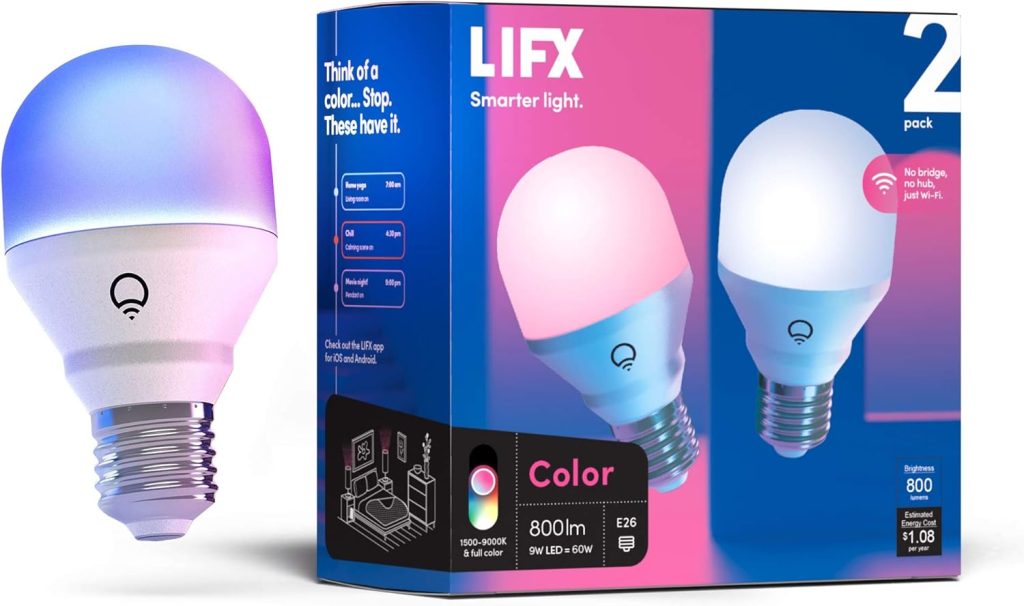
4. LIFX A19 Color — Best No-Hub Colour Bulb
🎨 Best Premium No-Hub Colour
Price: ~$35 | Protocol: Wi-Fi (direct connection) | Hub: None — ever | Lumens: 1,100
Works with: Alexa, Google Home, HomeKit | Colour: Full RGBWW with infrared
Most Wi-Fi smart bulbs route commands through a manufacturer’s cloud server, which means your lights technically depend on a company’s uptime to function.
LIFX takes a different approach. The A19 connects directly to your home network with no intermediary cloud dependency for local commands.
Send a command while on the same Wi-Fi network, and it goes straight to the bulb.
The colour output is the best I’ve tested on any hub-free smart bulb.
The RGBWW element (red, green, blue, warm white, cool white) produces more natural colour mixing than standard RGB bulbs, particularly in the warm white range, where most competitors look slightly orange rather than genuinely warm.
At $35, LIFX sits above every other hub-free option on this list.
However, for HomeKit users who don’t want to invest in a full Hue Bridge setup, the LIFX is the only premium hub-free colour bulb that works natively in the Apple Home app without any bridging workaround.
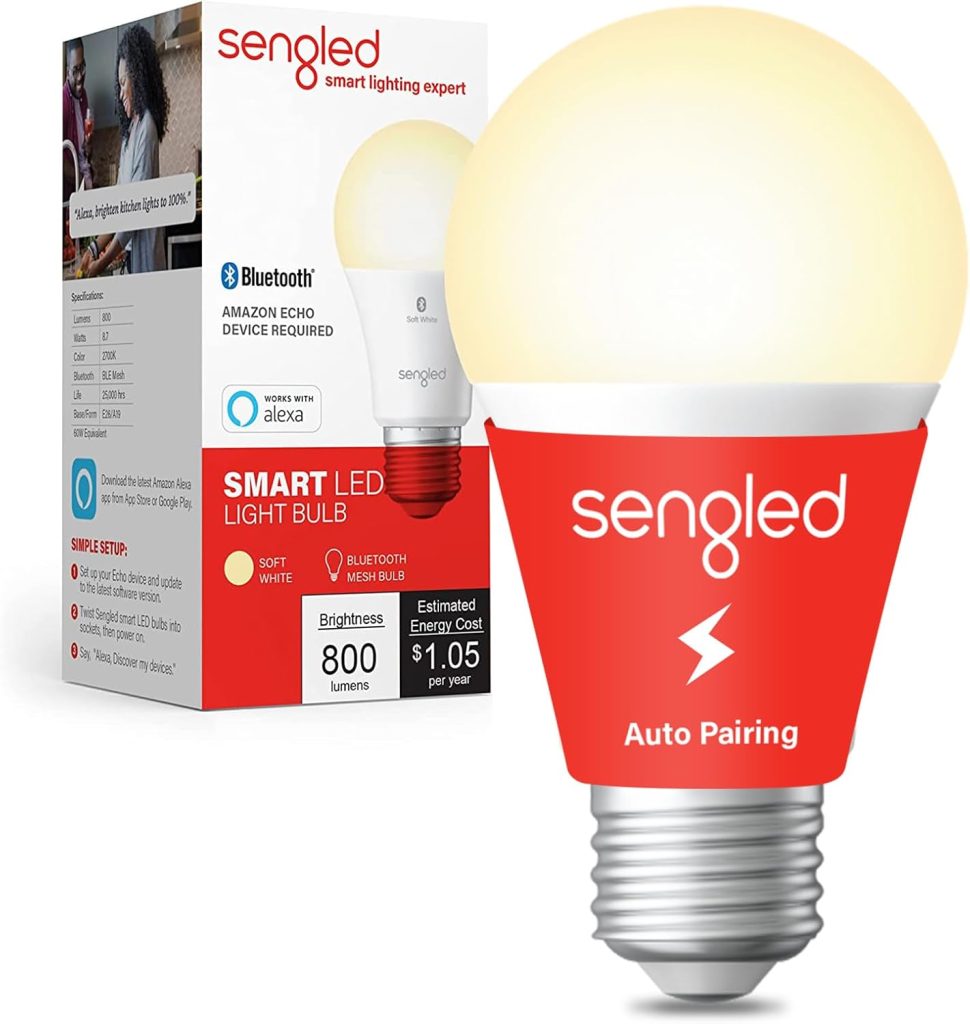
5. Sengled Classic E26 — Best Budget Zigbee Bulb
📡 Best Budget Zigbee Pick
Price: ~$8 | Protocol: Zigbee | Hub: Yes — Zigbee hub required | Lumens: 800
Works with: Alexa (via Echo Plus/Show), SmartThings, Home Assistant
The Sengled Classic is the honest budget pick for anyone who already runs a Zigbee hub and an Echo Plus, Echo Show 10, SmartThings Hub, or Home Assistant with a Zigbee dongle.
At $8 per bulb, it produces 800 lumens of clean white light and pairs reliably on the first attempt, every time.
Notably, Sengled made a deliberate engineering choice that most buyers don’t know about: these bulbs do not act as Zigbee mesh repeaters.
Most Zigbee devices extend the network. Sengled bulbs are end-devices only. This is actually an advantage for apartment setups where the mesh doesn’t need extending, but a limitation for large homes that rely on Zigbee mesh range.
The practical use case: equipping a rental property or spare bedroom without spending more than $10 per bulb.
The Sengled delivers reliable on/off and dimming control at a price point that makes outfitting a whole flat affordable.
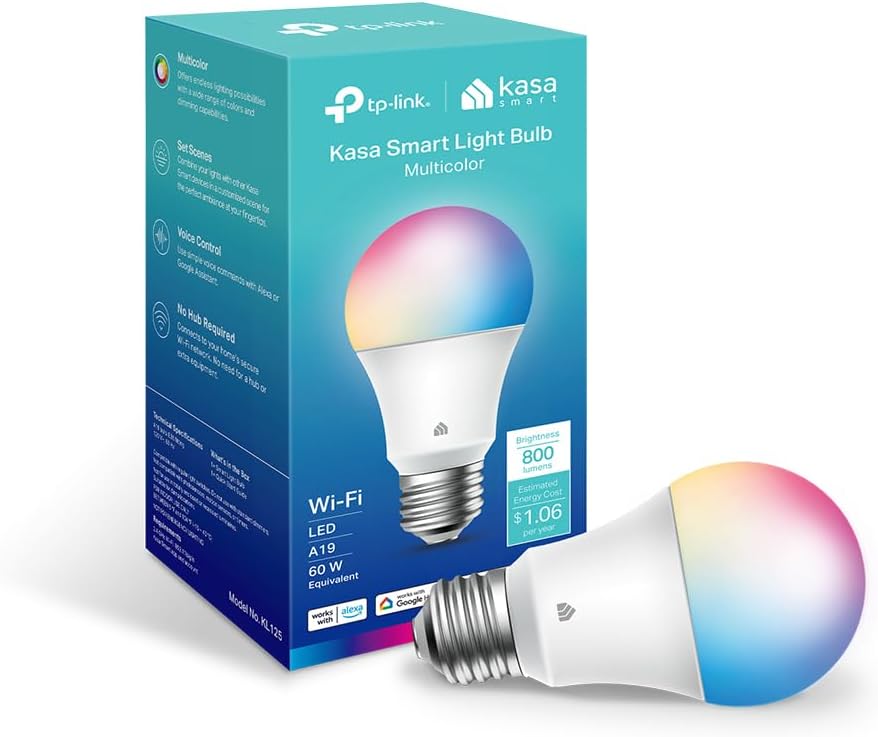
6. Kasa KL125 — Best Smart Bulb for First-Time Buyers
👋 Best for First-Time Buyers
Price: ~$12 | Protocol: Wi-Fi | Hub: None | Lumens: 900
Works with: Alexa, Google Home | Colour: Tunable white only (2,500K–6,500K)
Setting up most smart bulbs involves at least three apps the manufacturer’s app, the Alexa or Google Home app, and sometimes a hub app. Kasa collapses this to one.
The Kasa app handles setup, scheduling, and automations in a single interface, and the Alexa and Google Home integrations work through the same account without rediscovery.
The KL125 is tunable white only, no colour. For first-time smart home buyers who aren’t sure they’ll use colour features, this is the right starting point.
Tunable white means you can set a warm 2,700K for evenings and a cooler 5,000K for working from home, genuinely useful without the added cost of colour.
After testing eight smart bulb brands with people who’ve never used smart home technology, the Kasa app consistently produces fewer setup failures than any other platform.
If you’re buying smart bulbs for a parent or someone new to smart home, the KL125 is the one that will actually stay set up.
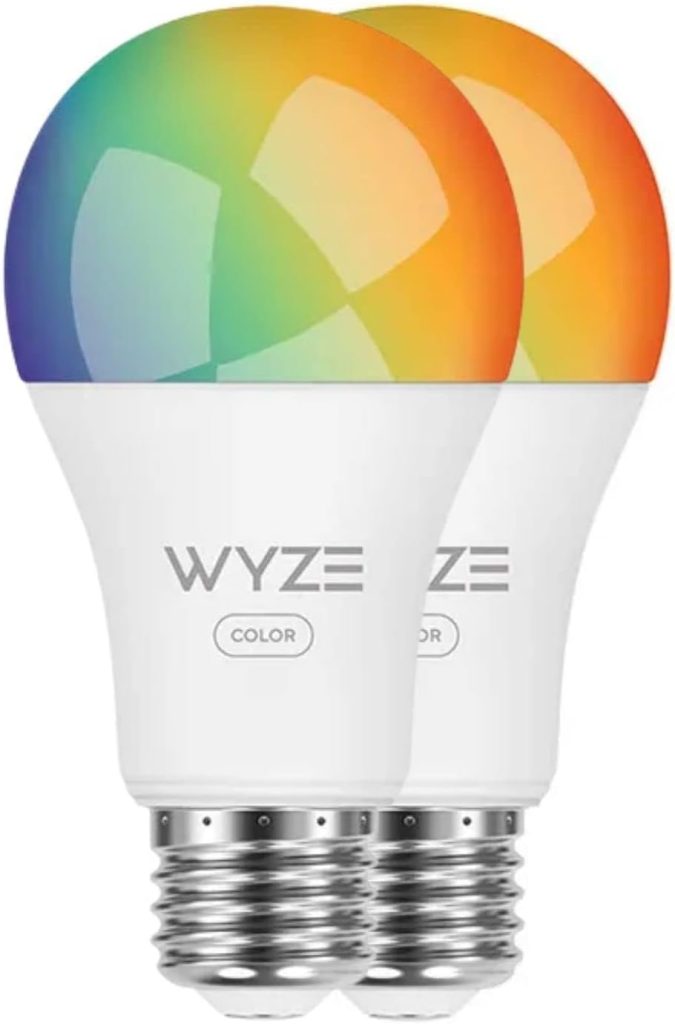
7. Wyze Bulb Color — Best Smart Bulb Under $10
⚡ Best Ultra-Budget Colour Bulb
Price: ~$9 | Protocol: Wi-Fi + Bluetooth | Hub: None | Lumens: 800
Works with: Alexa, Google Home | Colour: Full RGB + warm/cool white
Under $10 for a colour smart bulb with Alexa and Google Home support sounds like a compromise product.
The Wyze Bulb Color is not. It handles basic colour scenes, schedules, and voice commands competently, and setup via the Wyze app takes under four minutes.
The limitation is response latency. Compared to Hue or Tapo, the Wyze adds a noticeable half-second delay to Wi-Fi commands, acceptable for scheduled automations and scene changes, occasionally frustrating for instant voice control. For bulbs in low-priority rooms, this is a non-issue.
The real use case: equipping rooms where you want colour but can’t justify $13–$20 per bulb.
A five-bulb pack for a kids’ bedroom or seasonal lighting setup costs the same as two Tapo L535Es. The colour output is less accurate, but for children’s rooms or mood lighting, it’s more than sufficient.
8. Meross Smart Bulb MSL120 — Best for Mixed-Ecosystem Homes
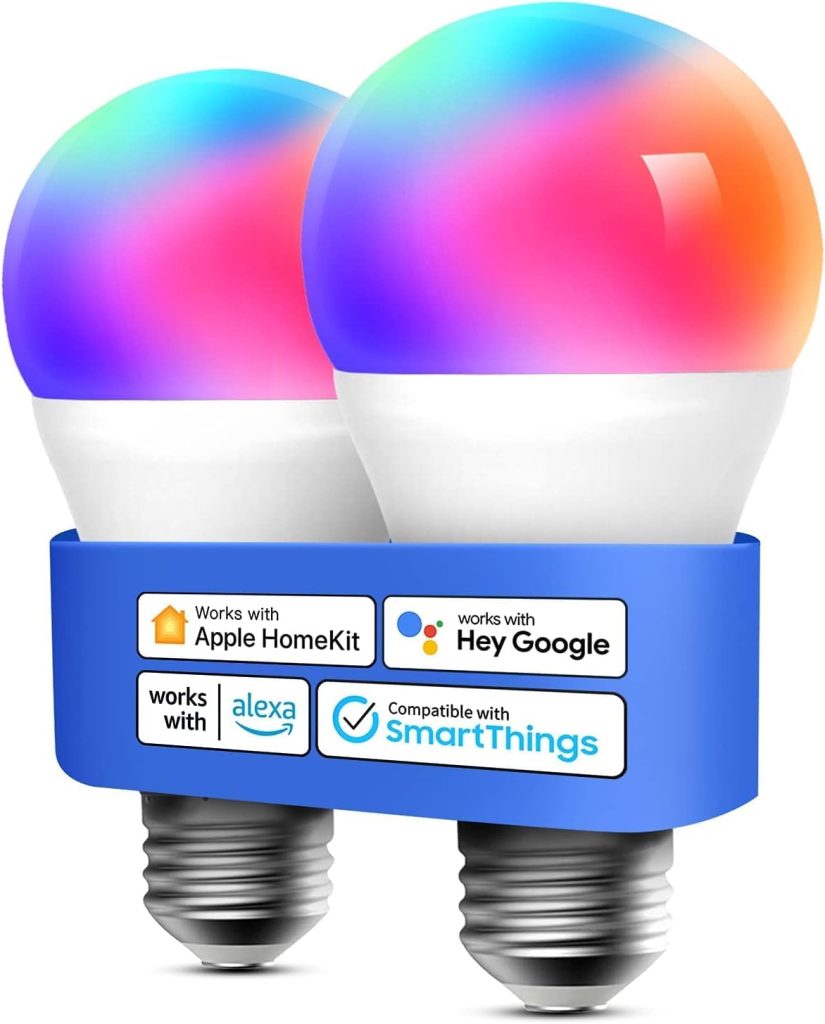
🔄 Best for Mixed Smart Home Setups
Price: ~$11 | Protocol: Wi-Fi + Matter | Hub: None | Lumens: 810
Works with: Alexa, Google Home, HomeKit, SmartThings — all four natively via Matter
Most households with a mixed smart home, an Echo in the living room, a Google Nest in the kitchen, and an iPhone with HomeKit run into ecosystem fragmentation.
Most smart bulbs work well with one or two platforms. The Meross MSL120 works natively with all four, via Matter, which means the integration is certified rather than a workaround.
At $11, this is the cheapest Matter-certified bulb I’ve found that delivers reliable multi-ecosystem performance. The trade-off is tunable white, but no colour.
Nevertheless, for whole-home voice control across different assistants in different rooms, no other bulb on this list matches its platform reach at this price.
Additionally, because the MSL120 uses Matter over Wi-Fi, adding it to any platform is a single QR-code scan, no third-party skill to enable, no developer account to link.
For households that have accumulated smart home devices from multiple brands and never quite solved the fragmentation problem, this is the simplest fix available.
What to Avoid When Buying Smart Bulbs in 2026
Eight years of testing have produced a clear list of mistakes that first-time smart bulb buyers make repeatedly. These four are the most common and the most expensive to undo.
Buying Zigbee bulbs without checking hub compatibility first
Zigbee is an excellent protocol, but it requires a compatible hub. Not every Zigbee hub supports every Zigbee bulb.
The protocol has versions (Zigbee 1.2, Zigbee 3.0), and some older hubs won’t pair with newer bulbs. Always confirm compatibility before purchasing.
Choosing colour bulbs when you only need dimming
Colour smart bulbs cost two to three times more than tunable white bulbs and use slightly more power. If your actual use case is “dim the living room at 9 pm and turn off at midnight,” a tunable white bulb at $8–$12 is sufficient.
The best smart bulbs for your home are the ones matched to your real usage, not maximum spec.
Loading your main router with more than 15 Wi-Fi bulbs
Every Wi-Fi smart bulb is a device on your network. Most standard home routers handle 20–30 total devices before performance degrades.
Furthermore, bulbs communicate on 2.4 GHz, the same band as most older Wi-Fi devices, which creates congestion.
If you’re buying more than ten bulbs, factor in either a mesh router upgrade or a Zigbee/Thread hub.
Confusing “works with Alexa” with “Alexa native.”
“Works with Alexa” is a broad certification covering thousands of devices. It doesn’t guarantee a deep or reliable integration.
Some bulbs that carry this badge route every command through a manufacturer’s cloud server, adding latency and uptime dependency.
Native Zigbee or Thread bulbs that pair directly with Echo hardware are significantly more reliable a distinction we cover fully in our best smart bulbs for Alexa guide.
Frequently Asked Questions About Smart Bulbs
Do the best smart bulbs work with normal light switches?
Yes, but with an important caveat. Smart bulbs need constant power to maintain their network connection.
If someone flips the physical switch off, the bulb loses power and disconnects voice commands and app control stop working until the switch is turned back on.
The solution is to leave physical switches permanently on and control everything through the app or voice assistant.
Alternatively, replace the wall switch with a smart switch that signals without cutting power to the bulb. Our best smart light switches guide covers exactly this.
Do smart bulbs use electricity when turned off?
Yes, a small amount called standby power. Most smart bulbs draw between 0.3W and 0.5W in standby to maintain their network connection.
For a single bulb, this costs under $1 per year. For a whole home with 20 smart bulbs, it adds up to roughly $10–$15 annually.
This is worth knowing, but not a reason to avoid smart lighting; the energy savings from smart scheduling and dimming far outweigh the standby cost.
Which protocol is best for smart bulbs in 2026: Wi-Fi, Zigbee, or Thread?
For new smart home builds in 2026, Thread is the strongest protocol choice. It runs on a dedicated mesh, doesn’t load your Wi-Fi, supports Matter natively, and processes commands locally for sub-200ms response.
For existing Zigbee setups like Philips Hue, stick with Zigbee. The ecosystem is mature and extremely reliable.
Wi-Fi is the right choice only for one to two bulbs in a home with a strong, uncongested network.
Our Matter devices guide goes deeper into Thread if you want to understand the protocol fully.
How many smart bulbs can my Wi-Fi router handle?
Most standard home routers handle 30–50 devices total before performance degrades noticeably.
Smart bulbs typically use one to two slots each on the device table, and they operate on 2.4GHz a congested band in most homes.
Practically, I recommend keeping Wi-Fi smart bulbs to ten or fewer per router. Beyond that, a Thread or Zigbee hub is worth the investment both keep bulb traffic entirely off your Wi-Fi network.
Are expensive smart bulbs worth it over cheap ones?
It depends on the use case and scale. For basic on/off, scheduling, and dimming in one or two rooms, a $9 Wyze or $11 Meross performs adequately.
For a permanent home setup where reliability matters fast response, hub-based local control, multi-room coordination the Philips Hue system pays for itself over three to five years through fewer failures and no replacement costs.
The best smart bulbs for your home are the ones matched to your ecosystem, budget, and how many rooms you’re outfitting not necessarily the most expensive ones.
Final Verdict — Which Smart Bulb Should You Actually Buy?
Here’s where I decide for you. Based on the eight best smart bulbs tested and the questions at the start of this guide, these are the four specific recommendations based on your situation.
✅ If you want the most reliable smart bulbs and plan to outfit more than two rooms
Buy: Philips Hue White & Color A19 starter kit (includes Bridge).
The Zigbee mesh, plus the Bridge, is the most stable smart bulb infrastructure available for a home setup. Once it’s in, it doesn’t break. Response time is unmatched. The upfront cost is higher, but it’s the last smart bulb decision you’ll make for years.
✅ If you want smart bulbs in one or two rooms without spending more than $15 per bulb
At $13 with Matter support, no hub required, and full colour output at 1,100 lumens, nothing else at this price comes close. It’s the smartest entry point for anyone testing smart lighting before committing to a full ecosystem.
✅ If you’re deep in the Apple ecosystem and want HomeKit with local processing and no cloud dependency
Buy: Nanoleaf Essentials A19 (assuming you own an Apple TV 4K or HomePod mini).
Thread gives you the fastest response times on this list and keeps all processing local. Your bulbs work whether the internet is up or not. This is the smart home architecture Apple designed HomeKit to run on.
✅ If your home has Alexa in one room, Google in another, and Apple HomeKit on your phone
Buy: Meross Smart Bulb MSL120.
Matter certification means one bulb works natively across all four major platforms without ecosystem lock-in. At $11, it’s the cheapest way to solve the fragmentation problem without replacing your entire smart home setup.
Related Guides on SmartHomeDock
Looking for a more specific recommendation? Every guide below covers a distinct reader intent with completely different product picks from the ones in this article.
