


This article contains affiliate links. If you buy through them, SmartHomeDock earns a small commission at no extra cost to you. We only recommend products we’ve actually tested.
The heating bill came in. Again. You know the house was empty for nine hours while everyone was at work and school. The old thermostat ran at 21°C the whole time because nobody remembered to turn it down. Again.
A smart thermostat fixes this through geofencing. It uses your phone’s location to switch to energy-saving mode when you leave and pre-heat before you return.
No manual scheduling. No forgetting. According to EPA data, geofencing alone saves 10–15% on heating and cooling costs.
The full suite of smart thermostat features- learning, room sensors, and scheduling- pushes that to 10–23% annually depending on your previous habits and climate.
Six smart thermostats were tested across different homes, HVAC systems, and ecosystems. By the end, you’ll know exactly which one fits your wiring, your household routine, and your energy goals, and what to check before ordering anything.
Quick Answer — Best Smart Thermostats 2026
Best overall: Google Nest Learning Thermostat 4th Gen (~$239) learns your schedule automatically, works with Alexa, Google Home, and HomeKit. Best for multi-room: Ecobee Smart Thermostat Premium (~$259) — room sensors, Power Extender Kit for homes without a C-wire. Best budget: Amazon Smart Thermostat (~$80) — no C-wire, Alexa-native, geofencing included.
Best for Honeywell ecosystem: Honeywell Home T9 (~$200). Best for no C-wire + HomeKit + privacy: Sensi Touch 2 (~$150). Best for electric baseboard: Mysa (~$99 per unit).
Before buying anything: check whether you have a C-wire (the most common installation failure) and confirm your HVAC type. Both checks take two minutes. Both sections are below.
What Smart Thermostats Actually Save — Real Numbers Before the Products
Every smart thermostat manufacturer claims energy savings. Here are the sourced numbers behind those claims — and the honest conditions that determine whether you’ll see them.
The EPA and DOE savings data
| Feature used | Annual energy saving (EPA/DOE) | Condition for maximum savings |
|---|---|---|
| Geofencing (auto away mode) | 10–15% | Previously running at comfort temp all day; 7–10°F setback while away |
| Scheduling (7-day programme) | 10% (DOE estimate) | Previously using a manual thermostat; no existing schedule |
| Learning algorithm (Nest) | 10–12% heating, 15% cooling | Consistent household routine; allow 3+ weeks for learning |
| Room sensors (Ecobee, T9) | Variable — primarily comfort vs efficiency | Larger homes where thermostat location misrepresents occupied rooms |
| Full feature set combined | 10–23% | Previously manual; geofencing + scheduling + learning all enabled; extreme climate |
The honest caveat: if you currently use a consistent programmable thermostat schedule, incremental savings drop to 5–8%. The biggest savings come from homes that currently run the same temperature all day regardless of occupancy.
The automated “you left, temperature dropped” behaviour is where smart thermostats earn their cost back.
Estimated payback period per thermostat
At a UK average energy bill of £1,800/year or US average of $1,500/year on heating and cooling:
- Amazon Smart Thermostat at $80 with 10% saving: payback in under 1 year
- Ecobee at $259 with 15% saving: payback in approximately 14 months
- Nest Learning at $239 with 15% saving: payback in approximately 15 months
Every smart thermostat on this list pays for itself within 2 years under average conditions. The higher the energy cost and the less disciplined the current thermostat use, the faster the payback.
Two Things to Check Before Buying Any Smart Thermostat
Check 1: Do you have a C-wire? (2 minutes)
Most smart thermostats need a C-wire, a common wire, for continuous power. Pull your existing thermostat off the wall. Look at the terminal labelled C. A wire there means you have one. An empty C terminal means you don’t.
No C-wire? The Ecobee includes a Power Extender Kit in the box. The Amazon Smart Thermostat and Sensi Touch 2 work without one via power stealing.
The Nest uses power stealing, but Google recommends a C-wire for reliable operation. Full details — and how to add one if needed, in our dedicated thermostat C-wire guide.
Check 2: What type of HVAC system do you have?
The wrong thermostat connected to the wrong HVAC system either won’t work or can cause damage. Find your system type before ordering.
| HVAC type | Compatible thermostats | What to check |
|---|---|---|
| Standard forced air (gas furnace + central AC) | All picks on this list | C-wire only |
| Heat pump (single or dual stage) | Nest 4th Gen, Ecobee Premium, Honeywell T9 | Confirm “heat pump compatible” in product spec — essential |
| Two-stage or variable speed | Ecobee Premium, Nest 4th Gen | Amazon Smart Thermostat only supports two-stage, not variable speed |
| Electric baseboard / radiant (120V or 240V) | Mysa only — one unit per heater | Never connect a 24V smart thermostat to a high-voltage system |
| Steam or hot water radiant | Ecobee, Nest — check specific wiring | May require a relay — consult an HVAC professional before installing |
Learning, Sensor, or Schedule: Which Type of Smart Thermostat Fits Your Home
This decision determines which product is right before any spec comparison matters.
Learning thermostats — Nest
The thermostat observes your manual adjustments over the first week and builds a schedule automatically. You don’t programme anything. It identifies when you wake up, leave, return, and sleep — then pre-heats or cools accordingly.
Best for: households with regular, predictable daily routines. Families where everyone wakes, leaves, returns, and sleeps at roughly the same times.
Not for: shift workers, irregular home workers, anyone who wants direct schedule control over the algorithm.
Sensor-based thermostats — Ecobee, Honeywell T9
Wireless room sensors report temperature and occupancy in individual rooms. The thermostat prioritises occupied spaces rather than averaging the whole house.
A bedroom sensor detects you sleeping and keeps that room comfortable through the night.
Best for: larger homes where the thermostat location misrepresents where people actually are. Multi-room households where different spaces are used at different times.
Not for: single-room flats or small homes where the thermostat already represents the primary space.
Schedule-based thermostats — Amazon, Honeywell, Sensi
You set the programme. The thermostat executes it. No learning, no occupancy sensing — precise control over exactly when temperatures change.
Best for: households that know their routine and want to control it manually. Anyone who prefers predictability over automation.
Not for: irregular schedules where a static programme wastes energy on empty houses.
⚠️ The data privacy question no other thermostat guide addresses
Smart thermostats collect detailed data about your daily routine — when you wake, when you leave, when you sleep, how warm you keep different rooms. What happens to that data varies significantly by brand.
Google Nest: usage data is shared with Google’s broader advertising and analytics infrastructure. Your schedule, temperature preferences, and occupancy patterns contribute to Google’s user profile data. This is disclosed in the Nest privacy policy — worth reading before buying.
Ecobee: collects occupancy and usage data for “service improvement.” Opt-out available for some data categories but not all by default.
Sensi (Emerson): the most privacy-forward major brand. Temperature data, schedule patterns, and usage history are kept private and not shared with third-party advertisers. For households concerned about data collection, Sensi’s privacy stance is a meaningful differentiator — all else being roughly equal.
Best Smart Thermostats 2026 — Quick Comparison
| Thermostat | Best for | Price | Type | C-wire? | Works with | Sub? |
|---|---|---|---|---|---|---|
| Nest Learning 4th Gen | Best overall, regular routines | ~$239 | Learning | Recommended | Alexa, Google, HomeKit | No |
| Ecobee Premium | Multi-room, no C-wire | ~$259 | Sensor-based | No (PEK included) | Alexa (built-in), Google, HomeKit | No |
| Amazon Smart Thermostat | Best budget, Alexa-first | ~$80 | Schedule-based | No | Alexa (native), Google | No |
| Honeywell Home T9 | Room sensors, Honeywell ecosystem | ~$200 | Sensor-based | Yes | Alexa, Google | No |
| Sensi Touch 2 | No C-wire, HomeKit, privacy | ~$150 | Schedule-based | No | Alexa, Google, HomeKit | No |
| Mysa | Electric baseboard heating | ~$99/unit | Schedule-based | N/A (high voltage) | Alexa, Google, HomeKit | No |
The 6 Best Smart Thermostats in 2026
1. Google Nest Learning Thermostat 4th Gen — Best Smart Thermostat Overall
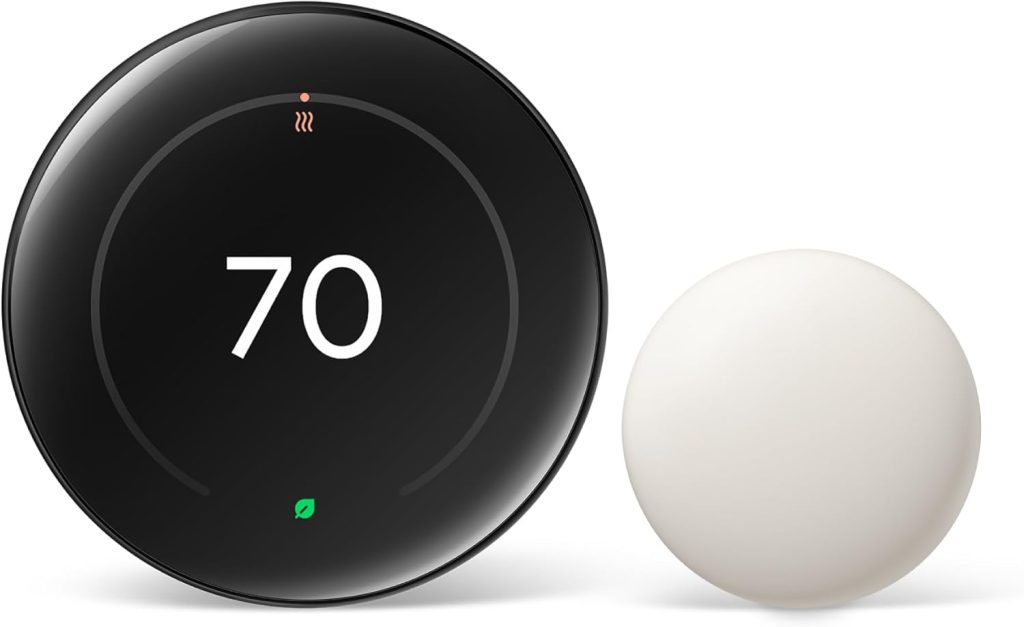
Who it’s for: Households with regular routines who want a thermostat that manages itself
Price: ~$239 | Type: Learning | C-wire: Recommended (works without via power stealing — some HVAC compatibility issues without one)
Works with: Alexa, Google Home, Apple HomeKit | Subscription: None
HVAC: Forced air, heat pump, two-stage — confirm compatibility at nest.com/compatibility
The Nest 4th Gen is the thermostat that makes itself redundant. Install it. Spend the first week adjusting the temperature manually as you normally would.
By day ten, it has mapped your household’s pattern, wake time, leave time, return time, sleep time, and begins pre-heating and pre-cooling without any further input.
The 4th Gen is the first Nest with native HomeKit support, a full-colour display, and Soli radar presence detection that wakes the screen when you approach.
Three ecosystems, Google Home, Alexa, and Apple HomeKit, all work simultaneously. For mixed-ecosystem households, this is the first Nest that doesn’t require choosing.
Nest published a third-party study across 735 homes showing 10–12% heating savings and 15% cooling savings, the most independently verified energy data of any thermostat brand. The learning algorithm improves over the first three weeks as it accumulates pattern data.
The privacy consideration: usage data, schedule patterns, and temperature preferences are shared within Google’s data infrastructure. For households already fully invested in Google’s ecosystem, Gmail, Google Photos, and Google Drive, this is consistent with existing data relationships.
For households concerned about this, the Sensi Touch 2 below provides similar functionality with a stronger privacy commitment.
The honest limitation: irregular schedules confuse the learning algorithm. Shift workers, frequent travellers, and work-from-home households with highly variable presence get less value from the learning feature.
The Amazon Smart Thermostat or Sensi Touch 2, both schedule-based, serve irregular households better.
2. Ecobee Smart Thermostat Premium — Best for Multi-Room Homes and No C-Wire
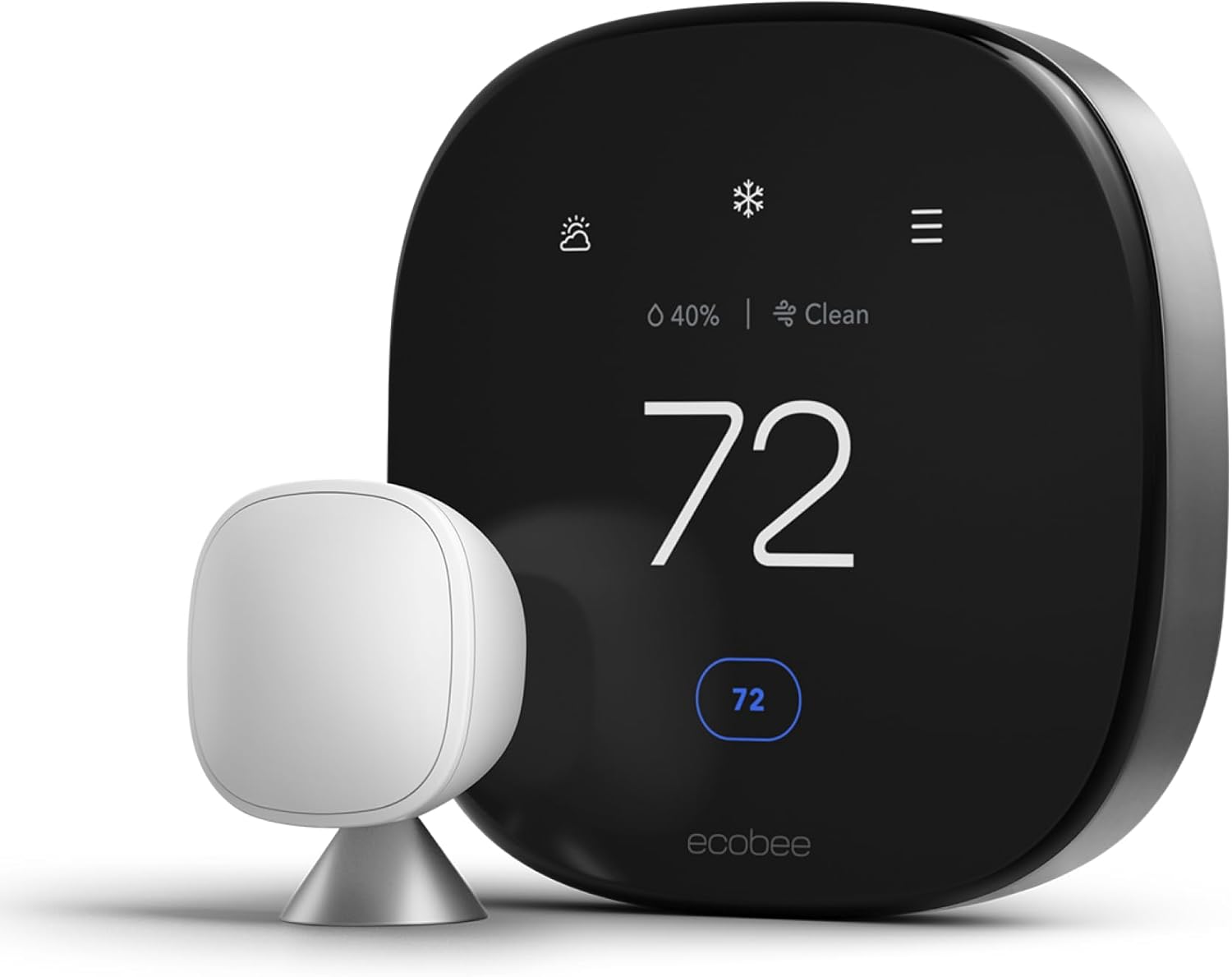
Who it’s for: Multi-room homes where different spaces are used at different times, and homes without a C-wire
Price: ~$259 (includes 1 SmartSensor + Power Extender Kit) | Type: Sensor-based
C-wire: Not required — Power Extender Kit included | Works with: Alexa (built-in speaker), Google Home, HomeKit
Room sensors: Up to 32 SmartSensors | Subscription: None
The Ecobee solves two problems simultaneously that no other thermostat handles as cleanly: homes without a C-wire and homes where the thermostat location misrepresents where people actually are.
The Power Extender Kit comes in the box and installs at the furnace, adapting your existing two-wire or three-wire system without any new wiring.
No electrician. No adapter purchase. The most common smart thermostat installation failure, no C-wire, is handled before you even open the thermostat packaging.
The SmartSensor room sensors measure temperature and occupancy in each room where they’re installed. Place a sensor in the bedroom. The Ecobee uses that room’s temperature as its control target, not the hallway.
The bedroom is warm when you sleep. The home office is at working temperature during the day. Unoccupied rooms aren’t heated unnecessarily.
The built-in Alexa speaker is a genuine differentiator; the thermostat itself responds to voice commands without needing a separate Echo device in the same room.
Ask it the weather, set a timer, and control any other Alexa device in your home. It functions as a full Alexa device on the wall.
Air quality monitoring ,VOCs, CO2, and humidity is included at no additional cost. For households with allergies or young children, real-time indoor air quality data visible in the Ecobee app is immediately useful.
For a full review of the Ecobee Premium versus the Nest in direct comparison, see our Ecobee vs Nest comparison.
3. Amazon Smart Thermostat — Best Budget Smart Thermostat
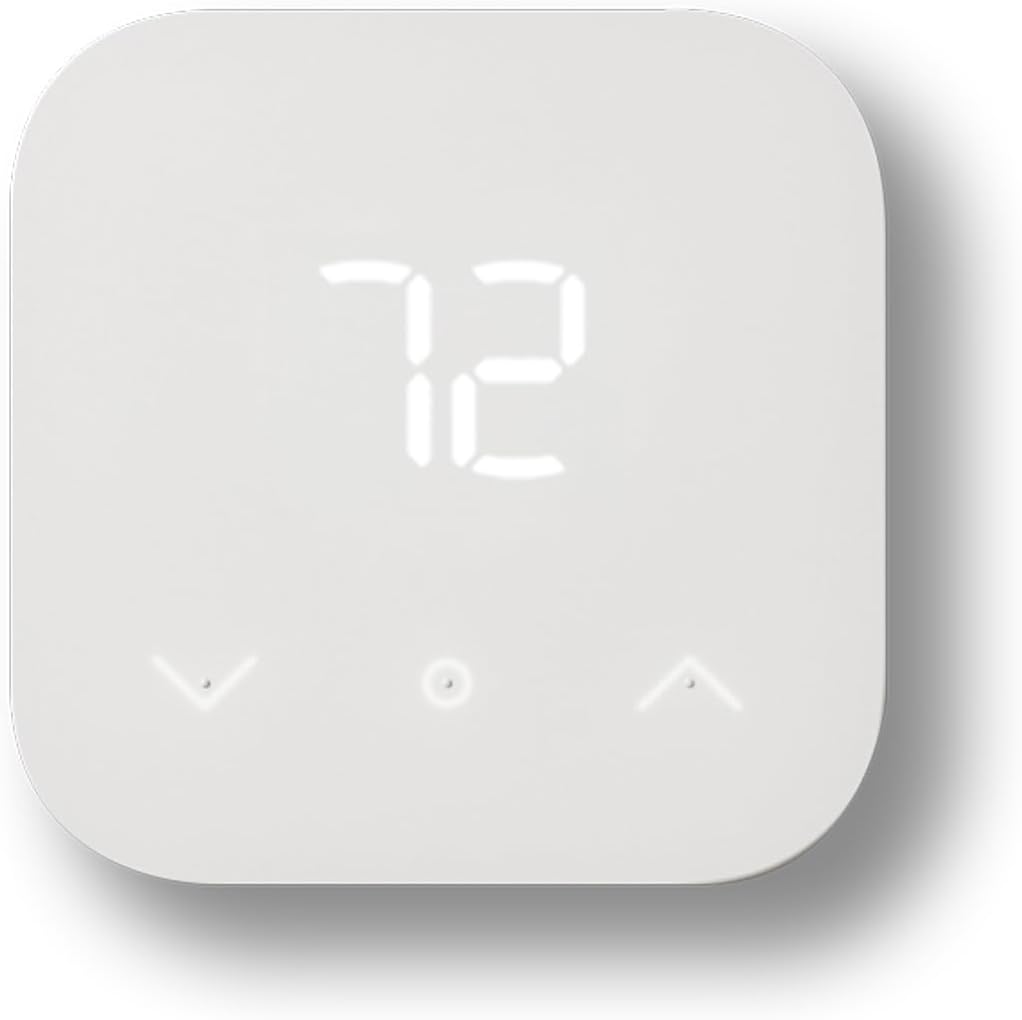
Who it’s for: Alexa households wanting smart thermostat features at the lowest possible price
Price: ~$80 | Type: Schedule-based | C-wire: Not required
Works with: Alexa (native), Google Home | Subscription: None
Eighty dollars. No C-wire. Geofencing included. Alexa-native, built by Amazon for Echo households. The Amazon Smart Thermostat does everything most people actually use a thermostat for, at under a third of the Nest or Ecobee price.
What it does: remote app control from anywhere, Alexa voice commands, 7-day scheduling, geofencing via the Alexa app, and energy usage reporting.
That covers the core use case for the majority of buyers, never heating or cooling an empty home, and adjusting temperature from the sofa or from work.
The Alexa integration is the deepest of any thermostat, built by Amazon for Amazon’s ecosystem. “
Alexa, set the thermostat to 20 degrees” works faster and more reliably than any third-party thermostat linked via a skill. Alexa routines can control the thermostat alongside lights and other devices.
Energy Hub: with a compatible electricity provider, the Amazon Smart Thermostat integrates with Energy Hub, automatically pre-cooling or pre-heating during off-peak rate periods.
For households on time-of-use tariffs, this feature can return the $80 cost within a single billing cycle.
What it doesn’t do: HomeKit, learning, room sensors. For Apple Home households, the Sensi Touch 2 below is the no-C-wire alternative.
For irregular schedules where geofencing matters more than scheduling, it handles this well at the budget price.
4. Honeywell Home T9 — Best for Room-by-Room Temperature Control
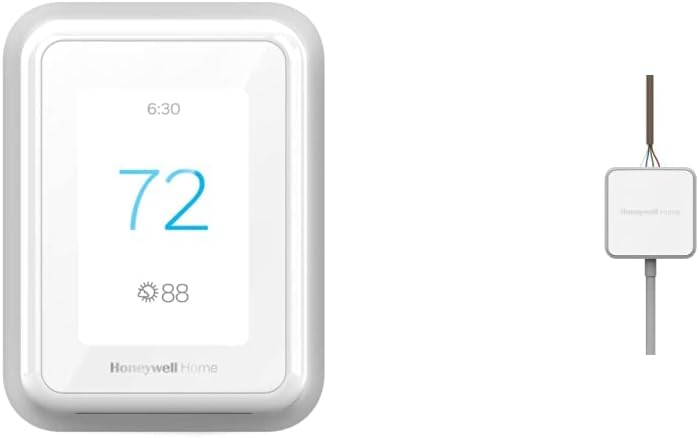
Who it’s for: Multi-room homes in the Honeywell ecosystem wanting occupancy-based comfort control
Price: ~$200 (includes 1 Smart Room Sensor) | Type: Sensor-based | C-wire: Required
Works with: Alexa, Google Home | Room sensors: Up to 20 | Subscription: None
The Honeywell T9 is the natural upgrade path for households already using Honeywell devices in the Resideo ecosystem. One Smart Room Sensor ships in the box.
Each additional sensor ($30) reports temperature, humidity, and occupancy independently.
The occupancy detection is the T9’s differentiator within Honeywell’s range. The thermostat knows which rooms are occupied at any given time and adjusts its heating and cooling decisions accordingly.
A bedroom sensor that detects someone sleeping shifts temperature priority to that room. An empty living room stops receiving priority heating.
For a detailed breakdown of Honeywell’s full thermostat range, comparing T6 Pro, T9, and T10 Pro, see our Honeywell thermostat review. It covers the T9 vs T10 Pro distinction specifically (RedLINK sensors for larger homes) in full detail.
The key difference from Ecobee: the T9 doesn’t include a Power Extender Kit. It requires a C-wire. It also doesn’t support Apple HomeKit natively, whereas Ecobee does.
For households with a C-wire and no HomeKit requirement, the T9 delivers the same room sensor functionality at $50 less than the Ecobee.
5. Sensi Touch 2 — Best for No C-Wire, HomeKit, and Privacy
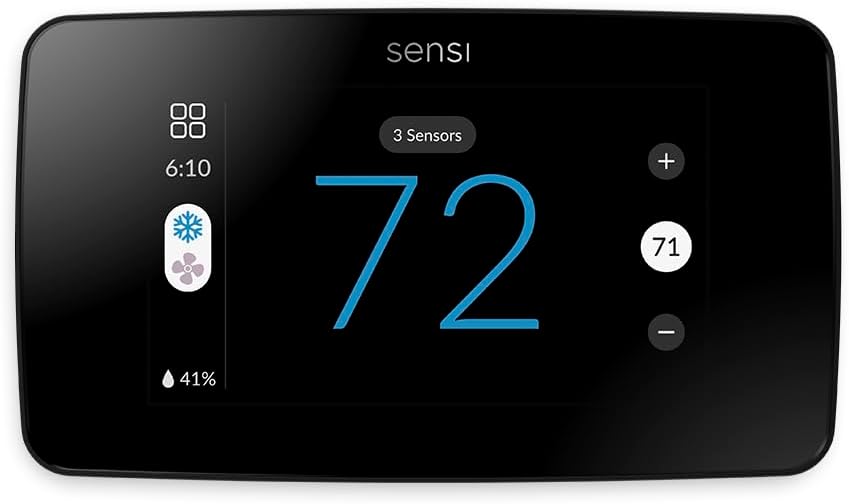
Who it’s for: Privacy-conscious households without a C-wire who need HomeKit support
Price: ~$150 | Type: Schedule-based | C-wire: Not required
Works with: Alexa, Google Home, Apple HomeKit | Data privacy: Best in class — Emerson does not share data with third-party advertisers
The Sensi Touch 2 fills a combination gap no other thermostat on this list covers: no C-wire, HomeKit support, and a genuine data privacy commitment.
The Amazon Smart Thermostat handles no-C-wire but not HomeKit.
The Ecobee handles no-C-wire but has a complex data relationship. The Nest works with HomeKit but uses Google’s data infrastructure and recommends a C-wire.
The Sensi Touch 2 works without a C-wire across a wider HVAC range than most no-C-wire alternatives.
It supports HomeKit natively via the My Sensi app. And Emerson, Sensi’s parent company, maintains a clear privacy policy: temperature data, schedule patterns, and usage history stay private and are not shared with third-party advertisers.
For an iPhone household that doesn’t want Google’s data relationship and doesn’t have a C-wire, this is the correct choice.
The touchscreen interface is the most responsive physical control of any thermostat under $200.
Geofencing through the Sensi app detects when all household members’ phones have left the home and switches to away mode automatically.
What it doesn’t do: room sensors. If multi-room occupancy sensing is important, step up to the Ecobee. The Sensi handles the whole home as one zone — which is appropriate for most apartments and smaller homes.
6. Mysa Smart Thermostat — Best for Electric Baseboard Heating
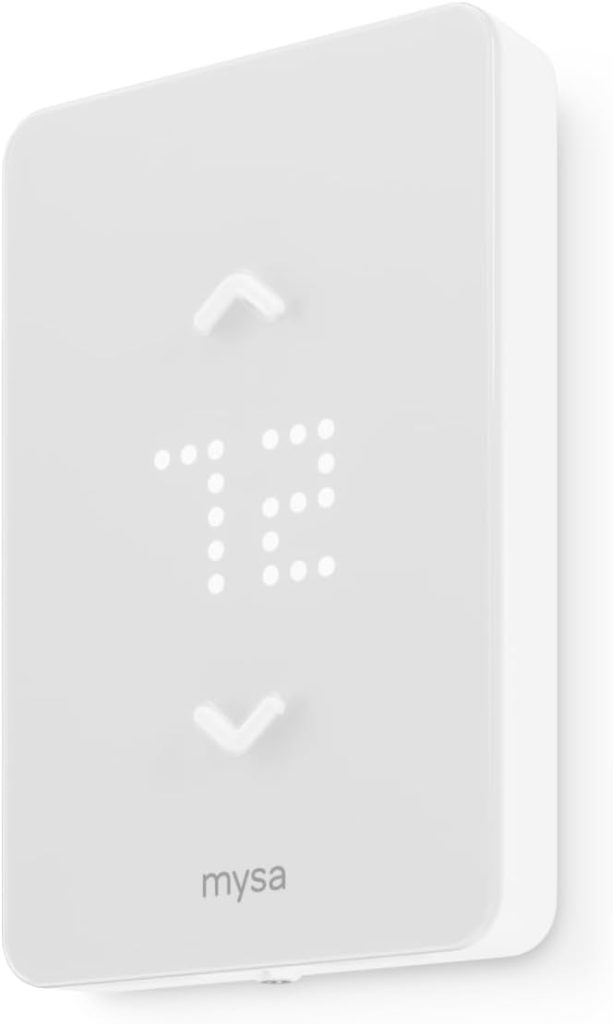
Who it’s for: Homes with electric baseboard heaters, radiant floor heating, or fan-forced electric heaters (120V–240V systems)
Price: ~$99 per unit | Type: Schedule-based | Voltage: High voltage (120V–240V) — NOT for standard 24V forced-air systems
Works with: Alexa, Google Home, Apple HomeKit | Subscription: None
⚠️ This is a high-voltage thermostat. Do not install on a standard 24V HVAC system.
Every other thermostat on this list is for standard 24V forced-air systems. The Mysa is for homes that heat with electric baseboard, radiant floor, or fan-forced electric heaters at 120V or 240V. Common in Canada, the northeastern US, and older UK properties.
These are entirely different electrical systems. Connecting a standard Nest or Ecobee to a high-voltage baseboard heater is not just incompatible; it’s dangerous.
The Mysa is designed, certified, and rated for high-voltage electric heating with its own internal transformer.
One Mysa controls one baseboard heater. For a home with four baseboard heaters in four rooms, four Mysa units give each room independent temperature control.
This is the actual advantage of electric baseboard heating: every room is its own zone.
The Mysa app controls all units from one interface, all linked to Alexa, Google Home, and HomeKit simultaneously. Installation requires an electrician for high-voltage wiring.
Unlike 24V thermostat installation — where a confident DIYer can do it in 20 minutes, 120V/240V work requires turning off the circuit and working with line voltage.
Budget £80–£150 for professional installation per unit in the UK, or $60–$100 in the US.
How Smart Thermostats Integrate with the Rest of Your Smart Home
Smart thermostats deliver more value when connected to other smart home devices. Three integrations worth setting up on day one.
Geofencing with smart locks
Pair the thermostat’s geofencing with a smart lock’s arrival detection. When the smart lock detects your arrival via Bluetooth, the thermostat starts warming immediately.
More accurate than GPS geofencing, which has a 300-metre boundary delay. Set this up as a SmartThings or Home Assistant routine if your lock and thermostat both support it.
Robot vacuum scheduling around thermostat cycles
Schedule the robot vacuum to run during the thermostat’s away mode, when the home is empty, and the temperature is set back.
The vacuum doesn’t disturb anyone, and you return to both a clean floor and a pre-heated home. Set both automations to trigger on the same geofencing event.
Smart bulb morning routines
A sunrise alarm, smart bulbs brightening from 1% to 80% over 30 minutes, pairs naturally with the thermostat warming the bedroom at the same time.
Set both triggers to the same time. Walk into a warm, bright room without any alarm noise.
Frequently Asked Questions About Smart Thermostats
How much can a smart thermostat save on energy bills?
Smart thermostats save 10–23% on heating and cooling costs annually, according to EPA and DOE data.
The highest savings, 20–23%, come from households that previously ran the same temperature all day regardless of whether anyone was home.
Geofencing alone, which switches to an energy-saving mode automatically when you leave, accounts for 10–15% of savings.
Households that already use consistent programmable schedules see smaller incremental savings of 5–8%.
The Amazon Smart Thermostat at $80 typically pays for itself within a single heating season through energy savings.
Do smart thermostats work without a subscription?
Yes, all six thermostats on this list operate fully without any paid subscription.
Remote access, scheduling, geofencing, voice control, and energy reports are all included in the device purchase at no ongoing cost.
This differs from security cameras and video doorbells, which typically require subscriptions for cloud recording.
Google Nest Aware, Google’s subscription, adds facial recognition and extended event history for Nest cameras but is not required for Nest thermostat features.
What is the difference between a learning thermostat and a programmable one?
A programmable thermostat runs a fixed schedule you set manually, the same settings on Monday every week.
A learning thermostat (Google Nest) observes your manual adjustments and builds a schedule automatically over the first 1–2 weeks.
Neither approach is inherently better, learning thermostats excel in regular households, while manual programming suits irregular schedules more reliably.
Smart thermostats of both types add geofencing, remote access, and voice control on top of either approach.
Can I install a smart thermostat myself?
For standard 24V forced-air systems, gas furnaces, heat pumps, and central AC, yes.
Disconnect the existing thermostat. Note which wire connects to which terminal. Connect the same wires to the new thermostat’s terminals.
Follow the app setup guide. Most confident DIYers complete it in 20–30 minutes.
For electric baseboard and radiant heating systems running at 120V or 240V, hire a qualified electrician.
Line voltage work is different and potentially dangerous without electrical training.
Which smart thermostat is best for Google Home?
The Google Nest Learning Thermostat 4th Gen has the deepest Google Home integration, first-party, built by the same company.
Voice commands, routines that tie the thermostat to other Google Home devices, and live Nest Hub display status all work, no setup beyond linking your Nest account.
The Ecobee and Amazon Smart Thermostat both work with Google Home via integration, which is reliable but one level of cloud routing removed from Nest’s native integration.
Final Verdict — Which Smart Thermostat Should You Buy in 2026?
✅ Regular household routine — want the thermostat to run itself
Buy: Google Nest Learning Thermostat 4th Gen.
$239. Learn your schedule in ten days. Works with Alexa, Google Home, and HomeKit simultaneously. Third-party verified 10–12% heating savings. Recommended with a C-wire for reliable operation on all HVAC systems.
✅ Multi-room home where some rooms are always the wrong temperature
Buy: Ecobee Smart Thermostat Premium.
$259 Room sensors prioritise occupied spaces. Power Extender Kit handles no-C-wire homes without extra hardware. Built-in Alexa speaker. Air quality monitoring. The most complete smart thermostat package for multi-room and no-C-wire homes.
✅ First-time buyer wanting smart features without spending more than $100
$80. No C-wire. Alexa-native, the most seamless Alexa integration available. Geofencing, scheduling, energy reports. If you upgrade later, the Nest or Ecobee is a natural next step. The Amazon thermostat costs less than most HVAC service call fees.
✅ Privacy-conscious household without a C-wire that runs Apple HomeKit
$150. No C-wire. HomeKit native. Emerson’s data stays private, not shared with third-party advertisers. The only thermostat on this list that covers no-C-wire, HomeKit, and a genuine privacy commitment in one product.
✅ Electric baseboard heating — every other guide left you without an answer
$99 per unit. One per baseboard heater. Works with Alexa, Google Home, and HomeKit. The only smart thermostat on this list is certified for 120V/240V high-voltage electric heating. Budget for professional electrical installation per unit.
