


This article contains affiliate links. If you buy through them, SmartHomeDock earns a small commission at no extra cost to you.
You bought a smart thermostat. You started reading the installation guide. Then you found this line: “C-wire required.”
Now you’re standing at your old thermostat, wondering what a C-wire is and whether you have one.
The C-wire is the single most common reason DIY smart thermostat installs fail. Not because it’s complicated, but because most buyers don’t check before ordering.
The check takes two minutes. What to do if you don’t have one takes five more.
This guide covers exactly what a thermostat C-wire is, how to check whether your home has one, and the specific options if it doesn’t, with a clear recommendation for each situation.
Quick Answer
A thermostat C-wire (common wire) provides continuous 24V power to your smart thermostat so it can maintain Wi-Fi, a colour display, and advanced features. Without it, smart thermostats either can’t function or use “power stealing”, which causes problems with some HVAC systems.
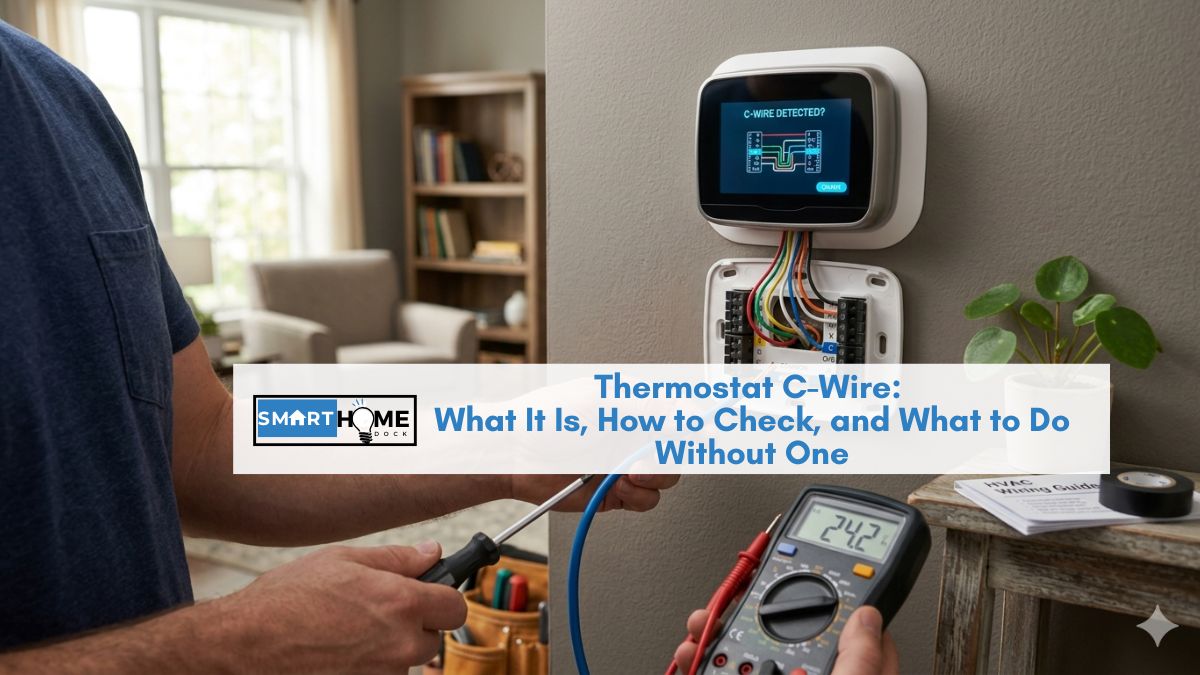
To check: pull your existing thermostat off the wall. Look for a wire connected to the terminal labelled “C.” If it’s there, you have a C-wire; any smart thermostat will work. If not, see the three options below.
If you don’t have a C-wire, your best options are: 1) Use Ecobee, which includes a Power Extender Kit that works without a C-wire. 2) Use the Honeywell or Nest’s built-in power stealing (works on most but not all systems). 3) Add a C-wire, either using a spare wire in the existing cable bundle or a 24V adapter.
What a Thermostat C-Wire Is and Why Smart Thermostats Need It
Traditional programmable thermostats were simple switches. They used the heating or cooling wires (R and W/Y wires) to both control the system and steal small amounts of power to keep the display lit.
Low power requirement just a small LCD and a few buttons.
Smart thermostats are different. A thermostat C-wire provides continuous low-voltage power that modern and smart thermostats need for stable operation, Wi-Fi connectivity, and advanced features.
A Wi-Fi radio, a colour touchscreen, sensors, and a processor all running continuously require far more power than a simple mechanical switch.
The C-wire is the return path for a 24V AC circuit. The R wire supplies electricity while the C wire provides the return path for that current, creating a complete and continuous circuit.
The R wire brings 24V in. The C wire returns it to complete the loop. Without that return path, there’s no continuous power supply.
Without a C-wire, smart thermostats use “power stealing”, drawing tiny amounts of power through the heating or cooling wires even when the system isn’t running.
This works on most HVAC systems. On some older or sensitive systems, it causes problems: lights flickering, the furnace short-cycling, or the thermostat display going dim between heating calls.
How to Check If You Have a C-Wire (2 Minutes)
You need to look at the wiring of your existing thermostat. This requires no electrical knowledge — the system runs on low-voltage 24V, which is safe to handle.
Step 1 — Turn off the HVAC breaker
Find your electrical panel and switch off the breaker for the furnace or HVAC system. This is a precaution, not strictly necessary for low-voltage thermostat wiring, but it’s good practice.
Step 2 — Remove your existing thermostat from the wall
Most thermostats pull straight off the wall plate. Some have a small release tab or a screw. The wires attach to the plate, not the thermostat body, so pulling the thermostat off won’t disconnect anything.
Step 3 — Look at the wire terminals on the wall plate
You’ll see a plastic plate with labelled terminals, small slots or screws with letters next to them. Look for the terminal labelled C.
- A wire is connected to the C terminal: you have a C-wire. Any smart thermostat will work. Make a note of the wire colour (often blue or black) for the installation guide.
- The C terminal is empty: no C-wire is currently connected. But you may still have options — read on.
- There’s a wire in the C terminal, but it goes nowhere (capped off with a wire nut): this is a hidden C-wire. Someone capped it at the old thermostat. Unscrew the wire nut, strip a small amount of insulation if needed, and connect it to the C terminal on your new thermostat. You have a C-wire — it just wasn’t being used.
💡 Also check at the furnace
Even if the C terminal at the thermostat is empty, there may be a spare wire in the cable bundle that’s connected to the C terminal at the furnace end but not at the thermostat end. Open the furnace control panel and look at the thermostat cable where it connects to the control board. Count the wires. If there are more wires in the bundle than terminals in use at the thermostat, a blue, black, or orange wire that’s connected to C at the furnace but capped at the wall, that’s your C-wire. Extend it to the thermostat terminal.
No C-Wire: Your Three Options
If you genuinely don’t have a C-wire available at the thermostat, here are the three paths with a clear recommendation for each.
Option 1: Use a thermostat that includes a Power Extender Kit (recommended for most)
Best for: anyone who wants a full-featured smart thermostat without any additional wiring work.
The Ecobee Smart Thermostat Premium includes a Power Extender Kit (PEK) in the box. The PEK installs at the furnace control board and repurposes one of the existing wires as a functional C-wire.
No new wire needs to be run. No adapter needed at the wall. The existing two, three, or four-wire system works with the PEK.
This is why Ecobee is frequently recommended for homes without C-wires.
The solution is built into the purchase price with no additional parts or expertise required.
Option 2: Use power stealing (simplest — works on most systems)
Best for: homes where power stealing is reliable on the existing HVAC system, the majority of standard gas furnaces, and central AC setups.
The Google Nest Learning Thermostat (4th Gen) and Amazon Smart Thermostat both operate without a C-wire using power stealing.
They draw small amounts of power through the heating and cooling wires to charge an internal capacitor that powers the thermostat between heating and cooling calls.
Power stealing works reliably on most modern gas furnaces and central AC systems.
It doesn’t work reliably on some older systems, oil boilers, heat pumps with specific wiring configurations, or systems with very sensitive electronic ignition controls.
If you choose this path and experience problems (lights flickering, HVAC short-cycling, thermostat display dimming), a C-wire will be needed.
The Amazon Smart Thermostat ($80) is the lowest-cost no-C-wire option that still provides full smart thermostat functionality, including geofencing and Alexa integration.
Option 3: Add a C-wire (most robust long-term solution)
Best for: homes where power stealing is unreliable, homeowners who want the cleanest installation, or anyone buying a thermostat that firmly requires a C-wire (Honeywell T9, T10 Pro, Sensi Touch 2).
There are two ways to add a C-wire without running new cable through the walls:
Option 3a — Use a spare wire in the existing bundle. The thermostat cable typically contains 5–8 individual wires, even if only 4 were used for the old thermostat.
Open the thermostat wall plate and count the wires in the bundle. If any wire is present but not connected to a terminal, and is connected to the C terminal at the furnace end, simply extend it to the C terminal at the thermostat. This is the cleanest solution and costs nothing.
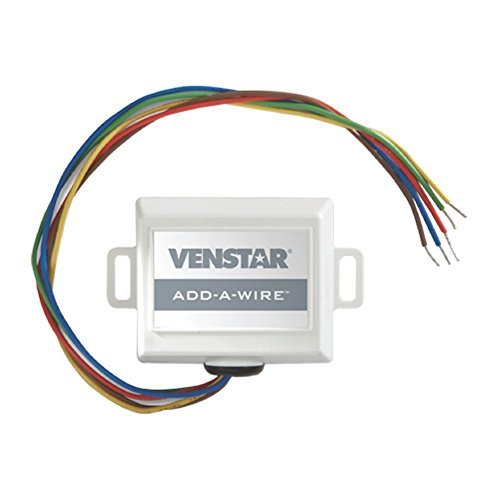
Option 3b — Use a 24V C-wire adapter. A C-wire adapter (also called a common wire transformer or add-a-wire adapter) connects to your furnace’s control board and provides a continuous 24V C-wire signal through a low-voltage wire that runs from the furnace to the thermostat location.
Some adapters plug into a nearby outlet; others wire directly into the furnace board. The Venstar Add-A-Wire adapter (~$45) is the most commonly recommended option.
Which Smart Thermostats Work Without a C-Wire
| Thermostat | Works without C-wire? | Method | Reliability |
|---|---|---|---|
| Ecobee Premium | Yes ✅ | Power Extender Kit (included) | Excellent — most reliable no-C solution |
| Amazon Smart Thermostat | Yes ✅ | Power stealing | Good on most standard systems |
| Google Nest 4th Gen | Yes (recommended with) ⚠️ | Power stealing (Google recommends C-wire) | Good on most — some system compatibility issues |
| Sensi Touch 2 | Yes ✅ | Power stealing | Good — specifically designed for no-C-wire systems |
| Honeywell T6 Pro | No — C-wire required ❌ | N/A | Must add C-wire first |
| Honeywell T9/T10 Pro | No — C-wire required ❌ | N/A | Must add C-wire first |
Frequently Asked Questions About the Thermostat C-Wire
What is a C-wire on a thermostat?
A C-wire (common wire) is a low-voltage wire that provides continuous 24V AC power to your thermostat from your HVAC system’s transformer.
The R wire supplies 24-volt electricity while the C wire provides the return path for that current, creating a complete and continuous circuit.
Smart thermostats need this continuous power to run their Wi-Fi radio, colour touchscreen, and processor.
Without it, they either can’t function or must use power stealing, drawing power through the heating and cooling wires.
How do I know if I have a C-wire?
Remove your existing thermostat from the wall plate and look at the terminals on the back plate. Find the terminal labelled C.
If a wire is connected to it, you have a C-wire. If the terminal is empty, check whether there’s a capped-off wire in the cable bundle that’s connected to C at the furnace; this is a C-wire that wasn’t connected at the thermostat end.
You can connect it to the new thermostat’s C terminal.
Can I install a smart thermostat without a C-wire?
Yes, several approaches work. Ecobee includes a Power Extender Kit in the box that works with two-wire systems.
The Amazon Smart Thermostat and Sensi Touch 2 use power-stealing reliably on most standard gas furnaces and central AC systems.
The Google Nest 4th Gen also uses power stealing, but Google recommends a C-wire for reliable operation.
For Honeywell T6 Pro, T9, and T10 Pro, a C-wire is genuinely required, either from the existing cable or added via a $15 adapter.
What colour is the C-wire?
Thermostat wires don’t have a universal colour standard.
C-wires are most commonly blue, but can also be black, brown, or orange depending on when the wiring was installed and by which HVAC contractor.
Always identify the C-wire by its terminal label (C), not its colour.
The terminal labels on the thermostat wall plate and at the furnace control board are reliable indicators.
Will a smart thermostat work without a C-wire using power stealing?
Power stealing works reliably on most modern standard HVAC systems, gas furnaces with electronic ignition, central AC with standard wiring, and heat pumps with standard multi-wire configurations.
It’s less reliable on some older systems, oil-fired boilers, and HVAC systems with very sensitive electronic ignition controls.
If you try power stealing and experience flickering lights, the furnace short-cycling (turning on and off rapidly), or the thermostat display going dim between heating calls, a C-wire is needed.
Final Verdict — What Should You Do About the C-Wire?
✅ You don’t have a C-wire and want the simplest solution
Buy: Ecobee Smart Thermostat Premium.
The Power Extender Kit comes in the box. It installs at the furnace in 15 minutes and converts your existing wiring to work with the smart thermostat no new wire, no adapter purchase, no electrician. Ecobee with PEK is the most reliable no-C-wire installation method available in 2026.
✅ You don’t have a C-wire and want to keep costs low
Buy: Amazon Smart Thermostat ($80) — uses power stealing reliably on most standard systems.
Or: check your thermostat cable for a spare wire first; it costs nothing. Open the wall plate, count the wires in the bundle, and check whether any unused wire is connected to C at the furnace end. If yes, that’s your C-wire. Connect it and buy any thermostat you want.
✅ You need a C-wire for a specific thermostat (Honeywell T6/T9/T10 Pro, Sensi Touch 2)
Add one via adapter: Venstar Add-A-Wire (~$45).
Installs at the furnace control board. Takes 20 minutes. Provides a functional C-wire signal through the existing cable without running new wiring. Most DIY-friendly C-wire solution for homeowners who have already chosen a thermostat that requires one.
