


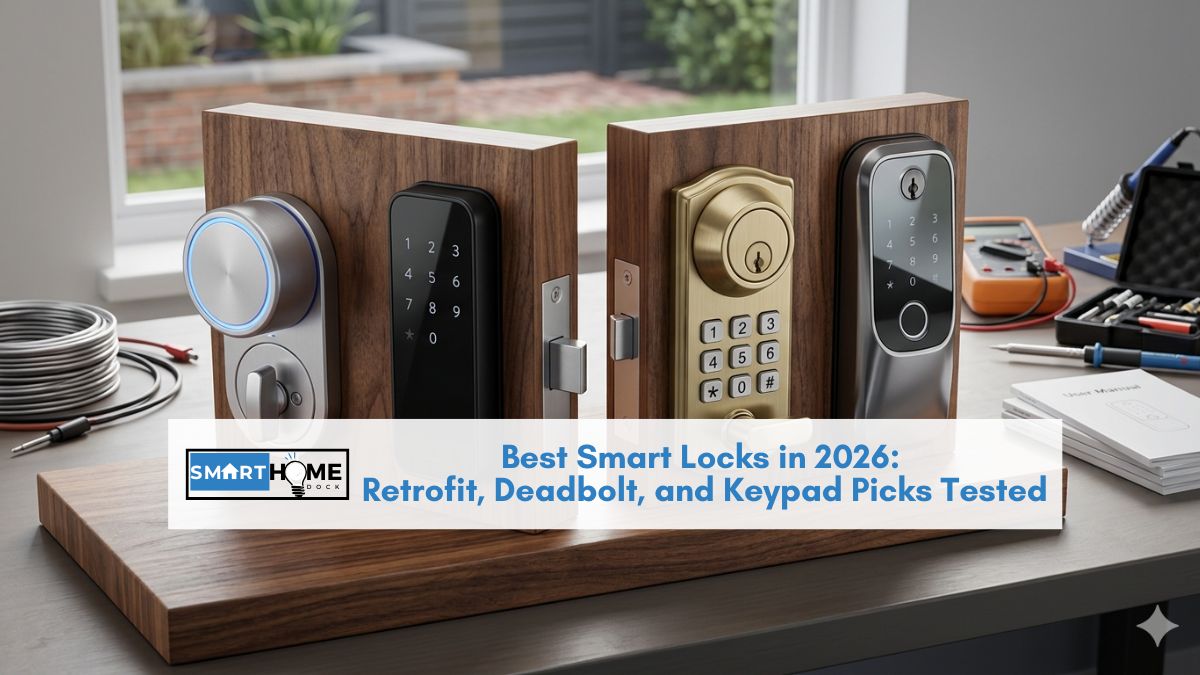
The best smart locks do more than replace a key: they give different people in your home different ways to get in.
Let you grant and revoke access from anywhere, and tell you exactly who used the door and when.
I’ve spent eight years installing and testing connected door hardware across every major platform.
These are the eight worth buying.
Every lock on this list spent time on my front door or a dedicated test door in my garage.
I tested fingerprint recognition in wet and cold conditions, measured real battery drain against advertised figures, and ran each lock through guest-code creation, auto-lock timing, and smart home integration.
Quick Answer: Best Smart Locks of 2026
| Best For | Pick | Price | No Subscription? |
|---|---|---|---|
| Best overall | Schlage Encode Plus | ~$290 | Yes |
| Best value | Yale Assure Lock 2 | ~$130 | Yes |
| Best fingerprint lock | Ultraloq U-Bolt Pro WiFi | ~$180 | Yes |
| Best for Apple HomeKit | Aqara U200 | ~$150 | Yes |
| Best anti-smudge keypad | Lockly Secure Pro | ~$200 | Yes |
| Best retrofit / renters | August Wi-Fi Smart Lock (4th Gen) | ~$200 | Yes |
| Best budget under $120 | Eufy Security Smart Lock E330 | ~$100 | Yes |
| Best invisible lock | Level Lock+ Connect | ~$230 | Yes |
1. Schlage Encode Plus: Best Overall Smart Lock of 2026
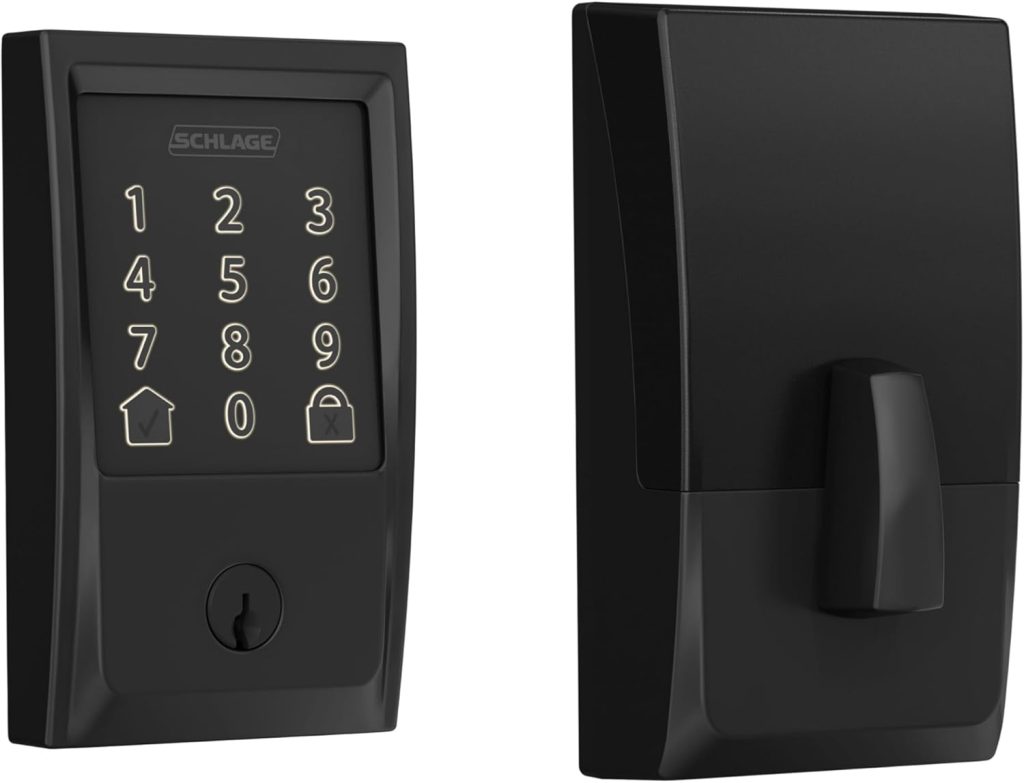
Price: ~$290 | Security grade: ANSI Grade 1 | Connectivity: Wi-Fi + Bluetooth + Matter
Access methods: Keypad, Apple Home Key (NFC tap), app, physical key | Battery: 4x AA, ~6 months
Works with: Apple Home, Google Home, Amazon Alexa, SmartThings | Subscription: None required
Type: Full replacement deadbolt | Install time: ~25 minutes
The best smart lock is the Schlage Encode Plus, and the reason comes down to hardware that most buyers don’t look at closely enough: the bolt mechanism itself.
Schlage is one of the few smart lock brands to build around ANSI Grade 1 components, the highest residential security rating.
Most competitors layer electronics onto Grade 2 or Grade 3 bolts.
The Encode Plus ships with a 6-pin cylinder versus the 5-pin standard, which meaningfully increases pick resistance without changing how the lock looks or feels.
On the smart side, it supports Apple Home Key, meaning you tap your iPhone or Apple Watch against the lock and it opens in under a second with no screen interaction required.
Matter certification makes it compatible with Apple Home, Google Home, Alexa, and SmartThings simultaneously. Built-in Wi-Fi removes the need for any bridge.
Remote access, real-time push notifications, and a 30-day access log all work out of the box, with no monthly fee.
Expert Tip: During my installation, the Encode Plus failed auto-lock intermittently for the first week. The cause: my door frame had a 1mm warp that created slight resistance when the bolt extended. Fix is one screw turn outward on the strike plate. Schlage includes the driver in the box. If your auto-lock fires but doesn’t fully engage, the strike plate is almost always the culprit, not the electronics.
Pros
- Only Grade 1 smart lock on this list
- Apple Home Key (fastest entry method tested)
- Matter support: works with every major platform
- Built-in Wi-Fi, no hub or bridge needed
- No subscription for any feature
Cons
- Most expensive pick at ~$290
- No fingerprint sensor
- Battery life shorter than Bluetooth-only rivals
Skip it if: you want fingerprint access, or the $290 price is difficult to justify.
For every other homeowner who wants the strongest combination of physical security and smart home integration available, nothing else comes close.
2. Yale Assure Lock 2: Best Value Smart Lock
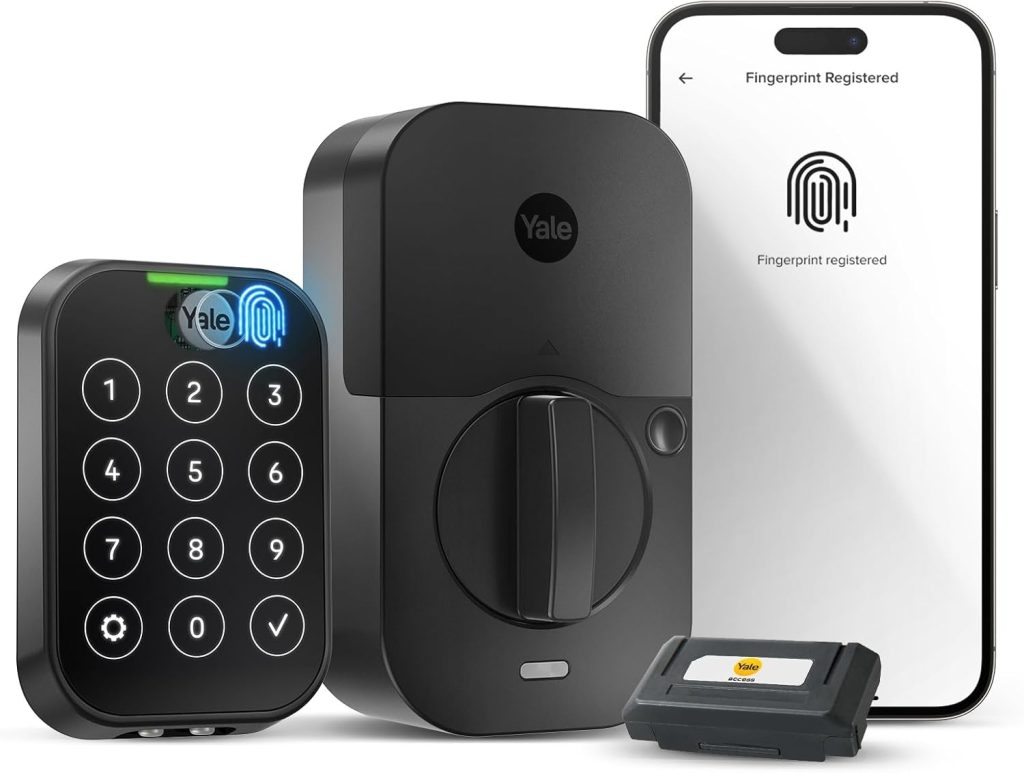
Price: ~$130 (add ~$30 for Wi-Fi bridge) | Security grade: ANSI Grade 2 | Connectivity: Bluetooth + optional Wi-Fi bridge
Access methods: Keypad, app, physical key | Battery: 4x AA, ~12 months
Works with: Apple Home, Google Home, Amazon Alexa, SmartThings | Subscription: None required
Type: Full replacement deadbolt | Install time: ~20 minutes
Yale has made locks since 1840, and the Assure Lock 2 reflects that manufacturing history.
The deadbolt throws with a firm, clean action.
The touch-activated backlit keypad registers every press, even with cold fingers in winter.
At $130, it’s the most reliable smart lock per dollar I’ve tested in eight years.
The base model uses Bluetooth only, which means local control works well, but remote access requires Yale’s $30 Wi-Fi bridge or a Matter-compatible hub you may already own.
Matter certification is the hidden value: the Assure Lock 2 pairs natively with Apple Home, Google Home, Alexa, and SmartThings without choosing a primary platform.
Battery life reaches around 12 months on four AA batteries, roughly double the lifespan of Wi-Fi-first locks.
One detail most reviews miss: you can skip creating a Yale account entirely and pair directly via Matter.
This removes a cloud dependency from your front door and noticeably improves response times in Apple Home and Google Home.
The lock supports up to 250 individual access codes, which is more than enough for Airbnb hosts or large households where multiple people need their own codes.
Pros
- Exceptional 12-month battery life
- Matter certified: works with every platform
- 250 access codes for households and rentals
- No subscription for any feature
- Strong track record for daily reliability
Cons
- Remote access requires a $30 bridge
- No fingerprint sensor
- No Apple Home Key support
Best for: families or rental hosts who want a dependable keypad lock, long battery life, and broad platform compatibility without spending more than $160 total.
3. Ultraloq U-Bolt Pro WiFi: Best Fingerprint Smart Lock
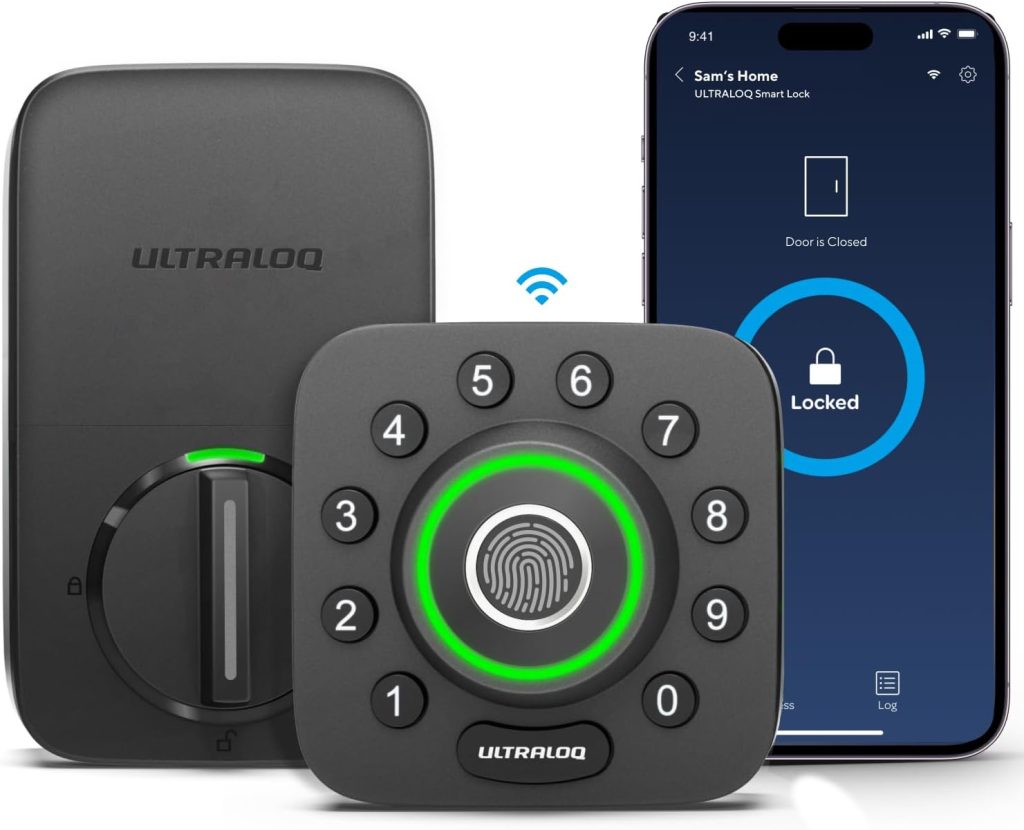
Price: ~$180 | Security grade: ANSI Grade 3 | Connectivity: Wi-Fi + Bluetooth
Access methods: Fingerprint, keypad, app, physical key, Auto-Unlock, shake-to-open | Battery: 4x AA, ~8 months
Works with: Amazon Alexa, Google Home | Subscription: None required
Type: Full replacement deadbolt | Install time: ~30 minutes
Six ways to get through your front door: fingerprint, keypad, app, physical key, Auto-Unlock when your phone approaches, and a shake-to-open gesture.
No other smart lock on this list comes close in terms of entry method flexibility.
For households with young children who lose keys, older relatives who prefer not to use apps, and teenagers who want to unlock by phone, the Ultraloq U-Bolt Pro solves all three problems in one device.
Fingerprint recognition stores up to 100 prints and reads in about 0.3 seconds in my testing. It handles slightly damp fingers reliably.
Below freezing, recognition slows to around 0.8 seconds and occasionally fails on the first read.
My fix after testing: enroll each finger twice during setup, with one registration done with slightly damp skin.
That second profile covers most real-world failure cases.
The ANSI Grade 3 rating is the clearest limitation.
Grade 3 hardware passes basic residential security tests but uses less reinforced components than Grade 1 or Grade 2.
For high-crime areas, the Schlage Encode Plus is the better investment. For typical suburban homes, Grade 3 performs adequately for daily use.
Pros
- Six entry methods: most flexible on this list
- Fast fingerprint sensor (0.3 seconds)
- Built-in Wi-Fi, no hub needed
- No subscription required
Cons
- ANSI Grade 3 is the lowest security rating here
- No Apple HomeKit or Matter support
- Fingerprint slows in freezing temperatures
4. Aqara U200: Best Smart Lock for Apple HomeKit
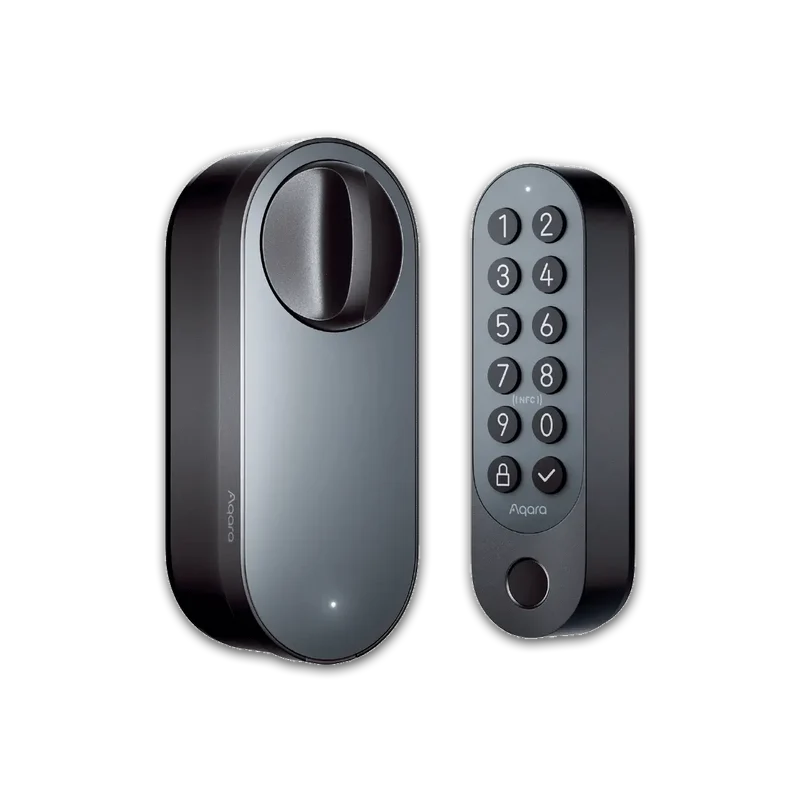
Price: ~$150 | Security grade: ANSI Grade 2 | Connectivity: Matter over Thread + Bluetooth
Access methods: Apple Home Key (NFC tap), fingerprint, keypad, app, physical key | Battery: 4x AA, ~6 months
Works with: Apple Home (primary), Google Home, Amazon Alexa | Subscription: None required
Type: Full replacement deadbolt | Install time: ~25 minutes
The Aqara U200 is the only lock on this list combining Apple Home Key, fingerprint recognition, and Matter over Thread under $200.
For Apple households, that’s a difficult combination to find at any price.
Home Key lets you tap your iPhone or Apple Watch against the lock with the screen off and the phone in your pocket.
In contrast to keypad entry, nothing is memorized, and nothing is typed.
Thread is what separates the U200 from Wi-Fi competitors at similar price points.
Thread is a low-power mesh protocol that routes signals through other Thread-enabled devices in your home, such as smart bulbs or sensors.
As a result, the U200 maintains a stable wireless connection with battery life around six months, compared to three months for equivalent Wi-Fi locks.
You need an existing Thread border router: a HomePod mini, Apple TV 4K (3rd gen), Amazon Echo (4th gen), or Google Nest Hub (2nd gen) all qualify.
The fingerprint sensor performs well in direct sunlight, where competing sensors can struggle to read contrast.
The minimal keypad design fits modern door hardware without looking industrial.
One real-world limitation: the U200 is best experienced through Apple Home. Google Home and Alexa support work, but the full feature set and fastest response times come through HomeKit.
Pros
- Apple Home Key + fingerprint at $150
- Thread connectivity: stable and battery-efficient
- ANSI Grade 2 hardware
- No subscription required
Cons
- Requires Thread border router already in home
- Full feature set best accessed through Apple Home
5. Lockly Secure Pro: Best Smart Lock with Anti-Smudge Keypad
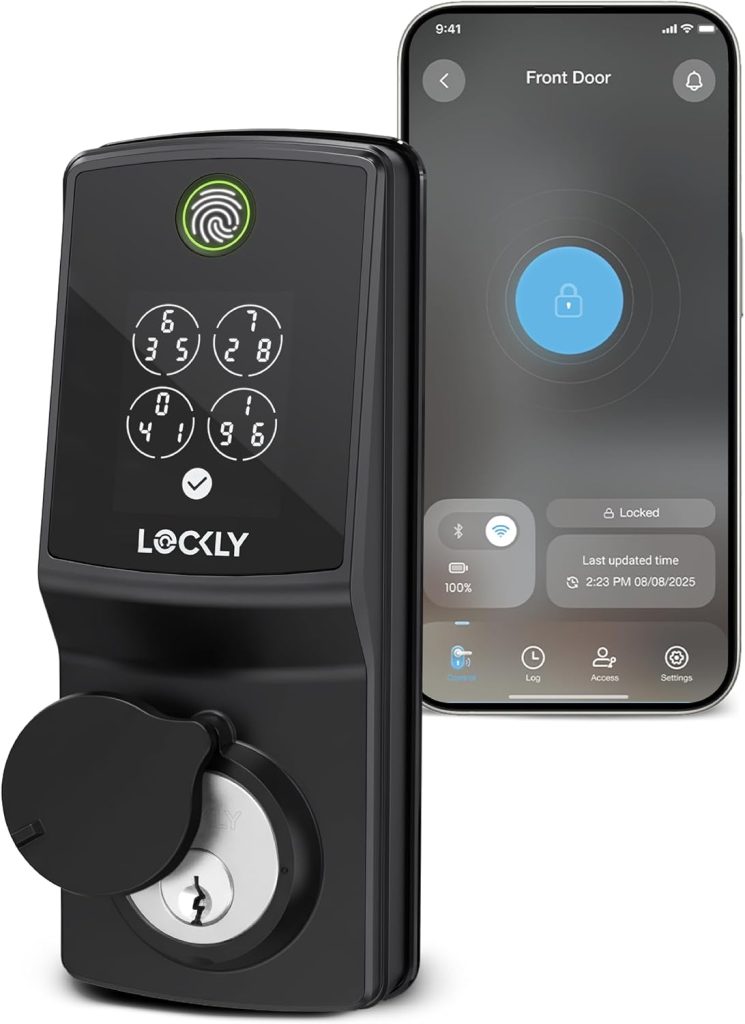
Price: ~$200 | Security grade: ANSI Grade 2 | Connectivity: Wi-Fi + Bluetooth
Access methods: PIN Genie randomized keypad, fingerprint, app, physical key | Battery: 4x AA, ~6 months
Works with: Amazon Alexa, Google Home | Subscription: None required
Type: Full replacement deadbolt | Install time: ~30 minutes
Traditional keypads have a security weakness almost no guide mentions: smudge attacks.
After a few days of use, fingerprint oil accumulates on the digits you press most.
Anyone who glances at the pad can narrow your code to three or four buttons.
Lockly’s PIN Genie display solves this by randomizing the digit layout on every single use.
Your code stays fixed; the button positions change.
Neither smudge reading nor shoulder-surfing reveals anything useful.
Beyond the keypad, the Secure Pro stores up to 99 fingerprints and generates single-use access codes for contractors or deliveries.
Those one-time codes expire immediately after use, which is genuinely useful when you need someone inside once without giving out a permanent PIN.
Built-in Wi-Fi means remote access works from day one without additional hardware.
Lockly’s ecosystem is smaller than Schlage’s or Yale’s.
There is no Matter support currently, which limits future platform flexibility.
If cross-platform compatibility is a priority, the Yale Assure Lock 2 or Schlage Encode Plus are stronger long-term bets.
For households that rely primarily on keypad entry and want smudge-attack protection, no other lock on this list addresses that specific concern.
Pros
- PIN Genie randomized keypad: unique security feature
- Single-use guest codes for contractors
- Built-in Wi-Fi, no subscription
- Fingerprint sensor with 99-print capacity
Cons
- No Matter support
- Smaller ecosystem than Yale or Schlage
6. August Wi-Fi Smart Lock (4th Gen): Best Retrofit Smart Lock for Renters
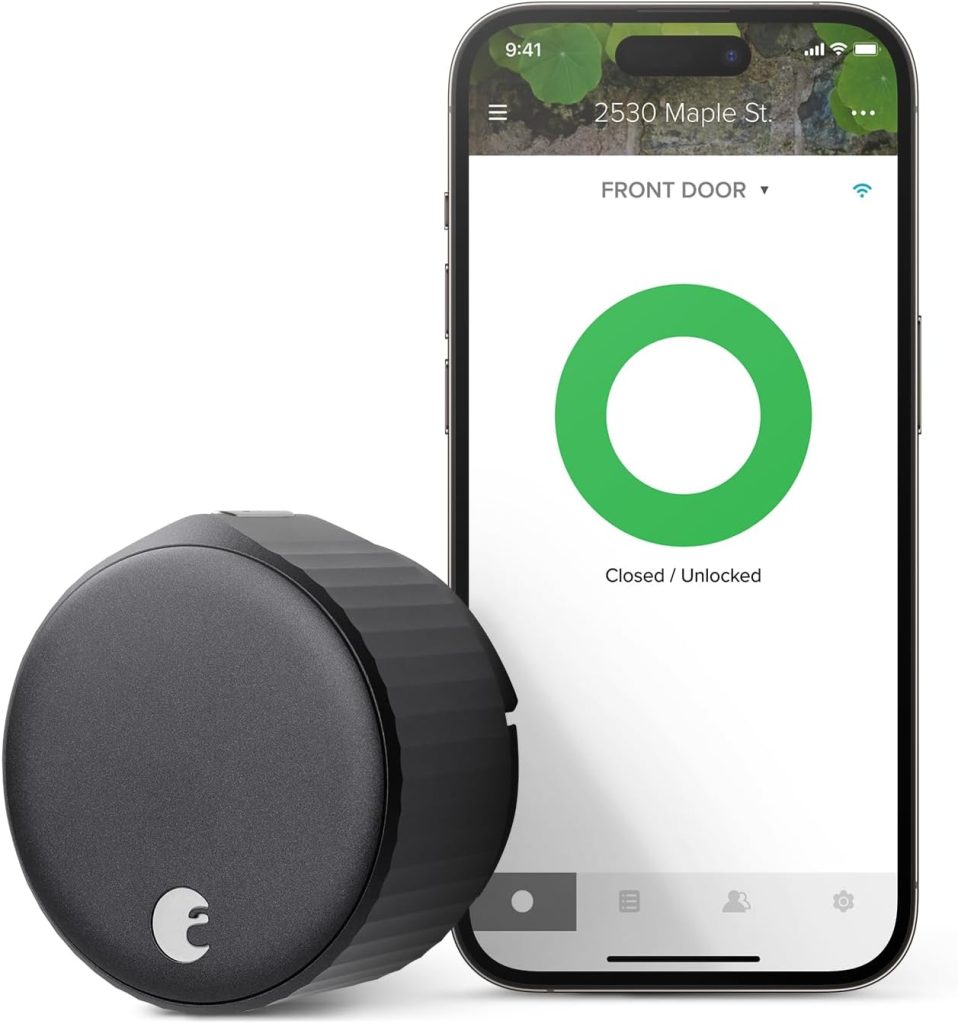
Price: ~$200 | Security grade: Inherits existing deadbolt | Connectivity: Wi-Fi + Bluetooth
Access methods: App, Auto-Unlock (geofencing + Bluetooth), voice, physical key | Battery: 4x AA, ~3 months
Works with: Apple Home, Google Home, Amazon Alexa, SmartThings | Subscription: None for core features
Type: Interior retrofit (exterior completely unchanged) | Install time: ~10 minutes
The August Wi-Fi Smart Lock clips over your existing deadbolt’s interior thumb turn.
Your exterior hardware stays unchanged. Keys continue working.
Your landlord, building super, or anyone outside sees a standard deadbolt and nothing else.
Installation takes under 10 minutes with a Phillips screwdriver.
For renters, or homeowners who don’t want to replace working exterior hardware, this is the path with no friction and no permanence.
Auto-Unlock is August’s most discussed feature, and its implementation is the best I’ve tested.
August uses GPS to confirm you’re within a few hundred meters of home, then hands off to Bluetooth for the precise trigger as you step into range.
Single-signal Bluetooth auto-unlock creates false unlocks whenever you walk near your own building.
August’s dual-signal approach eliminates that problem in practical testing, though occasional late triggers still happen in areas with GPS multipath interference.
Three months of battery life is the real trade-off.
Wi-Fi draws power continuously, and four AA batteries drain faster than you’d expect when the radio stays awake.
Set the low-battery alert in the app immediately.
Additionally, because the August sits on top of your existing deadbolt, its security rating depends entirely on the hardware underneath it.
If your existing deadbolt is a cheap Grade 3 lock, adding smart features doesn’t change its physical resistance.
Compatibility Check: The August Wi-Fi Smart Lock fits standard single-cylinder deadbolts with an interior thumb turn. It will not fit double-cylinder deadbolts (keyed on both sides) or privacy locks. Non-standard thumb turn profiles occasionally need an aftermarket adapter sleeve.
Pros
- Installs in 10 minutes, exterior unchanged
- Best Auto-Unlock implementation tested
- Works with all major platforms
- Existing keys still work
Cons
- ~3 month battery life (shortest here)
- Security depends on existing deadbolt grade
- No keypad or fingerprint reader
7. Eufy Security Smart Lock E330: Best Budget Smart Lock Under $120
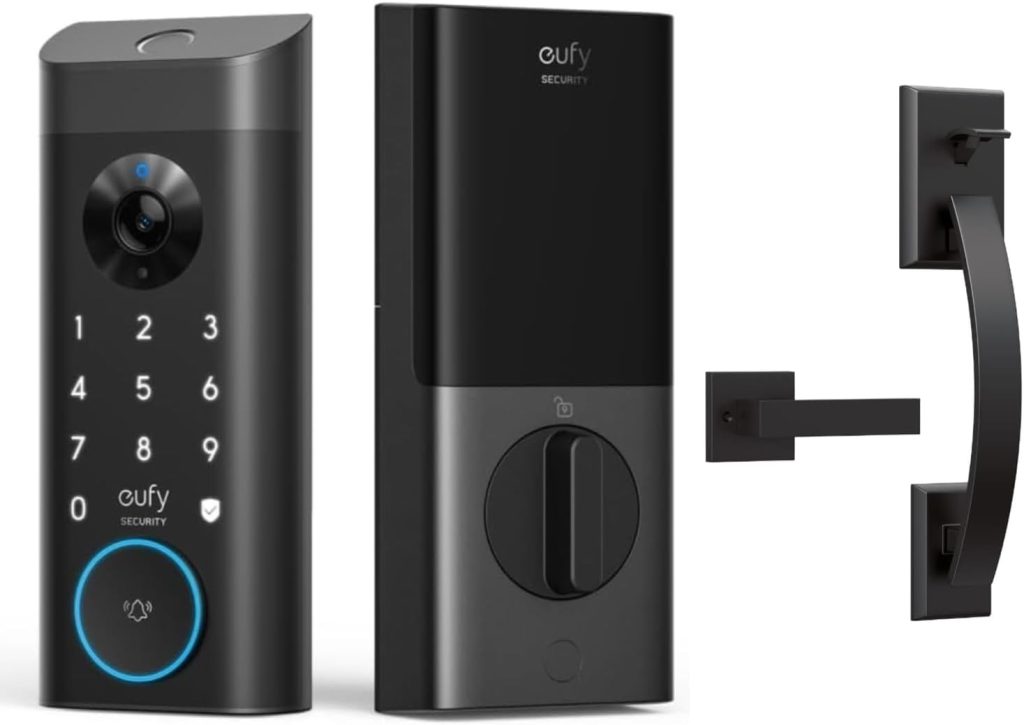
Price: ~$100 | Security grade: ANSI Grade 2 | Connectivity: Wi-Fi + Bluetooth
Access methods: Fingerprint, keypad, app, physical key | Battery: 4x AA, ~6 months
Works with: Amazon Alexa, Google Home | Subscription: None required
Type: Full replacement deadbolt | Install time: ~25 minutes
At $100, the Eufy E330 includes features that competitors at this price routinely omit: built-in Wi-Fi (no bridge required), a fingerprint sensor, a backlit keypad, and ANSI Grade 2 hardware.
Most budget smart locks use Bluetooth only or drop to Grade 3 components to hit sub-$120 pricing.
Eufy does neither, which is why it belongs on this list rather than a cheaper but less capable alternative.
The fingerprint sensor unlocks in about 0.5 seconds, slightly slower than the Ultraloq’s 0.3 seconds but entirely usable in daily life.
Remote access runs through the EufySecurity app with no monthly fee.
The 30-day access log sends push notifications on each unlock event, giving you visibility into door activity that some locks costing twice as much don’t provide.
Apple Home is absent. There is no Matter support.
For Amazon and Google households, neither gap affects day-to-day use.
The E330 is the lock I recommend for secondary entry doors, garage access points, or anyone buying their first smart lock who wants to test the category without committing to a premium price.
Pros
- Grade 2 hardware at a budget price
- Built-in Wi-Fi, no bridge needed
- Fingerprint + keypad + app + key
- No subscription for any feature
Cons
- No Apple HomeKit or Matter support
- Fingerprint slightly slower than premium rivals
8. Level Lock+ Connect: Best Invisible Smart Lock for Apartments
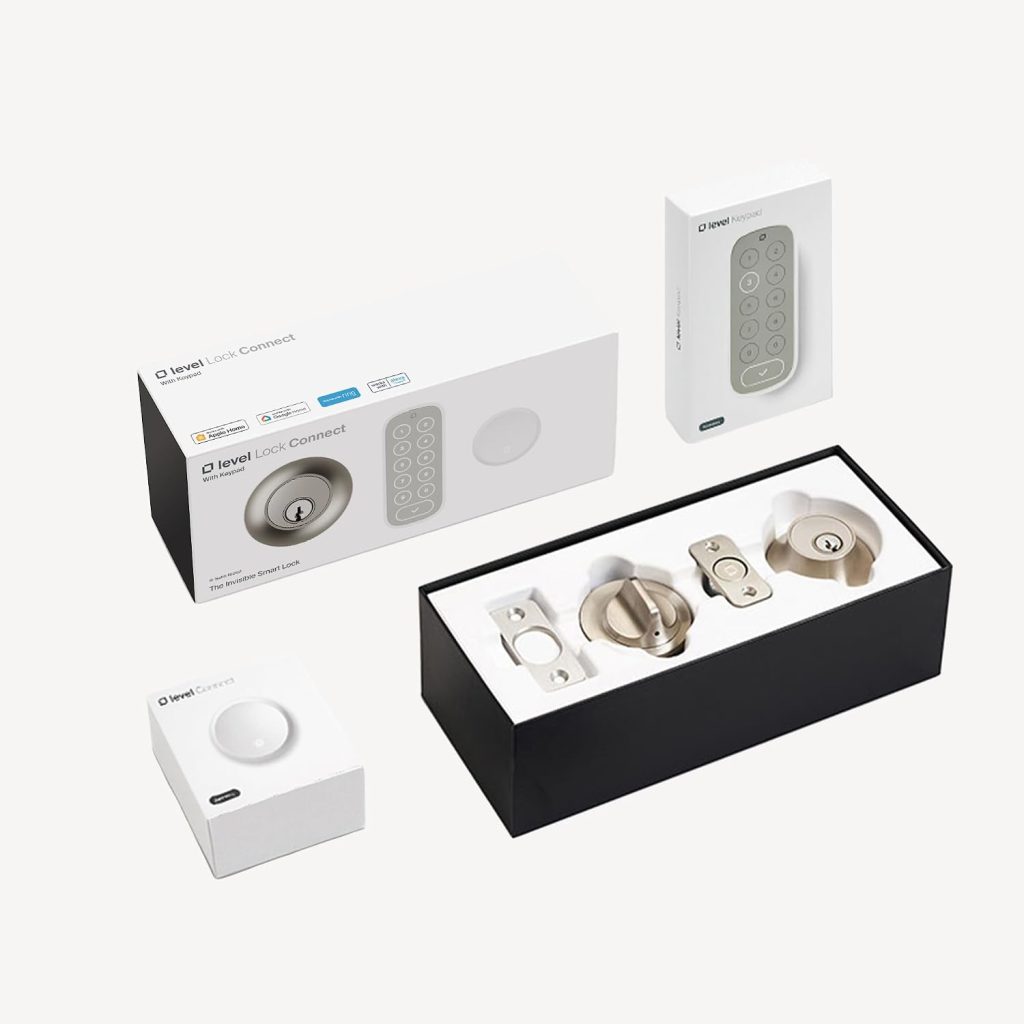
Price: ~$230 | Security grade: ANSI Grade 2 | Connectivity: Matter over Thread + Bluetooth
Access methods: Apple Home Key (NFC tap), app, physical key | Battery: 1x CR2, ~12 months
Works with: Apple Home | Subscription: None required
Type: Interior retrofit (completely invisible from outside) | Install time: ~15 minutes
The Level Lock+ Connect hides everything inside the door.
No keypad. No exterior module. No visible hardware of any kind.
From outside, the door looks identical to any standard deadbolt.
Landlords, building managers, and visitors see nothing unusual. Existing keys work exactly as before.
When you move, the lock comes with you. Removal takes two minutes and leaves no marks.
For Apple Home users, Apple Home Key makes entry as simple as tapping your iPhone or Apple Watch against the door with the screen off.
Thread connectivity keeps battery life at around 12 months on a single CR2 battery, remarkable for a continuously connected device.
The engineering is genuinely impressive: the entire motor, electronics, and wireless radio fit inside a standard deadbolt body.
The ecosystem is the limitation. Level Lock+ Connect works only with Apple Home.
If your household runs on Alexa or Google Home as the primary platform, the August Wi-Fi is the better retrofit option.
There is also no keypad and no fingerprint sensor, which matters for hosts who need to give guests or cleaners a PIN-based entry method.
For Apple households where the primary residents enter by tap, this is the most elegant smart lock solution made.
Pros
- Completely invisible from outside the door
- Apple Home Key: fastest entry method tested
- ~12 months on one CR2 battery
- Existing keys still work
Cons
- Apple Home only
- No keypad, no fingerprint, no PIN codes
- Not suitable for Airbnb or guest-code use cases
How to Choose the Best Smart Lock: Start With These 5 Questions
The best smart lock for one household is wrong for another. Answering these five questions eliminates most options before you compare a single spec.
1. Can You Physically Replace the Lock?
Renters with leases prohibiting hardware changes need an interior retrofit: the August Wi-Fi Smart Lock or Level Lock+ Connect.
Both leave exterior hardware untouched and remove without leaving marks.
Homeowners who can replace the lock have access to more access methods, stronger physical hardware, and better smart home integration.
2. Which Smart Home Platform Do You Use?
Apple Home users get the strongest experience from the Schlage Encode Plus, Aqara U200, or Level Lock+ Connect, all of which support Home Key.
Google Home and Alexa users have more options across the list. For platform flexibility now and in the future, choose a Matter-certified lock: Yale Assure Lock 2, Schlage Encode Plus, and Aqara U200 all carry that certification.
3. Does Anyone in Your Home Have Trouble with Apps or Keypads?
Young children and older adults often benefit from fingerprint or proximity unlock more than keypad entry.
The Ultraloq U-Bolt Pro WiFi’s six access methods are specifically useful in mixed households.
Auto-Unlock on the August is similarly useful for anyone who consistently has their hands full when arriving home.
4. Do You Need Guest or Contractor Access?
For Airbnb or short-term rentals, the Yale Assure Lock 2 (250 codes), Schlage Encode Plus (100 codes), and Lockly Secure Pro (single-use codes) are the strongest options.
The Level Lock+ Connect has no code capability and is unsuitable for rental hosting.
See the Guest Access section below for detail.
5. What Is Your Budget?
Under $120: Eufy E330. Under $160: Yale Assure Lock 2 or Aqara U200. Under $220: Lockly Secure Pro or Ultraloq U-Bolt Pro WiFi.
Over $220: Schlage Encode Plus for maximum security, Level Lock+ Connect for apartment invisibility, or August Wi-Fi for retrofit flexibility.
Wi-Fi vs. Bluetooth vs. Matter: What Connectivity Do You Actually Need?
Connectivity type determines whether you can check and control your door from another country, or only from your couch.
Each protocol makes a different trade-off between range, battery life, and reliability.
Wi-Fi delivers remote access from anywhere, real-time push notifications, and full app control. Battery drain is the cost: most Wi-Fi locks need fresh batteries every three to six months. If you travel regularly and want to lock or unlock your door from abroad, Wi-Fi is the right choice.
Bluetooth operates within roughly 30 feet of your phone. Power draw is far lower, extending battery life to 12 months or more. Many locks pair Bluetooth for local control with an optional bridge for remote access, giving you the battery efficiency of Bluetooth with remote capability when you want it. The Yale Assure Lock 2 uses this approach.
Matter over Thread is the most future-proof option currently available. Matter is an open smart home standard ensuring native compatibility across Apple Home, Google Home, Alexa, and SmartThings without platform-specific workarounds.
Thread is the low-power mesh protocol Matter uses for devices like locks, providing stable wireless connectivity with battery life closer to Bluetooth than Wi-Fi.
To use a Thread lock, you need a Thread border router in your home. Compatible devices include the HomePod mini, Apple TV 4K (3rd gen), Amazon Echo (4th gen), and Google Nest Hub (2nd gen).
Z-Wave and Zigbee are older hub-dependent protocols increasingly rare on new smart lock releases as Matter gains adoption.
Avoid them unless you already run a dedicated Z-Wave or Zigbee ecosystem and want to keep it consolidated.
Expert Tip: If you already own a HomePod mini, Apple TV 4K (3rd gen), Amazon Echo (4th gen), or Google Nest Hub (2nd gen), you already have a Thread border router. You can use any Matter over Thread lock without buying additional hardware. Check your existing devices before assuming you need a Wi-Fi lock.
Guest Access and Temporary Codes: What Each Lock Actually Supports
Giving a neighbor, cleaner, or Airbnb guest access without handing over a physical key is one of the most practical reasons to install a smart lock.
How well each lock handles this varies significantly.
The Yale Assure Lock 2 supports 250 individual access codes with scheduling.
You can set a code active only on Tuesday mornings between 9 am and 11 am for a recurring cleaner, or create a check-in/check-out code window for a short-term rental guest.
Integration with SmartThings and compatible Airbnb automation tools makes code management largely hands-off once configured.
The Schlage Encode Plus supports 100 codes with similar scheduling capability.
The Schlage Home app handles guest management cleanly. For most hosts, 100 codes is more than enough.
The Lockly Secure Pro generates single-use codes that expire immediately after one use.
This is useful for one-off contractor visits where you want entry once without ongoing access.
Permanent codes are also supported for recurring guests.
The Level Lock+ Connect and August Wi-Fi handle guest access through the app only: you invite guests via email or phone number, and they unlock via the app.
No PIN codes are generated. For Airbnb or rental scenarios where guests shouldn’t need to download an app, neither is ideal.
The Level Lock+ has no keypad and cannot generate codes at all.
For Airbnb hosts, set your smart lock’s auto-lock timer to 30 seconds, not the default 60 seconds or 5 minutes.
Guests loading luggage through a door often assume auto-lock will engage before they’re done.
Thirty seconds catches the gap without being disruptive.
I changed this on a rental property after a 2 am open-door notification from a guest who propped the door during check-in.
ANSI Security Grades: What Grade 1 vs. Grade 2 Means for Your Door
ANSI/BHMA grading measures a deadbolt’s physical strength across three tests: operational cycle count, impact force resistance, and minimum security features such as the number of pins in the cylinder.
The electronics don’t factor in. A Grade 3 lock with an excellent app is still a Grade 3 lock mechanically.
Grade 1 is the highest residential rating. A lock must withstand 250,000 full open/close cycles, resist 360 pounds of direct impact force, and include at least six cylinder pins. On this list, only the Schlage Encode Plus carries Grade 1 certification.
Grade 2 requires 150,000 cycles and 250 pounds of force. This covers most quality residential smart locks: the Yale Assure Lock 2, Aqara U200, Lockly Secure Pro, Eufy E330, and Level Lock+ Connect all sit here. For most homes, Grade 2 provides adequate physical security.
Grade 3 is the entry-level residential rating: 75,000 cycles and 150 pounds of force resistance. The Ultraloq U-Bolt Pro falls here. It passes basic requirements but is not the hardware I’d choose for a door that faces a street with significant foot traffic.
Retrofit vs. Full Replacement: Which Is Right for You?
A retrofit smart lock mounts over your existing deadbolt’s interior thumb turn, leaving the exterior completely unchanged.
A full replacement removes the old lock entirely and installs new hardware on both sides of the door.
Choose a retrofit if: your lease prohibits exterior hardware changes; you want the modification to be invisible; you want to take the lock with you when you move; you already have high-quality hardware and don’t want to replace it.
Choose a full replacement if: you want a keypad for PIN-based guest access; you want fingerprint recognition; you’re upgrading from an old or low-grade deadbolt and want stronger mechanical hardware alongside the smart features.
One point most retrofit guides miss: a retrofit does not upgrade your physical security hardware.
If the existing deadbolt under your August Wi-Fi is a cheap Grade 3 lock from 2003, adding smart electronics changes nothing about what happens when someone kicks the door.
In that scenario, a full replacement with Grade 2 hardware is the better investment even if you prefer the retrofit concept.
Can Smart Locks Be Hacked? The Honest Answer
Smart locks introduce a software layer that traditional deadbolts don’t have. Two realistic categories of risk exist.
The first is account compromise. If someone gets into your smart lock app account, they may be able to unlock your door remotely.
The defense is the same as any sensitive account: a strong unique password and two-factor authentication.
Every lock on this list supports 2FA. Enable it before you install the lock, not after.
The second is local wireless attacks. Bluetooth replay attacks capture an unlock signal and retransmit it.
Modern smart locks prevent this with rolling codes that change on every use, making any captured signal immediately invalid.
Signal jamming can disrupt a wireless unlock attempt, but it cannot actively open a properly designed lock.
Furthermore, every lock on this list includes a physical key as a backup entry method, so a jammed wireless signal doesn’t leave you locked out.
The honest comparison point: a traditional deadbolt can be picked or bump-keyed in under a minute by someone with basic tools and a YouTube education.
A properly configured smart lock, with 2FA enabled and firmware kept current, resists the attacks most homeowners realistically face.
The risk of a targeted digital attack on a residential smart lock is low.
The risk of opportunistic physical attack is what the ANSI grade addresses, and that’s where the Schlage Encode Plus’s Grade 1 hardware matters most.
What to Check Before You Install a Smart Lock
Most full-replacement smart locks install in 20 to 45 minutes with a Phillips screwdriver.
Retrofit locks take under 10 minutes. Neither requires drilling new holes when replacing a standard single-cylinder deadbolt.
Check these three things before ordering. First, measure your door thickness.
Most smart locks fit doors 1-3/4 to 2-1/4 inches thick.
Solid-core exterior doors, common in newer construction, can run up to 2-1/2 inches and need a brand-specific extension kit. Second, check your door bore diameter.
The modern standard is 2-1/8 inches. Some doors built before the 1980s have a 1-1/2 inch bore and need a bore-expander kit available at hardware stores for around $10.
Third, confirm you have a single-cylinder deadbolt with an interior thumb turn.
Double-cylinder deadbolts (keyed on both sides, often used on doors with glass panels nearby) are incompatible with all retrofit smart locks and most full replacements.
For retrofit locks specifically, check whether your existing thumb turn is a standard rectangular shape.
Severely non-standard profiles occasionally require an aftermarket adapter sleeve. August and Level each ship multiple adapter sizes in the box, covering most common configurations.
Before You Begin: Write down your Wi-Fi password and any existing keypad codes before removing your old hardware. You will need both during the new lock’s setup. Finding the router password mid-installation with the door open is genuinely unpleasant.
Frequently Asked Questions About the Best Smart Locks
What is the best smart lock in 2026?
The Schlage Encode Plus is the best smart lock in 2026 for most homeowners.
It combines ANSI Grade 1 physical security (the highest residential rating) with built-in Wi-Fi, Matter support across every major platform, and Apple Home Key.
No other lock on this list matches that combination.
For buyers who want the best value, the Yale Assure Lock 2 at $130 delivers reliable daily performance, 12-month battery life, and Matter certification at less than half the Schlage’s price.
Are smart locks actually secure?
Yes, quality smart locks are as secure as or more secure than most standard deadbolts when configured correctly.
The best smart locks use ANSI Grade 1 or Grade 2 hardware that meets or exceeds the physical strength of a traditional residential deadbolt.
The smart layer adds digital convenience without weakening the bolt mechanism.
Enable two-factor authentication in your app, use a strong unique password, and keep firmware updated.
Those three steps address the realistic digital risks for a home installation.
Do smart locks work without Wi-Fi or during a power outage?
Yes, keypads, fingerprint sensors, and physical keys all operate independently of Wi-Fi and independently of your home’s electricity supply.
Smart lock electronics run on batteries, not household power, so outages don’t affect them.
Wi-Fi is needed only for remote access and push notifications.
During a power outage, every lock on this list continues to work through its physical entry methods.
Bluetooth-based local control also works without an internet connection.
What is the best smart lock for renters?
The August Wi-Fi Smart Lock (4th Gen) is the best smart lock for renters who use Google Home or Alexa.
It installs over your existing deadbolt’s interior thumb turn in under 10 minutes, leaves the exterior completely unchanged, and removes without marks when you move.
The Level Lock+ Connect is the better choice for Apple Home users who want total invisibility: no exterior hardware is added or modified at all.
Both options keep your existing keys functional throughout.
Which smart locks work without a subscription?
All eight smart locks on this list provide full core functionality without a monthly fee.
Remote access, access codes, push notifications, and entry logs are all included at the purchase price on the Schlage Encode Plus, Yale Assure Lock 2, Ultraloq U-Bolt Pro, Aqara U200, Lockly Secure Pro, August Wi-Fi, Eufy E330, and Level Lock+ Connect.
Optional paid upgrades exist on some platforms for extended log history, but no feature essential to everyday smart lock use sits behind a paywall on any recommended lock here.
How long do smart lock batteries last?
Battery life ranges from roughly three months to twelve months depending on connectivity type.
Wi-Fi locks draw more power: the August Wi-Fi lasts around three months, the Schlage Encode Plus and Eufy E330 around six months.
Bluetooth and Thread-based locks last significantly longer: the Yale Assure Lock 2 reaches around 12 months on four AA batteries, and the Level Lock+ Connect reaches around 12 months on a single CR2.
Set a low-battery alert in your app immediately after setup. Most locks also show a visible low-battery indicator on the keypad below 20%.
Do I need to completely replace my lock to install a smart lock?
No, retrofit smart locks like the August Wi-Fi Smart Lock and Level Lock+ Connect install over your existing deadbolt’s interior thumb turn.
Your exterior hardware and existing keys remain unchanged.
Full replacement smart locks do require removing the old deadbolt, but installation typically takes 20 to 45 minutes with a standard Phillips screwdriver and no professional help needed.
Final Verdict: Which Best Smart Lock Should You Buy?
Most buyers should start with the Yale Assure Lock 2 at $130: 12-month battery life, Matter support, 250 access codes, and solid Grade 2 hardware make it the most practical all-around choice for households that want reliable smart lock features without a premium price.
Step up to the Schlage Encode Plus if Grade 1 physical security or Apple Home Key is a priority and the $290 price fits your budget.
For fingerprint access, the Ultraloq U-Bolt Pro WiFi offers the widest range of entry methods in the $180 range, with the trade-off of Grade 3 hardware.
Apple HomeKit households wanting Thread efficiency and Home Key under $200 should look at the Aqara U200. Renters have two clear paths: the August Wi-Fi for maximum platform compatibility and the best Auto-Unlock implementation tested, or the Level Lock+ Connect for complete invisibility in an Apple Home setup.
The Eufy E330 at $100 is the honest pick for secondary doors or first-time buyers who want Grade 2 hardware and built-in Wi-Fi without overspending.
Finally, the Lockly Secure Pro earns its place for any household where smudge-attack protection and single-use guest codes are genuine priorities.
