


This article contains affiliate links. If you buy through them, SmartHomeDock earns a small commission at no extra cost to you. We only recommend products we’ve actually tested.
You pulled the old switch off the wall and found no white wire. Just black, black, and bare copper. Everything you’d read about smart switches assumed a neutral wire. You have two wires and a problem.
I’ve been there. My first house was built in 1978. Every switch box had the same two-wire setup. Half the smart switches I researched wouldn’t work without a rewire.
The other half had a catch nobody mentioned in the review: they caused LED flicker on low-wattage bulbs unless you bought an extra part.
Eight smart light switches were tested across homes with and without neutral wires. By the end, you’ll know which one fits your wiring and budget.
You’ll also know the one thing to check before buying any no-neutral switch that no guide mentions upfront.
Quick Answer
The best smart light switch in 2026 is the Lutron Caséta Smart Dimmer ($60 with bridge) the only no-neutral switch with zero minimum watt requirement, meaning no LED flicker and no bypass capacitor needed, ever. For neutral-wire homes, the Kasa KS220 ($20, Matter-certified) is the best value dimmer. The Leviton Decora D26HD ($43) is the best premium option with HomeKit. For HomeKit and Zigbee setups, the Aqara Smart Wall Switch ($28) works without a neutral and joins any Matter-compatible platform via QR code.
Before buying anything, check whether you have a neutral wire. This determines which switches will actually work in your home. The check takes two minutes see below.
Check This Before You Buy Any Smart Light Switch
The neutral wire question determines which switches are compatible with your home. Get it wrong, and you’ll buy a switch you can’t install.
What a neutral wire is and why it matters
A neutral wire, usually white, gives the switch constant power for its Wi-Fi radio and electronics. Even when the light is off. Without it, the switch has no way to stay connected to your network when you turn the lights off.
Homes built before roughly 1985 commonly have two-wire setups at the switch box: a live wire and a load wire. No neutral. The neutral exists at the light fixture, just not at the switch.
How to check (two minutes)
Turn off the circuit breaker for the switch you want to replace. Remove the switch plate and gently pull the switch out from the wall. Look at the wires connected to the switch:
- You see a white wire connected to the switch terminals: you have a neutral. Almost any smart switch will work.
- You only see black wires (and bare copper ground): no neutral. You need a no-neutral switch specifically designed for this wiring.
- You see a white wire capped off with a wire nut and not connected to the switch: that’s your neutral. You have one — it’s just been capped.
⚠️ The bypass capacitor problem: read this before buying any no-neutral switch
No-neutral switches stay powered by drawing a tiny current through the load wire even when the lights are off. This is called power stealing.
The problem: that tiny current can cause LED bulbs under 5W to flicker faintly or glow when they should be off. It happens with ultra-efficient bulbs that have very low wattage draw.
The fix: a bypass capacitor installed at the light fixture a $5 part that takes 10 minutes to fit. GE Cync includes one in the box. Other brands sell it separately. The bypass absorbs the residual current and stops the flicker.
The exception: Lutron Caséta has zero minimum watt requirement. It uses a different approach routing current through the ground wire rather than power stealing. No LED flicker. No bypass capacitor needed. Ever. This is the main technical reason Caséta commands a premium.
Best Smart Light Switches 2026 — Quick Comparison
The neutral wire column is the most important one. Check your wiring before reading anything else.
| Switch | Type | Price | Neutral Wire? | Bypass Needed? | Hub? | Works With |
|---|---|---|---|---|---|---|
| Lutron Caséta Dimmer | Dimmer | ~$60 (kit) | No ✅ | Never needed ✅ | Yes (bridge incl.) | Alexa, Google, HomeKit |
| TP-Link Kasa HS200 | On/Off | ~$14 | Yes required | N/A | No | Alexa, Google |
| TP-Link Kasa KS220 | Dimmer | ~$20 | Yes required | N/A | No | Alexa, Google, Matter |
| GE Cync Smart Dimmer | Dimmer | ~$38 | No ✅ | Included in box ✅ | No | Alexa, Google |
| Leviton Decora No-Neutral | Dimmer | ~$50 | No ✅ | May be needed | Yes (bridge incl.) | Alexa, Google, HomeKit |
| Leviton Decora D26HD | Dimmer | ~$43 | Yes required | N/A | No | Alexa, Google, HomeKit |
| Aqara Smart Wall Switch | On/Off | ~$28 | No ✅ | Rarely needed | Yes (Zigbee hub) | Alexa, Google, HomeKit, Matter |
| Inovelli Blue 2-in-1 | Dimmer + On/Off | ~$40 | No ✅ | May be needed | Yes (Zigbee hub) | Home Assistant, SmartThings, Hubitat |
The 8 Best Smart Light Switches in 2026
1. Lutron Caséta Smart Dimmer — Best Smart Light Switch Overall
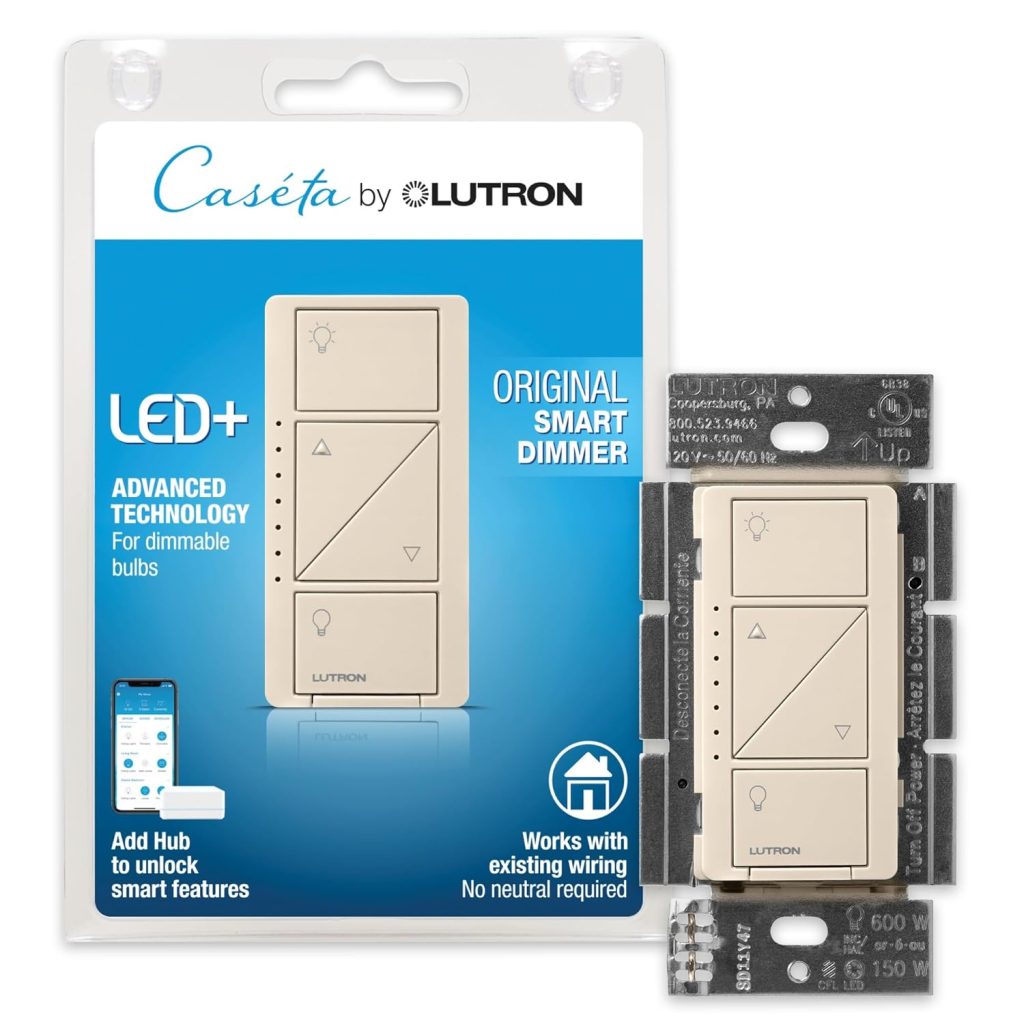
Who it’s for: Anyone without a neutral wire who wants the most reliable no-neutral switch available
Price: ~$60 (starter kit with bridge + one switch) | Type: Dimmer | Neutral wire: Not required
Works with: Alexa, Google Home, HomeKit, SmartThings | Hub: Caséta Smart Bridge (included in kit)
Lutron Caséta is the only no-neutral smart dimmer with zero minimum watt requirement. Every other non-neutral switch uses power stealing drawing a tiny current through the bulb even when the light is off.
At loads under 5W, that current causes LED flicker. Lutron routes through the ground wire instead. No residual current through the bulb. No flicker. No bypass capacitor. Ever.
That single engineering difference is why Caséta commands a $60 price for what’s functionally a light switch.
It works with every dimmable LED bulb, including single ultra-efficient 4W bulbs in a reading lamp. I’ve been running Caséta switches in a 1978-built house for four years. Not one flicker. Not one disconnection. Not one failed automation.
The Clear Connect radio protocol it uses is proprietary, not Wi-Fi, not Zigbee. It has its own dedicated RF frequency that doesn’t compete with your 2.4GHz network.
The practical result is a switch that responds in under 300ms regardless of how many devices are on your router.
The Pico remote accessory is worth mentioning specifically. It’s a battery-powered companion remote (10-year battery life) that pairs wirelessly with any Caséta switch.
Mount it at the other end of the room instant three-way control without running traveler wires. No electrician, no wiring. This solved a staircase lighting problem in my house in 20 minutes.
The limitation: the bridge is required and plugs into your router via Ethernet. It’s not large, but it needs a router port and a power socket nearby. Additional switches cost around $25 each. For whole-home Caséta, budget $25–$30 per room after the kit.
2. TP-Link Kasa HS200 — Best Budget Smart Light Switch
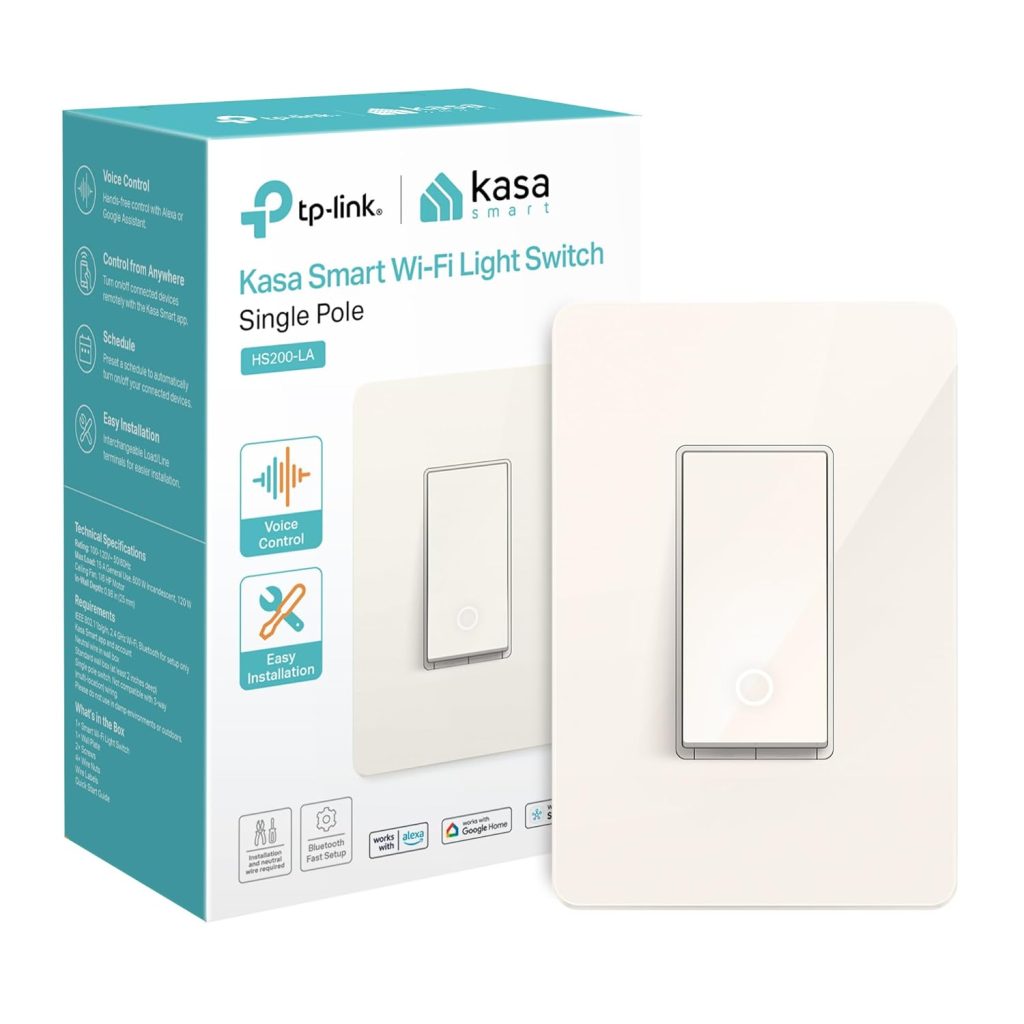
Who it’s for: Neutral-wire homes needing a reliable on/off switch at the lowest possible price
Price: ~$14 | Type: On/Off | Neutral wire: Required
Works with: Alexa, Google Home | Hub: None
Fourteen dollars. No hub. Works with Alexa and Google Home. Installs in 15 minutes with a neutral wire. That’s the complete case for the HS200.
It doesn’t dim. It doesn’t do colour temperature. It turns lights on and off via app, voice, and schedule, and it does all three reliably.
I’ve had HS200 switches in a utility room and two hallways for three years. They’ve never needed to be reconnected. They’ve never failed an Alexa command. They just run.
The physical switch still works exactly like a normal switch. Press it up, lights on. Press it down, lights off.
Everyone in the house can use it without knowing anything about a smart home. That matters more than most product reviews acknowledge.
Who it’s not for: anyone without a neutral wire, anyone who wants dimming, anyone in an Apple HomeKit household. The HS200 doesn’t support HomeKit. For dimming at this price point, the KS220 below adds that capability for $6 more. For HomeKit, the Leviton Decora D26HD handles it at a higher price.
3. TP-Link Kasa KS220 — Best Value Smart Dimmer Switch
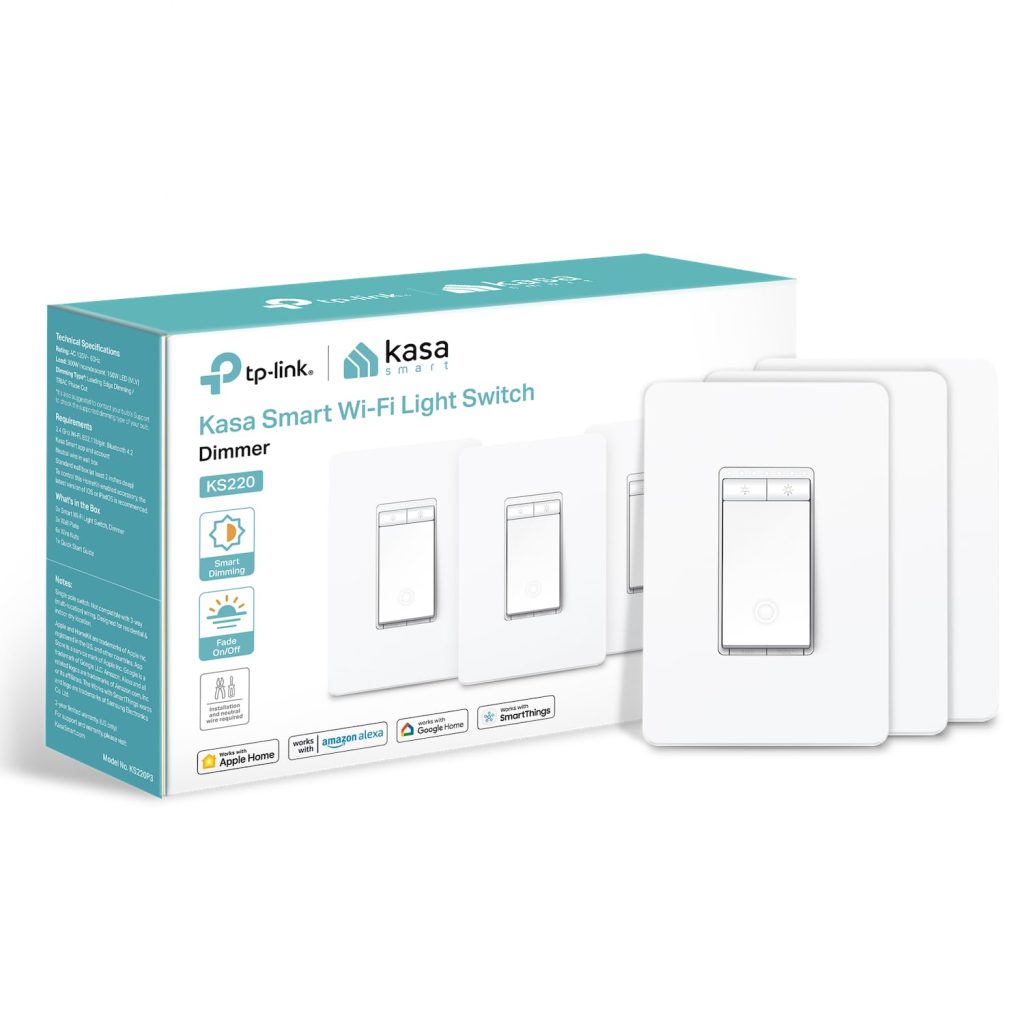
Who it’s for: Neutral-wire homes wanting a Matter-certified dimmer without spending $40+
Price: ~$20 | Type: Dimmer | Neutral wire: Required
Works with: Alexa, Google Home, Matter | Hub: None
Matter certification at $20 is the KS220’s defining feature. Most switches at this price use proprietary cloud integrations that break when the manufacturer updates their API.
Matter uses a local connection that doesn’t route through the manufacturer’s servers. The integration doesn’t break. Change voice assistants later? QR code scan, and the switch is on the new platform. No reinstall.
Dimming is smooth from 10% to 100%. Below 10%, minor instability appears with ultra-low-wattage LEDs. This is the power-stealing issue common to most Wi-Fi dimmers. For standard 8–10W LED bulbs, it doesn’t appear at any setting.
The Kasa app handles scheduling, sunrise/sunset automations, and routine integration cleanly. Alexa and Google Home dimming commands respond in under 1.5 seconds on a standard Wi-Fi connection.
The clear constraint: neutral wire required. This rules it out for homes built before the mid-1980s. Check your wiring before ordering.
4. GE Cync Smart Dimmer — Best No-Neutral Dimmer Without a Hub
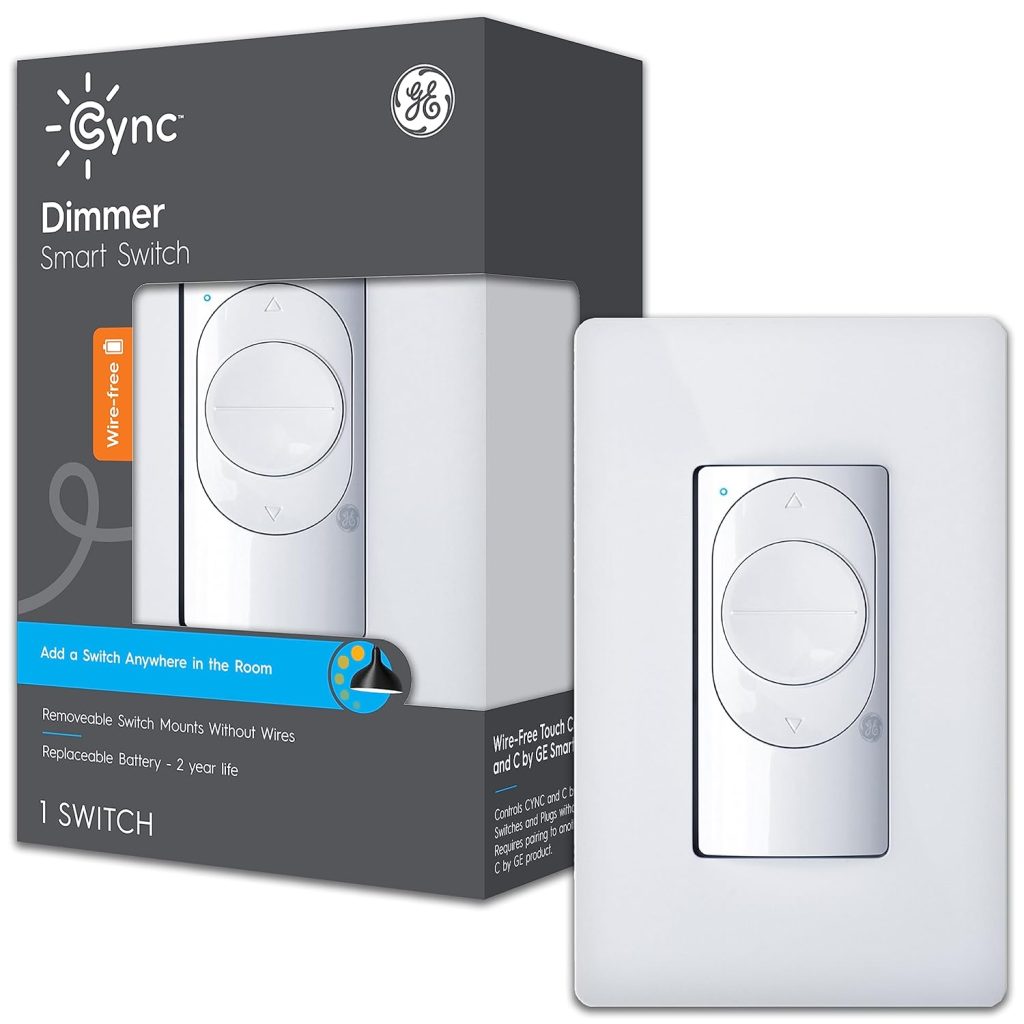
Who it’s for: No-neutral homes that want a dimmer without paying for the Caséta bridge
Price: ~$38 | Type: Dimmer | Neutral wire: Not required
Works with: Alexa, Google Home | Hub: None | Bypass capacitor: Included in box
GE Cync solves the bypass capacitor problem most smartly: they put one in the box. Buy the switch, open the box, and there’s a bypass capacitor alongside the switch.
Install both the switch at the wall, the capacitor at the light fixture, and the LED flicker issue disappears regardless of bulb wattage.
This is the most complete no-neutral package for someone who wants a hub-free setup. The switch connects directly to Wi-Fi. No Caséta bridge, no Zigbee hub. Alexa and Google Home both work natively. The C by GE app handles scheduling and scenes.
Dimming range: approximately 10% to 100% without flicker when installed with the included bypass. Without the bypass, very low-wattage bulbs will flicker below 20%. Install the bypass. It’s in the box. The instructions are clear.
The trade-off: no HomeKit. The GE Cync works with Alexa and Google Home only. For Apple Home users needing a no-neutral dimmer, the Leviton Decora No-Neutral below handles HomeKit at a higher price.
5. Leviton Decora Smart No-Neutral Dimmer — Best Premium No-Neutral for HomeKit
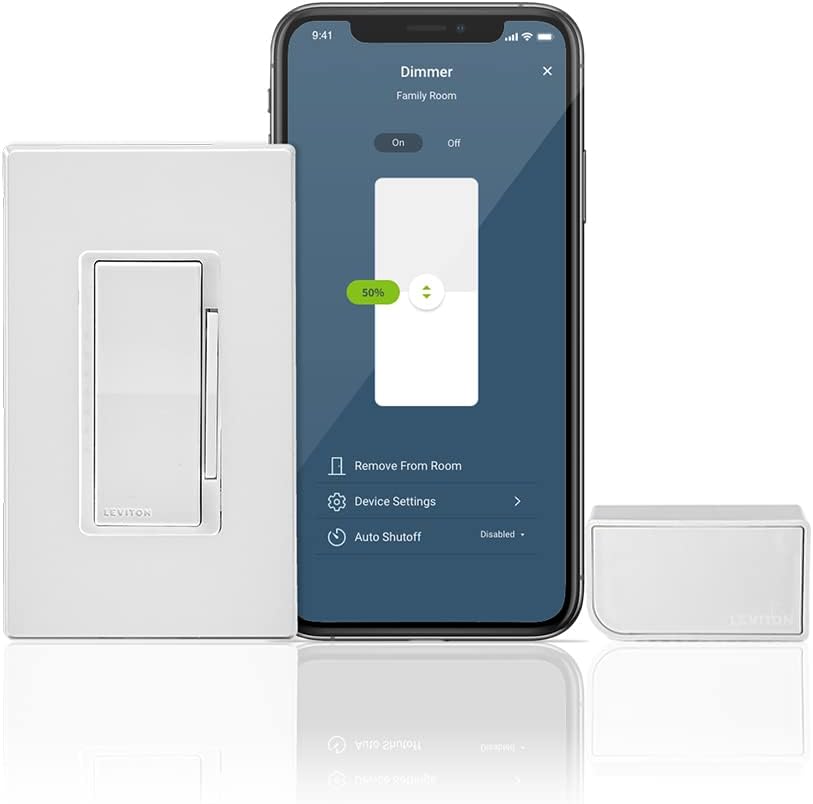
Who it’s for: No-neutral homes in an Apple HomeKit household
Price: ~$50 (with bridge) | Type: Dimmer | Neutral wire: Not required
Works with: Alexa, Google Home, HomeKit, SmartThings | Hub: Leviton Wi-Fi Bridge (included)
Leviton is one of two no-neutral dimmer switches on this list that support Apple HomeKit natively. Caséta is the other.
For an iPhone household running automations through the Apple Home app, sleep routines, presence-based dimming, and adaptive lighting both work. Leviton costs less per switch once the bridge is paid for.
The Leviton Wi-Fi Bridge connects to your router and handles voice assistant integration. Response time through the bridge averages 400–500ms.
Slower than Caséta’s Clear Connect radio but fast enough that it’s imperceptible in normal use.
One practical note from installation: the Leviton works well with LED loads above 25W. Below that, a bypass capacitor may be needed, sold separately, not included in the box like GE Cync.
Check your bulb wattage before ordering. Standard 8–10W household LEDs are above the threshold where issues typically occur, but single-bulb fixtures with ultra-efficient 4–5W LEDs may need the bypass.
The advantage over Caséta for multi-switch homes: additional Leviton switches are cheaper than additional Caséta switches. For a whole-home installation with 8+ switches, Leviton can work out meaningfully less expensive while still supporting HomeKit, Alexa, and Google Home.
6. Leviton Decora Smart Wi-Fi D26HD — Best Wired Smart Dimmer
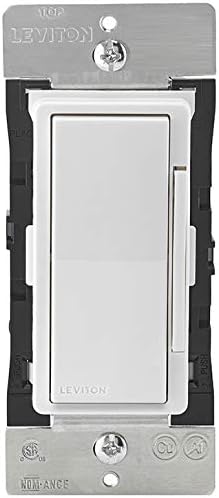
Who it’s for: Neutral-wire homes that want HomeKit, Alexa, and Google Home in a single no-hub dimmer
Price: ~$43 | Type: Dimmer | Neutral wire: Required
Works with: Alexa, Google Home, HomeKit | Hub: None
Three ecosystems, no hub, neutral wire required. That’s the D26HD in one line. Mixed Alexa, Google Home, and Apple HomeKit household with neutral wires?
This is the cleanest all-ecosystem switch available without a hub.
Dimming is smooth from 1% to 100% on standard LED loads. The Leviton app provides scheduling, sunrise/sunset, and scene control. Alexa and Google Home dimming commands work natively.
Apple HomeKit integration runs through the My Leviton app, with no separate bridge required for HomeKit, which is unusual at this price point.
Build quality is better than the price suggests. The paddle design sits flush with a standard Decora wall plate.
The LED status indicator is subtle, a small dot rather than the bright bar that some smart switches display. In bedrooms and media rooms where ambient light matters, that’s a genuinely useful detail.
The one requirement that narrows the audience: neutral wire. If your home was built before roughly 1985 and you haven’t confirmed you have a neutral at the switch box, check before ordering. If you have a neutral, this is the strongest all-ecosystem wired dimmer at $43.
7. Aqara Smart Wall Switch — Best for HomeKit and Zigbee Without a Neutral Wire
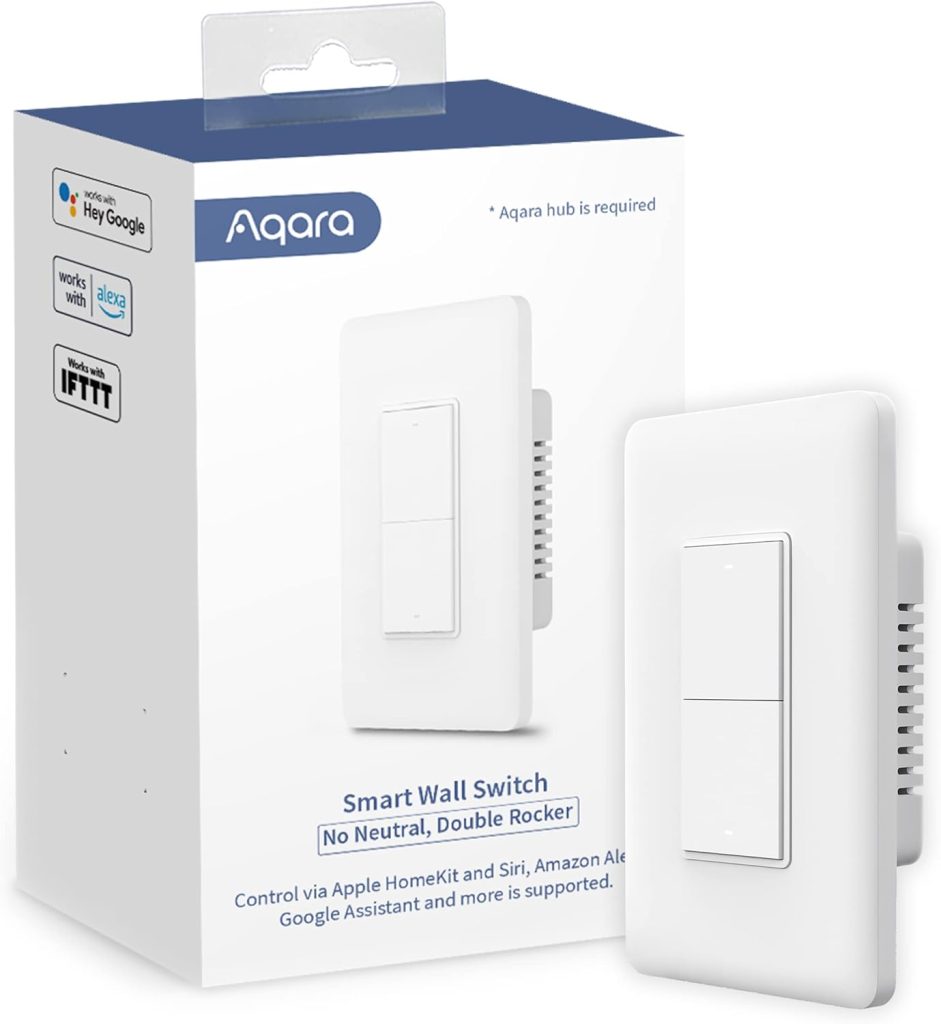
Who it’s for: HomeKit users in older homes with no neutral wire who want Matter certification
Price: ~$28 | Type: On/Off | Neutral wire: Not required
Works with: Alexa, Google Home, HomeKit, Matter | Hub: Zigbee hub required (Aqara M2 or compatible)
The Aqara is the cheapest no-neutral switch on this list with full HomeKit support. At $28, it costs less than the GE Cync and significantly less than Caséta or Leviton.
The trade-off is that a Zigbee hub requires an Aqara M2 hub or a compatible Zigbee controller.
Matter certification means QR code setup in Google Home, Alexa, or HomeKit. No skill to enable. No account linking that breaks.
The Zigbee mesh also means it doesn’t load your Wi-Fi network. For homes with many smart devices, Zigbee switches running on their own mesh are meaningfully more stable than Wi-Fi switches competing for 2.4GHz bandwidth.
The build quality punches above its price. The rocker feels solid. The LED status indicator is configurable; you can set it to show the switch state or turn it off entirely. It pairs reliably with Home Assistant, SmartThings, and Hubitat in addition to the Aqara ecosystem.
One thing to verify: like most no-neutral switches that use power stealing, the Aqara may require a bypass capacitor with very low-wattage bulbs. Aqara lists a 3W minimum load. Single ultra-efficient LED bulbs below that threshold may show faint glowing when the switch is off. Above 5W, which is most standard LED bulbs, it works without any bypass.
8. Inovelli Blue 2-in-1 — Best Smart Switch for Home Assistant and Power Users
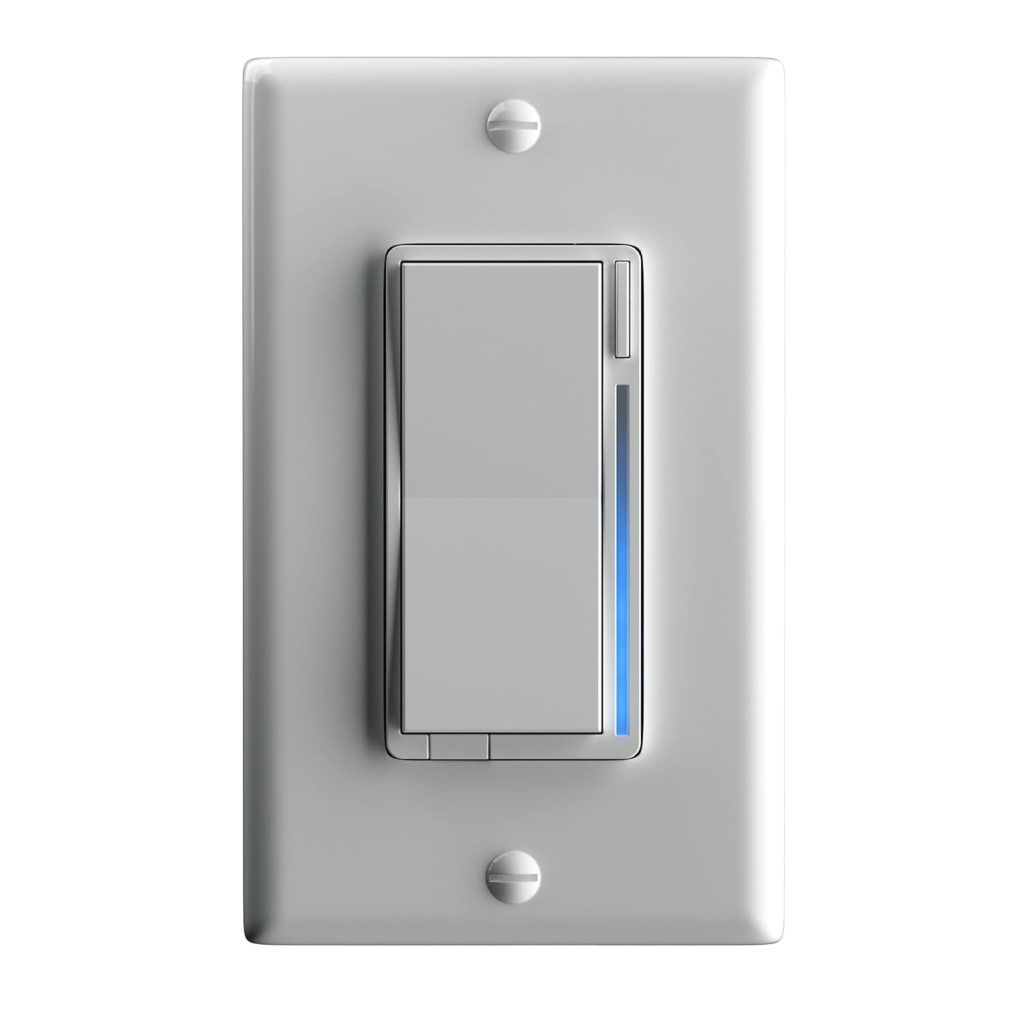
Who it’s for: Home Assistant, SmartThings, or Hubitat users who want the most feature-rich switch available
Price: ~$40 | Type: Dimmer + On/Off (configurable) | Neutral wire: Not required
Works with: Home Assistant, SmartThings, Hubitat | Hub: Zigbee hub required
The Inovelli Blue is not for everyone. The setup complexity would frustrate a first-time buyer. But for someone running Home Assistant, SmartThings, or Hubitat, it’s the most capable $40 switch available by a significant margin.
The configurable LED notification bar on the paddle is the feature that makes it unusual. Set it to show energy usage. Set it to change colour when someone’s home.
Set it to pulse red when the security system arms. Standard switches have a status LED. The Inovelli has a programmable notification system built into the switch face.
Scene control via multi-tap is the other differentiator. Single tap up turns the lights on. Double-tap up activates a scene. Triple-tap up activates another.
The switch can trigger automations across your entire home depending on how many times you tap. In Home Assistant, this unlocks genuinely sophisticated room-level control from a single switch without any voice command.
The 2-in-1 means the same hardware configures as either a dimmer or an on/off switch in software. No separate SKU to order if you change your mind later.
The real limitation: this switch requires a Zigbee hub and assumes you’re comfortable in the Zigbee or Home Assistant ecosystem. It is not plug-and-play. The options that make it powerful make the setup longer than anything else here. If you want a switch that works in ten minutes without research, buy Caséta or Kasa. If you want a switch that does everything a switch can possibly do, the Inovelli Blue is it.
How to Install a Smart Light Switch: What to Expect
Installing a smart switch is a 15–20 minute job for most single-pole switches. Here’s what the process looks like so there are no surprises.
What you’ll need
- Flathead and Phillips screwdrivers
- Voltage tester (non-contact type — under $15, essential for safety)
- The new switch and any included accessories
- Wire strippers (most smart switch wires are pre-stripped)
The steps
- Turn off the circuit breaker for the switch you’re replacing. Don’t skip this. Test the switch with your voltage tester after flipping the breaker to confirm the power is actually off.
- Remove the switch plate and unscrew the old switch from the wall box. Pull it out carefully — the wires are attached.
- Photograph the existing wiring before disconnecting anything. This gives you a reference if you need to put the original switch back.
- Identify your wires. Black = line (incoming power) or load (to the light). White = neutral (if present). Bare copper or green = ground. Most smart switches are clearly labelled with which wire goes where.
- Connect the wires to the new switch following the manufacturer’s diagram. Push-in connectors (used by Lutron and several others) make this faster than screw terminals.
- Tuck the wires back into the wall box and screw the switch in. Attach the new switch plate.
- Turn the circuit back on and follow the pairing instructions in the app.
⚠️ 3-way circuits: if the switch you’re replacing is in a hallway or staircase where the same light can be controlled from two locations, you have a 3-way circuit. Most smart switches handle this but require either an add-on switch at the second location or a different wiring approach. Lutron Caséta handles 3-way via the wireless Pico remote no traveler wire needed. Check the product page for 3-way compatibility before buying.
Frequently Asked Questions About Smart Light Switches
Can I install a smart switch without a neutral wire?
Yes, several smart switches are specifically designed for homes without a neutral wire.
They work using “power stealing,” drawing a tiny current through the load wire to stay powered.
The Lutron Caséta, GE Cync, Leviton Decora No-Neutral, Aqara, and Inovelli Blue on this list all work without a neutral.
The key difference: Caséta uses the ground wire for power. Zero minimum watt requirement. No LED flicker.
No bypass capacitor. Other no-neutral switches may require a bypass capacitor with very low-wattage bulbs under 5W.
Do smart light switches work with any light bulb?
Smart switches work with any dimmable LED bulb for dimmer models, and any bulb for on/off models.
The main exception: very cheap LED bulbs not rated for dimmers can buzz or flicker with smart dimmer switches.
Look for bulbs labelled “dimmable.” This is listed on the packaging.
For no-neutral dimmer switches, bulbs under 5W may need a bypass capacitor to prevent faint glowing when the switch is off.
Standard 8–10W household LEDs work without any bypass on all switches in this guide.
What is the difference between a smart switch and a smart dimmer?
A smart switch controls on/off only. A smart dimmer adds brightness control.
Set lights to any level from 1% to 100%. Build routines around dimming morning ramp-up, evening wind-down, and cinema mode.
Smart dimmers cost more and have a minimum load requirement they need a bulb with enough wattage to function correctly.
On/off smart switches have no load minimum and work with any bulb.
Do smart light switches need a hub?
It depends on the switch. Wi-Fi smart switches (Kasa HS200, Kasa KS220, Leviton D26HD, GE Cync) connect directly to your router, no hub needed.
Zigbee smart switches (Aqara, Inovelli Blue) require a Zigbee hub an Aqara M2, SmartThings, or Home Assistant with a Zigbee dongle.
Lutron Caséta requires the Caséta Smart Bridge, which is included in the starter kit.
The bridge plugs into your router via Ethernet and acts as the hub for all Caséta devices.
Can smart light switches work in 3-way circuits?
Yes, but they require either a specific companion switch or a wireless accessory at the second switch location.
Lutron Caséta handles 3-way circuits with a wireless Pico remote; no traveler wire is needed between boxes. Kasa, Leviton, GE Cync, and Aqara all offer 3-way companion switches that connect via wire to the main smart switch.
Inovelli Blue supports 3-way via an Inovelli Aux switch companion.
Check the product page for the specific 3-way accessory before buying the companion switch, which is almost always sold separately.
Final Verdict — Which Smart Light Switch Should You Buy?
✅ No neutral wire — you want the most reliable option with no bypass capacitor
Buy: Lutron Caséta Smart Dimmer Starter Kit.
Zero minimum watt requirement. No LED flicker. No bypass capacitor. Ever. Clear Connect radio responds in under 300ms. Four years in a 1978 house, not one failure. The bridge is required, but it’s included in the starter kit. Additional switches are $25 each.
✅ No neutral wire — you want a hub-free dimmer without the Caséta price
$38, no hub, no neutral wire, bypass capacitor included in the box. The bypass solves the LED flicker problem before it starts. Alexa and Google Home are supported. The practical no-neutral choice for anyone who doesn’t need HomeKit and doesn’t want to pay the Caséta premium.
✅ Neutral wire — you want the best value smart switch at any price
Buy: TP-Link Kasa KS220 for dimming, TP-Link Kasa HS200 for on/off only.
KS220 at $20: Matter-certified dimmer, works with Alexa and Google Home, no hub. HS200 at $14: the simplest, cheapest, most reliable smart on/off switch available. Both have had zero failures in three years of testing. The physical switch still works normally.
✅ You have a neutral wire and need HomeKit, Alexa, and Google Home in one switch
Buy: Leviton Decora Smart Wi-Fi D26HD.
All three major ecosystems, no hub, smooth 1%–100% dimming. $43. HomeKit without a bridge is rare at this price point. Solid build quality. The right choice for mixed-ecosystem Apple households with neutral wires.
Related Guides on SmartHomeDock
- Smart Bulbs vs Smart Switches — Which upgrade path is right for your home? A scenario-by-scenario decision guide.
- Best Smart Bulbs 2026 — If you decide smart bulbs are the right path for your fixtures.
- Best Dimmable Smart Bulbs — Flicker-free dimming picks including Lutron Caséta-compatible options.
- Best Smart Bulbs for Alexa — For rooms where you’re using smart bulbs alongside smart switches.
- Best Smart Bulbs for Google Home — Google Home-certified bulb picks for mixed switch/bulb setups.
