

Close Menu
Smart Home DockSmart Home Dock

    Subscribe to Updates

    Get smarter about your home.

    Weekly guides on smart bulbs, thermostats, security cameras and more. written independently, no brand payouts.

    Join free → one email a week.

    What's Hot

    Smart Thermostats & Climate: The Complete Guide for 2026

    August 20, 2026

    Amazon Echo and Alexa Setup: The Complete Guide for 2026

    August 20, 2026

    Smart Lighting: The Complete Guide for 2026

    August 19, 2026
    Facebook X (Twitter) Instagram
    Smart Home DockSmart Home Dock
    • About
    • Thermostats
    • Lighting
    • Security
    • Smart Hubs & Voice Assistants
      • Comparison
      • How-To
      • Reviews
      • Top Picks
    • How To Guides
    • Gadgets
      • Smart Cleaning
    Smart Home DockSmart Home Dock
    Home » Smart Lighting: The Complete Guide for 2026
    Lighting

    Smart Lighting: The Complete Guide for 2026

    NyamweruBy NyamweruAugust 19, 2026Updated:August 19, 2026No Comments21 Mins Read
    Facebook Twitter Pinterest Telegram LinkedIn Tumblr WhatsApp Email
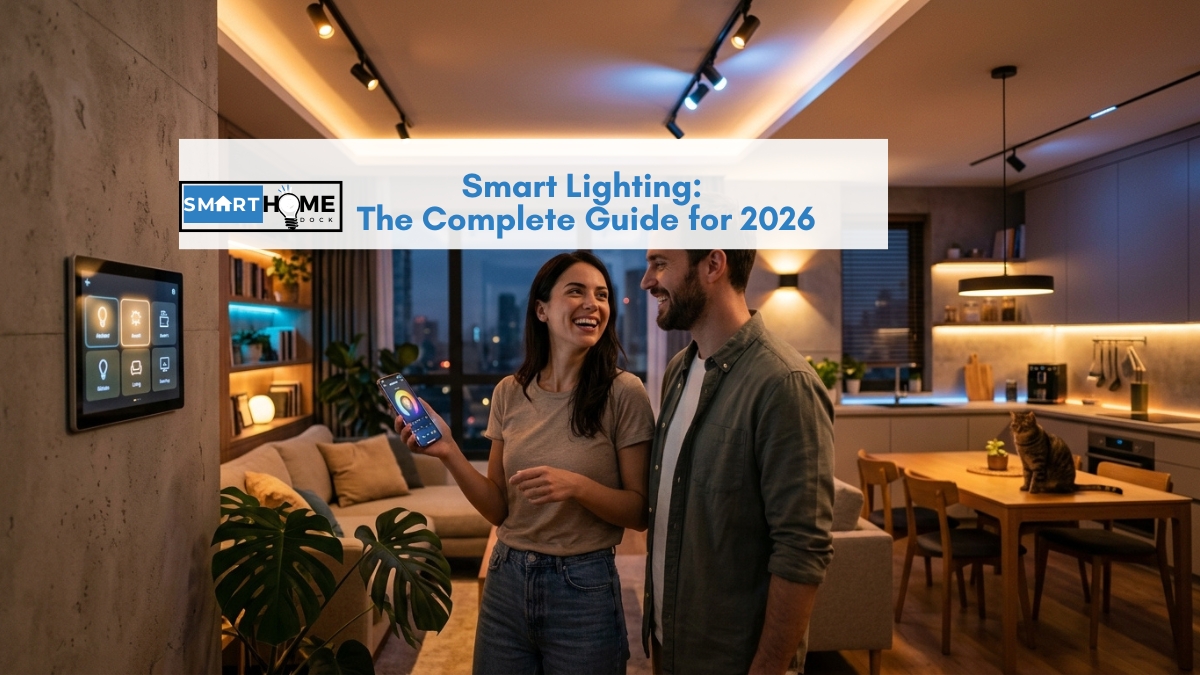
    featured image of Smart Lighting: The Complete Guide for 2026
    Share
    Facebook Twitter LinkedIn Pinterest Telegram Email

    There are three ways to make a light smart: replace the bulb, replace the switch, or add a smart plug to a lamp. They all work.

    They don’t all work for the same home, the same room, or the same household. Buying the wrong one creates frustration that puts people off smart lighting entirely.

    The most common version of that frustration: you install smart bulbs throughout the living room, set up a beautiful evening dimming scene, and then your partner turns the wall switch off on the way to bed.

    The smart bulbs lose power. The scene stops working. The wall switch goes back to doing what it has always done.

    This guide covers every approach to smart lighting: bulbs, switches, strips, and smart plugs for lamps. The decision framework, room-by-room guide, protocol question, and automation features are all here.

    Quick Answer: Smart Lighting 2026

    Best for most homes: smart bulbs (screw in, no wiring), cheapest to start, widest colour and dimming range. Trade-off: the wall switch must stay on for the bulb to respond. Best for multi-bulb rooms or switch-reliant households: smart switches replace the wall switch, keep all existing bulbs, wall switch still works normally. Trade-off: requires a neutral wire in most cases (older homes may need an electrician). Best for lamps: smart plugs plug into existing socket, control the lamp by app or voice, no bulb replacement needed.

    Protocol recommendation: for new purchases in 2026, choose Matter where available. Matter-certified smart bulbs and switches work with Alexa, Google Home, and HomeKit simultaneously, no ecosystem lock-in. For existing Zigbee setups (Philips Hue, IKEA), keep what you have and add Matter devices for new rooms.

    First purchase: one Matter-certified smart bulb (~$12–$15) in the room you use most. If you notice the wall switch frustration within a week, you need smart switches instead. If you don’t, smart bulbs are right for your household.

    Table of Contents

    Toggle
    • Smart Bulbs vs Smart Switches vs Smart Plugs: The Decision That Changes Everything
    • The Smart Bulb Wall Switch Problem — And How to Solve It
      • Five solutions to the wall switch problem
    • Types of Smart Lighting: Bulbs, Switches, Strips, and More
      • Smart bulbs — the easiest entry point
      • Smart light switches — the best solution for switch-using households
      • Smart LED strips — accent lighting and architectural applications
      • Smart outdoor lighting
    • Smart Lighting Protocols: Wi-Fi, Zigbee, Thread, and Matter Explained Simply
    • Circadian Lighting and Adaptive Lighting: The Reason Smart Lighting Is Actually Worth It
      • How smart lighting implements circadian schedules
    • Philips Hue Alternatives in 2026: When Hue Is Worth It and When It Isn’t
    • Smart Lighting Room by Room: Which Approach Works Where
      • Kitchen — bright task lighting with dimming
      • Bedroom — circadian control and wake-up light
      • Living room — scenes and entertainment
      • Home office — focus light and eye strain reduction
      • Hallway — motion-triggered automation
      • Bathroom — timed automation
    • Smart Lighting Automation: The Routines That Actually Change Daily Life
    • Smart Lighting Cost: What Different Setups Actually Cost
    • Frequently Asked Questions — Smart Lighting
      • Is smart lighting worth it in 2026?
      • What is the difference between smart bulbs and smart switches?
      • Do smart bulbs work without a hub?
      • What is HomeKit Adaptive Lighting?
      • How do I start smart lighting without spending a lot?
    • Build Your Smart Lighting Setup — Where to Go Next

    Smart Bulbs vs Smart Switches vs Smart Plugs: The Decision That Changes Everything

    This is the question every smart lighting guide should answer first.

    The right choice depends on four factors: whether you rent or own, whether your household uses wall switches habitually, whether you want colour capability, and how many bulbs are in each fitting.

    Your situationBest approachWhy
    You rent and can’t change wiringSmart bulbsNo installation. Screw in like a regular bulb. Move when you leave.
    Others in your home use wall switches by habitSmart switchesWall switch still works normally. Smart bulbs lose power when the switch is off.
    You have a pendant with 6 bulbs or a multi-bulb fittingSmart switchOne switch controls all bulbs. Cheaper than replacing 6 bulbs with smart versions.
    You want colour-changing and full dimmingSmart bulbsSmart switches control on/off and basic dimming only — no colour from a switch alone.
    You want to automate a freestanding lampSmart plugPlug the lamp into a smart plug. No bulb change, no wiring. On/off and scheduling only.
    Your home is older and may not have neutral wiresSmart bulbs or check firstMost smart switches need a neutral wire. Some (Lutron Caséta, Shelly) don’t — check before buying.
    You want the most advanced circadian and colour controlSmart bulbsFull colour temperature and colour range only available through bulbs with RGB+CCT capability.

    The Smart Bulb Wall Switch Problem — And How to Solve It

    This is the honest explanation that should appear in every smart bulb recommendation. It doesn’t appear in most of them.

    A smart bulb needs a constant power supply to stay connected to your Wi-Fi or Zigbee network. When someone turns the wall switch off, the power cuts.

    The bulb goes offline. Alexa can’t reach it. The app shows it as unavailable. Any automations scheduled to run in the evening dim, and the morning wake-up doesn’t trigger.

    This is fine if you live alone and control lights exclusively by app and voice.

    It becomes a problem immediately if anyone in your household, a partner, a child, a flatmate, a parent visiting uses wall switches by habit. Decades of muscle memory are hard to override.

    Five solutions to the wall switch problem

    Solution 1 — Smart switches instead of smart bulbs. Replace the wall switch with a smart switch. The switch keeps power permanently flowing to the fitting. The smart switch handles on/off and dimming. The wall switch button still works exactly as before; it just sends a signal to the switch rather than cutting the power. This is the clean solution for owned homes with a neutral wire available.

    Solution 2 — Smart switch covers (switch guards). A physical cover that snaps over the wall switch, preventing it being accidentally switched off. Inexpensive (~$5–$10), works immediately, no installation. The switch is still accessible by removing the cover; it’s a reminder rather than a lock. Works best in rooms where only one or two people need reminding.

    Solution 3 — Battery-powered smart switches. Lutron Aurora, Philips Hue Tap, and IKEA Styrbar all attach to the wall without wiring via adhesive or over the existing switch cover. They send wireless signals to the smart bulbs without cutting the power. The wall switch underneath is locked in the on position permanently. Notably, this approach works in rented properties because it requires no installation.

    Solution 4 — Motion sensors as primary control. Replace switch-based control with presence-based control. A motion sensor turns lights on when you enter the room and off after a set period of no motion. Nobody needs to use the wall switch — the lights respond automatically to presence. This is the most elegant solution for kitchens, hallways, and bathrooms.

    Solution 5 — Smart switch modules (in-wall). Smart relay modules Shelly, Sonoff install inside the existing switch back-box and turn the existing dumb switch into a smart switch without replacing the switch face. No neutral wire required for some models. Suitable for older homes where the switch look matters, and no neutral wire is available.

    💡 My household’s solution after three years of smart bulb frustration

    For three years, I had smart bulbs in every room, and a partner who switched every wall switch off automatically every time they left a room. I tried the switch guard. It worked until I forgot to put it back after cleaning. I tried the conversation. It worked for a week.

    The permanent solution: Lutron Aurora battery switches over the existing wall switches in every room used by both of us. No wiring. The existing switches are locked on underneath. The Aurora buttons control the Hue bulbs wirelessly. Two years on zero switch-induced offline bulbs, zero arguments about remembering not to turn the switch off. The Lutron Aurora costs $24 per switch. Worth every penny.

    Types of Smart Lighting: Bulbs, Switches, Strips, and More

    Smart bulbs — the easiest entry point

    Smart bulbs screw or bayonet-fit into existing light fittings — no electrical work, no tools, no installation cost. They connect via Wi-Fi, Zigbee, or Thread to your smart home platform. Furthermore, in 2026, Matter-certified smart bulbs pair with Alexa, Google Home, and HomeKit simultaneously from a single QR code scan.

    Key specs to understand: lumens (brightness — 800lm replaces a 60W incandescent, 1,100lm replaces a 75W), colour temperature (measured in Kelvin — 2,700K is warm white for bedrooms, 4,000K is cool white for kitchens, 6,500K is daylight for offices), and CRI (colour rendering index — 80+ is standard, 90+ renders colours most accurately and matters most in kitchens and living spaces).

    Smart bulbs come in three capability tiers:

    • White only: on/off and scheduling only. No dimming, no colour temperature. Cheapest (~$6–$10).
    • Tunable white (CCT): dimmable and adjustable between warm and cool white. Supports Adaptive Lighting / circadian schedules. (~$12–$20).
    • Full colour (RGBW or RGBCCT): 16 million colours plus full tunable white. Scene capability, colour changing, parties. (~$15–$50).

    For current picks across all three tiers, see our best smart bulbs guide. For HomeKit-specific picks including Thread bulbs from Nanoleaf and Eve, see our best smart bulbs for HomeKit guide.

    Smart light switches — the best solution for switch-using households

    Consequently, smart switches replace the wall switch entirely and keep permanent power flowing to the light fitting.

    The light fitting can use any bulb, smart or dumb, because the intelligence is in the switch rather than the bulb.

    Wall switch operation is preserved: pressing the switch still works, it just now also sends a wireless signal rather than cutting power.

    Smart switches handle on/off and dimming.

    They don’t change colour temperature or enable RGB colour for colour capability; you still need smart bulbs, ideally controlled through a smart switch that dims without cutting power to the bulbs.

    Two compatibility checks before buying. First, neutral wire availability: check your switch back-box for a white wire alongside live and earth.

    Second, bulb compatibility: some LEDs don’t dim smoothly with all smart dimmers. Check the manufacturer’s compatibility list.

    Top picks in 2026: Lutron Caséta (requires Lutron hub but works without neutral wire and has the most reliable dimming performance), Leviton Decora (Matter-certified, works with all major platforms), Shelly

    Plus 1PM (installs in existing back-box, no switch replacement needed, works without neutral wire).

    Smart LED strips — accent lighting and architectural applications

    Smart LED strips are adhesive-backed flexible strips that run under kitchen cabinets, behind televisions, along stair risers, or across shelving.

    They provide ambient, accent, and bias lighting rather than primary room illumination. The smart capability colour changing, scene control, and sync with music or TV is what distinguishes them from simple LED strips.

    Key specifications: density (LEDs per metre; higher density means smoother, more even light), RGBIC vs RGB (RGBIC has individually addressable segments that show multiple colours simultaneously; RGB shows one colour across the entire strip), and wattage per metre (determines maximum run length before needing a second power supply).

    Govee leads for entertainment and accent lighting with music sync capability. Philips Hue Lightstrip Plus integrates cleanly with Hue bulb ecosystems and HomeKit.

    Nanoleaf’s Thread-based strips add Thread router node capability to the strip itself. For current picks, see our smart lighting guide.

    Smart outdoor lighting

    Outdoor smart lighting serves a dual purpose: ambience and security.

    Motion-activated outdoor lights eliminate dark approach routes, one of the most effective deterrence measures for home security.

    Sunrise/sunset scheduling via smart outdoor plugs or smart outdoor bulbs automates garden and patio lighting without seasonal manual adjustment.

    For outdoor lighting on a timer via smart plug, see our outdoor lights timer guide. For best outdoor lighting products, see our smart bulbs guide which covers outdoor-rated options.

    Smart Lighting Protocols: Wi-Fi, Zigbee, Thread, and Matter Explained Simply

    Importantly, protocol is the wireless language your smart light uses to communicate. In 2026, the right protocol choice is simpler than it was two years ago.

    Matter has resolved most of the ecosystem fragmentation. However, the choice still matters for hub requirements and long-term flexibility.

    ProtocolHub neededBest for2026 verdict
    Wi-FiNone — connects to routerSmall setups (under 10 lights), beginnersEasy setup but each bulb uses a Wi-Fi slot. Large setups may strain older routers.
    ZigbeeZigbee coordinator (Echo 4th gen, Hue Bridge, SmartThings)Large setups, Philips Hue ecosystem, IKEAMature, reliable, huge device catalogue. Locked to one hub ecosystem without bridging.
    Thread (Matter)Thread border router (Echo 4th gen, HomePod Mini, Nest Hub 2nd gen)New setups, cross-platform homes, privacy-firstBest 2026 choice for new purchases. Local, fast, works with all platforms via Matter.
    Matter (Wi-Fi)None — Wi-Fi + Matter controller (built into most smart speakers)Budget setups wanting cross-platform compatibilityGood for under 10 lights. Multi-platform without ecosystem lock-in. Meross, TP-Link Tapo.

    The practical 2026 recommendation: for new smart lighting purchases, choose Thread or Matter-over-Wi-Fi where available.

    For existing Zigbee setups (Hue, IKEA, Aqara), keep what you have; it works reliably, and the device catalogue is enormous.

    Add Matter devices for new rooms and let both coexist. For a deeper protocol explanation, see our Zigbee vs Z-Wave vs Thread guide and our Matter explainer.

    Circadian Lighting and Adaptive Lighting: The Reason Smart Lighting Is Actually Worth It

    Notably, this is the feature that converts sceptics, and the one most often buried in a footnote.

    Specifically, natural daylight shifts colour temperature throughout the day: bright blue-white in the morning and at noon, warm golden-orange in the evening.

    This shift regulates your circadian rhythm, your body’s internal clock that controls sleep, alertness, and hormone production.

    Artificial lighting that mimics this shift helps you feel more alert in the morning, more focused at midday, and more ready for sleep in the evening.

    Specifically, cool white light at 5,000–6,500K promotes alertness and suppresses melatonin in the morning.

    Warm white at 2,700–3,000K in the evening signals the body toward rest and allows melatonin production.

    Consequently, screens and fixed cool-white overhead lights all day interfere with this cycle, contributing to sleep difficulties most people don’t connect to their lighting.

    How smart lighting implements circadian schedules

    Furthermore, HomeKit Adaptive Lighting is the most automatic implementation.

    Any HomeKit bulb with tunable white capability and the Adaptive Lighting accessory profile automatically adjusts colour temperature throughout the day based on your location’s sunrise and sunset times.

    Set it once in the Home app, and it runs daily; no schedule to build, no app to open.

    Additionally, Philips Hue’s circadian rhythm feature in the Hue app follows a similar auto-shifting schedule.

    Additionally, the Hue “Energize,” “Concentrate,” “Read,” “Relax,” and “Rest” scenes are pre-calibrated to specific colour temperatures appropriate for each activity.

    Finally, Alexa’s Wake-Up Light routine gradually brightens a tunable white bulb from 0% to 100% warm white over 30 minutes before alarm, simulating sunrise.

    Consequently, waking from a gradual light increase rather than a sudden alarm is genuinely less jarring and has documented effects on morning mood and alertness.

    Importantly, for circadian lighting, tunable white (CCT) bulbs are the minimum requirement.

    Full colour (RGB) bulbs are not necessary for circadian function; warm-to-cool white shift is the primary mechanism, not colour.

    A room of $12–$15 CCT bulbs supports full circadian scheduling without the $40–$50/bulb Hue premium.

    Philips Hue Alternatives in 2026: When Hue Is Worth It and When It Isn’t

    Notably, Philips Hue is the benchmark for smart lighting best colour accuracy, deepest ecosystem, most reliable performance.

    It’s also $40–$50 per bulb in a market where Matter has made $12–$15 bulbs functionally equivalent for most buyers.

    Specifically, the honest 2026 position:

    Reason to buy HueReason to buy an alternative
    You’re equipping 1–3 rooms and want the best colour accuracy and app experienceYou’re equipping 4+ rooms — Nanoleaf or Meross cuts the cost by 60–70%
    You want the Hue ecosystem: Hue Play bars, gradient strips, outdoor path lightsYou just need on/off, dimming, and warm/cool shift — any CCT Matter bulb delivers that
    You want Hue Entertainment (sync with TV and music via the Hue Bridge)You want cross-platform without a hub — Hue without the Bridge doesn’t use full Matter multi-admin
    You value the best-in-class Hue app experience for scene buildingYou use primarily Alexa or Google Home — any Matter bulb integrates equally well

    The best Hue alternative in 2026 is the Nanoleaf Essentials A19: Matter over Thread, 1,100 lumens (brighter than Hue’s 800lm), 16 million colours, tunable white, Adaptive Lighting support, and Thread router node capability at $12–$15 per bulb.

    For HomeKit-specific picks and Thread bulbs, see our best smart bulbs for HomeKit guide.

    Consequently, a six-room home with 18 bulbs costs $216–$270 in Nanoleaf versus $720–$900 in Hue.

    For most buyers, that $500–$630 difference is the answer to whether Hue is worth it.

    Smart Lighting Room by Room: Which Approach Works Where

    Kitchen — bright task lighting with dimming

    Kitchens need bright neutral-white light for task work and the ability to dim for dining.

    Specifically, a colour temperature between 3,000K and 4,000K is ideal for kitchens, white enough for task clarity but not the cold blue-white of an office.

    Smart bulbs with CCT capability or smart switches controlling dimmable LED downlights are both appropriate.

    Additionally, under-cabinet LED strips on a separate smart circuit provide task lighting that can be independently controlled from the main ceiling lights.

    Bedroom — circadian control and wake-up light

    Notably, the bedroom is where circadian lighting delivers the clearest daily benefit.

    Warm white (2,700K) in the evening, gradual dimming through the hour before sleep, and a wake-up fade from 0% to 40% warm white 20 minutes before the alarm, these three automations deliver the highest quality-of-life return on any smart lighting purchase.

    The wall switch problem matters most here; bedrooms are where wall switches are used instinctively when entering and leaving.

    Battery-powered smart switches or Lutron Aurora covers are the right solution for bedroom smart bulbs.

    Living room — scenes and entertainment

    Furthermore, living rooms benefit most from scene capability: “movie night” dims the room to 10% warm white, “reading” brings task-appropriate brightness, “entertaining” sets a mid-level ambient warmth.

    Furthermore, full colour RGBW bulbs unlock these scenes most fully.

    Furthermore, LED strips behind a television as bias lighting reduce eye strain during viewing by raising the ambient light level behind the screen, a documented improvement in viewing comfort over watching in a completely dark room.

    Home office — focus light and eye strain reduction

    Home offices need neutral to cool white (3,500K–5,000K) for focus during working hours. Shift to warm white in the afternoon as work winds down.

    Additionally, bias lighting behind the monitor prevents the high-contrast strain of a bright screen in a dark room.

    Consequently, a ceiling bulb on a circadian schedule combined with a desk-height LED strip set to daylight white creates an office lighting setup that actively supports focus and reduces evening melatonin suppression.

    Hallway — motion-triggered automation

    Specifically, hallways are the clearest case for motion-triggered smart lighting.

    Nobody wants to find a light switch in a dark hallway at 2 am a motion sensor that turns the hallway light on at 20% warm white when triggered between midnight and 6 am, and at 100% cool white during the day, eliminates the problem entirely.

    Smart bulbs with a motion sensor are the simplest implementation; a smart switch with integrated motion sensing is the cleanest if you prefer to keep the wall switch appearance.

    Bathroom — timed automation

    Additionally, bathroom lighting benefits from a simple automation: on when the door opens, off 15 minutes after the last motion is detected.

    A door sensor and motion sensor combination, or a smart switch with motion sensing built in, handles this automatically.

    For homes with older bathrooms and no neutral wire at the switch, a smart relay module inside the existing back-box is often the most practical solution.

    Smart Lighting Automation: The Routines That Actually Change Daily Life

    Importantly, automation is where smart lighting shifts from useful gadget to something that genuinely changes how the home feels.

    These are the six automations most worth setting up, in order of daily impact:

    1. Wake-up light: bedroom bulb fades from 0% to 40% warm white 20 minutes before your alarm. Start with this one. The impact on mornings is immediate and noticeable.
    2. Circadian schedule: all tunable white bulbs shift from cool white (daytime) to warm white (evening) automatically based on local sunset time. Set once, runs daily.
    3. Away mode: when your phone leaves the home geofence, all lights turn off. When you return, a welcome scene activates. Eliminates the “did I leave a light on?” anxiety permanently.
    4. Goodnight routine: a single voice command or button press turns off all lights, dims the bedroom to sleep mode, and activates any security automations. “Alexa, goodnight” or a Hue Tap button by the bedroom door.
    5. Motion-triggered hallway: lights on at the right brightness for the time of day when motion is detected. Off automatically after no motion for 10 minutes.
    6. Arrival welcome: when the first person arrives home after sunset, the porch light, hallway, and kitchen turn on to a welcoming brightness. Nobody comes home to a dark house.

    Additionally, for step-by-step setup of Alexa lighting routines, see our best Alexa routines guide. For Google Home automations, see our home automation tools guide.

    Smart Lighting Cost: What Different Setups Actually Cost

    SetupApproachCost (1 room)Cost (6 rooms, 18 lights)
    Budget smart bulbs (Meross, TP-Link Tapo)Matter CCT bulbs~$36–$45~$216–$270
    Thread smart bulbs (Nanoleaf Essentials)Matter Thread CCT+colour~$45–$60~$270–$360
    Smart switches (Leviton, Shelly)Replace switch, keep bulbs~$30–$50~$180–$300
    Philips Hue colour (with Bridge)Zigbee, full ecosystem~$150–$200~$960 (incl. Bridge)

    Furthermore, smart switches are often the most cost-efficient approach for multi-bulb rooms; one switch at $30–$50 controls a pendant with 6 bulbs for less than the cost of a single Hue bulb.

    Notably, smart switches also work with any existing bulb, eliminating bulb replacement cost entirely.

    Frequently Asked Questions — Smart Lighting

    Is smart lighting worth it in 2026?

    Yes, particularly at 2026 prices where Matter-certified CCT bulbs cost $12–$15 and deliver voice control, app scheduling, dimming, and circadian lighting.

    The strongest case is circadian automation.

    Lights that automatically shift from cool white by day to warm white in the evening, and a wake-up light that fades before the alarm, both make a measurable difference to energy and sleep quality.

    At $12–$15 per bulb, the entry cost for a single room is under $50. The automation value accumulates daily across years of use.

    What is the difference between smart bulbs and smart switches?

    Smart bulbs replace the bulb and add intelligence to the fitting: colour, dimming, and scheduling happen at the bulb level.

    Smart switches replace the wall switch and keep permanent power flowing to existing bulbs; intelligence is at the switch level.

    The critical difference: smart bulbs stop responding when the wall switch is turned off.

    Smart switches prevent this by keeping power permanently connected and handling control at the switch itself.

    Homes where wall switches are used habitually need smart switches, not smart bulbs.

    Renters or colour-lighting buyers typically need smart bulbs.

    Do smart bulbs work without a hub?

    Many do. Wi-Fi smart bulbs and Matter-over-Wi-Fi bulbs connect directly to your home router without any additional hub.

    Thread-based Matter bulbs need a Thread border router, which may already be in your home if you own an Amazon Echo (4th gen or later), Apple HomePod Mini, or Google Nest Hub (2nd gen).

    Zigbee bulbs: including Philips Hue without its Bridge, need a Zigbee coordinator hub.

    For hub-free smart lighting, choose Wi-Fi or Matter-over-Wi-Fi bulbs from Meross, TP-Link Tapo, or LIFX.

    What is HomeKit Adaptive Lighting?

    HomeKit Adaptive Lighting automatically shifts a compatible smart bulb’s colour temperature throughout the day following a natural daylight curve: cool white in the morning and at midday for alertness, warm white in the evening for relaxation.

    It requires a tunable white HomeKit bulb with the Adaptive Lighting accessory profile, and a HomePod Mini, Apple TV 4K, or iPad as a HomeKit home hub.

    Once set up in the Apple Home app, it runs automatically every day without any manual adjustment.

    Nanoleaf Essentials, Meross Matter bulbs, and Eve bulbs all support Adaptive Lighting alongside Philips Hue.

    See our best smart bulbs for HomeKit guide for current picks.

    How do I start smart lighting without spending a lot?

    Buy one Matter-certified CCT bulb (~$12–$15) for the room you use most — living room or bedroom.

    Pair it in your Alexa or Google Home app. Set one automation: turn warm white on at sunset, off at midnight. Live with it for two weeks.

    If the wall switch frustration appears someone in your home keeps switching the switch off add a battery smart switch cover (Lutron Aurora, ~$24) over the wall switch.

    If it doesn’t appear, buy three more bulbs and add the circadian schedule.

    The total investment for a genuinely useful bedroom smart lighting setup is under $75. Scale from there based on what you notice you want next.

    Build Your Smart Lighting Setup — Where to Go Next

    ✅ Choose your smart bulbs

    Our best smart bulbs guide covers every tier — budget Wi-Fi bulbs, Nanoleaf Thread, Philips Hue, and colour vs tunable white — with honest picks for every room and budget.

    ✅ Apple HomeKit household — Thread bulbs and Adaptive Lighting

    Our best smart bulbs for HomeKit guide covers Thread-native bulbs, the Hue Bridge question, Adaptive Lighting support by product, and the whole-home cost comparison for HomeKit users.

    ✅ Outdoor lighting — security and ambience

    Our outdoor lights timer guide covers smart plugs for motion-activated and sunrise/sunset-scheduled outdoor lighting, the simplest security deterrence upgrade with zero installation.

    ✅ Build lighting automations

    Our best Alexa routines guide covers wake-up lights, away mode, goodnight routines, and arrival scenes step by step. For Google Home automations, our home automation tools guide covers the same automations on the Google platform.

    ✅ Understand protocols — Zigbee, Thread, Matter

    Our Zigbee vs Z-Wave vs Thread guide and Matter explainer cover which protocol your existing devices use and what to buy for new rooms in 2026.

    ✅ Connect lighting to your smart home hub

    Our best smart home hub guide covers which hub handles Zigbee, Thread, and Matter lighting simultaneously, and how to choose between Echo Hub, SmartThings, HomePod Mini, and Home Assistant for lighting control.

    Share. Facebook Twitter Pinterest LinkedIn Tumblr Email
    Nyamweru

    Related Posts

    Best Colour Smart Bulbs 2026: Tested for Real Colour

    May 21, 2026

    Smart Bulbs vs Smart Switches: Which Should You Buy

    May 19, 2026

    Best Smart Bulbs for Google Home in 2026

    August 8, 2025

    Best Smart Bulbs for Alexa in 2026: Tested Picks

    August 7, 2025

    Best Cheap Smart Bulbs in 2026: Under $10 Per Bulb, Tested

    August 6, 2025

    Best Smart LED Strip Lights 2026: Tested by Use Case

    August 5, 2025

    Comments are closed.

    Editors Picks

    Amazon Echo and Alexa Setup: The Complete Guide for 2026

    August 20, 2026

    Best Amazon Echo 2026: Which Echo Device Is Right for You?

    July 7, 2026

    Best Google Nest Hub 2026: 2nd Gen vs Max Compared

    June 25, 2026

    What is Matter? The Smart Home Standard Explained

    June 12, 2026
    Advertisement
    Demo
    About Us
    About Us

    Independent smart home guides for real people. Honest reviews, clear how-to guides and buying advice no paid placements, ever.
    Contact: operations@aeygroup.co

    Our Picks

    Smart Thermostats & Climate: The Complete Guide for 2026

    August 20, 2026

    Amazon Echo and Alexa Setup: The Complete Guide for 2026

    August 20, 2026

    Smart Lighting: The Complete Guide for 2026

    August 19, 2026
    Menu
    • About
    • Thermostats
    • Lighting
    • Security
    • Smart Hubs & Voice Assistants
      • Comparison
      • How-To
      • Reviews
      • Top Picks
    • How To Guides
    • Gadgets
      • Smart Cleaning
    © 2026 SmartHomeDock. All rights reserved. Participant in the Amazon Associates Programme.

    Type above and press Enter to search. Press Esc to cancel.