


This article contains affiliate links. If you buy through them, SmartHomeDock earns a small commission at no extra cost to you. We only recommend products we’ve actually tested or verified.
You’ve got a handful of smart devices that don’t talk to each other, and someone told you a hub would fix it.
Then you searched “best smart home hub” and found thirteen products with names like Aeotec, Hubitat, Homey Pro, and SmartThings Station. Now you’re more confused than before.
Here’s what almost no buying guide mentions: you may already own a smart home hub.
The Amazon Echo (4th gen and later), Apple TV 4K, HomePod Mini, and Google Nest Hub 2nd Gen are all functional smart home hubs. Before buying anything, check what’s already in your home.
This guide answers the three questions in the right order. Do you actually need a hub? What protocol do your existing devices use?
Which hub handles that protocol best? By the end, you’ll know exactly which smart home hub belongs in your setup, or whether you already have one.
Quick Answer — Best Smart Home Hub 2026
For most homes (Alexa ecosystem): Amazon Echo Hub (~$180) — touchscreen control panel, Zigbee hub, Thread border router, Matter controller. For Apple households: Apple HomePod Mini (~$99) — HomeKit hub, Thread border router, Matter controller. You may already own one. For multi-brand mixed-protocol homes: Samsung SmartThings Station (~$110) — Zigbee, Thread, Matter, and Z-Wave via USB dongle.
For legacy Zigbee + Z-Wave collections: Aeotec Smart Home Hub (~$130). For power users who want everything: Homey Pro (~$399). For privacy-first local control: Home Assistant Green (~$99).
First: read the “do you need a hub at all?” section below. A surprising number of buyers already have everything they need.
Do You Need a Smart Home Hub? (The Answer Might Surprise You)
This is the question every buyer should answer before spending $100–$400 on a dedicated hub.
You probably do NOT need a dedicated hub if:
- All your devices connect via Wi-Fi. TP-Link Tapo, Shelly, Meross, Wemo, and most budget smart plugs and bulbs connect directly to your router. They work with Alexa, Google Home, and HomeKit without any hub. A dedicated hub adds nothing for Wi-Fi-only setups.
- All your devices are Matter-certified. Matter devices connect directly to any ecosystem controller without a dedicated hub. Your Echo, Google Home speaker, or iPhone serves as the Matter controller.
- You already own a 4th Gen or newer Amazon Echo. The Echo (4th gen), Echo Plus, Echo Show 10 (3rd gen), and Echo Hub all have a built-in Zigbee hub and Thread border router. If you own one of these, you already have hub capabilities for Zigbee and Thread devices.
- You own an Apple TV 4K (2nd gen or later) or HomePod Mini. Both serve as HomeKit hubs and Thread border routers. Apple HomeKit users with these devices don’t need a separate hub.
- You own a Google Nest Hub 2nd Gen. It includes a Thread border router for Thread and Matter devices alongside standard Google Home integration.
You probably DO need a dedicated hub if:
- You have Zigbee devices and no hub-capable Echo. Zigbee devices (IKEA Tradfri lights, Aqara sensors, Philips Hue bulbs) need a Zigbee hub to connect. The Philips Hue Bridge is a dedicated Zigbee hub for Hue only — other Zigbee devices need something broader like SmartThings or the Echo Hub.
- You have Z-Wave devices. Z-Wave locks (Schlage Connect, Yale), Z-Wave sensors, and Z-Wave switches need a Z-Wave hub. No Echo, HomePod, or Google Home speaker includes a Z-Wave radio. SmartThings (with USB dongle), Aeotec, Hubitat, or Homey Pro are your options.
- You want devices from multiple brands running automations locally without cloud dependency. Dedicated hubs like Hubitat and Home Assistant run automations on the device itself — your routines work during internet outages. Echo and Google Home automations require cloud connectivity.
- You have more than 20+ devices from different brands and need one app to manage everything. At this scale, a dedicated hub that bridges everything into a single interface becomes genuinely worth the investment.
💡 Eight years of smart home setups: the honest take
I spent two years running three separate apps for my lights, thermostat, and door sensors. Adding a SmartThings hub didn’t just connect them; it changed how the home behaved. The lights turn on when the door unlocks. The thermostat adjusts when the last person leaves. These automations only exist because a hub bridges devices that previously couldn’t communicate.
But for a home with six smart bulbs and a thermostat, all on Wi-Fi? No hub needed. The app on your phone is sufficient. Start simple and add a hub when your devices genuinely need one.
Zigbee, Z-Wave, Thread, and Matter: Which Protocol Do Your Devices Use?
The protocol your devices use determines your hub shortlist entirely. This is the question every smart home hub guide should ask before listing products.
| Protocol | Common devices | Hub needed? | Best hub for this |
|---|---|---|---|
| Wi-Fi | Tapo plugs, Shelly relays, most budget bulbs | No — connects to router directly | Any Echo / Google Home / HomePod as voice controller |
| Zigbee | IKEA Tradfri, Aqara sensors, Philips Hue, SONOFF | Yes — needs Zigbee hub | Echo Hub, SmartThings Station, Aeotec, Homey Pro |
| Z-Wave | Schlage Connect locks, Yale locks, Aeotec sensors | Yes — needs Z-Wave hub | Aeotec, SmartThings + USB dongle, Hubitat, Homey Pro |
| Thread | Eve sensors, Nanoleaf panels, some Yale locks | Needs Thread border router | HomePod Mini, Apple TV 4K, Echo Hub, Nest Hub 2nd Gen |
| Matter | New devices from 2022 onward with Matter certification | Needs Matter controller | Any Echo, Google Home, HomePod, SmartThings — all are Matter controllers |
What is Matter, and does it change the hub decision?
Matter is a universal compatibility standard backed by Apple, Google, Amazon, and Samsung.
A Matter-certified device, lock, light, thermostat, and sensor work with all four ecosystems simultaneously after a single QR code setup. No ecosystem-specific pairing, no compatibility check before buying.
In practice, Matter changes the hub decision significantly. If your devices are all Matter-certified, your existing Echo, Google Home, or HomePod is already a sufficient hub.
A dedicated hub adds local processing and advanced automation capability, but not basic compatibility.
The important nuance: Matter runs over Thread (for battery-powered devices) or Wi-Fi (for mains-powered devices).
Thread devices still need a Thread border router to connect. Most modern smart speakers now include one. See our dedicated Matter explainer for the full breakdown.
Smart home hub vs smart speaker: the key distinction
An Echo Dot or Google Nest Mini is primarily a voice assistant that happens to control smart home devices.
An Echo Hub, SmartThings Station, or Aeotec is primarily a smart home controller that happens to respond to voice.
The difference matters for heavy automation users: dedicated hubs have more processing power for complex routines, run more devices simultaneously, and in some cases operate locally without cloud dependency.
For households with under 20 devices with standard automations, the distinction rarely matters in daily use.
For households with 30+ devices and sophisticated cross-device routines, a dedicated hub delivers better reliability and faster response times.
Best Smart Home Hub for Alexa, Google Home, and Apple HomeKit
Most buyers want their hub to work with the voice assistant they already use. Here’s the right pick per ecosystem.
Best smart home hub for Alexa
Amazon Echo Hub (~$180). The dedicated smart home control panel in Alexa’s lineup, a wall-mountable touchscreen with a built-in Zigbee hub, Thread border router, and Matter controller.
Connect Zigbee bulbs and sensors directly without any separate bridge. Manage all your Alexa-connected devices from the touchscreen.
Run Alexa Routines locally for faster execution. The Echo Hub is the most capable Alexa hub for households that want a visual control centre alongside voice control.
For households that want hub capability without a dedicated panel, the Amazon Echo (4th Gen, ~$100) includes the same Zigbee hub and Thread border router in a standard speaker form factor.
If you own a 4th Gen Echo, you already have Alexa hub capability.
Best smart home hub for Apple HomeKit
Apple HomePod Mini (~$99). A HomeKit hub and Thread border router that looks like a speaker and costs the same as most standalone smart speakers.
Any iPhone, iPad, or Mac user can set up HomeKit devices by scanning a QR code; the HomePod Mini handles all HomeKit hub functions automatically in the background.
Siri commands, Apple Home automations, and HomeKit Secure Video all route through it.
The Apple TV 4K (~$130) serves the same hub function if you own one: it’s a Thread border router and HomeKit hub, alongside being a media streamer.
For Apple households, you very likely already have a functional smart home hub without knowing it.
Best smart home hub for Google Home
Google Nest Hub (2nd Gen, ~$100). A 7-inch smart display that serves as a Google Home controller, Thread border router, and Matter hub.
Displays cameras, doorbells, and smart home dashboards on the screen. The 2nd Gen added Thread border router capability; the 1st Gen does not have it.
For households that use Google Home as their primary platform, the Nest Hub 2nd Gen offers the most complete hub experience.
See our Best Google Nest Hub guide for full model comparisons, including the Nest Hub Max.
Best Smart Home Hub for Matter in 2026
Every major smart home platform now serves as a Matter controller, meaning almost any hub you buy in 2026 handles Matter devices.
What differentiates hubs on Matter is how many ecosystems they expose those devices to simultaneously.
Single ecosystem Matter controller: your existing Echo, HomePod, or Google Home device is sufficient. Matter devices added to one ecosystem are visible and controllable in that ecosystem only (unless shared via Matter multi-admin).
Multi-ecosystem Matter bridge: the Samsung SmartThings Station and Aqara Hub M3 expose Matter devices to multiple ecosystems simultaneously.
Add a Nanoleaf light via Matter through SmartThings, and it appears in both the SmartThings app and Google Home, controlled from either without separate setup.
The practical 2026 reality: Matter has made hub selection less critical for new buyers, not more. A Matter-certified bulb works with your existing Alexa, Google Home, or HomePod without any hub purchase.
The hub question remains important only when Zigbee or Z-Wave devices are involved, or when local control and complex automation are priorities.
Best Smart Home Hub with No Subscription and Local Control
Every Amazon Echo and Google Home speaker routes automations through cloud servers. When the internet drops, Alexa routines stop working.
For households where reliability matters, or where sending home behaviour data to Amazon and Google is a concern, local-processing hubs are the correct answer.
What local control means: the hub processes automation logic on its own hardware. “When the front door sensor opens after 10 p.m., turn on the hallway lights” runs on the hub’s processor, not on a remote server. It executes in under a second and works during internet outages.
Three local-processing hub options at different price points:
| Hub | Price | Subscription | Local automations | Protocols |
|---|---|---|---|---|
| Hubitat Elevation C-8 Pro | ~$180 | None required ✅ | Yes — fully local ✅ | Zigbee, Z-Wave, Matter, Thread |
| Home Assistant Green | ~$219 | None required ✅ | Yes — fully local ✅ | Zigbee, Z-Wave (USB), Matter, 3,000+ integrations |
| Homey Pro | ~$349 | None required ✅ | Yes — fully local ✅ | Zigbee, Z-Wave, Thread, Matter, IR, 433MHz, Bluetooth |
Hubitat is the most accessible local hub for buyers comfortable with some technical configuration.
Home Assistant is the most powerful but has the steepest learning curve. Homey Pro is the most capable and the most expensive, ideal for large, complex setups where every protocol matters.
The 6 Best Smart Home Hubs in 2026
1. Amazon Echo Hub — Best Smart Home Hub for Alexa Households
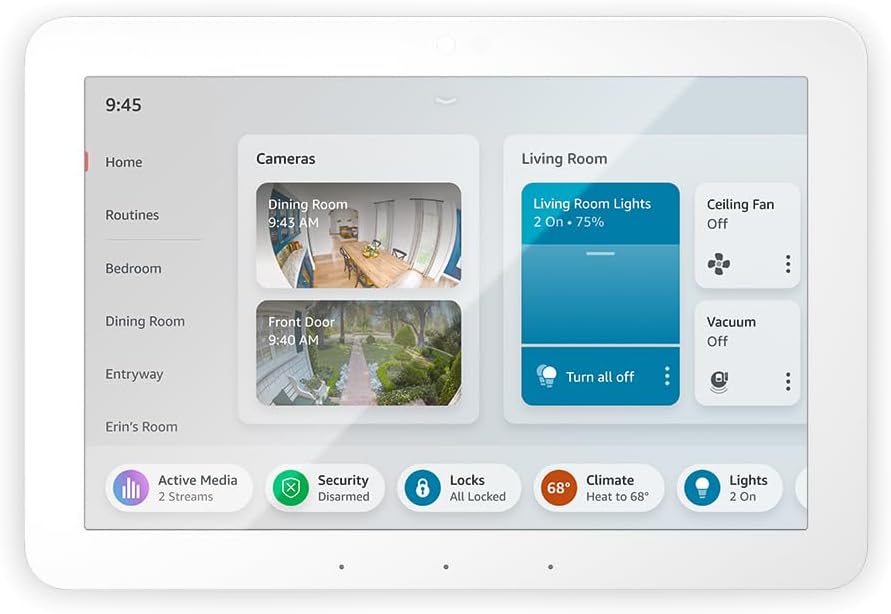
Who it’s for: Alexa households wanting a dedicated touchscreen control centre with built-in hub capabilities
Price: ~$180 | Protocols: Zigbee, Thread (border router), Matter | Display: 8-inch touchscreen
Works with: Alexa (native), Google Home (limited), Ring
Local control: Zigbee devices work locally during outages | Subscription: None required
The Echo Hub is the most practical smart home hub for the majority of UK and US homes already in the Alexa ecosystem.
It mounts on a wall like a light switch or sits on a shelf, an 8-inch touchscreen that shows all your smart devices, cameras, security status, and scenes in one view.
The built-in Zigbee hub connects IKEA Tradfri, SONOFF, Aqara, and Innr devices directly without any bridge. The Thread border router handles Thread and Matter devices natively.
What makes it genuinely different from a standard Echo speaker is the touchscreen dashboard.
Walk past, tap a room, adjust lights, check the front door camera, trigger a scene, all without speaking.
For households where “Alexa, turn on the living room lights” works fine, but a visual overview of the whole home would be more useful, the Hub’s interface is the correct step up.
Alexa Routines, the automation engine, runs locally for Zigbee device commands.
This means a routine like “when the front door contact sensor opens, turn on the hallway light” executes in under a second and keeps working during brief internet outages.
Voice-triggered routines and remote app control still require internet.
The limitation: no Z-Wave radio. For Z-Wave locks or sensors, add the SmartThings Station or Aeotec instead. And the Echo Hub is an Alexa-first device, Google Home and HomeKit integration is limited compared to a neutral hub like SmartThings.
2. Samsung SmartThings Station — Best Multi-Protocol Smart Home Hub Under $120
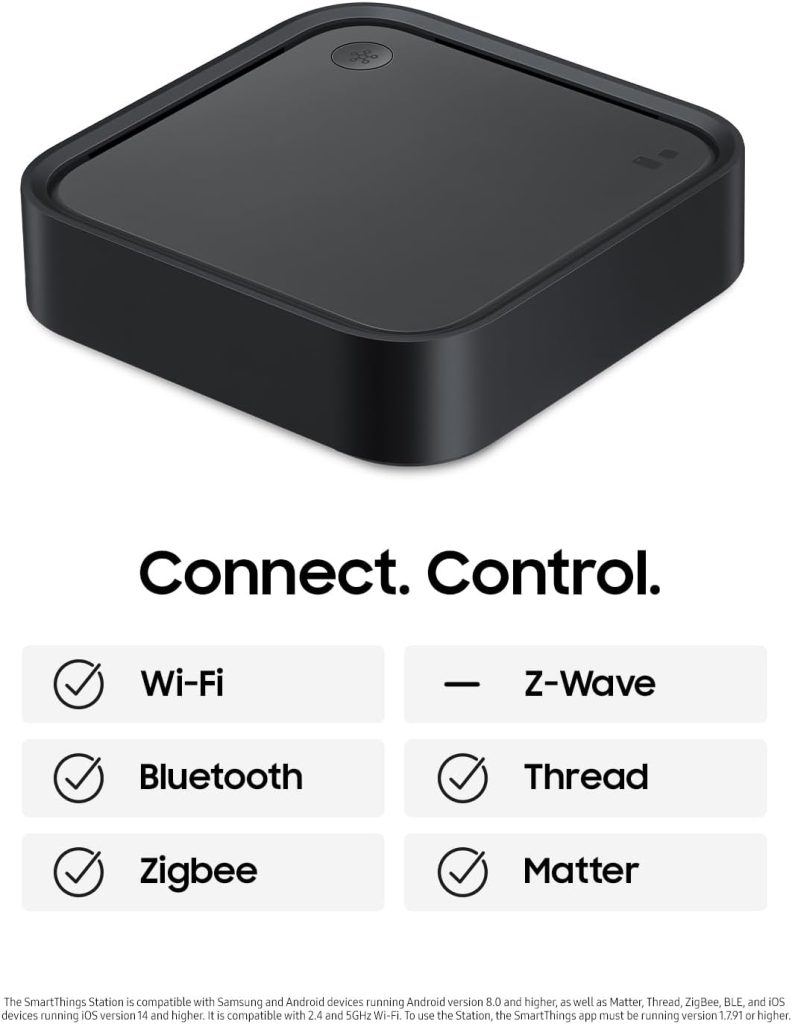
Who it’s for: Mixed-brand homes across multiple ecosystems, Matter-first buyers, anyone who wants broad device compatibility at modest cost
Price: ~$110 | Protocols: Zigbee, Thread (border router), Matter, Z-Wave (via USB dongle) | Bonus: 15W Qi wireless charger built-in
Works with: Alexa, Google Home, SmartThings (native), Samsung appliances
Local control: Partial (some automations local, some cloud) | Subscription: None required
The SmartThings Station is the best-value multi-protocol smart home hub in 2026.
For $110, it handles Zigbee, Thread, and Matter natively, with Z-Wave available via a USB dongle for an additional $30.
That combination covers virtually every smart home device protocol in one unit.
The neutral platform position is SmartThings’ strongest argument. Unlike the Echo Hub (Alexa-native) or HomePod Mini (HomeKit-native), SmartThings exposes devices to Alexa, Google Home, and Samsung simultaneously.
Add a Zigbee sensor through SmartThings, and it appears in both Alexa and Google Home automatically. For mixed Amazon and Google households, this cross-ecosystem exposure is genuinely useful.
The built-in 15W Qi wireless charger is a design touch that makes the Station a natural bedside or desk unit; it charges your phone while managing your smart home.
A small detail, but one that justifies shelf space the hub would otherwise compete for.
The Samsung SmartThings Station is the most recommended hub for most new smart home buyers who don’t have a strong ecosystem preference.
It covers the widest device compatibility at the fairest price without locking you into any single voice assistant.
The honest limitation: SmartThings automations run in the cloud rather than locally. During internet outages, routines stop.
For local-first automation, step up to Hubitat or Home Assistant. Also, Samsung’s long-term SmartThings platform commitment has been questioned in the community; the company discontinued its standalone SmartThings hub hardware in 2021, though the Station and Aeotec hubs continue as current products.
3. Apple HomePod Mini — Best Smart Home Hub for Apple HomeKit
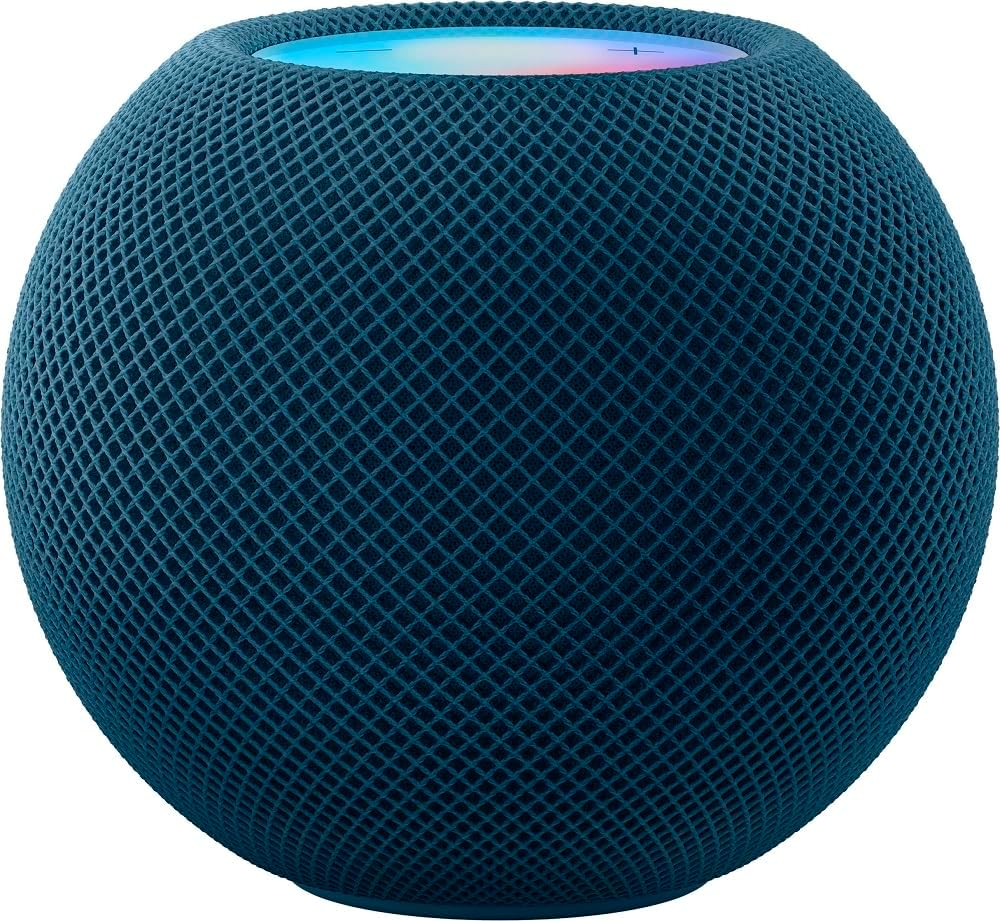
Who it’s for: iPhone and Apple device households wanting the simplest HomeKit setup with Thread and Matter support
Price: ~$99 | Protocols: Thread (border router), Matter, Wi-Fi, Bluetooth | No Zigbee or Z-Wave
Works with: Apple HomeKit (native), Alexa (limited), Google Home (limited)
Local control: Yes — HomeKit automations run locally ✅ | Subscription: None
Every iPhone user asking “What smart home hub should I buy?” should look at whether they already own an Apple TV 4K before purchasing a HomePod Mini.
Both serve identical HomeKit hub and Thread border router functions. If you have an Apple TV 4K, you already have Apple’s best smart home hub.
The HomePod Mini earns its recommendation for the Apple household that wants a dedicated always-on HomeKit hub without repurposing a TV streamer.
It runs HomeKit automations locally; “when I arrive home, unlock the door and turn on the lights” executes on the HomePod Mini’s processor, not Apple’s servers.
It processes even when your internet is down.
HomeKit’s privacy model is the strongest of any major smart home ecosystem; all camera processing happens locally, automation data doesn’t leave your network, and Apple’s ecosystem architecture prioritises local processing by design.
For households with security cameras, door locks, and sensors where data privacy matters, HomeKit with a HomePod Mini hub is the most privacy-forward mainstream option.
The critical limitation: no Zigbee or Z-Wave radio. The HomePod Mini handles Thread, Matter, Wi-Fi, and Bluetooth devices only. For Zigbee or Z-Wave devices, you need a separate bridge; the Aqara Hub M3 works well alongside a HomePod Mini for HomeKit users who also have Zigbee sensors.
4. Aeotec Smart Home Hub — Best for Zigbee and Z-Wave Legacy Devices
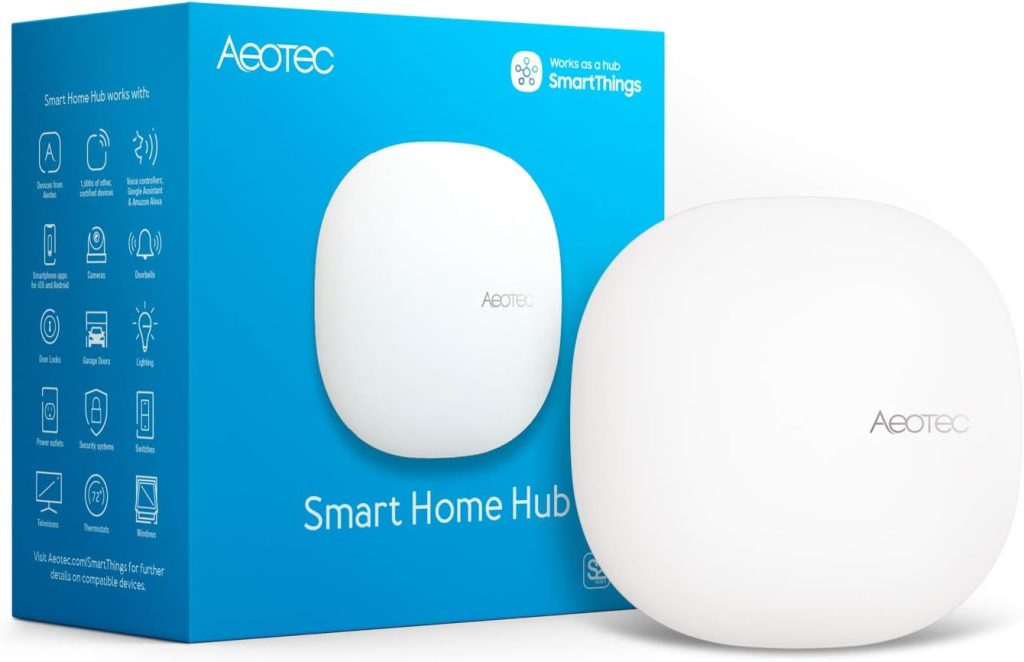
Who it’s for: Homes with existing Zigbee sensor networks, Z-Wave locks, or those migrating from older SmartThings hubs
Price: ~$130 | Protocols: Zigbee, Z-Wave, Thread, Matter, Wi-Fi, Bluetooth
Works with: SmartThings (runs SmartThings platform), Alexa, Google Home
Local control: Partial — some automations local via SmartThings Edge Drivers | Subscription: None required
The Aeotec Smart Home Hub runs the SmartThings platform on standalone hardware; it’s the physical hub replacement for the discontinued Samsung SmartThings Hub V2 and V3.
If you own or are migrating from those older hubs, the Aeotec is the natural upgrade path. Your SmartThings routines, device configurations, and automations migrate directly.
The protocol coverage is the broadest of any hub at this price: Zigbee 3.0, Z-Wave Plus, Thread, Matter, Wi-Fi, and Bluetooth in one unit.
For homes with a mix of older Zigbee sensors, Z-Wave locks, and newer Matter devices, the Aeotec bridges all three generations without requiring separate bridges or hubs per protocol.
Independently tested reviewers consistently rate the Aeotec as the best option for homes without an existing ecosystem; the multi-protocol support makes it the most broadly compatible hub outside the dedicated Google, Amazon, and Apple options.
The limitation: SmartThings automations are primarily cloud-based. Aeotec has been adding SmartThings Edge Drivers for local automation on some device types, but the full local-processing capability of Hubitat or Home Assistant isn’t matched.
For cloud-dependent automation, this is acceptable. For guaranteed local processing, step up to Hubitat.
For a comprehensive review of the Aeotoc smart hub.
5. Homey Pro — Best Smart Home Hub for Power Users
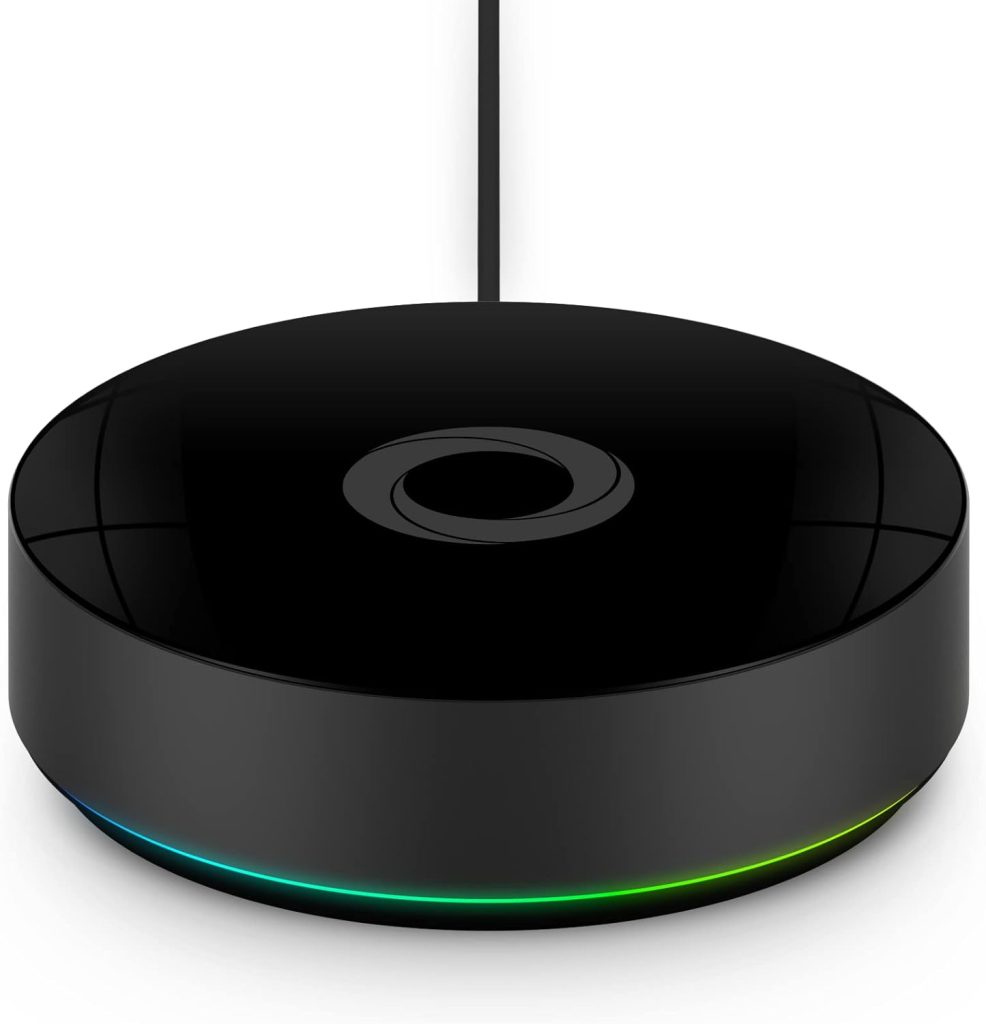
Who it’s for: Large or complex smart home setups (40+ devices) needing multi-protocol support, local processing, and advanced automation without technical complexity
Price: ~$399 | Protocols: Zigbee, Z-Wave, Thread, Matter, Infrared, 433MHz, Bluetooth, Wi-Fi
Works with: Alexa, Google Home, HomeKit (via Matter), 50,000+ devices
Local control: Yes — fully local automations ✅ | Subscription: None required
The Homey Pro supports over 50,000 devices across every significant smart home protocol: Zigbee, Z-Wave, Thread, Matter, Infrared (for AV equipment), 433MHz (for older sensors and remotes), Bluetooth, and Wi-Fi.
For a home that has accumulated devices over the years from different eras and brands, the Homey Pro is the single hub that can absorb everything without protocol limitations.
All automations run locally, on the Homey Pro’s processor, not on any cloud. A power outage or internet failure leaves your automations intact. Lights still turn on at sunset.
The door sensor still triggers the hallway light. This local reliability, combined with the device breadth, makes the Homey Pro the correct answer for households that need “no compromises.”
The mobile app is considerably more polished than competing power-user hubs (Hubitat, Home Assistant).
Creating automations, managing device groups, and setting up scenes use a flow-based visual interface rather than code, accessible to non-technical users despite the technical depth underneath. The most common complaints from users: the price and the app’s learning curve for complex flows.
Who this is not for: buyers with under 20 devices, or anyone who primarily uses Alexa or Google Home voice control as their main interface.
The Homey Pro’s strength is its automation engine and protocol coverage, not its voice assistant integration, which is present but not the focus. For under $200, the SmartThings Station or Aeotec delivers 80% of the value at 30% of the cost.
6. Home Assistant Green — Best Smart Home Hub for Local Control and Privacy
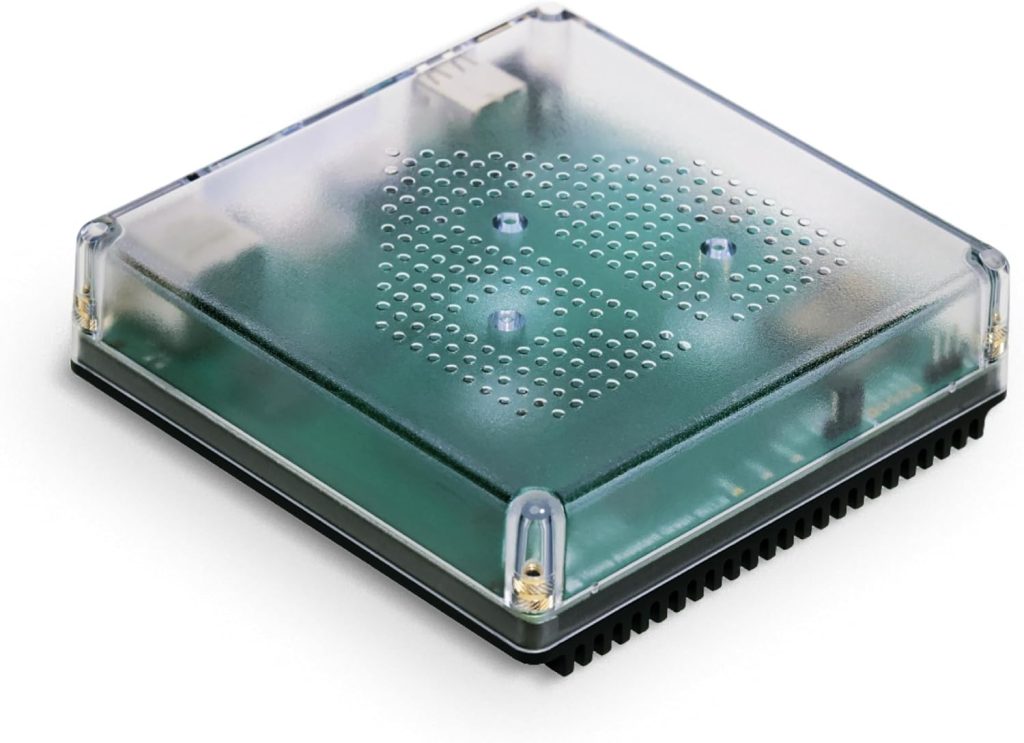
Who it’s for: Privacy-focused buyers and technically-inclined homeowners who want full local control with zero cloud dependency
Price: ~$219 | Protocols: Wi-Fi, Matter (built-in), Zigbee and Z-Wave via USB dongles (~$25–$40 each)
Works with: Alexa, Google Home, HomeKit (via Matter), 3,000+ brand integrations
Local control: Yes — fully local, no mandatory cloud ✅ | Subscription: None required (optional Nabu Casa cloud at $7/month for remote access)
Home Assistant runs entirely on your local network. No data leaves your home unless you specifically configure remote access.
No manufacturer servers are involved in your automations. No subscription required for any core feature.
For households where smart home privacy is a primary concern, particularly for security cameras, door locks, and occupancy sensors, this architecture is fundamentally different from Echo, Google Home, or SmartThings.
The 3,000+ brand integrations are the number that makes Home Assistant worth serious consideration for tech-comfortable buyers.
Nearly every smart home device ever made has a Home Assistant integration. This includes discontinued products that lost cloud support and devices that don’t work with Alexa or Google Home officially.
The Home Assistant Green is the plug-and-play hardware option, a small green box that runs Home Assistant OS out of the box.
Add a Zigbee USB stick (~$25) for Zigbee devices, a Z-Wave stick (~$40) for Z-Wave devices, and the setup rivals hubs costing four times as much in protocol coverage.
The honest learning curve warning: Home Assistant has the steepest setup experience of any hub on this list.
The initial configuration, device pairing, and automation logic require technical comfort, reading documentation, troubleshooting YAML configurations, and engaging with the community forum.
The investment pays off for users who commit to it. For buyers who want something that works within 30 minutes, the SmartThings Station or Echo Hub is the better choice.
Smart Home Hub Comparison 2026 — All Picks at a Glance
| Hub | Price | Protocols | Local control | Setup ease | Best for |
|---|---|---|---|---|---|
| Echo Hub | ~$180 | Zigbee, Thread, Matter | Partial ⚠️ | Very easy ✅✅ | Alexa households |
| SmartThings Station | ~$110 | Zigbee, Thread, Matter, Z-Wave (USB) | Partial ⚠️ | Easy ✅✅ | Multi-ecosystem, new buyers |
| HomePod Mini | ~$99 | Thread, Matter, Bluetooth, Wi-Fi | Yes ✅ | Very easy ✅✅ | Apple HomeKit homes |
| Aeotec Hub | ~$130 | Zigbee, Z-Wave, Thread, Matter | Partial ⚠️ | Moderate ✅ | Legacy Zigbee + Z-Wave |
| Homey Pro | ~$399 | Zigbee, Z-Wave, Thread, Matter, IR, 433MHz, BT | Yes ✅ | Moderate ✅ | 40+ device power users |
| Home Assistant Green | ~$219 | Matter + Zigbee/Z-Wave via USB dongles | Yes ✅ | Technical ⚠️ | Privacy-first, tech-savvy |
Frequently Asked Questions About Smart Home Hubs
Do I need a smart home hub in 2026?
Not necessarily. If all your smart devices connect via Wi-Fi or are Matter-certified, your existing Amazon Echo, Google Home speaker, or iPhone serves as a sufficient controller; no dedicated hub is needed.
You need a dedicated hub if you have Zigbee devices (IKEA Tradfri, Aqara sensors, Philips Hue with third-party bulbs), Z-Wave devices (most smart locks, some sensors), or if you want automations that run locally during internet outages.
Before buying a hub, check what you already own. A 4th Gen Echo, Apple TV 4K, HomePod Mini, or Nest Hub 2nd Gen is a functional smart home hub with Thread border router capability.
What is the difference between a smart home hub and a smart speaker?
A smart speaker (Echo Dot, Google Nest Mini, HomePod Mini) is primarily a voice assistant that can control smart home devices.
A dedicated smart home hub (SmartThings Station, Aeotec, Hubitat) is primarily a device controller with automation processing that may also respond to voice.
In practice, many smart speakers now include hub functionality; the Echo (4th Gen) has a Zigbee hub and Thread border router built in.
The distinction matters most for complex automation needs (local processing, Z-Wave support, advanced routines) rather than basic voice-controlled device control.
What is Matter, and do I need a new hub for it?
Matter is a universal smart home compatibility standard that lets devices from different brands work together without checking ecosystem compatibility.
A Matter-certified bulb works with Alexa, Google Home, and HomeKit simultaneously after one setup.
You don’t need a new hub for Matter; your existing Echo (3rd Gen or later), Google Home speaker, or HomePod Mini is already a Matter controller.
The hub question for Matter arises only for Thread-based Matter devices, which need a Thread border router.
The Echo (4th Gen), HomePod Mini, and Nest Hub 2nd Gen all include one.
Which smart home hub works with both Alexa and Google Home?
The Samsung SmartThings Station, Aeotec Smart Home Hub, Homey Pro, and Home Assistant all work with both Alexa and Google Home simultaneously.
Devices added through these hubs appear in both the Alexa app and Google Home app, controllable by voice from either platform.
The Amazon Echo Hub and Apple HomePod Mini are ecosystem-native, best for their primary ecosystem with limited cross-platform use.
For genuinely multi-ecosystem households, the SmartThings Station at $110 is the most accessible neutral hub.
What is the best smart home hub with no subscription?
Every hub on this list operates without a subscription for core features.
Hubitat, Home Assistant, and Homey Pro run fully locally with no cloud subscription of any kind. Samsung SmartThings and the Aeotec hub use the SmartThings cloud for automation logic but charge nothing for the platform.
Amazon Echo Hub and Apple HomePod Mini require no subscription for device control or automation.
The only optional paid tier is Home Assistant’s Nabu Casa cloud service ($7/month) for remote access outside your home, but all automations run locally without it.
Final Verdict — Which Smart Home Hub Should You Buy?
✅ You’re starting fresh and want the best value across all ecosystems
Buy: Samsung SmartThings Station (~$110).
Zigbee, Thread, Matter, and Z-Wave (via USB). Works with Alexa, Google Home, and Samsung simultaneously. Built-in Qi wireless charger. The most protocols at the most accessible price from any hub on this list. The correct first hub for a home without an existing ecosystem commitment.
✅ You’re primarily an Alexa household with Zigbee devices
Buy: Amazon Echo Hub (~$180) — or check if you already own a 4th Gen Echo.
Zigbee hub, Thread border router, Matter controller, touchscreen dashboard. If you own an Echo (4th gen), Echo Plus, or Echo Show 10 (3rd gen), you already have the Zigbee and Thread capabilities. Buy the Echo Hub only for the visual touchscreen control panel.
✅ You’re an iPhone household running Apple HomeKit
Check if you already own an Apple TV 4K or HomePod Mini first — both are full HomeKit hubs.
If you don’t have either, the HomePod Mini at $99 is the correct purchase. HomeKit automations run locally. Thread border router included. Privacy-first architecture. No Zigbee, add an Aqara Hub M3 alongside it if you need Zigbee sensor support.
✅ You have Z-Wave locks or sensors and need a hub that handles them
Buy: Aeotec Smart Home Hub (~$130).
Zigbee, Z-Wave, Thread, and Matter, the most complete protocol coverage for legacy device collections at under $150. Runs the SmartThings platform. Works with Alexa and Google Home. The right hub for homes with accumulated Z-Wave devices that need a modern hub to manage them.
✅ You want no subscriptions, no cloud, and local processing that works offline
Buy: Home Assistant Green (~$219) if technically comfortable. Homey Pro (~$399) if you want power without the learning curve.
Home Assistant Green: $99, fully local, 3,000+ integrations, technical setup. Add Zigbee and Z-Wave dongles (~$25–$40 each). Homey Pro: $399, same local control, easier app, every protocol built-in, 50,000+ devices. Both run automations without any internet connection.
Smart Hubs & Voice Assistants Guides on SmartHomeDock
Also Read:
