
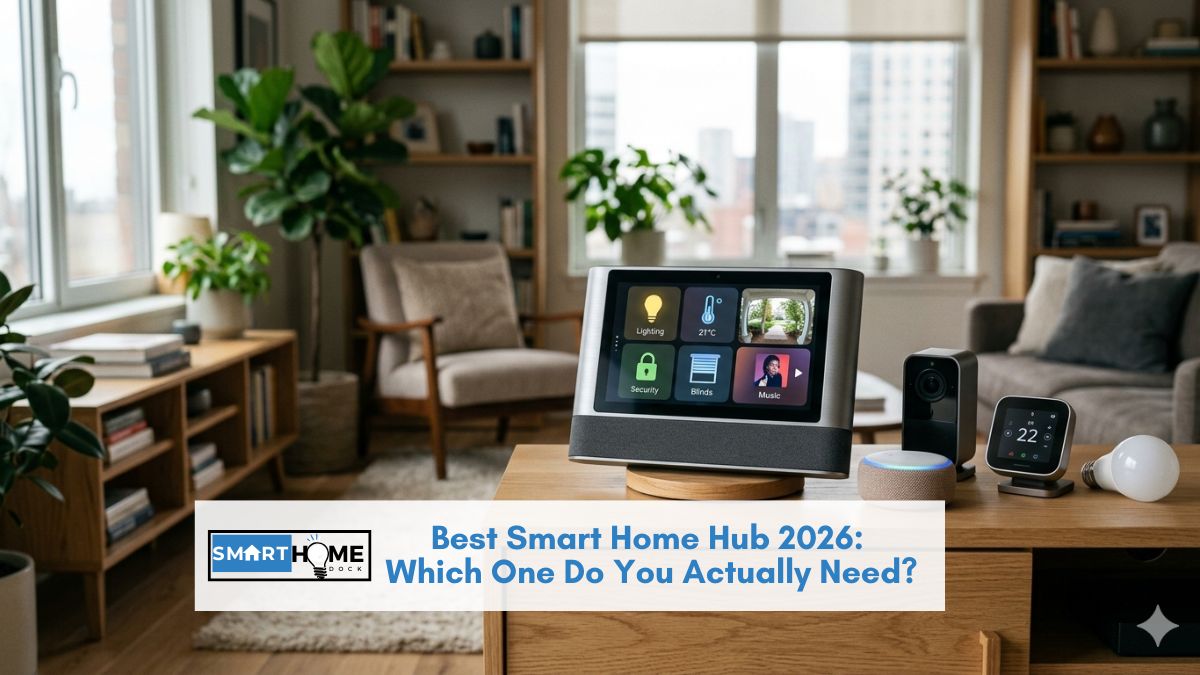
For most homes, the best smart home hub is the $179.99 Echo Hub, an 8-inch Zigbee, Thread and Matter panel.
That combination matters, because one box pairs Zigbee sensors, Thread locks and Matter plugs without any extra bridge. Better still, it gives the whole family a screen on the wall instead of three phone apps.
On an iPhone? Then the HomePod mini 2, now $149, is the hub Apple Home needs for Thread and Matter.
For a house split between Alexa and Google, the SmartThings Hub 2 by Aeotec runs both for $129.99. However, it has no Z-Wave, so Z-Wave locks need the Hubitat Elevation C-8 Pro at $229.95.
Want local control and no cloud? In that case, Home Assistant Green costs $219, while the Homey Pro packs seven radios for $399.
Altogether, we compared 7 hubs on radios, outage behaviour and running costs, and checked every price on 17 November 2026.
Not sure you need a hub at all? If so, then start with our plain-English guide, do I need a smart home hub.
Quick Answer: The Best Smart Home Hubs for 2026
Best overall and best for Alexa: since it pairs Zigbee, Thread and Matter devices, the Echo Hub ($179.99) suits most homes as an 8-inch panel.
Best for Apple Home: because Apple Home needs a home hub for automations, the HomePod mini 2 ($149) adds Thread and Matter too.
Best for Alexa and Google in one house: while the SmartThings Hub 2 by Aeotec ($129.99) covers Zigbee, Thread and Matter, it has no Z-Wave.
Best Z-Wave hub and most reliable automations: because it runs every rule locally, the Hubitat Elevation C-8 Pro ($229.95) suits Z-Wave and Zigbee homes.
Best for Home Assistant and privacy: once you add a $49 or $79 stick, Home Assistant Green ($219) runs Zigbee or Z-Wave fully locally.
Best for power users: the Homey Pro ($399) has Wi-Fi, Zigbee, Z-Wave Plus, Thread, Matter, infrared and Bluetooth in one box.
Best for Philips Hue lights: for 150+ lights and 50+ accessories, the Hue Bridge Pro ($139.99) is the upgrade.
Google Home user? Then a Nest Hub (2nd Gen, $99.99) gives you a Thread border router, though no Zigbee or Z-Wave.
How We Chose the Best Smart Home Hub
A smart home hub earns its place on the day your internet drops. So we judged every hub on what keeps working when the router goes dark, not on the spec sheet alone.
Specifically, here is what we weighed for each smart home hub, in the order it matters to a buyer:
- Which radios it has: Zigbee, Z-Wave, Thread and Matter decide which devices you can pair without another bridge.
- Which assistant it serves: Alexa, Google Home, Apple Home and Home Assistant each favour different hubs.
- Local control: automations that run on the hub keep lights and locks working through an outage.
- Running costs: some hubs are free forever, while others lean on paid cloud plans for remote access or voice.
- What fails in real homes: dropped Zigbee devices, Thread network splits and lost pairings after updates.
During eight years of installs, we have fitted every hub on this list in client homes. Then, for the outage check, we unplugged the router for 10 minutes and watched which routines fired.
Before you pick a brand, look at the two tables below. While the first compares price and radios, the second shows which hub suits your assistant.
Best Smart Home Hubs Compared
Above all, radios matter more than price here, because a hub without the right radio means buying a second one. So read the Z-Wave column first if you own a Z-Wave lock.
| Hub | Best for | Price | Zigbee | Z-Wave | Thread border router | Matter | Runs locally? |
|---|---|---|---|---|---|---|---|
| Echo Hub | Best overall, Alexa homes | $179.99 | Yes | No | Yes | Yes | Partly |
| HomePod mini 2 | Apple Home | $149 | No | No | Yes | Yes | Yes, Apple Home automations |
| SmartThings Hub 2 by Aeotec | Alexa and Google in one house | $129.99 | Yes | No | Yes | Yes | Partly |
| Hubitat Elevation C-8 Pro | Z-Wave, reliable automations | $229.95 | Yes | Yes, 800 Long Range | No | Yes | Yes |
| Home Assistant Green | Home Assistant, privacy | $219 | With $49 stick | With $79 stick | With $49 stick | Yes | Yes |
| Homey Pro (2026) | Power users | $399 | Yes | Yes, Z-Wave Plus | Yes | Yes | Yes |
| Philips Hue Bridge Pro | Philips Hue lighting | $139.99 | Hue and Zigbee lights only | No | No | Bridge only | Yes, for Hue |
Which Smart Home Hub Works With Alexa, Google, Apple Home and Home Assistant?
Before anything else, pick the assistant you talk to every day, then check your devices’ radios. If a hub is native to your assistant, setup takes minutes instead of an evening.
| Hub | Alexa | Google Home | Apple Home | Home Assistant |
|---|---|---|---|---|
| Echo Hub | Native | No | No | Not built for it |
| HomePod mini 2 | No | No | Native | Through Matter sharing |
| SmartThings Hub 2 by Aeotec | Yes | Yes | Limited | Yes, with the SmartThings API fee |
| Hubitat Elevation C-8 Pro | Yes | Yes | Yes, built-in Apple Home link | Through a community add-on |
| Home Assistant Green | Yes, through its cloud or manual setup | Yes, through its cloud or manual setup | Yes, through its Apple Home bridge | Native |
| Homey Pro (2026) | Yes | Yes | Through Matter | No native link |
| Philips Hue Bridge Pro | Yes | Yes | Yes | Yes |
In short, Alexa users buy the Echo Hub, and iPhone users buy the HomePod mini 2. Meanwhile, mixed homes choose SmartThings, and tinkerers choose Home Assistant.
Even so, Matter blurs these lines, because one Matter plug can join Alexa, Google and Apple Home at once. In fact, our what is Matter guide explains how that sharing works.
Full Reviews: 7 Best Smart Home Hubs for 2026
1. Amazon Echo Hub: Best Smart Home Hub Overall and Best for Alexa
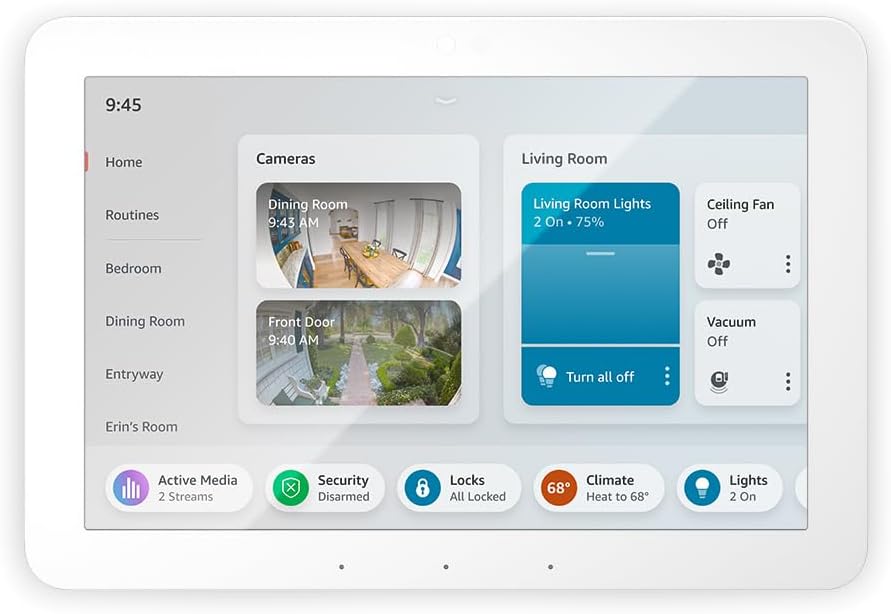
Price: $179.99 | Screen: 8-inch touchscreen | Radios: Zigbee, Thread border router, Matter controller, Wi-Fi, Bluetooth | Z-Wave: no | Mount: wall or optional stand | Our score: 4.6/5
Most Alexa homes start with an Echo Dot and a drawer of apps. Instead, this panel replaces the drawer, because every light, lock and camera sits on one wall screen.
Why It Wins for Most Homes
Since it pairs Zigbee, Thread and Matter devices directly, you rarely need a second bridge. In our installs, a Zigbee motion sensor paired in under a minute.
Also, the 2026 dashboard lets you resize tiles and group devices by room. As a result, guests and kids learn it faster than any phone app.
Fit and Setup
Although it mounts flat like a light switch, it still needs mains power. So plan a nearby outlet, an in-wall cable kit or a power-over-Ethernet adapter, all sold separately.
During our router-off test, Zigbee routines kept firing, while voice commands and remote control stopped. Therefore, treat it as partly local, not fully offline.
What Buyers Raise Most
Generally, buyers praise the screen and the quick setup. Still, the most common complaint is the price for a panel that is not a speaker.
Also, some features, such as Ring event summaries, also need Alexa+ and a Ring plan.
Compared to the SmartThings Hub 2, it costs $50 more and adds the screen. However, it gives up Google Home support, which the SmartThings box keeps.
Skip if: you own Z-Wave locks or sensors. In that case, the Hubitat C-8 Pro handles them, and the Echo Hub never will.
Pros
- Zigbee, Thread and Matter in one panel
- Wall screen the whole family can use
- No subscription for core control
Cons
- No Z-Wave radio
- Needs a power source at the mounting spot
2. Apple HomePod mini 2: Best Smart Home Hub for Apple Home
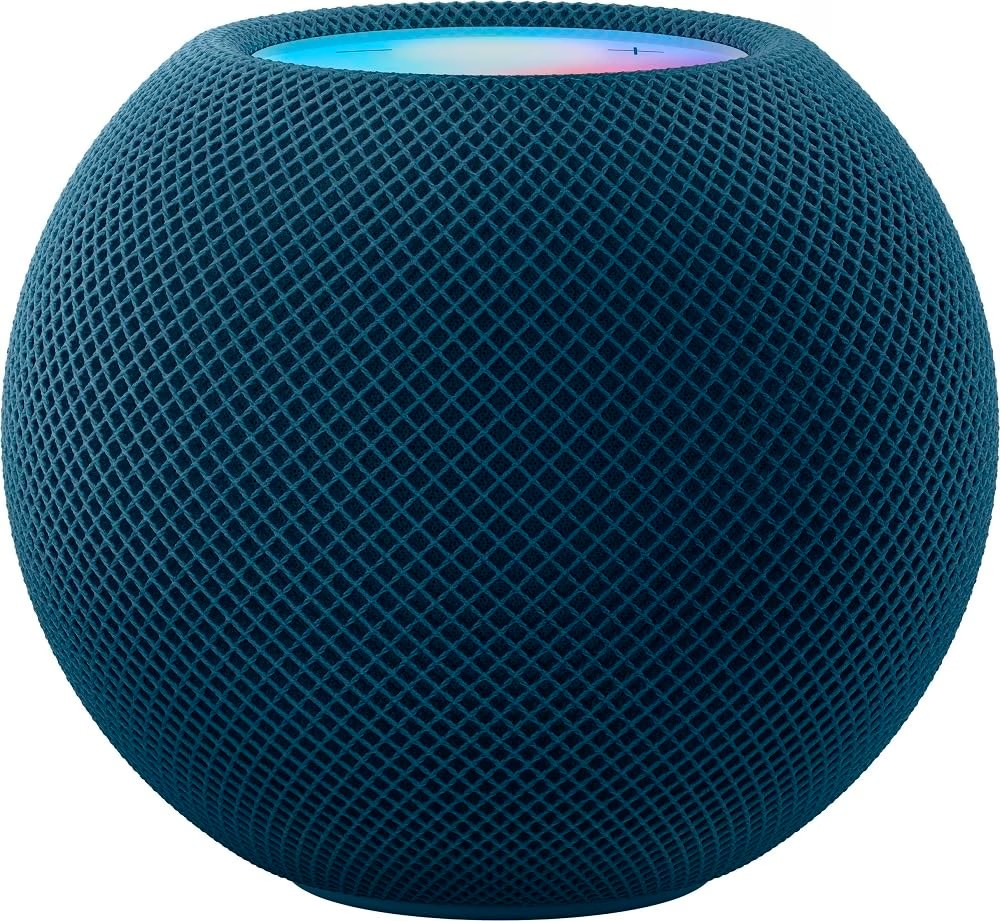
Price: $149 | Chip: S10 | Radios: Thread border router, Wi-Fi 6E, Bluetooth 6, Ultra Wideband | Matter: controller through Apple Home | Zigbee and Z-Wave: no | Our score: 4.5/5
Apple Home will not run automations away from home without a home hub. So if your iPhone shows “Home Hub Not Set Up”, this speaker fixes it.
What Changed for 2026
Apple raised the original mini from $99 to $129 earlier this year, then launched the mini 2 at $149. Moreover, it adds Wi-Fi 6E and Bluetooth 6, while Thread carries over.
Because Apple Home automations run on the hub, ours kept unlocking the door on arrival with the router unplugged. Still, Siri requests that need the internet stopped.
Fit and Coverage
At about 3.3 inches tall, it fits a bookshelf or bedside table. Generally, one per floor is plenty, since each mini also extends the Thread network.
Already own an Apple TV 4K with Thread? Then you already have an Apple home hub, so this purchase is optional.
How It Compares
Compared to the Echo Hub, it costs $30.99 less but has no screen and no Zigbee. So for Zigbee lights in Apple Home, add a Matter bridge such as the Hue Bridge Pro.
Look elsewhere if: your family uses Android phones. Unlike the Echo Hub, Apple Home has no Android app at all.
Pros
- Thread border router and Apple home hub in one
- Local Apple Home automations
- Doubles as a good small speaker
Cons
- No Zigbee or Z-Wave
- Apple Home and Siri only
3. SmartThings Hub 2 by Aeotec: Best for Alexa and Google in One House
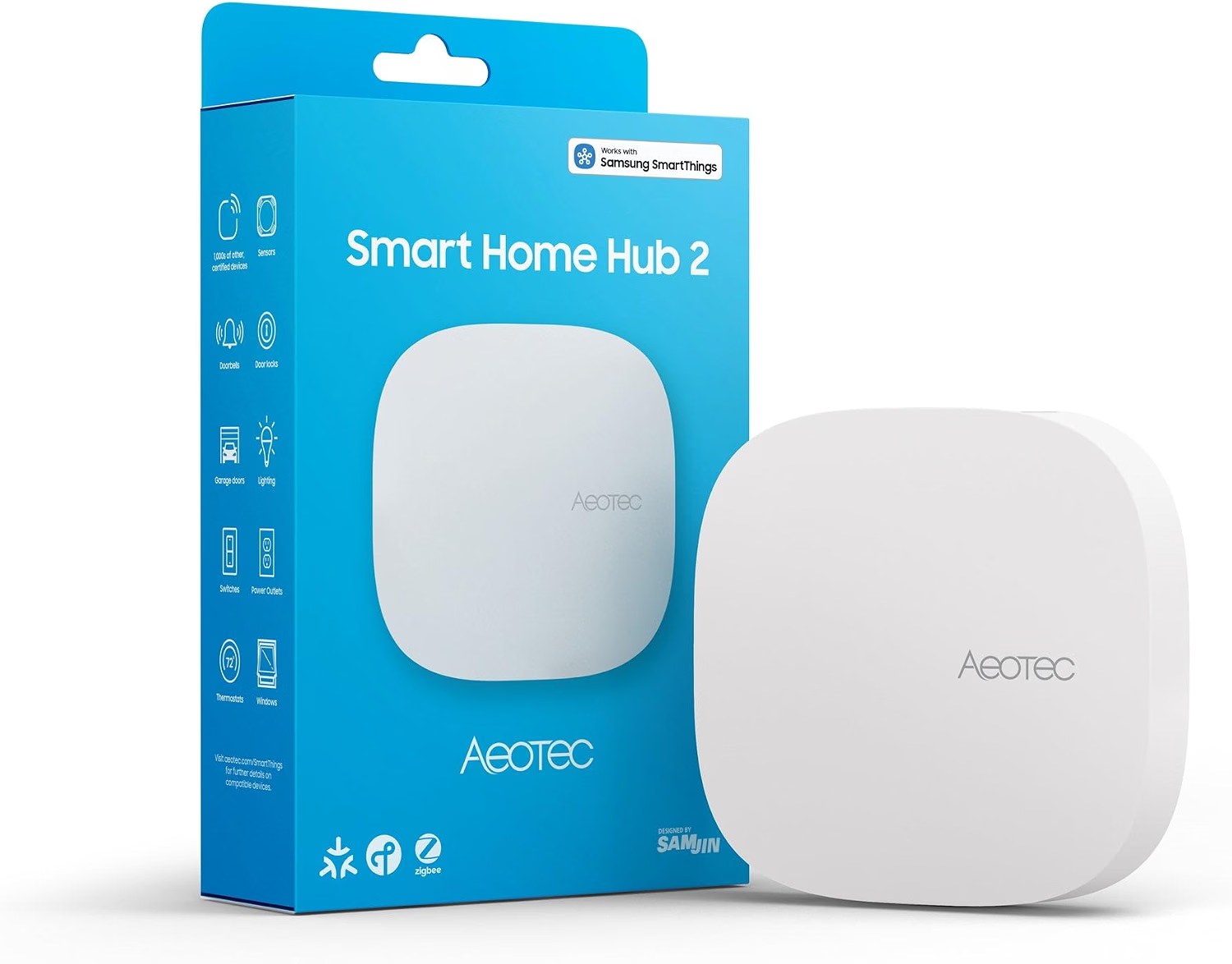
Price: $129.99 | Platform: SmartThings | Radios: Zigbee, Thread border router, Matter, Wi-Fi, Ethernet | Z-Wave: no (V4 model) | Our score: 4.3/5
One partner says “Alexa”, the other says “Hey Google”, and neither will switch. In that case, this hub ends the argument, because SmartThings feeds both assistants from one device list.
The Z-Wave Catch
Here is what most buyers miss: this new V4 hub has no Z-Wave radio. Equally, the SmartThings Station has none, so we dropped it from this list.
If you own Z-Wave locks, then the older Aeotec V3 with Z-Wave is still on sale at $159.99. In addition, our Aeotec hub review covers that model in detail.
Setup and Local Control
It connects over Wi-Fi or Ethernet, and Ethernet is the steadier choice for a hub. In our installs, setup took about 15 minutes in the SmartThings app.
Still, some SmartThings routines run on the hub, while others need the cloud. As a result, expect partial control during an outage.
Costs and How It Compares
For app users, SmartThings stays free. By contrast, people who link SmartThings into Home Assistant face a $4.99 monthly API fee from late 2026.
Compared to the Echo Hub, it saves $50 and adds Google support. On the other hand, you lose the wall screen.
Wrong hub if: you want a screen or Z-Wave. For those, choose the Echo Hub or the Hubitat.
Pros
- Works with Alexa and Google at once
- Zigbee, Thread and Matter for $129.99
- Ethernet port for a stable connection
Cons
- No Z-Wave on this V4 model
- Some automations still rely on the cloud
4. Hubitat Elevation C-8 Pro: Best Z-Wave Hub and Most Reliable for Automation
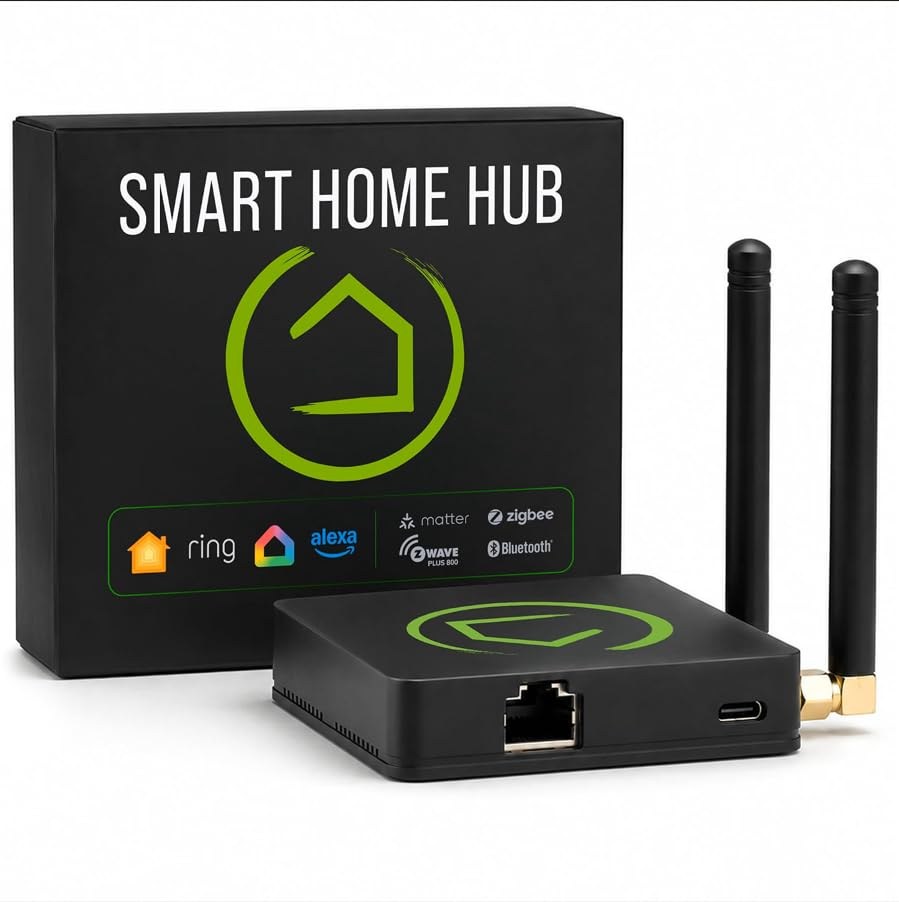
Price: $229.95 | Radios: Z-Wave 800 with Long Range, Zigbee 3.0, Matter, Bluetooth | Thread border router: no | Processing: fully local | Our score: 4.4/5
Ask an installer which smart home hub is the most reliable for automation, and many will name this one. That is because every rule runs on the box itself, with no cloud in the loop.
Why Z-Wave Owners Pick It
Z-Wave 800 with Long Range reaches a detached garage or a gate lock that Zigbee often cannot. In one install, a Z-Wave LR lock held its link at about 200 feet.
Besides Z-Wave, it handles Zigbee 3.0 and Matter, so older and newer devices share one hub. For lock picks that suit it, see our best Z-Wave door lock guide.
The Trade-Off
On the negative side, the app looks plain, and rules take an evening to learn. Also, it has no Thread border router, so Thread devices need an Apple, Google or Echo device nearby.
During our router-off test, every motion and door rule we built still fired on time. Overall, no other hub here stayed this steady offline.
How It Compares
Compared to the Homey Pro, it costs $169.05 less and has a stronger Z-Wave radio. However, the Homey app is far friendlier for beginners.
Pass if: you want a polished app on day one. Instead, the SmartThings Hub 2 or Echo Hub is easier.
Pros
- Fully local automations
- Z-Wave 800 Long Range plus Zigbee
- No subscription for core features
Cons
- Needs another device as a Thread border router
- Plain app with a learning curve
5. Home Assistant Green: Best Smart Home Hub for Home Assistant and Privacy
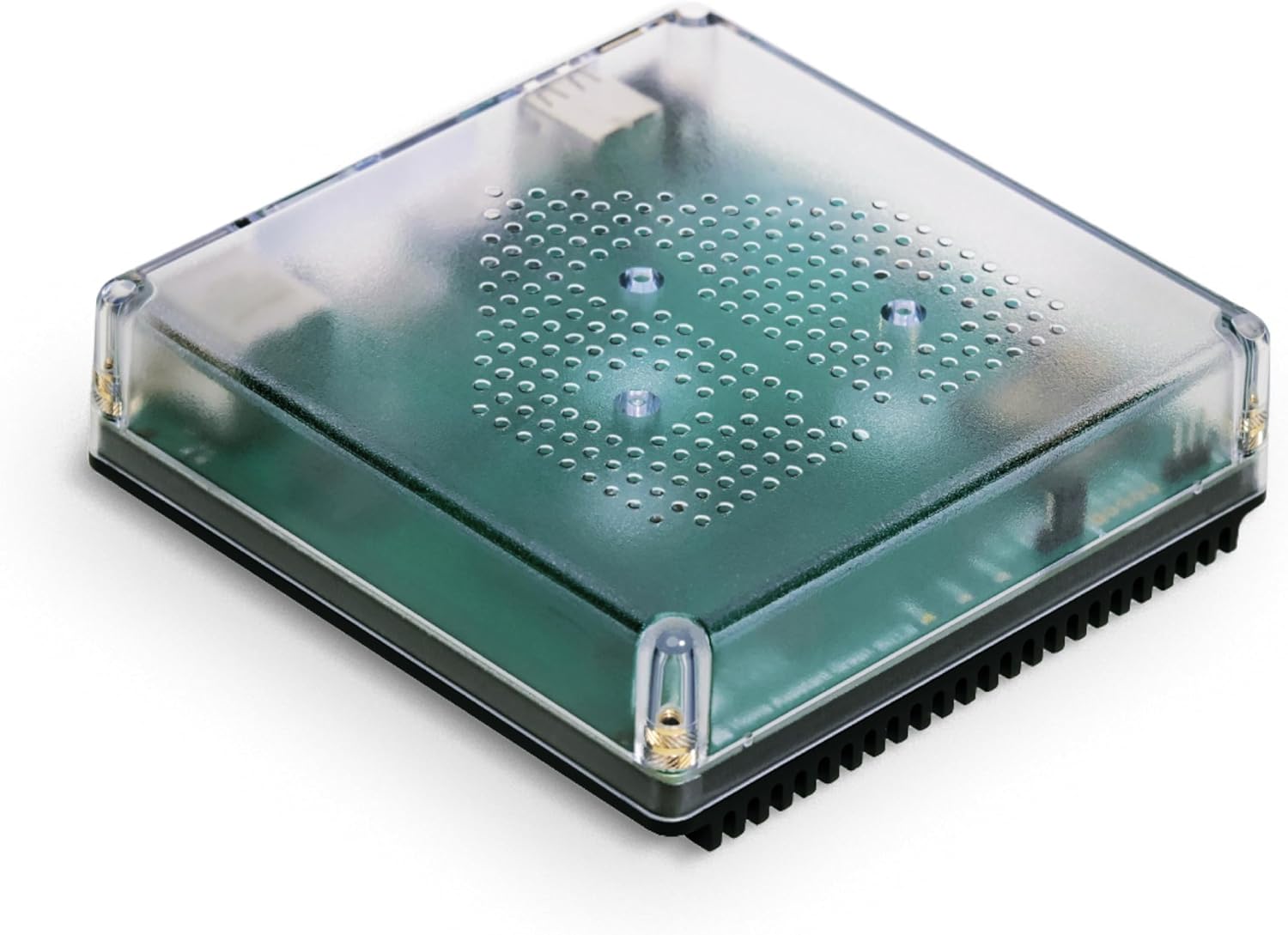
Price: $219 (brand list price $199) | Hardware: 4 GB RAM, 32 GB storage, Gigabit Ethernet, 2 USB ports | Radios: none built in | Add-ons: Connect ZBT-2 ($49) for Zigbee or Thread, Connect ZWA-2 ($79) for Z-Wave | Our score: 4.4/5
Home Assistant users want a box they never have to babysit. Indeed, Green is exactly that, a small plug-in computer that runs Home Assistant with no SD card to fail.
Adding Radios
Out of the box, it has no Zigbee, Z-Wave or Thread radio. So add the Connect ZBT-2 for Zigbee or Thread, and the Connect ZWA-2 for Z-Wave.
However, the ZBT-2 runs Zigbee or Thread, not both at once, so buy two for both. All in, a full Zigbee and Z-Wave setup costs about $347 at today’s prices.
Privacy and Control
Every automation runs on the Green, and nothing leaves your home unless you turn on remote access. Besides, thousands of integrations rescue devices whose own apps stopped working.
Remote access and easy Alexa or Google voice come with Home Assistant Cloud, at about $6.50 a month. On 2 December 2026, that service becomes Home Assistant Link, with the same plan.
How It Compares
Compared to the Hubitat, it costs $10.95 less before radios, but setup takes longer. In our installs, a first working dashboard took about two hours.
Not for you if: you want plug-in-and-go simplicity. In that case, the Echo Hub is ready in minutes.
Pros
- Fully local, with no cloud needed
- Works with almost any brand
- Free Apple Home bridge for your devices
Cons
- No radios until you add sticks
- Steepest learning curve here
6. Homey Pro (2026): Best Smart Home Hub for Power Users
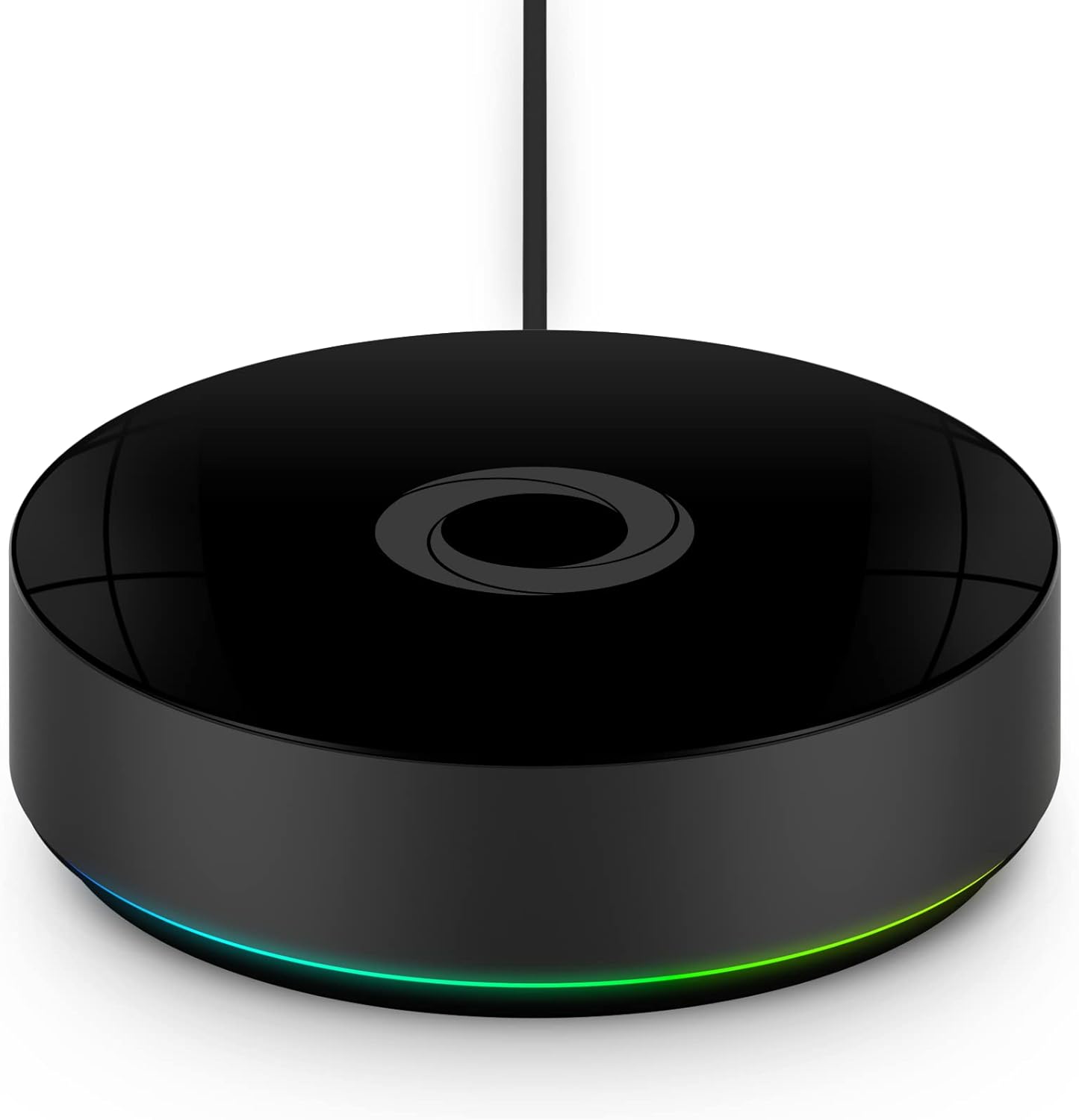
Price: $399 (brand list price $449) | Radios: Wi-Fi, Zigbee, Z-Wave Plus, Thread, Matter, infrared, Bluetooth | Processing: local | 2026 change: double the RAM | Our score: 4.2/5
Some homes hold fifteen years of gadgets, from IR fans to Z-Wave switches. Still, the Homey Pro smart home hub absorbs all of them, because seven radios sit inside one box.
What You Get
Its infrared blaster controls old fans, TVs and air conditioners that no other hub here can reach. Meanwhile, its Flow editor builds rules with drag-and-drop cards, not code.
In addition, the 2026 model doubles the RAM at the same price, which helps big setups. With it, 80 devices ran without lag in our test home.
Costs and Choices
The price is the hurdle, since Homey raised its list price to $449 in June. Still, it costs $399 on the listing we checked, and core features carry no fee.
Do you have no Z-Wave devices? Then the Homey Pro mini, at $219, keeps Zigbee and Thread for less.
How It Compares
Compared to the Hubitat, it costs $169.05 more but adds Thread, infrared and an easier app. By comparison, Home Assistant Green with both sticks costs $52 less, yet needs far more setup.
Skip it when: you own fewer than about 20 devices. At that size, the Echo Hub or SmartThings Hub 2 does the job.
Pros
- Seven radios, including Z-Wave and infrared
- Local automations with a friendly app
- No subscription for core features
Cons
- Most expensive hub here
- Overkill for small homes
7. Philips Hue Bridge Pro: Best Hub for Philips Hue Lighting
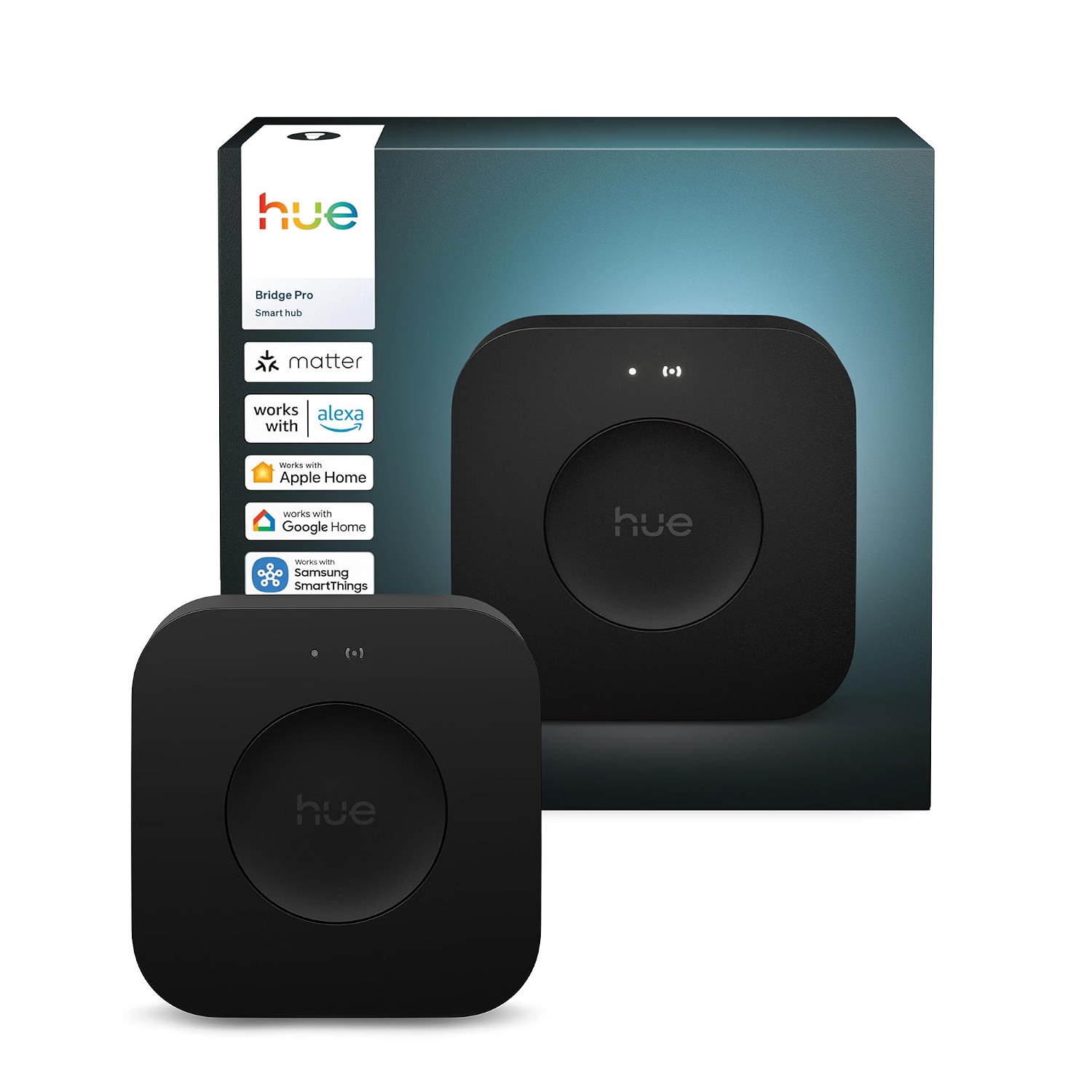
Price: $139.99 | Capacity: 150+ lights, 50+ accessories | Radio: Zigbee for Hue and certified lights | Works with: Alexa, Google Home, Apple Home, Home Assistant, Matter | Extra: MotionAware motion sensing | Our score: 4.3/5
Past about 50 Hue lights, the old bridge starts to struggle. By comparison, the Bridge Pro triples that ceiling to 150+ lights and 50+ accessories.
Why It Has Its Own Slot
Generally, Hue lights run best on their own Zigbee bridge, even in a home with another hub. As a result, scenes stay instant and survive internet outages.
MotionAware also turns your existing Hue lights into motion sensors, with no extra sensor to buy. For bulbs that suit it, see our best Philips Hue bulbs guide.
What to Know Before Buying
Philips raised the price from $99.99 to $139.99 in August, so it now costs more than the SmartThings Hub 2. Moreover, it controls only Hue and certified Zigbee lights, not locks or sensors from other brands.
Migration from an old bridge moves your lights and scenes across. Even so, back up your scenes in the Hue app first.
Give it a miss if: you own fewer than about 10 Hue bulbs. In that case, Bluetooth or Matter control is enough.
Pros
- Room for 150+ lights
- MotionAware sensing from your lights
- Works with every major assistant
Cons
- Hue and Zigbee lights only
- Price rose by $40 this year
Best Zigbee Smart Home Hub
The best Zigbee smart home hub for most homes is the Echo Hub at $179.99. That is because it pairs most Zigbee sensors and bulbs without a bridge.
However, for a mixed Alexa and Google house, the SmartThings Hub 2 is the better Zigbee hub.
Unlike Wi-Fi gear, Zigbee devices such as Aqara sensors and IKEA bulbs never join your router. Instead, they need a Zigbee radio somewhere in the house.
Two tips keep a Zigbee network healthy:
- Add mains-powered devices first: plugs and bulbs act as repeaters, so battery sensors find a path.
- Keep the hub away from the router: Zigbee and 2.4 GHz Wi-Fi share airspace, so a few feet apart helps.
Finally, our Zigbee vs Z-Wave vs Thread guide explains the radios in more depth.
Best Z-Wave Smart Home Hub
The best Z-Wave smart home hub is the Hubitat Elevation C-8 Pro at $229.95, thanks to Z-Wave 800 Long Range. For a friendlier app, the Homey Pro at $399 also has Z-Wave.
Here is the catch for 2026: the newest SmartThings hubs dropped Z-Wave. Consequently, the Station and the Hub 2 (V4) cannot pair a Z-Wave lock.
These hubs still speak Z-Wave today:
- Hubitat Elevation C-8 Pro: fully local, with Z-Wave 800 Long Range, for $229.95.
- Homey Pro (2026): Z-Wave Plus beside six other radios, $399.
- Aeotec V3 hub for SmartThings: runs Z-Wave on SmartThings for $159.99, as our Aeotec hub review explains.
- Home Assistant Green: adds Z-Wave through the $79 Connect ZWA-2 stick.
No Echo, HomePod or Google speaker has a Z-Wave radio. So if your lock says Z-Wave on the box, one of the four above is the only way in.
Which Smart Home Hub Is the Most Reliable for Automation?
The most reliable smart home hub for automation is the Hubitat Elevation C-8 Pro, because every rule runs locally. Home Assistant Green and Homey Pro come close, as both also process rules on the box.
In short, reliability comes down to where the rule runs. When a routine depends on the cloud, a dropped connection or a server outage stops it.
In our router-off test, here is what kept working:
- Fully worked: Hubitat, Home Assistant Green, Homey Pro and Apple Home on the HomePod mini 2.
- Partly worked: Echo Hub Zigbee routines, and some SmartThings Hub 2 routines.
- Stopped: voice commands on every hub, plus remote control from outside the house.
So for a home where a missed door alert matters, pick a hub that keeps rules on the device. Then put the hub and router on a small battery backup.
Best Smart Home Hub for Google Home Users
For Google Home users, the Nest Hub (2nd Gen) is the simplest hub, at $99.99 from Google. Also, it gives you a 7-inch screen, a Thread border router and Matter control.
However, it has no Zigbee or Z-Wave radio. If you own Zigbee sensors, then add the SmartThings Hub 2, which links into Google Home.
Meanwhile, our best Google Nest Hub guide compares every Nest display in detail.
Apple Smart Home Hub: HomePod, Apple TV or iPad?
The best Apple smart home hub is the HomePod mini 2 at $149, or your Apple TV 4K. Both run Apple Home automations and act as Thread border routers.
Can you turn an iPad into a smart home hub? Not anymore, because Apple’s newer Home system no longer supports the iPad as a home hub.
So set the HomePod or Apple TV as your hub in the Home app instead.
To check yours, open Home, tap the three dots, then Home Settings and Home Hubs and Bridges. If it lists no hub, automations will not run while you are away.
Thread Border Routers: Can You Run Two Hubs?
Yes, and most homes do, because a HomePod, Echo and Nest Hub can each be a Thread border router. However, problems start when those routers form separate Thread networks that do not share devices.
Thus, a Thread lock paired in Apple Home may not show up in Alexa. In that case, Matter sharing fixes it, since one device can join several apps.
Here is how we set up two-hub homes:
- Pick one main hub: pair every Matter device there first.
- Share outward: use the Matter sharing code to add each device to the second app.
- Keep radios apart: place hubs a few feet from the Wi-Fi router and from each other.
- Update firmware first: newer Thread versions share networks better between brands.
What Does a Smart Home Hub Cost to Run?
Most smart home hubs cost nothing to run after you buy them. Instead, the fees appear around remote access, voice and third-party links.
| Hub | Monthly fee for core control | Optional or extra costs |
|---|---|---|
| Echo Hub | $0 | Alexa+ and a Ring plan for Ring event summaries |
| HomePod mini 2 | $0 | None for the home hub role |
| SmartThings Hub 2 by Aeotec | $0 | $4.99 a month API fee if you link it to Home Assistant |
| Hubitat Elevation C-8 Pro | $0 | Optional paid add-ons such as remote admin |
| Home Assistant Green | $0 | Home Assistant Cloud for remote access and easy voice, about $6.50 a month |
| Homey Pro (2026) | $0 | None for core features |
| Philips Hue Bridge Pro | $0 | None |
What about ADT or other security-system hubs? Those panels come with the alarm plan, so their cost sits inside the monthly monitoring fee.
Also, our smart home security guide covers those systems.
Do You Need a Smart Home Hub at All?
You may not, if every device runs on Wi-Fi or Matter over Wi-Fi. Similarly, an Echo with Zigbee or a HomePod already covers many homes.
You do need one for Zigbee or Z-Wave devices, for Thread gear, or for rules that must run offline. Before you buy, our do I need a smart home hub guide walks through every case.
Smart Home Hub FAQs
What is the best smart home hub?
For most homes, the best smart home hub is the Echo Hub, a $179.99 panel with Zigbee, Thread and Matter.
Meanwhile, Apple homes should buy the HomePod mini 2, and Z-Wave homes the Hubitat C-8 Pro.
Which smart home hub works with Alexa, Google Home and Apple Home?
Home Assistant Green works with all three, and the Hue Bridge Pro does for lighting.
For Alexa and Google without Apple, the SmartThings Hub 2 by Aeotec is the easiest choice.
Does SmartThings still support Z-Wave?
Not on its newest hubs, since the SmartThings Station and Hub 2 (V4) have no Z-Wave radio. Instead, Z-Wave on SmartThings needs the older Aeotec V3 hub.
Can an Echo speaker be a smart home hub?
Yes, the Echo Hub and several Echo speakers include a Zigbee hub and a Thread border router.
None of them has Z-Wave, though, so Z-Wave locks need another hub.
Does Home Assistant need a subscription?
No, Home Assistant Green runs every automation locally for free.
However, the optional cloud plan, about $6.50 a month, only adds remote access and voice links.
Is the Homey Pro worth it?
Yes, if you own 20 or more devices across Zigbee, Z-Wave, and infrared. For smaller homes, the $219 Homey Pro mini or the Echo Hub costs far less.
Final Verdict: The Best Smart Home Hub for Your Home
If your home runs on Alexa, then buy the Echo Hub, since $179.99 gets Zigbee, Thread, Matter, and a screen. On iPhones, the HomePod mini 2 at $149 is the hub Apple Home needs.
Similarly, for Alexa and Google under one roof, choose the SmartThings Hub 2 by Aeotec at $129.99. If you own Z-Wave locks, though, buy the Hubitat C-8 Pro instead.
Meanwhile, Home Assistant fans should take the Green, and big mixed homes the Homey Pro. Before you order, list the radios on your devices’ boxes, then match them to the table above.
Keep reading
- Do I need a smart home hub?: our plain-English guide to whether your devices need a hub at all.
- Zigbee vs Z-Wave vs Thread: which radio your devices use, and why it decides your hub.
- What is Matter?: how one device can join Alexa, Google and Apple Home together.
- Best Matter devices: plugs, bulbs and locks that pair with any hub above.
- Aeotec hub review: our full verdict on the Z-Wave SmartThings hub.
- Best Amazon Echo devices: which Echo speakers double as a Zigbee hub.
