


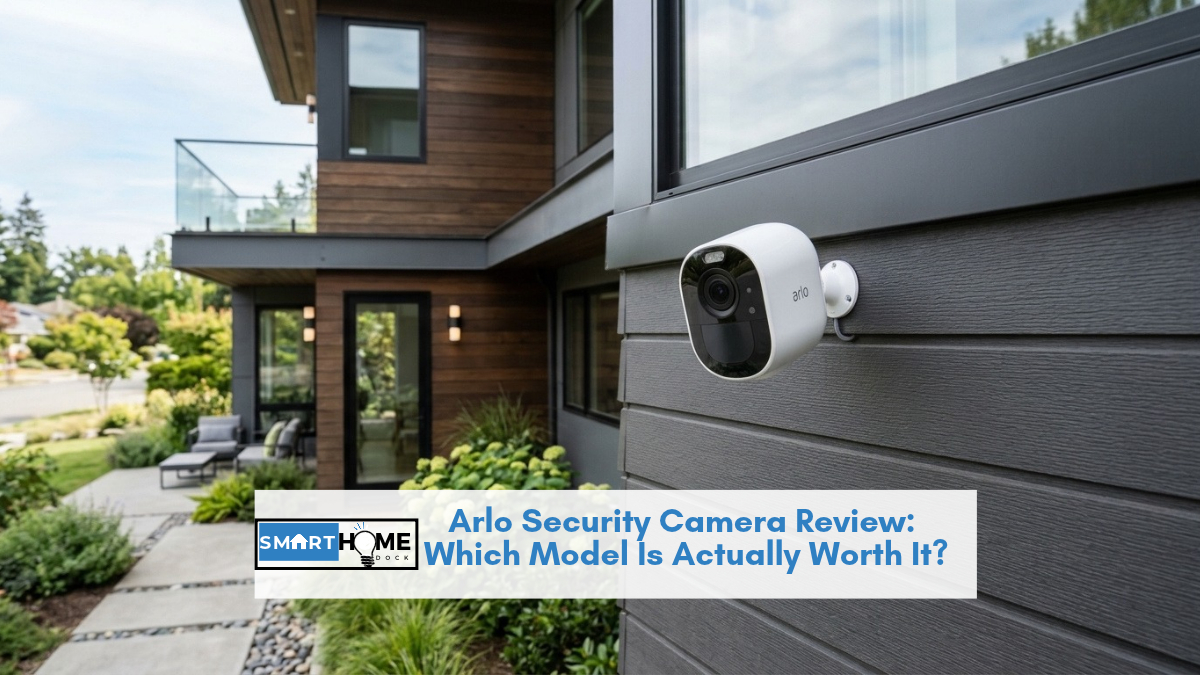
You’ve probably seen Arlo security cameras recommended everywhere, but the lineup has quietly grown into something genuinely confusing.
There’s an Essential, an Essential XL, a Pro 5S, an Ultra 3, and beneath every model sits a subscription question that nobody seems to answer directly.
I’ve been testing Arlo cameras at three different homes over the past two years, and the gap between “best-looking spec sheet” and “best camera for your situation” is larger than most reviews admit.
This Arlo security camera review breaks down every current model, explains exactly what you lose without a paid plan, and tells you which specific camera matches which type of household: so you don’t buy a $200 camera for a job a $79 camera handles just fine.
Quick Answer
The best arlo security camera for most people is the Arlo Pro 5S 2K: excellent video quality, a reliable 6-8 month battery, colour night vision, and Apple HomeKit support via the SmartHub.
If the subscription cost concerns you, the Arlo Essential Outdoor 2K handles basic monitoring without a paid plan using local USB storage.
For 4K resolution and the widest field of view in the lineup, the Ultra 3 is in a class of its own: at a price to match.
Current Arlo Security Camera Lineup at a Glance
Arlo refreshed most of its models in 2023 and 2024, retiring older cameras and pushing the lineup toward 2K as the new baseline.
Here’s where each Arlo security camera sits today:
| Model | Resolution | Battery | HomeKit | Smart Detection | Price |
|---|---|---|---|---|---|
| Pro 5S 2K | 2K HDR | 6 to 8 months | Yes (with Hub) | Yes (subscription) | ~$124.99 |
| Pro XL 6th Gen | 2K HDR | Up to 12 months | Yes (with Hub) | Yes (subscription) | ~$199.99 |
| Ultra 3 4K HDR | 4K HDR | 4 to 6 months | Yes (with Hub) | Yes (subscription) | ~$199.99 |
| Essential Outdoor 2K | 2K | 3 to 6 months | No | Basic motion only (free) | ~$79.99 |
| Essential XL 2K | 2K | Up to 12 months | No | Basic motion only (free) | ~$79.99 |
| Floodlight Cam (Battery) | 2K HDR | 3 to 4 months | No | Yes (subscription) | ~$249.99 |
| Go 2 (4G/LTE) | 1080p | Battery + cellular | No | Basic PIR | ~$199.99 |
Arlo Pro 5S 2K: The Best All-Round Arlo Security Camera
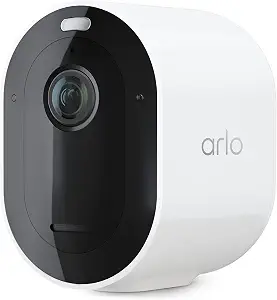
The Pro 5S 2K is Arlo’s current flagship battery camera, and it earns that title through a combination of image quality, battery life, and smart integration depth that the Essential series simply can’t match.
At 2K HDR resolution with a 160-degree field of view, it captures detail that holds up when you zoom in on a face or a licence plate: something I tested directly against the Essential, which softens noticeably at digital zoom.
Battery life on the Pro 5S runs 6 to 8 months in real-world use, assuming normal traffic patterns. In a high-traffic location like a front door, expect 4 to 5 months between charges.
The colour night vision is a genuine upgrade: instead of the washed-out greyscale you get from infrared-only cameras, the Pro 5S uses its spotlight to render a usable colour image in low light, which makes distinguishing clothing colours in an incident clip far easier.
However, the HomeKit situation requires a specific caveat. Apple HomeKit support on the Pro 5S requires a connection to an Arlo SmartHub or Base Station: it does not work standalone over Wi-Fi like some competing cameras.
Arlo added this HomeKit support in 2024 after a long delay, and it functions reliably now that the firmware is stable.
If you’re already invested in the Apple Home ecosystem, factor in the cost of a SmartHub (around $79-99) if you don’t own one already.
💡 Expert Tip
If you’re buying a Pro 5S as a standalone camera without a hub, your Google Home and Alexa automations work fine. But for Apple HomeKit and Siri automations, you need the SmartHub. One hub covers up to five cameras, so if you’re planning a multi-camera setup, that $79 cost spreads across the system. Buy the two-camera bundle with the hub rather than individual cameras to save around $40.
Arlo Essential Outdoor 2K: Best Budget Arlo Security Camera
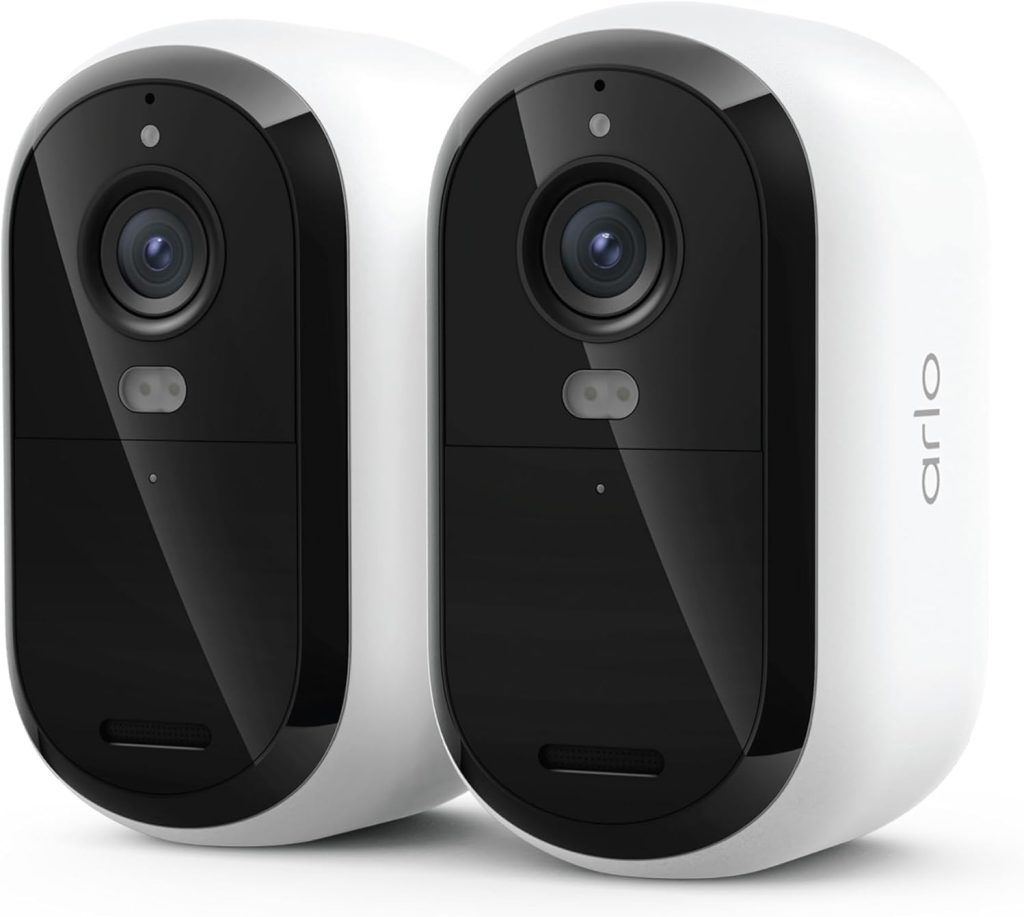
The Essential Outdoor 2K is the right entry point if you want an arlo security camera without committing to a monthly plan right away.
At around $79.99, it delivers a 130-degree field of view, 2K resolution, and a PIR motion sensor that reduces false alerts from passing cars and blowing leaves: a surprisingly effective feature at this price point.
Where the Essential falls short against the Pro 5S is in integration depth.
It doesn’t support Apple HomeKit at all, its colour night vision is weaker, and the detection intelligence stays at “motion detected” rather than the person/vehicle/package categorisation that the Pro tier unlocks.
Furthermore, without an Arlo Secure subscription, cloud recordings are limited to a brief free trial period; after that, you’re relying entirely on local storage via a connected SmartHub.
For a garage, back garden, or secondary entrance where the primary goal is motion notification and occasional review rather than continuous intelligent monitoring, the Essential handles the job without ongoing cost.
Notably, the Essential XL variant swaps in a larger battery, extending runtime to around 12 months, making it the better choice if recharging is inconvenient.
Arlo Ultra 3 4K HDR: Best Quality Arlo Security Camera
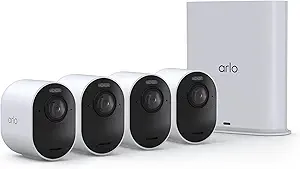
If resolution is the priority and budget isn’t the constraint, the Ultra 3 is the best arlo security camera for pure image quality.
At 4K HDR with a 180-degree field of view, it captures a wider scene than any other camera in the lineup while retaining the detail to zoom in and still get a usable image.
The Ultra 3 requires the SmartHub: unlike the Pro 5S which can operate standalone (with limitations), the Ultra 3 doesn’t function without hub connectivity.
Consequently, battery life suffers: 4K recording consumes significantly more power, bringing real-world battery life to 4 to 6 months rather than the 6 to 8 the Pro 5S achieves.
In practice, the 4K advantage matters most in one specific scenario: large open spaces where a single camera needs to cover a wide frontage, and where you’ll frequently need to zoom into a specific area after an incident.
For a typical residential front door or driveway, the Pro 5S 2K captures all the detail you’ll realistically use.
Additionally, the Ultra 3’s price per camera, combined with the subscription costs for smart detection, makes a multi-camera Ultra setup expensive quickly.
Arlo Floodlight Camera: Best Outdoor Deterrent
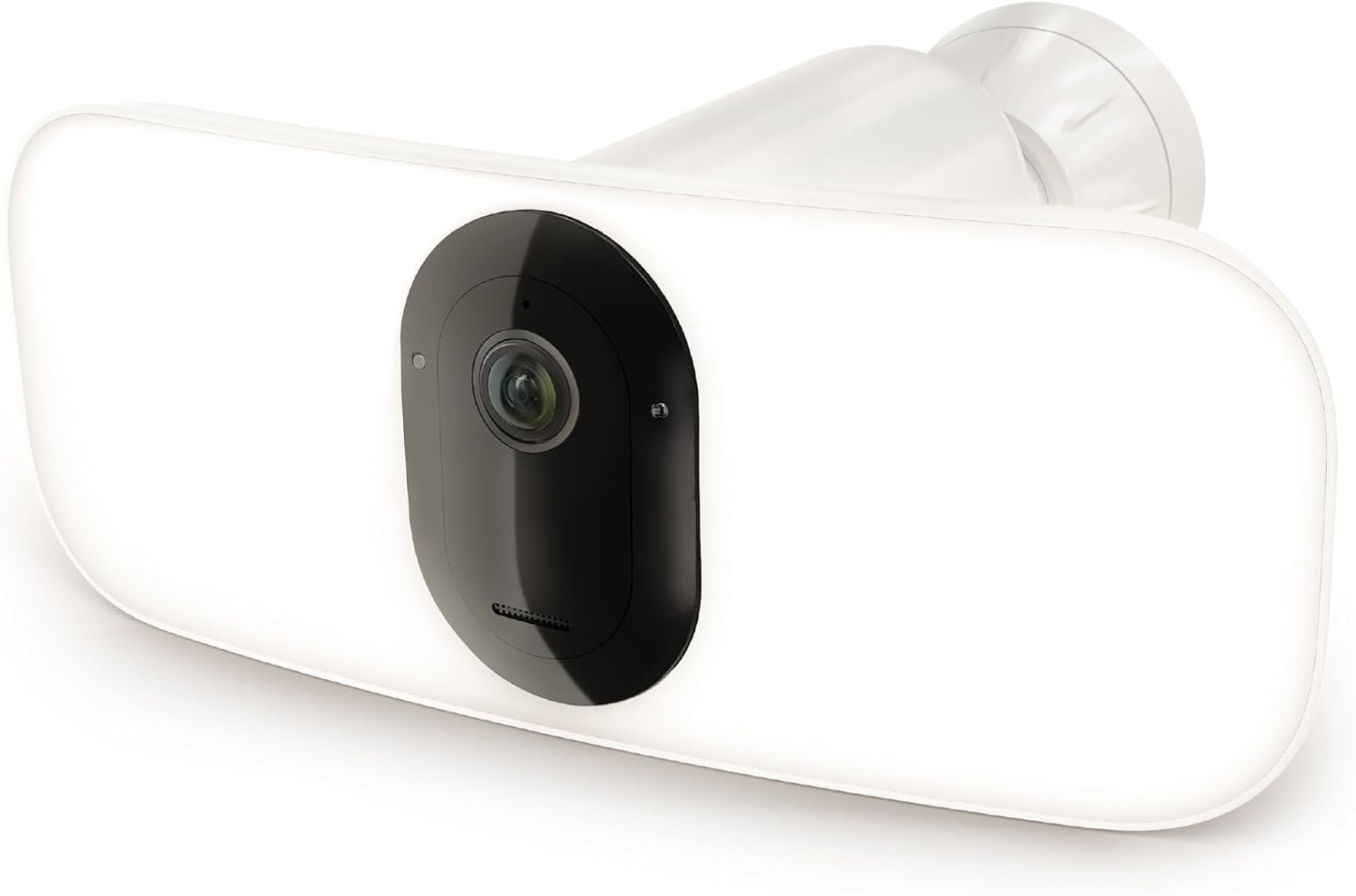
The battery-powered Floodlight Camera combines an Arlo security camera with a 2,000-lumen floodlight, making it the best choice for driveways and dark corners where deterrence matters as much as recording.
The light activates on motion detection before recording begins, which is a different security posture from the standard camera approach.
At $249.99, the battery Floodlight Camera is expensive for what amounts to 2K HDR resolution similar to the Pro 5S.
The premium comes from the integrated light hardware and the fact that it’s a wire-free installation.
If you have an existing floodlight wired connection, the hardwired version at $149.99 is the better value and eliminates the recharging cycle entirely.
Arlo Secure Subscription: What You Get and What It Costs
The Arlo subscription question comes up constantly, and the honest answer is: yes, Arlo cameras work without a subscription, but the experience is meaningfully limited.
Without a paid plan, you get live streaming, motion notifications, two-way audio, and local storage (if you have a hub and USB drive).
What you don’t get is cloud recording history, person/vehicle/package detection, activity zones, or e911 monitoring.
Arlo Secure currently offers two paid tiers:
- Arlo Plus (Single Camera): $7.99/month or ~$79.99/year: 30-day cloud storage, smart detection for one camera
- Arlo Plus (Unlimited Cameras): $17.99/month or ~$179.99/year: same features for your entire system
- Arlo Secure Premium: $24.99/month: unlimited cameras, 24/7 professional monitoring, E911 emergency dispatch
For most households with two to four cameras, the $17.99/month unlimited plan makes more economic sense than the single-camera option.
Moreover, the smart detection: knowing it’s a person at your door rather than a cat: is the feature that turns Arlo cameras from notification generators into genuinely useful security tools.
The 30-day cloud history is also practically essential if you ever need to retrieve footage after a car break-in or package theft several days after the fact.
⚠️ Important: Arlo Free Trial Every new Arlo camera comes with a 3-month Arlo Plus trial. Use that trial period to decide whether the subscription features justify the ongoing cost for your home. Many people find local storage sufficient; others find the smart detection alone worth the monthly fee.
Using an Arlo Security Camera Without a Subscription
Arlo without a subscription is a legitimate option, especially for secondary cameras, rental properties, or budget-conscious setups.
Without paying for a plan, your Arlo security camera will still live-stream, alert you on motion, and let you talk through it. What it won’t do is store clips automatically in the cloud for later review.
Local storage via a SmartHub-connected USB drive fills this gap for Pro and Ultra cameras.
You connect a USB drive (16GB to 2TB) to the SmartHub’s port, enable local recording in the app, and footage saves directly to the drive: no monthly fee required.
The catch is that you need the SmartHub (~$79-99), which removes the cost advantage over just buying a subscription for a year.
Essential series cameras are a weaker local-storage option because they’re designed to work standalone without a hub.
For those, the genuinely free tier is: live view, motion notifications, and a small number of brief event clips that Arlo stores temporarily.
If you’re committed to subscription-free operation, the Pro series with a hub and USB drive is the more complete setup.
Arlo Security Camera Setup: How Difficult Is It?
Setting up an arlo security camera is simple for any model that operates standalone over Wi-Fi: download the Arlo app, create an account, scan the QR code on the camera, connect to 2.4GHz Wi-Fi, and position the camera.
The whole process takes under 10 minutes per camera in ideal conditions. However, the setup experience changes if you’re using a SmartHub.
The hub connects to your router via Ethernet, then cameras pair to the hub rather than directly to your router.
This two-step process adds 15 to 20 minutes but improves reliability in thick-walled homes where direct Wi-Fi connection to each camera is inconsistent.
Arlo camera placement follows a clear rule: mount the camera between 7 and 10 feet high, angled downward at 15 to 45 degrees.
This angle captures faces clearly rather than just the tops of heads: a common mistake I see in first-time installations.
Additionally, keep the camera within 300 feet of the hub for a reliable signal; real-world range through walls is typically 100 to 150 feet.
Arlo vs Ring vs Blink: How Does Arlo Compare?
The Arlo vs Ring debate comes down to ecosystem and subscription structure.
Ring cameras work within Amazon’s ecosystem, offering Alexa integration that goes deeper than Arlo’s, and Ring Protect plans start at $4.99/month per camera (or $19.99/month for the whole home).
If you’re heavily invested in Alexa, Ring is the natural fit. Arlo’s advantage is image quality: the Pro 5S 2K consistently out-resolves Ring’s comparable models in side-by-side tests, and Arlo’s HDR processing handles tricky backlit scenes better.
Blink, also owned by Amazon, positions itself as the budget subscription-free option.
Blink cameras store clips locally via a USB Sync Module for free, which is genuinely more accessible than Arlo’s free tier.
However, Blink’s image quality and night vision are notably weaker than Arlo Essential, and the smart home integrations are more limited.
Consequently, Blink suits low-traffic secondary locations; Arlo or Ring suit primary entry points where you need reliable detail.
The clearest differentiator for Arlo is Apple HomeKit.
Neither Ring nor Blink support HomeKit natively.
For households running a HomeKit home, an arlo security camera via the SmartHub is often the only genuinely good wire-free outdoor camera option that integrates with Apple Home automations.
Arlo Security Camera Troubleshooting: Common Issues
Most Arlo security camera problems fall into four categories:
Camera offline / not connecting: Start with the basics: check that your 2.4GHz network is active (Arlo cameras don’t connect to 5GHz).
If the camera was previously working, a firmware update may have interrupted the connection; open the app, go to Settings, select the camera, and force a re-sync.
Short battery life: Excessive motion events drain the battery fastest. In high-traffic areas, reduce sensitivity in the app or create an activity zone that excludes the pavement or road.
Furthermore, cold temperatures reduce battery capacity significantly; in winter months, expect roughly 30% less battery life than the spec sheet suggests.
No motion alerts: Check that motion detection is enabled in the app (it can be toggled off accidentally during routine changes).
Also verify the camera’s motion sensitivity hasn’t been set too low.
For Essential cameras, ensure the PIR sensor has a clear line of sight: glass windows block PIR sensing entirely.
Poor night video quality: If your arlo security camera is positioned near a light source (porch light, street lamp), that backlighting will wash out the night image.
Move the camera or adjust the angle so external light sources aren’t directly in the camera’s field of view.
Which Arlo Security Camera Should You Buy?
After two years of testing across different property types, here’s where each model lands:
- Best overall: Arlo Pro 5S 2K: the right balance of image quality, battery life, and smart home integration for most homes
- Best budget pick: Arlo Essential Outdoor 2K: covers basic monitoring at the lowest entry cost
- Best for Apple HomeKit homes: Arlo Pro 5S 2K with SmartHub: the only wire-free outdoor camera that works natively in Apple Home
- Best for 4K resolution: Arlo Ultra 3: ideal for large driveways or properties where zoom detail matters
- Best for outdoor deterrence: Arlo Floodlight Camera: the integrated light changes the security posture entirely
- Best without subscription: Arlo Essential XL 2K with SmartHub + USB drive: 12-month battery and free local storage
Frequently Asked Questions: Arlo Security Camera
Does an Arlo security camera work without a subscription?
Yes, all Arlo cameras provide live streaming, motion notifications, and two-way audio without a paid plan.
However, cloud recording history requires an Arlo Secure subscription.
Pro and Ultra cameras can record locally to a USB drive connected to the SmartHub for free.
Essential cameras have very limited free cloud clip storage after the initial 3-month trial expires.
Does the Arlo Pro 5S support Apple HomeKit?
Yes, the Arlo Pro 5S 2K supports Apple HomeKit, but only when connected to an Arlo SmartHub or Base Station.
Standalone Wi-Fi operation does not enable HomeKit.
Arlo added this HomeKit support in 2024 via a firmware update.
The Essential series cameras do not support HomeKit at all.
How much does the Arlo Secure subscription cost?
Arlo Secure Plus for a single Arlo security camera costs $7.99/month.
For unlimited cameras, it’s $17.99/month (or $179.99/year).
The Arlo Secure Premium tier, which adds 24/7 professional monitoring and E911 dispatch, costs $24.99/month for unlimited cameras.
Every new camera comes with a 3-month free trial of Arlo Plus.
How do I reset my Arlo security camera?
For most Arlo cameras, press and hold the Sync button on the camera body for 10 seconds until the LED flashes amber.
This performs a factory reset.
Alternatively, open the Arlo app, go to Settings, select your camera, scroll to Remove Device, and follow the prompts: this removes it from your account and resets the pairing.
After a reset, you’ll need to re-add the camera through the Arlo app.
Is Arlo better than Ring for outdoor security cameras?
Arlo generally produces better image quality and supports Apple HomeKit, which Ring does not.
Ring offers deeper Alexa integration and slightly lower subscription costs.
For Amazon/Alexa households, Ring is the natural choice.
For Apple HomeKit homes or anyone prioritising video clarity, an Arlo security camera: specifically the Pro 5S: is the stronger option.
Arlo’s battery life on the Pro 5S also outperforms Ring’s comparable battery cameras.
Why does my Arlo camera battery drain so fast?
The most common cause is excessive motion events triggering recordings throughout the day.
Configure an activity zone in the app to exclude busy areas like a road or pavement from triggering the camera.
Additionally, check your motion sensitivity setting: reducing it to medium rather than high cuts unnecessary recordings significantly.
Cold weather is another frequent cause: below 14°F (-10°C), battery capacity can drop by up to 50% on any Arlo security camera model.
Final Verdict
If you want one camera to cover a front door or driveway and you’re on the fence, start with the Arlo Pro 5S 2K: the image quality alone justifies the premium over the Essential, and the 6-to-8-month battery means you’re not climbing a ladder every other month.
Arlo Pro 5S 2K: For Apple HomeKit users, the Pro 5S with a SmartHub is genuinely the best wire-free option on the market right now: there simply isn’t a comparable HomeKit outdoor camera at the same battery life and resolution.
Arlo SmartHub: If budget is the constraint and you just need basic coverage for a garage or secondary exit, the Essential Outdoor 2K handles the job without demanding a subscription immediately.
Arlo Essential Outdoor 2K: And if you’re running four or more cameras and want the full smart detection and cloud history, the $17.99/month unlimited Arlo Plus plan makes the numbers work out more reasonably than it first appears.
