


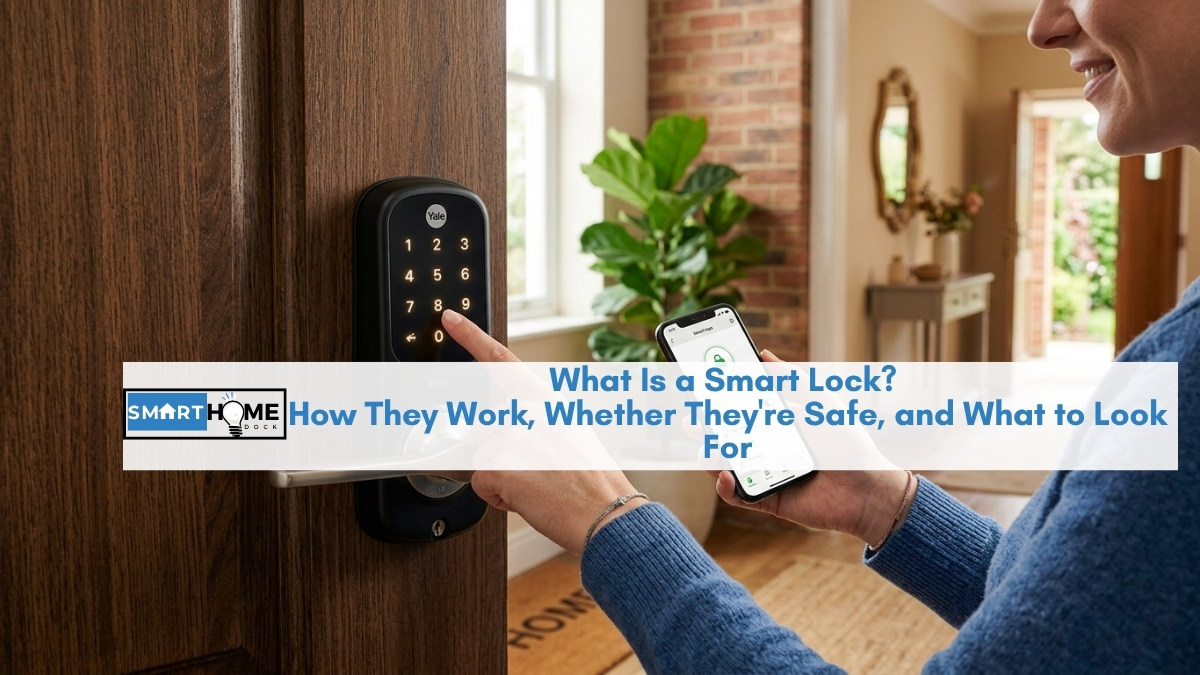
The term “smart lock” gets used a lot. It appears in home security guides, smart home product lists, and rental property listings.
But what it actually means (how the device works physically, what happens when the power goes out, whether it can be hacked) rarely gets explained before the product recommendations start.
This guide answers every foundational question about what a smart lock is first. No product picks, no affiliate agenda, no rush to a buying decision.
Just a clear explanation of what a smart lock is, how it works, the real security trade-offs, and what to look for before spending anything.
Quick Answer: What Is a Smart Lock?
A smart lock is a motorised deadbolt or latch that replaces or augments a traditional lock on a door. Instead of a physical key, it accepts entry through a keypad code, fingerprint scan, smartphone app, proximity detection, or voice command. It connects to your home network (or a separate hub) via Wi-Fi, Bluetooth, Z-Wave, Zigbee, or Thread, which allows remote locking and unlocking, access logs, and temporary codes for guests.
The key distinction: a smart lock makes access smarter. It does not automatically make a door more physically resistant to forced entry. Physical security depends on the lock’s BHMA grade and the quality of the door frame, not on whether the lock has an app.
How Does a Smart Lock Work? The Plain English Explanation
Specifically, a smart lock replaces the mechanical key cylinder with an electronic access system. Inside the lock body, a small motor drives the same bolt mechanism a traditional deadbolt uses.
The motor receives a signal from whichever access method is used (keypad input, fingerprint reader, Bluetooth from your phone, or a command from a smart home hub) and extends or retracts the bolt accordingly.
Specifically, the lock stores access credentials locally on its internal memory: keypad codes, fingerprint templates, and authorised Bluetooth device IDs are all saved on the lock itself.
This matters because it means the lock can verify access and operate its motor without an internet connection.
The internet is used for remote commands (locking from work) and access logs (seeing who came home at 4 pm), but the core lock and unlock functions happen locally.
Most smart locks run on 4 AA batteries. Specifically, the batteries power both the motor and the wireless radio.
Battery life typically ranges from 6 to 18 months depending on how frequently the lock is used, the strength of the wireless signal, and whether the lock includes power-hungry features like a built-in Wi-Fi radio.
The lock sends a low-battery notification to your phone well before the battery is fully depleted, usually at 20 to 30% remaining charge.
Entry methods: how you actually unlock the door
Every smart lock offers some combination of these entry methods, and which ones are available varies by model:
- Keypad code: type a PIN into a numbered keypad. Works without a phone, without internet, without Bluetooth. Most reliable backup method.
- Fingerprint: press a registered finger to a biometric reader. Typical authentication speed is 0.3 to 0.8 seconds on current models.
- Smartphone app via Bluetooth: the lock detects your phone’s Bluetooth signal and unlocks automatically when you approach (auto-unlock), or you tap an unlock button in the app.
- Smartphone app via Wi-Fi: unlocks remotely from anywhere with internet, not just when your phone is nearby.
- Voice command: “Alexa, lock the front door” or “Hey Siri, lock the door”: works after setup. This applies after the lock is connected to your smart home system.
- Physical key: most smart locks include a traditional keyhole as a backup. Some keyless models (Yale Assure Lock SL, Level Lock) remove the keyway entirely.
- Auto-unlock via geofencing: the lock detects when your phone leaves and returns to a defined area and locks/unlocks automatically.
Notably, most smart locks support multiple entry methods simultaneously.
The lock does not care whether you use your fingerprint, your keypad, or your phone on a given day. All registered methods remain active.
Smart Lock Wi-Fi vs Bluetooth vs Z-Wave: What the Connection Types Mean
This is the technical decision that confuses most first-time buyers. Do smart locks need Wi-Fi? The short answer is: it depends on which type of lock you buy. Here is what each connection type actually means for daily use.
| Connection type | What it means | Hub required? | Remote access? |
|---|---|---|---|
| Wi-Fi | Connects directly to your home router. Easiest setup. | ❌ No | ✅ Yes, from anywhere |
| Bluetooth only | Connects to your phone when nearby. Best battery life. No cloud. | ❌ No | ❌ Only when in Bluetooth range |
| Bluetooth + Wi-Fi bridge | Bluetooth lock with a small Wi-Fi bridge plugged in near the door (August, some Level models) | Bridge device needed | ✅ Yes via bridge |
| Z-Wave | Connects to a smart home hub (SmartThings, Ring Alarm, Hubitat). Hub required. | ✅ Hub required | ✅ Via hub |
| Zigbee | Similar to Z-Wave: hub required, short range, mesh network. Less common for locks. | ✅ Hub required | ✅ Via hub |
| Thread / Matter | Newest standard. Works across Alexa, Google Home, Apple HomeKit with one setup. Thread border router required (built into Echo 4th gen, HomePod Mini). | Thread border router | ✅ Via ecosystem |
Which should you choose? For most buyers without a smart home hub: Wi-Fi is the right starting point.
Setup is simple (connect to your home router like any other device), remote access works from anywhere, and no additional hardware is required.
The trade-off is slightly shorter battery life compared to Bluetooth and a dependency on your router being online for remote access.
For buyers who already run a hub-based smart home (SmartThings, Hubitat, Home Assistant): Z-Wave is the preferred lock protocol because it operates locally.
When your broadband goes down, Z-Wave lock automations continue running through the hub on your local network.
See our dedicated Z-Wave door lock guide for hub-specific compatibility details.
What Happens to Smart Locks When the Power Goes Out?
This is the most common concern from first-time smart lock buyers, and the honest answer is more reassuring than most people expect.
Most residential smart locks run entirely on batteries: 4 AA or 4 AAA cells inside the lock body. They are not connected to your home’s electrical system.
A power outage has no direct effect on battery-powered smart locks. The keypad continues to accept codes, the fingerprint reader continues to scan, and the motor continues to drive the bolt.
What you lose during a power outage depends on which connection type your lock uses:
- Wi-Fi locks: if your router loses power, remote access via app stops. The lock itself still works. Keypad, fingerprint, and physical key backup all function. You just cannot control it from your phone until the router comes back online.
- Bluetooth locks: unaffected by power outages. Bluetooth communicates directly between your phone and the lock. No router or internet involved.
- Z-Wave or Zigbee locks: if the hub loses power, hub-based automations stop (“lock automatically at 10 pm” won’t run). Direct keypad and fingerprint access still work. Using a UPS (uninterruptible power supply) on your hub and router prevents this entirely.
The genuine risk is not a power outage. It is a dead battery. If batteries drain to zero before you respond to the low-battery notification, you may not be able to unlock the door via keypad or fingerprint.
Most quality smart locks address this with an emergency power contact on the exterior of the lock where you can press a 9V battery to provide temporary power.
Additionally, models with a physical key backup retain traditional key access in any scenario.
Eight years of smart locks: the one habit that prevents every lockout
I change smart lock batteries every six months regardless of the battery indicator, during the same week I change smoke alarm batteries. No smart lock has ever locked me out with this approach. The low-battery notification is reliable, but relying on it means you are always one forgotten notification away from a problem at an inconvenient moment.
Lithium AA batteries last significantly longer than alkaline in smart locks, particularly in cold weather. If your lock is on an exterior door in a climate with cold winters, lithium is worth the extra cost.
Are Smart Locks Safe? The Honest Security Assessment
There are two separate security questions within “are smart locks safe”: digital security (can the lock be hacked remotely?) and physical security (is the lock as resistant to forced entry as a traditional deadbolt?). They have different answers.
Digital security: can smart locks be hacked?
Yes, in theory. Any connected device introduces a digital attack surface that a purely mechanical lock does not have.
In practice, remote hacking of a residential smart lock is rare and typically requires either physical proximity to the lock (to attack Bluetooth or Z-Wave signals) or access to your home Wi-Fi network or app account.
Notably, reputable smart lock brands use AES-128 or AES-256 encryption, the same standard used by banks. Intercepted wireless signals are effectively unreadable.
The most common real-world digital vulnerabilities are weak app passwords and outdated firmware, not sophisticated signal interception.
The practical risk mitigation is simple: use a strong, unique password for your lock’s app account, enable two-factor authentication if the app supports it, and install firmware updates when the manufacturer releases them.
Most reputable brands push updates automatically. Additionally, the Federal Trade Commission advises keeping smart home apps and firmware updated and using strong, unique passwords as the baseline protection for any connected home device.
Furthermore, context matters. Most residential burglaries involve kicking in a door, breaking a window, or walking through an unlocked entry, not sophisticated cyber attacks.
A determined burglar is far more likely to attack the door frame than attempt to intercept a Z-Wave signal. Digital vulnerabilities are real but should be understood in proportion to actual burglary behaviour.
Physical security: the BHMA grade is the number that matters
This is the section most smart lock guides skip, and it is the most important security information for a buyer to understand.
Specifically, the American National Standards Institute (ANSI) and Builders Hardware Manufacturers Association (BHMA) set the grading system for lock physical security. Every certified deadbolt carries one of three grades:
- BHMA Grade 1: highest residential security. Tested to withstand 250,000 open/close cycles, 10 door strikes, and specific force requirements. This is what high-security residential locks achieve.
- BHMA Grade 2: standard residential security. 150,000 cycles. Adequate for most home applications.
- BHMA Grade 3: lowest residential rating. 100,000 cycles. Found in most basic locks and some entry-level smart locks.
Specifically, a Grade 1 smart lock is more physically secure than a Grade 3 traditional deadbolt. A Grade 3 smart lock is less physically secure than a Grade 1 traditional deadbolt.
The electronic features of a smart lock do not add or subtract from this physical rating: they are separate systems on top of the same bolt mechanism.
Consequently, when evaluating smart lock security, the BHMA grade matters more than the connectivity type, the app quality, or the brand recognition.
Look for Grade 1 or Grade 2 on any exterior door. Confirm the rating is on the spec sheet, not just implied by the brand name.
One additional physical consideration: smart locks do not reinforce the door frame. Most successful forced entries involve kicking in the door frame, not defeating the lock itself.
A Grade 1 deadbolt on a hollow door with a weak strike plate provides less real-world protection than a Grade 2 deadbolt on a solid door with a heavy-gauge strike plate secured with 3-inch screws.
Smart Lock vs Traditional Lock: What Actually Changes
Notably, a smart lock does not replace the security function of your existing deadbolt. It adds capabilities on top of it. Understanding this distinction helps clarify what you are actually buying.
What stays the same: the bolt mechanism. A smart deadbolt uses the same 1-inch hardened steel bolt as a traditional deadbolt. The door preparation (the hole in the door, the strike plate in the frame) is typically identical. A Grade 1 smart lock provides the same bolt-level physical resistance as a Grade 1 traditional deadbolt.
What changes: how the bolt is operated. Instead of requiring a physical key to extend or retract the bolt, the smart lock uses a motor driven by one of the access methods described above. This motor replaces the key cylinder from the inside while most smart locks retain a keyhole on the outside for backup access.
What gets added: access logging (who entered and when), temporary access codes (for guests, cleaners, or contractors with automatic expiry), remote locking and unlocking from anywhere, smart home automation integration (lock when you leave, unlock when you arrive), and low-battery notifications.
What gets removed or complicated: the simplicity of a mechanical key. Smart locks require battery management, firmware updates, and app account security. If the app is discontinued, the manufacturer goes out of business, or cloud services change, the smart features may stop working while the physical lock mechanism continues to function.
The honest verdict on smart lock vs traditional lock: for buyers who want access flexibility (guest codes, remote monitoring, smart home integration), a quality smart lock at Grade 1 or Grade 2 provides equivalent physical security to a comparable traditional lock with meaningful convenience additions.
For buyers who prioritise simplicity and zero digital attack surface, a Grade 1 traditional deadbolt with a high-security key cylinder (Medeco, Mul-T-Lock) may be the better choice.
Smart Lock Pros and Cons: The Honest List
| Advantages | Limitations |
|---|---|
| No key to lose, copy, or forget | Requires battery management (6 to 18 months typical) |
| Guest access codes with automatic expiry: no key cutting or retrieval | Digital attack surface that mechanical locks do not have |
| Access log: timestamped record of every entry | Dependent on manufacturer’s app and cloud service continuing |
| Remote locking and unlocking from anywhere via app | Remote access requires a working internet connection |
| Auto-lock on schedule or when you leave home | Cost: $100 to $350 versus $30 to $100 for quality traditional deadbolts |
| Smart home integration: lock triggers alarms, lights, thermostat | Does not improve door frame security (most break-ins target the frame) |
| Multiple entry methods: keypad, fingerprint, app, physical key | Firmware update requirement ongoing |
How to Choose a Smart Lock: The Five Decisions That Actually Matter
Importantly, every smart lock buying guide lists specifications. These five decisions are the ones that determine whether a smart lock works well in your specific home.
Decision 1: Do you have an existing deadbolt, and do you want to keep it? Smart locks install in one of three ways: full replacement (remove the existing deadbolt entirely and install the smart lock in its place), retrofit (the smart lock attaches to the inside of your existing deadbolt, keeping the outside hardware), or smart deadbolt with additional smart handle. Full replacement gives the cleanest installation and most entry method options. Retrofit keeps your existing exterior hardware and door preparation, which matters for renters or buyers who want to preserve an existing high-security cylinder.
Decision 2: Which connection type fits your home? See the connectivity table above. The short version: Wi-Fi if you want simple standalone operation; Bluetooth with a bridge if you want minimal cloud dependency; Z-Wave if you run a smart home hub. Notably, some locks support multiple connection types simultaneously. The Yale Assure Lock 2 uses a modular system where you choose and install the connectivity module that suits your setup.
Decision 3: Which entry methods does your household need? A single adult household may work fine with app and keypad only. A household with young children who do not carry smartphones needs reliable keypad entry. A household where elderly family members may struggle with keypads might prioritise fingerprint or proximity entry. Map out who uses the door, how they use it, and what happens when their primary method fails before choosing a model.
Decision 4: What is the BHMA grade? Confirm Grade 1 or Grade 2 on the spec sheet for any exterior door. Do not assume brand reputation implies a specific grade. Check the product listing or manufacturer spec sheet and confirm the grade is listed explicitly.
Decision 5: What is your smart home ecosystem? A household primarily using Amazon Alexa should choose a lock with native Alexa integration or Z-Wave via a SmartThings or Ring hub. Apple HomeKit users need a lock that supports HomeKit or Matter (check for “Works with Apple Home” on the packaging). Google Home households should confirm Google Home compatibility specifically, not just “works with voice assistants.” Ecosystem mismatch (buying a lock that technically works with your ecosystem but requires convoluted workarounds) is one of the most common smart lock frustrations.
Smart Lock Installation: What to Expect
Furthermore, most smart locks are designed for DIY installation and fit standard door preparations.
A standard door has a 2-3/8 inch or 2-3/4 inch backset (the distance from the edge of the door to the centre of the bolt hole) and a standard 2-1/8 inch cross-bore (the hole for the lock body).
Most smart locks fit both backset dimensions and include an adjustable latch to accommodate both measurements.
Installation typically takes 20 to 30 minutes with a screwdriver for a full deadbolt replacement.
The process: remove the existing deadbolt (4 screws and a bolt), slot the new lock’s bolt into the door edge, position the interior and exterior assemblies on each side of the door, connect them through the door, secure with screws, and connect the battery pack.
Most smart lock boxes include a detailed installation guide with clear diagrams.
The situations that complicate installation:
- Non-standard door thickness (most locks accommodate 1-3/8 inch to 1-3/4 inch doors, thicker or thinner doors may need a different model)
- Metal doors or doors with existing multi-point locking systems (common in European-style doors)
- Doors that do not align well with the door frame: the lock mechanism requires the door to close and latch cleanly for the bolt to extend properly
- Rental properties where the existing hardware cannot be removed: retrofit locks solve this
Additionally, for renters specifically: most standard retrofit smart locks install on the inside of the door without removing the exterior lock hardware, making them renter-friendly without requiring landlord approval for lock modification.
Frequently Asked Questions: What Is a Smart Lock?
Can a smart lock be hacked?
Yes, in theory. Any connected device has a digital attack surface. In practice, residential smart lock hacks are rare.
Reputable brands use AES-128 or AES-256 encryption on wireless communications, making intercepted signals effectively unreadable.
The most common real-world vulnerabilities are weak app passwords and outdated firmware, not signal interception.
Most residential break-ins involve forcing a door or breaking a window, not sophisticated digital attacks.
Use a strong unique password for your lock’s app account, enable two-factor authentication where available, and install firmware updates when released.
These three steps address the realistic risk for a residential smart lock.
Do smart locks work without Wi-Fi?
Yes, smart locks work without Wi-Fi for local entry methods: keypad codes, fingerprint scanning, physical key backup, and Bluetooth unlocking from your phone all function without internet.
What stops working during an internet outage is remote access from outside your home.
You cannot lock or unlock via the app from a different location if your home’s internet is down.
Bluetooth-only locks are unaffected by internet outages entirely.
Z-Wave locks continue accepting keypad and fingerprint entry but may lose hub-based automation (scheduled locking) if the hub also loses power.
What happens to a smart lock when the power goes out?
Most residential smart locks run entirely on batteries and are unaffected by power outages.
The keypad, fingerprint reader, and motor continue working on battery power regardless of whether your home has electricity.
What happens to smart locks when power goes out is that you lose remote access via app if your router also loses power, and Z-Wave or Zigbee automations stop if the hub loses power.
The direct entry methods remain functional. The exception is hardwired commercial locks. Residential models are almost universally battery-powered.
How long do smart lock batteries last?
Typically 6 to 18 months, depending on the lock model, how frequently the door is used, the battery type, and the temperature.
Wi-Fi-enabled locks drain batteries faster than Bluetooth-only models because the Wi-Fi radio draws more power.
Locks on high-traffic doors drain faster than those on secondary entrances. Lithium AA batteries last significantly longer than alkaline, particularly in cold weather.
Most locks send a low-battery push notification at 20 to 30% remaining charge, providing adequate warning.
Replacing batteries on a fixed schedule (every six months alongside smoke alarm batteries) prevents unplanned lockouts.
Are smart locks as secure as traditional deadbolts?
A quality smart lock with a BHMA Grade 1 or Grade 2 rating is as physically secure as a traditional deadbolt with the same rating.
The BHMA grade determines physical security: how much force the bolt withstands, how many cycles it lasts, how it resists picking and drilling.
The electronic components of a smart lock vs traditional lock do not affect the physical bolt mechanism.
A Grade 1 smart lock is more physically secure than a Grade 3 traditional deadbolt.
A Grade 3 smart lock is less physically secure than a Grade 1 traditional deadbolt. When comparing smart and traditional locks, always compare at the same BHMA grade level.
How much does a smart lock cost?
In 2026, smart locks typically range from $100 to $350. Most quality options fall between $150 and $250.
Budget models below $100 exist but often carry Grade 3 physical security ratings and limited ecosystem support.
Premium models above $300 typically add Matter support, Apple Home Key (NFC unlocking by tapping an iPhone), fingerprint readers, or advanced multi-user management.
Professional installation, if chosen over DIY, typically adds $100 to $200 per door. Most homeowners install smart locks themselves in 20 to 30 minutes.
Ready to Choose a Smart Lock? Where to Go Next
For most buyers: our full smart lock buying guide
Our best smart locks guide covers the top picks across every connection type, budget, and ecosystem (Wi-Fi, Bluetooth, Z-Wave, and Matter) with honest comparisons and buyer profile matching for each. The right starting point for any buying decision.
For hub users wanting Z-Wave: our Z-Wave lock guide
Our Z-Wave door lock guide covers hub-by-hub compatibility for SmartThings, Hubitat, Ring Alarm, and Home Assistant, with the honest Schlage vs Yale vs Kwikset comparison for hub-based setups.
For Schlage specifically: our Schlage comparison
Our Schlage smart lock guide covers the full Schlage range: Encode Plus (Wi-Fi, Apple Home Key), Encode (Wi-Fi, Alexa), and Connect (Z-Wave) with the honest verdict on which Schlage suits which buyer.
For renters: our renter-specific security guide
Our home security for renters guide covers retrofit smart locks that install on the inside of your door without modifying the exterior hardware, with lease clause and deposit risk guidance for every security upgrade.
