


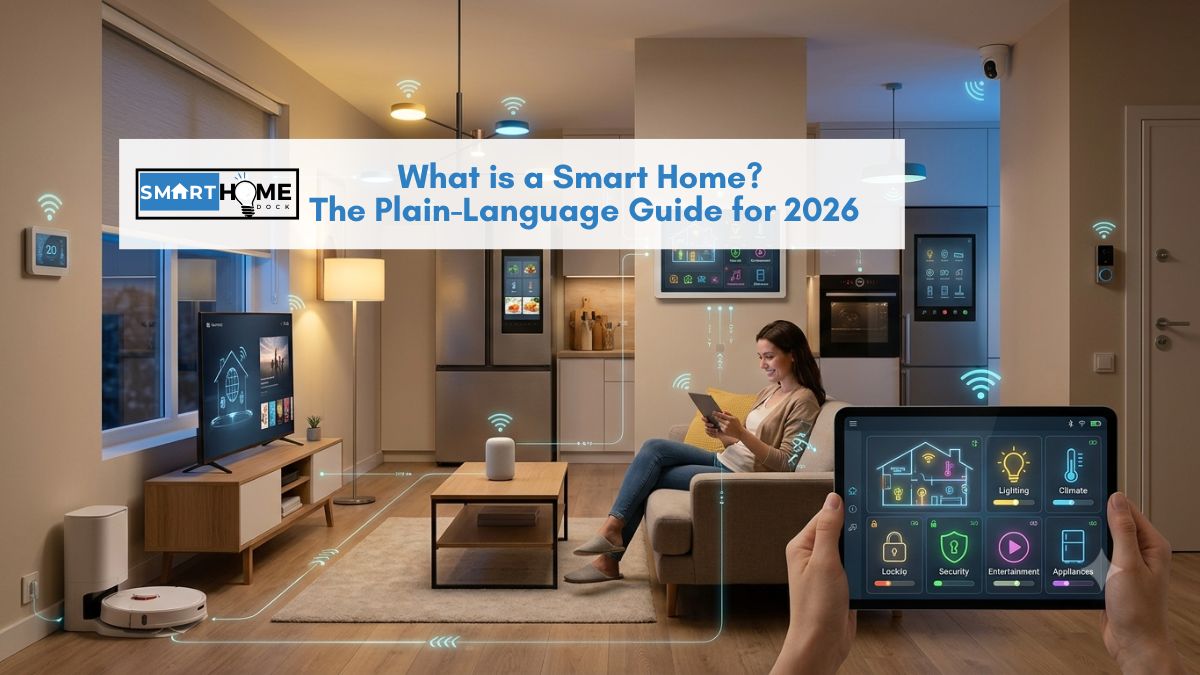
You’ve heard the term “smart home” for years. Maybe from a TV ad, a friend’s house where the lights turned on automatically, or a product box that promised to change how you live.
It sounds expensive, complicated, and like something that requires an engineer to set up.
It’s none of those things. Not anymore. In 2026, a basic smart home setup costs around $150 and takes an afternoon, and the technology has finally reached the point where it genuinely works the first time.
This guide covers what a smart home is, what daily life looks like inside one, how much it costs, and exactly where to begin.
Quick Answer: What is a Smart Home?
A smart home is a house where everyday devices: lights, locks, thermostats, cameras, plugs connect to your home Wi-Fi and respond to your phone, your voice, or automated rules. The difference from a regular home: things happen automatically. The lights turn off when you leave. The heating warms up before you arrive. The front door unlocks when your phone enters the driveway. You build a smart home gradually, one device at a time, starting as small as a single $15 smart plug.
What a Smart Home Actually Feels Like: A Day in the Life
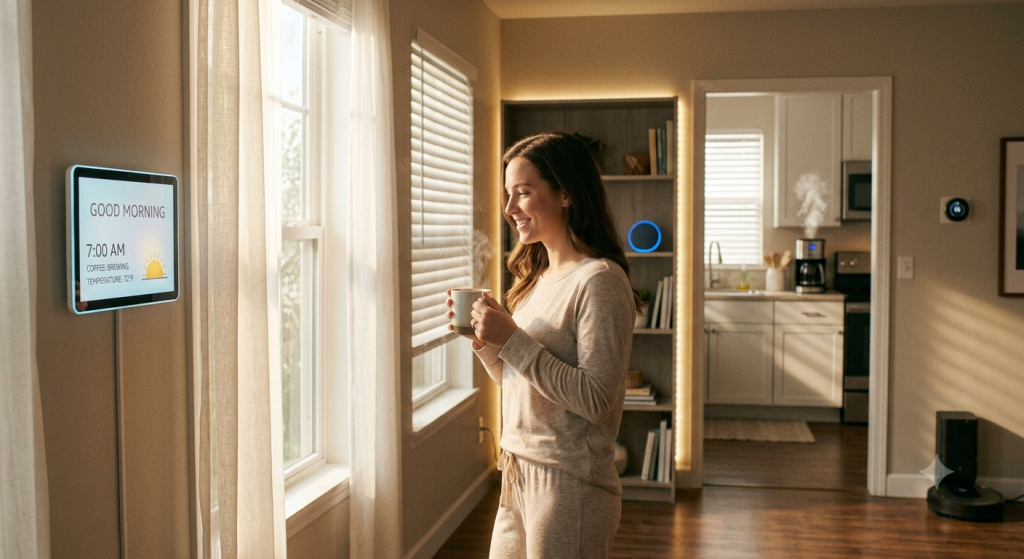
Definitions are easy. However, what’s harder to convey is what actually changes about daily life when your home starts responding to you.
Here’s a realistic morning in a smart home that took about six months to build and cost approximately $600 in total.
6:30 am: The bedroom lights fade in slowly from 0% to 40% warm white, starting 20 minutes before the alarm. No jarring alarm sound. A gradual light change that wakes you more naturally.
7:00 am: The thermostat, which has learned your schedule, raises the temperature from night mode to 20°C. It started warming the house 30 minutes earlier, so it’s already comfortable when you get up.
7:45 am: You leave. Your phone crosses the geofence around your home, a virtual boundary about 500 metres out. Automatically, the lights turn off, the heating drops to economy mode, and the front door locks. You didn’t touch anything.
6:15 pm: Your phone re-enters the geofence on the way home. The heating warms back up. The hallway light turns on to 30% as you come through the door.
10:30 pm: You say “goodnight” to the smart speaker. All lights turn off. The front and back doors lock. The thermostat drops to sleep temperature. The TV powers down.
Notably, none of this required significant technical skill to set up. Each automation took about five minutes to configure in an app.
Furthermore, every single device in this setup costs under $60 individually.
The combined effect, a home that behaves intelligently around your routine, is what “smart home” actually means in practice.
What is a Smart Home? The Plain Definition
A smart home is a residence where everyday devices connect to your home network and respond to remote or automated control.
Three things distinguish a smart home from a regular one:
- Remote control: you can control devices from your phone, wherever you are. Turn off the light you forgot to switch off. Check the camera while you’re on holiday. Lock the front door from the office.
- Voice control: a smart speaker (Amazon Echo, Google Nest Hub, Apple HomePod) lets you control devices by speaking. “Turn off the kitchen lights” or “set the thermostat to 21 degrees” works without touching anything.
- Automation: devices respond to rules and triggers without any manual input. “When the last person leaves the house, turn off all lights and lower the heating” is one rule that runs every single day without you doing anything.
Importantly, automation is the part that changes daily life. Remote and voice control are convenient.
However, automation is where a smart home genuinely improves daily life, quietly, without ongoing effort.
Automation is where a smart home starts making decisions that genuinely improve how you live, quietly, in the background, without requiring any ongoing effort.
What is a Smart Home Made Of? The Devices That Matter
A smart home can include as many or as few devices as you want.
Most people start with one or two and add more over time. Here are the main categories:
| Category | What it does | Starting cost | Guide |
|---|---|---|---|
| Smart plugs | Make any lamp or appliance controllable by phone or voice. The cheapest starting point. | From ~$10 | Best smart plugs → |
| Smart bulbs | Replace standard bulbs. Dim, change colour, automate on/off. No switch rewiring needed. | From ~$12 | Best smart bulbs → |
| Smart speaker / display | The voice control hub — Amazon Echo, Google Nest Hub, or Apple HomePod Mini. Often also the automation controller. | From ~$40 | Smart home hub guide → |
| Smart thermostat | Learns your schedule and adjusts heating automatically. Typically saves 10–15% on heating bills. | From ~$80 | Best smart thermostats → |
| Smart lock | Lock and unlock via phone. Keypad codes for family. Unlock automatically when you arrive home. | From ~$100 | Best smart locks → |
| Security cameras | Monitor your home remotely. Get motion alerts. Review footage from your phone anywhere. | From ~$40 | Best security cameras → |
| Robot vacuums | Schedule cleaning automatically. Start when you leave; finish before you return. | From ~$130 | Best smart cleaning → |
Importantly, you don’t need all of these to have a smart home.
Most people who’ve built a smart home they actually use started with one or two devices and added more only when they noticed a specific gap in what their setup could do.
How Much Does a Smart Home Cost? The Honest Breakdown
Smart home cost is one of the most searched questions on this topic. Most answers quote professional installation prices with no relevance to a DIY setup, or give vague ranges without context.
Specifically, here are three realistic tiers based on what people actually spend in 2026:
Starter setup: $100–$250
A smart speaker ($40–$100) plus two to three smart plugs or bulbs ($10–$15 each).
This gives you voice control over lamps, the ability to schedule devices, and your first automations.
Specifically, this is the setup to test whether smart home automation actually improves your life before spending more.
Single-room setup: $250–$500
Additionally, this tier adds a smart thermostat (~$80–$130) and a video doorbell (~$80–$130) to the starter setup.
At this tier, your home starts making genuinely useful daily decisions, heating that adjusts to your schedule, and a front door you can answer from anywhere.
Most people who reach this tier find it delivers the clearest quality-of-life return on investment.
Whole-home DIY: $500–$1,500
Multiple rooms are covered with smart lighting, a security camera or two, smart locks, and a smart hub for cross-device automation.
This is achievable over 6–12 months by adding devices gradually rather than all at once. Consequently, the total feels manageable, typically $50–$150 per month as you expand.
Professional installation: $2,500–$10,000+
Whole-home automation with professional installation, custom programming, and sometimes ongoing subscription support.
This tier is for new builds or major renovations where professional integration is practical. It’s not necessary for the majority of homeowners.
💡 Eight years in — the honest starting advice
The single most common mistake I see from people starting a smart home is buying too much at once. They buy a hub, six bulbs, two plugs, a thermostat, and a camera. Then they spend a weekend setting it all up, hit one issue, and give up on the whole thing.
Start with one smart plug on your living room lamp. Set one automation: turn off at midnight. Live with it for two weeks. If it changes nothing, smart home isn’t for you right now. If you catch yourself noticing it working, you’ll know exactly what to add next.
What is a Smart Home in 2026? Why This Year is the Right Time to Start
If you’ve looked at smart home technology before and been put off by compatibility issues, fragmented apps, or devices that only work with one specific brand, 2026 is genuinely different.
Specifically, the change is a protocol called Matter. Launched in 2022 and available from 2024 to 2025, Matter is a universal smart home standard backed by Apple, Amazon, Google, and Samsung.
A Matter-certified device works with all four platforms from a single QR code scan. Consequently, no ecosystem lock-in and no compatibility checking before every purchase.
Furthermore, the home automation market reached approximately $117 billion in 2026, and competition has driven prices to their lowest point.
A fully functional Matter-certified smart plug costs $10. A capable smart speaker with voice control costs $40.
The technology that was genuinely expensive five years ago is now accessible on any household budget.
Furthermore, setup has simplified dramatically; the frustrating multi-step pairing of 2018–2021 is largely gone. Pairing a Matter device takes under two minutes.
Scan the QR code, follow the app prompts, done. The frustrating multi-step pairing processes of 2018–2021 are largely gone for any current device with Matter certification.
For a full explanation of what Matter means and how it changes buying decisions, see our Matter explainer.
What Do You Need for a Smart Home? The Three Requirements
Essentially, three things make a smart home work. Notably, you probably already have two of them.
1. Wi-Fi router
First, all smart home devices connect to your home Wi-Fi. A standard broadband router handles this for most setups; 2.4 GHz Wi-Fi covers the majority of smart home devices.
However, if you live in a large property or have Wi-Fi dead zones, adding a mesh Wi-Fi system improves reliability significantly.
Devices that disconnect from Wi-Fi are the most common source of smart home frustration.
2. A smartphone
Second, you control and configure smart home devices through apps on your phone. Android and iOS both work with every major smart home platform.
Consequently, you don’t need a specific phone brand or model, just one with a current operating system.
3. A voice assistant/hub (optional but recommended)
Third, a smart speaker ties everything together under one voice command and one automation platform. The three main options:
- Amazon Echo (~$40–$180): widest device compatibility, best for first-timers, includes Alexa. See our Amazon Echo guide.
- Google Nest Hub (~$89–$230): best for Android users and Google services integration. See our Nest Hub guide.
- Apple HomePod Mini (~$99): best for iPhone users and privacy-first automation. Also a Thread border router for the latest generation of devices.
You don’t need a smart speaker to start. Many people begin with just a smart plug and a phone app.
However, adding a smart speaker is what takes a smart home from “controlled by phone” to “responds to voice and runs automatically in the background.”
Is a Smart Home Worth It? The Honest Answer
For most people, yes. Specifically, the daily benefits compound over time in ways that are hard to anticipate before you experience them.
Specifically, the clearest return on investment comes from three areas:
Energy savings
A smart thermostat that learns your schedule typically reduces heating and cooling bills by 10–15% annually.
At average UK energy prices in 2026, that represents £100–£200 per year for a typical home, enough to pay for the thermostat within 12–18 months.
Additionally, smart plugs with energy monitoring identify standby power waste that the average home spends £100–£150 per year on.
Security and peace of mind
Furthermore, the ability to check a camera or lock the door from anywhere eliminates a specific category of anxiety that most homeowners don’t notice they have until it’s gone.
For example, locking the front door from the office takes three seconds. Checking the camera when a notification fires takes five.
That daily peace of mind is the benefit most people cite first when asked why they’re glad they built a smart home.
Time saved through automation
The BrightCoding smart home guide estimates that basic automations, lights, thermostat, and robot vacuum save 15–20 minutes daily.
Over a year, that’s approximately 90 hours. The time saving is invisible when it’s working correctly, which is exactly why it has value; it removes small recurring tasks from your mental load without requiring any ongoing effort.
When it’s not worth it
A smart home isn’t worth it if you rarely spend time at home, have no interest in automation, or if the setup would be more stressful than the benefits.
Furthermore, if your broadband connection is unreliable, smart home devices will frustrate rather than help; fixing the internet first is the correct priority.
Smart Home Ideas for Apartments and Renters
A common concern: “I rent, can I still have a smart home?” Yes, and in some ways, a rented property is the ideal starting point.
Notably, everything that makes a home smart doesn’t require drilling, wiring, or landlord permission:
- Smart plugs (~$10–$15 each): plug into existing sockets. No installation. Move with you when you leave.
- Smart bulbs (~$10–$20 each): screw into existing light fittings. No switch replacement needed.
- Smart speakers (~$40–$100): sit on a shelf or table. Fully portable.
- Portable video cameras (~$40–$80): stand on a surface or use adhesive mounts that remove cleanly.
- Robot vacuums (~$130+): no installation needed.
The devices that typically do require installation, smart thermostats, hardwired switches, smart doorbells, and smart locks, are the ones to check with a landlord before buying.
However, some landlords agree to smart thermostat installation because it benefits them as property owners through lower energy use. It’s worth asking.
For more ideas on renter-friendly smart home setups, see our smart home ideas for apartments guide.
How to Start a Smart Home: Choose Your Ecosystem First
The ecosystem is the voice assistant and app that ties your devices together. In 2026, thanks to Matter, you’re no longer locked into your first choice.
Consequently, picking a primary ecosystem is about preference, not commitment.
A Matter-certified device works with all major platforms simultaneously. However, picking a primary ecosystem simplifies the setup experience significantly.
Start with Amazon Alexa if:
You don’t have a strong preference for Apple or Google, you want the widest device compatibility, or you’re buying an Echo speaker as your first smart home device.
Alexa works with over 100,000 compatible devices, more than any other platform, and the entry Echo Dot at $50 makes it the lowest-cost starting point.
Start with Google Home if:
You have an Android phone, use Google services extensively (Gmail, Calendar, Google Maps), or want the easiest automation setup for beginners.
Google Home Automations suggests relevant automations based on your connected devices automatically.
Start with Apple HomeKit if:
You have an iPhone and value privacy. HomeKit automations run locally on your HomePod Mini or Apple TV, not through Apple’s servers.
HomeKit’s end-to-end encryption is the strongest data privacy model of any major smart home platform.
For a full comparison, see our home automation tools guide covering Alexa Routines, Google Home Automations, and Apple HomeKit in detail.
Frequently Asked Questions About Smart Homes
What is a smart home in simple terms?
A smart home, and what a smart home is, is answered simply: a house where everyday devices connect to your Wi-Fi and respond to your phone, your voice, or automatic rules.
The key difference from a normal home is automation: things happen without you doing them manually.
Lights turn off when you leave. The heating adjusts to your schedule. The front door locks itself at midnight.
You build a smart home by adding one or two devices at a time, starting as cheaply as $15 for a smart plug.
How much does it cost to make your home smart?
A starter setup costs $100–$250, a smart speaker ($40–$100) plus two or three smart plugs or bulbs ($10–$15 each).
A single-room setup with a thermostat and video doorbell typically costs $300–$500.
A whole-home DIY setup built over 6–12 months costs $500–$1,500. Professional installation for a fully automated home ranges from $2,500 to $10,000+, but this isn’t necessary or typical for most homeowners.
The majority of people who find genuine value in smart homes spent $200–$600 total over their first year.
Do you need a hub for a smart home?
Not to get started. Many devices connect directly to your Wi-Fi and work with a phone app from day one, no hub required.
However, a smart speaker (Amazon Echo, Google Nest Hub, Apple HomePod Mini) serves as a practical hub for voice control and automations and is worth adding early.
A dedicated smart home hub (SmartThings, Home Assistant, Hubitat) becomes useful when you have many devices from different brands that need to communicate with each other.
See our smart home hub guide for the complete breakdown.
Can you have a smart home without internet?
Partially. Most smart home devices require internet for initial setup, remote access, and voice control.
However, devices configured with local automation can continue running basic routines during internet outages: a HomePod Mini running HomeKit automations or a Home Assistant hub both process automations locally without an internet connection.
For critical functions that must work offline, like a smart lock, choosing a device with local control capability is the correct approach.
See our hub guide for local control options.
Is a smart home safe and secure?
Smart home devices carry the same cybersecurity considerations as any internet-connected device.
Three practical steps cover the majority of the risk.
Use strong, unique passwords on your router and smart home accounts.
Keep firmware updated; most devices do this automatically.
Create a separate network for smart devices using your router’s guest network feature.
Apple HomeKit’s end-to-end encryption provides the strongest privacy protection of any major platform.
Additionally, choosing devices from established brands with active firmware support reduces vulnerability compared to no-name devices that stop receiving updates quickly.
Is a smart home safe and secure?
Where to Start Your Smart Home: Right Now
✅ Start here — your first purchase
Buy one smart plug (~$15) and plug your living room lamp into it. Set one automation: lamp turns off at midnight. That’s your first smart home automation. If it makes your life noticeably better in two weeks, you’ll know exactly what to add next. See our best smart plugs guide for current picks.
✅ Add voice control
Additionally, a smart speaker brings everything together. See our best Amazon Echo guide, best Google Nest Hub guide, or our full smart home hub comparison to choose the right one for your home.
✅ Add smart lighting
Smart bulbs are the fastest way to notice a difference. Dim, colour-change, automate on/off. See our best smart bulbs guide for current picks across budget, Thread, and HomeKit.
✅ Save money on heating
A smart thermostat saves 10–15% on energy bills and pays for itself in 12–18 months for most homes. See our best smart thermostats guide.
✅ Add security
A video doorbell or outdoor camera adds peace of mind and lets you check your home from anywhere. See our best security cameras guide and best smart locks guide.
✅ Understand the technology
Two guides that explain how the current smart home landscape works: our Matter explainer (the universal compatibility standard that makes buying easier in 2026) and our home automation tools guide (Alexa Routines vs Google Home Automations vs Apple Shortcuts).
