


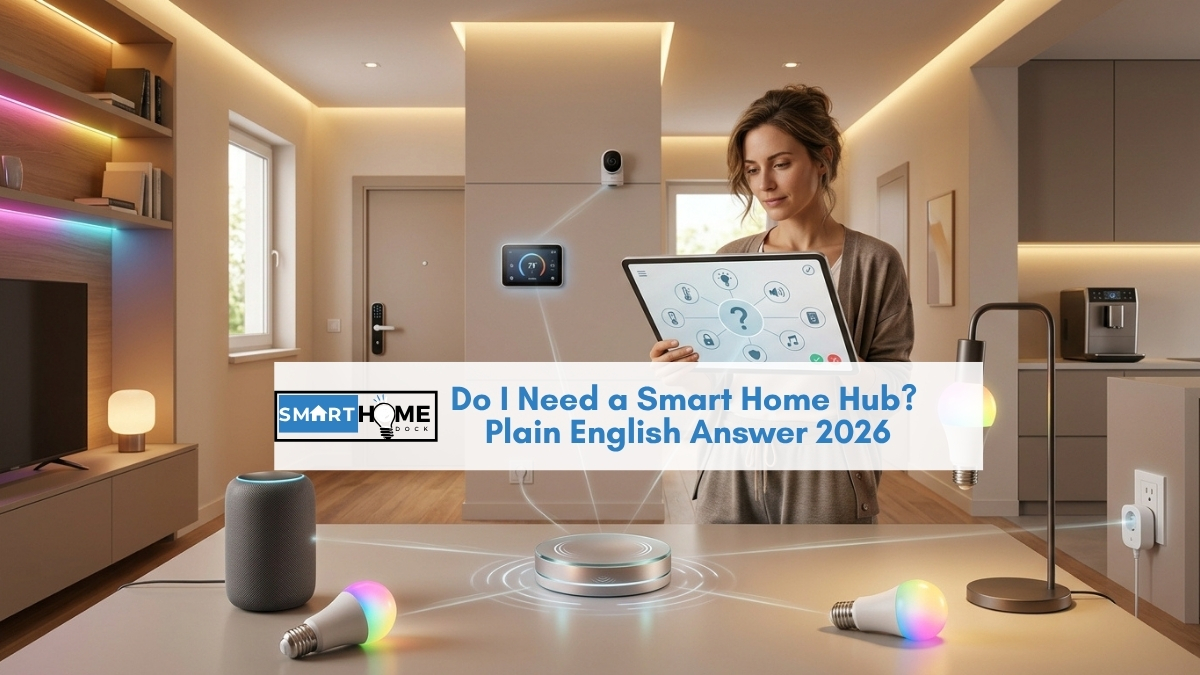
The phrase “smart home hub” sounds like something you need to research carefully before buying. Probably expensive. Probably complicated. Probably something you’ll regret getting wrong.
Here’s the thing: if you have an Amazon Echo, a Google Nest speaker, or an Apple HomePod Mini sitting on a shelf somewhere, you already have a smart home hub. You’ve had one the whole time.
This guide answers the question in plain English: do I need a smart home hub? What a hub does, whether what you already own counts as one, and when you’d actually need to upgrade.
Quick Answer: Do I Need a Smart Home Hub?
If you own an Echo, Google Nest speaker, or HomePod Mini: you already have a hub. These devices handle voice control, run automations, and connect smart home devices together. You don’t need anything else to get started.
If you own none of these: a smart speaker is the right first hub, not a dedicated hub like SmartThings or Home Assistant. Buy an Echo Dot (~$50) or Google Nest Mini (~$50) first.
When you’d need a dedicated hub: when you have 15+ devices from different brands that aren’t talking to each other properly, and a smart speaker alone isn’t handling the coordination. Most people reach this point after 1 to 2 years of building a smart home. Not on day one.
What Does a Smart Home Hub Actually Do?
Specifically, a smart home hub does three things:
- It connects your devices together so they can talk to each other. A motion sensor can tell the lights to turn on. The lock can tell the heating that someone arrived home.
- It runs automations: rules that make things happen automatically without you doing anything. (“when I leave the house, turn off all lights and lower the heating”)
- It gives you a single place to control everything: one app, one voice command, one interface, not a different app per device.
That’s it. A smart home hub is the central brain that makes devices behave like a coordinated system rather than individually controlled gadgets.
Notably, nothing in that description requires a dedicated piece of hardware. Your Amazon Echo does all three of these things already.
You Might Already Have a Hub and Not Know It
This is the insight that the question “do I need a smart home hub?” almost always leads to: most people who ask it have one sitting on their kitchen counter.
The Amazon Echo (any model) connects to smart home devices via Alexa, runs Routines that automate multiple actions from one trigger, and gives you voice control over everything paired to your Amazon account. It is a smart home hub. It ships described as a “smart speaker” because that’s how most buyers think about it on day one. The hub functionality is fully built in.
The Google Nest Mini, Nest Hub, and Nest Hub Max do the same through Google Home. Devices pair to the Google Home app, automations run through Google Home Automations, and voice commands control everything. Also a hub.
The Apple HomePod Mini handles HomeKit-compatible devices, runs HomeKit automations locally without internet, and works as a Thread border router for the newest generation of smart devices. Also a hub. Specifically, it controls things even during internet outages, because it processes automations on your local network.
Furthermore, the 4th-generation Amazon Echo specifically adds a built-in Zigbee radio, which means it connects directly to Zigbee smart home devices (certain IKEA bulbs, Aqara sensors, some smart plugs) without any additional hardware. It’s literally a hub inside a speaker.
Can You Have a Smart Home Without a Hub?
A smart home without a hub is possible, with one condition. Every device you buy needs to connect directly to your home Wi-Fi and work with an app independently.
Specifically, Wi-Fi smart devices (bulbs, plugs, cameras) connect to your router and work with a phone app without any hub involved.
A Kasa smart plug pairs to your Wi-Fi, opens in the Kasa app, and you control it from your phone. No hub needed.
A Meross smart bulb connects to Wi-Fi, opens in the Amazon or Google Home app (if it’s Matter-certified), and works immediately.
However, a completely hub-free smart home has a ceiling. Without something to tie devices together, every device is its own island:
- You control the lights from one app and the plug from another
- Automations that combine devices from different brands don’t work. Your motion sensor cannot trigger your smart bulb if they are in different apps.
- Voice control works per-device but not as a unified home system
Consequently, most people naturally end up using a smart speaker as a hub within weeks of their first smart home purchase, even if they did not plan to.
It’s the point where “I have some smart devices” becomes “I have a smart home.”
Smart Home Hub vs Smart Speaker: What’s Actually Different in Plain English?
The confusion between these two categories is the source of most “do I need a hub?” questions. Here is the honest answer:
| Feature | Smart speaker (Echo, Nest, HomePod) | Dedicated hub (SmartThings, Home Assistant) |
|---|---|---|
| Connect devices and control them | ✅ | ✅ |
| Run automations | ✅ | ✅ More complex logic possible |
| Voice control | ✅ Built in | ⚠️ Needs a smart speaker added separately |
| Works with Zigbee devices directly | ✅ Echo 4th gen only | ✅ Most dedicated hubs |
| Works with Z-Wave devices | ❌ | ✅ SmartThings, Hubitat, Home Assistant |
| Runs automations without internet | ✅ HomePod only / partial Echo | ✅ Home Assistant fully local |
| Connects devices across all brands | ✅ via Matter | ✅ More protocols supported |
| Setup complexity | ✅ 10 minutes | ⚠️ Hours to days (Home Assistant) |
| Right for total beginners | ✅ Yes: start here | ❌ Not until you hit limitations |
Furthermore, the table shows the honest summary: a smart speaker covers everything a beginner needs from a hub, plus voice control built in, at a fraction of the setup complexity.
A dedicated hub adds specific capabilities (Z-Wave support, more complex automation logic, local processing) that most people do not need until they have a large, established smart home.
💡 Eight years in: the moment I actually needed a dedicated hub
I ran my entire smart home through an Amazon Echo for the first three years. It handled Alexa Routines, Zigbee bulbs directly, and Matter devices via QR code. No separate hub needed.
The moment I genuinely needed a dedicated hub: I bought a Z-Wave smart lock (the best lock in its price range at the time) and discovered the Echo has no Z-Wave radio. The lock wouldn’t pair to anything I owned. I needed a SmartThings hub to bridge it into the rest of the home. That was device number 23. Point being: a dedicated hub is a solution to a specific problem, not something to buy in anticipation of a problem you might not hit for years.
When Do You Actually Need a Dedicated Smart Home Hub?
Specifically, four situations genuinely require a dedicated hub beyond a smart speaker:
Situation 1: You own Z-Wave devices. Z-Wave is a smart home protocol used by many premium smart locks, sensors, and switches. Importantly, no current Amazon Echo or Google Nest speaker has a Z-Wave radio. If you want to use Z-Wave devices, you need a hub that supports Z-Wave: SmartThings, Hubitat, or a Home Assistant device with a Z-Wave dongle. If you’re not specifically using Z-Wave devices, this situation doesn’t apply to you.
Situation 2: You have many devices from many different brands that need complex cross-brand automations. A smart speaker handles cross-brand automations well for most use cases via Matter and its ecosystem integrations. However, advanced conditional logic (for example, “if the front door opens after 11 pm AND no motion is detected for 60 seconds, turn on the hallway light at 20%”) is where dedicated hubs like Home Assistant outperform smart speakers significantly. Most people never build automations this complex. Some do.
Situation 3: You need automations to run completely offline. Smart speakers process most automations through the cloud. If your internet goes down, some automations stop working. Specifically, a locally-processed hub (Home Assistant, HomePod Mini for HomeKit) is the correct solution if your smart lock or security lighting must work during internet outages. For most households, the internet going down is a mild inconvenience rather than a security concern.
Situation 4: You want to control something very specific that smart speakers don’t support. Garage door openers, pool controllers, older HVAC systems, and some commercial-grade sensors use protocols that Alexa and Google Home don’t natively support. Dedicated hubs (particularly Home Assistant) support a far wider range of integrations than any smart speaker. Admittedly, this is genuinely niche but meaningful for the buyers it applies to.
If none of these four situations apply to you right now. You do not need a dedicated hub. A smart speaker is your hub; it’s working, and adding a dedicated hub would add complexity without solving a real problem.
Frequently Asked Questions
Do I need a smart home hub if I have an Amazon Echo?
No, the Amazon Echo IS a smart home hub. It connects smart home devices through the Alexa app, runs Routines that automate multiple actions from one trigger, and controls devices by voice.
The 4th-generation Echo additionally has a built-in Zigbee radio that connects Zigbee devices directly without any additional hardware.
You don’t need a separate hub to start building a smart home with an Echo.
A dedicated hub like SmartThings only becomes relevant if you buy Z-Wave devices (the Echo has no Z-Wave radio) or need automation logic more complex than Alexa Routines can handle.
What is the difference between a smart home hub and a smart speaker?
In practice, for most households, there is no meaningful difference. Modern smart speakers function as smart home hubs.
An Amazon Echo, Google Nest Hub, or Apple HomePod Mini all connect devices, run automations, and provide voice control, which is what a smart home hub does.
A dedicated hub like SmartThings or Home Assistant adds specific capabilities: Z-Wave support, more complex automation logic, and fully local processing without internet dependency.
These capabilities matter for advanced setups with many devices across multiple protocols.
For beginners and most intermediate smart home users, a smart speaker hub is sufficient and significantly easier to set up.
Can I build a smart home without any hub at all?
Yes, at the basic level. Wi-Fi smart devices connect directly to your router and work with phone apps without any hub.
However, a hub-free smart home means each device is controlled separately, with no cross-device automations, no unified voice control, and no single place to manage everything.
Most people find this limiting within weeks and naturally end up using a smart speaker as a hub.
If your goal is a home that responds automatically to your routine, some form of hub is necessary. Consequently, a smart speaker is the right starting point.
Is SmartThings worth it for a beginner? Do I Need a Smart Home Hub Upgrade?
Not as a starting point. SmartThings is worth it when a smart speaker hub has reached a specific limitation (usually Z-Wave support or multi-platform device integration beyond what Matter provides).
For a beginner, starting with SmartThings adds setup complexity without delivering meaningful additional capability over a $50 Echo Dot.
Start with a smart speaker, add 5 to 10 devices over 6 to 12 months, and reassess whether the specific limitations of a smart speaker hub are affecting your setup.
Notably, most people find they never hit those limitations. Those who do know exactly what they need when they get there.
Does Matter mean I no longer need a hub?
Matter significantly reduces the cases where a dedicated hub is necessary, but it does not eliminate them.
Matter-certified devices pair to Alexa, Google Home, and Apple HomeKit simultaneously via QR code, without brand-specific skills or bridges.
This means a smart speaker handles Matter devices from any brand natively, which was a major limitation before 2022.
However, Matter doesn’t cover Z-Wave, doesn’t include every device category, and doesn’t provide the local automation depth of Home Assistant.
For the majority of smart home setups built around Matter-certified devices, a smart speaker hub is now fully sufficient.
For setups involving older protocols or advanced automation requirements, a dedicated hub still adds value.
Where to Go from Here
✅ Total beginner: haven’t bought anything yet
Start with our What is a Smart Home? guide. It covers what changes about daily life, how much it costs to start, and the single first device to buy. A hub question can wait until you’ve lived with one smart device for a few weeks.
✅ Ready to buy a smart speaker hub: which one?
Our best smart home hub guide compares every option (Echo vs Google Nest vs HomePod Mini vs SmartThings vs Home Assistant) with honest guidance on which suits each buyer profile. Read this before buying anything.
✅ Have an Echo already: want to use it as your hub
Our Alexa setup guide covers adding smart home devices to Alexa, creating device groups, building your first Routines, and setting up Alexa Guard. Everything that turns a smart speaker into a working smart home hub.
✅ Confused about Zigbee, Z-Wave, Thread, Matter?
Our Zigbee vs Z-Wave vs Thread guide explains what each protocol is, which hubs support which, and why it matters for what you buy. If you’re specifically wondering whether you need Z-Wave support (and therefore a SmartThings hub), start here.
✅ Wondering what Matter means for hub decisions
Our Matter explainer covers how Matter certification changes the buying decision: why Matter devices work with Alexa, Google Home, and HomeKit simultaneously, and how this reduces the need for a dedicated hub in 2026.
Also Read:
