


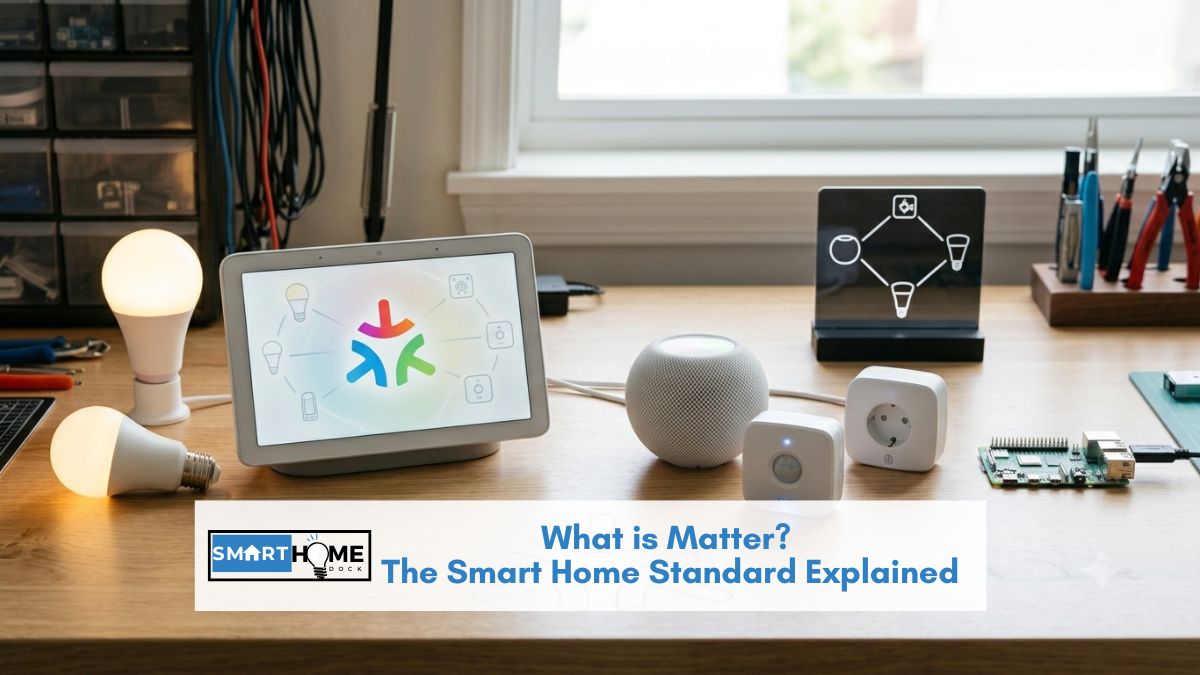
You saw “Matter” on a smart bulb at the hardware store or in a review, and now you want to know what it actually means before you buy anything. Good instinct, it changes the buying decision.
The simplest version: Matter is the USB of the smart home. Before USB, every keyboard and printer had a different plug.
Before Matter, every smart device had a different ecosystem: Alexa only, HomeKit only, or Google only.
Matter makes smart devices work with all of them at once, like USB made every peripheral plug into every laptop.
That’s the whole explanation. The rest of this article covers the follow-up questions: existing devices, hub requirements, setup steps, and the Thread distinction.
Quick Answer: What is Matter?
Matter is a universal smart home compatibility standard backed by Apple, Amazon, Google, and Samsung. A device with the Matter logo works with Alexa, Google Home, Apple HomeKit, and SmartThings simultaneously, without any compatibility chart, without separate bridges, and without being locked into one platform.
Matter launched in October 2022. By June 2026, it covers lights, plugs, switches, locks, thermostats, sensors, blinds, and is expanding into cameras, robot vacuums, and appliances.
Your existing non-Matter devices don’t stop working. Matter is for new purchases. Old devices continue working through their existing apps and integrations.
What Matter Actually Means for Buying Smart Home Devices
Before Matter, buying a smart device required checking three separate compatibility questions:
- Does it work with Alexa?
- Does it work with Google Home?
- Does it work with Apple HomeKit?
Many devices answered yes to one and no to the others.
Buying the wrong one meant a device that wouldn’t respond to your voice assistant, wouldn’t appear in your preferred app, or required a separate bridge you hadn’t budgeted for.
After Matter, the question is one: does it have the Matter badge? If yes, it works with all four major platforms simultaneously. Alexa, Google Home, HomeKit, and SmartThings.
Scan the QR code on the box during setup, and it joins whichever platform you use. Or all of them at once.
This is what “interoperability” means in practical terms. One purchase decision. No ecosystem lock-in.
If you switch from Alexa to Google Home next year, your Matter devices come with you — no replacing hardware.
💡 Multi-admin — the feature that changes shared households
Matter supports multi-admin: one device, multiple controllers at the same time. A Matter light switch can respond to Alexa voice commands, appear in the Apple Home app, show up in Google Home, and be automated through Home Assistant simultaneously.
The practical result for a household where one person uses Alexa and another uses Google Home: both platforms control the same lights. No separate purchases, no separate devices. Non-Matter hardware requires choosing one platform for the whole household.
Do You Already Have Matter? (Check Before Buying Anything)
This is the step worth checking before any purchase. A significant number of readers already have everything needed to use Matter devices, without buying any new hardware.
Matter requires a “Matter controller”, a device that manages your Matter products and connects them to your smart home platform. These controllers are built into devices you may already own:
| Device you already own | Matter controller? | Thread border router? |
|---|---|---|
| Amazon Echo (4th gen, 2020 or later) | ✅ Yes | ✅ Yes |
| Amazon Echo Show 10 (3rd gen or later) | ✅ Yes | ✅ Yes |
| Apple TV 4K (2nd gen, 2021 or later) | ✅ Yes | ✅ Yes |
| Apple HomePod Mini (any) | ✅ Yes | ✅ Yes |
| Apple HomePod (2nd gen, 2023 or later) | ✅ Yes | ✅ Yes |
| Google Nest Hub (2nd gen, 2021 or later) | ✅ Yes | ✅ Yes |
| Google Nest Hub Max | ✅ Yes | ⚠️ No Thread |
| Samsung SmartThings Station | ✅ Yes | ✅ Yes |
| Amazon Echo (3rd gen, 2019) | ✅ Yes | ❌ No Thread |
| Google Nest Mini / Google Home Mini | ✅ Yes (Wi-Fi Matter only) | ❌ No Thread |
The practical conclusion: if you own any Echo from 2020 onward, any HomePod Mini, Apple TV 4K, or Nest Hub 2nd gen, you already have a Matter controller and Thread border router.
Buy any Matter-certified device, scan the QR code, and it joins your ecosystem immediately. No additional hardware needed.
Matter vs Thread: What’s the Difference?
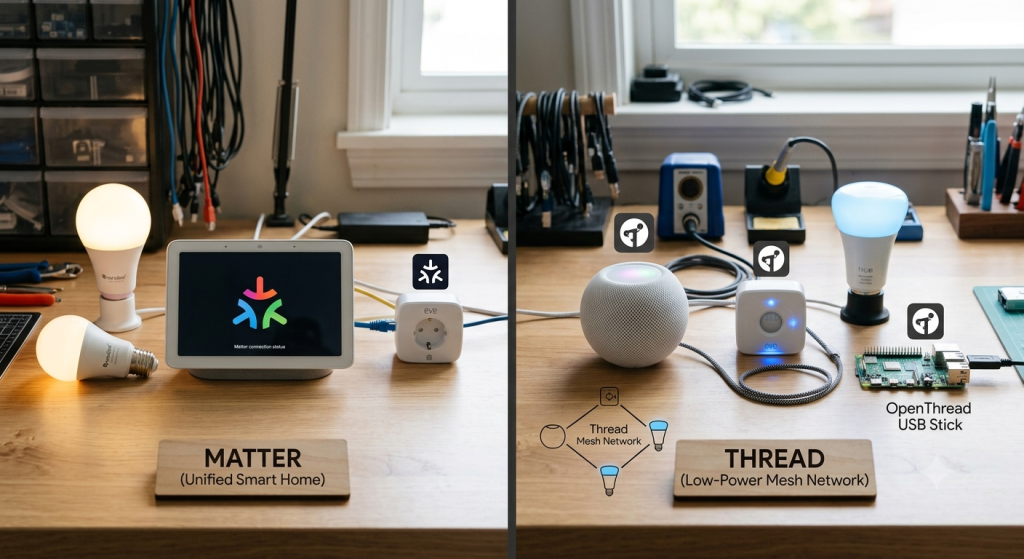
These two terms appear together constantly and confuse almost every buyer. One sentence each.
Matter is the language — the set of rules that lets smart devices from different brands describe themselves and receive commands in a way every platform understands.
Thread is one of the roads — a low-power wireless mesh network that battery-powered Matter devices (sensors, locks, some bulbs) use to communicate. Other Matter devices use Wi-Fi instead.
You don’t choose between Matter and Thread. Thread is a transport option that Matter devices use automatically when it’s available.
If you have a Thread border router in your home (see the table above), Thread-capable Matter devices will use it. If you don’t, they fall back to Wi-Fi or Bluetooth.
Why Thread matters for battery-powered devices
Thread uses significantly less power than Wi-Fi. A Thread-based door sensor lasts 2–3 years on a single battery. The equivalent Wi-Fi sensor lasts 4–8 months.
For sensors, locks, and any device running on batteries, Thread is the reason Matter-certified devices have genuinely longer battery life than their Wi-Fi predecessors.
Thread also creates a mesh network. Each Thread device extends the network range for all other Thread devices.
Add more Thread devices, and the network gets stronger and more resilient, unlike Wi-Fi, where each device connects independently to the router.
Does Matter Work with Alexa, Google Home, and HomeKit?
Yes to all three — and SmartThings. Here’s specifically how setup works on each platform and what to expect.
Does Matter work with Alexa?
Yes, Amazon Echo (4th gen and later) is a Matter controller. Setup: open the Alexa app, tap the + button to add a device, select “Matter” as the device type, and scan the QR code on the product packaging.
The device joins your Alexa setup and responds to voice commands immediately. Compatible Echo devices also serve as Thread border routers for Thread-based Matter devices.
Does Matter work with Google Home?
Yes. Google Home app handles Matter setup via QR code scan. Nest Hub 2nd gen, Nest Hub Max, and Nest Wifi Pro all act as Matter controllers.
The Nest Hub 2nd gen also serves as a Thread border router. Setup takes under two minutes: open Google Home, tap the + button, scan the code, done.
Does Matter work with Apple HomeKit?
Yes, natively and with the simplest setup process. Open the Apple Home app, tap the + button, scan the HomeKit/Matter QR code on the device, and it joins the Home app.
Any HomePod Mini, Apple TV 4K (2nd gen or later), or HomePod (2nd gen) acts as the HomeKit hub and Thread border router.
Apple’s local processing means Matter automations through HomeKit run on the HomePod without routing through Apple’s servers.
Does Matter work with SmartThings?
Yes. The Samsung SmartThings Station and the Aeotec hub both support Matter as controllers. SmartThings exposes Matter devices to Alexa and Google Home simultaneously.
Add a Matter bulb through SmartThings, and it appears in both Alexa and Google Home automatically without re-pairing.
Do You Need a Hub for Matter?
For Wi-Fi-based Matter devices, no dedicated hub is needed. Wi-Fi Matter devices (most plugs, many bulbs, some switches) connect directly to your router and pair with your existing Alexa, Google Home, or Apple Home app. No extra hardware.
For Thread-based Matter devices, you need a Thread border router. As shown in the table above, this is built into the Echo (4th gen), HomePod Mini, Apple TV 4K, and Nest Hub 2nd gen.
If you own any of these, you already have Thread infrastructure.
For a home with no smart speakers at all, the minimum setup is any of these devices:
- Amazon Echo (4th gen, ~$100) — Matter controller + Thread border router + Alexa
- Apple HomePod Mini (~$99) — Matter controller + Thread border router + Siri/HomeKit
- Google Nest Hub 2nd gen (~$100) — Matter controller + Thread border router + Google Home
Any of these three handles both Wi-Fi and Thread Matter devices. See our complete smart home hub guide for the full breakdown of which hub fits which setup.
Matter vs Zigbee: Do You Need to Replace Your Existing Devices?
No. This is the most common anxiety new Matter information creates, and it’s unnecessary.
Matter sits alongside existing protocols, not instead of them. Your Zigbee bulbs, Z-Wave locks, Bluetooth sensors, and Wi-Fi plugs continue working exactly as they do today through their existing apps and integrations.
Matter is not a replacement for Zigbee or Z-Wave. It doesn’t make those devices obsolete.
The practical approach for 2026:
- Existing devices: keep using them as they are. No action needed.
- New purchases: choose Matter-certified options where available. The Matter logo future-proofs the purchase against ecosystem changes.
- Bridging older devices: some hubs (SmartThings, Home Assistant) can bridge existing Zigbee and Z-Wave devices into the Matter ecosystem, making them visible across platforms. This is optional — not required.
⚠️ When Matter isn’t available yet
Matter coverage expanded significantly through 2025, but some categories still have limited options. Cameras are beginning to appear with Matter support, but the selection is still small.
Robot vacuums from iRobot, Roborock, and Ecovacs have announced Matter support, with rollouts underway. Most appliances are Matter-capable only in the most expensive tiers.
For these categories, non-Matter devices remain the practical choice; they work fine through existing platform integrations.
What Devices Support Matter in 2026?
Matter coverage as of June 2026, categories with strong selection and categories still developing:
| Device category | Matter support | Brands with Matter |
|---|---|---|
| Smart bulbs and lights | ✅ Broad selection | Philips Hue, Nanoleaf, IKEA Tradfri, Sengled, GE Cync |
| Smart plugs and switches | ✅ Broad selection | Eve, Meross, TP-Link Kasa, Amazon, IKEA |
| Smart locks | ✅ Growing | Schlage Encode Plus, Yale Assure 2, Nuki Ultra |
| Smart thermostats | ✅ Growing | Ecobee, Honeywell, Yale (via hub) |
| Sensors (motion, door, temperature) | ✅ Good selection | Eve, Aqara, Nanoleaf, IKEA |
| Smart blinds and shades | ✅ Available | Eve MotionBlinds, IKEA, SmartWings |
| Security cameras | ⚠️ Early — limited selection | Handful of brands, more expected late 2026 |
| Robot vacuums | ⚠️ Rolling out | iRobot, Roborock, Ecovacs (announced) |
| EV chargers and energy | ✅ Matter 1.3+ | Select chargers, solar inverters, smart meters |
| Large appliances | ⚠️ Premium tier only | Select Samsung, LG, and Bosch appliances |
For a curated list of specific Matter-certified products across every category, see our best Matter devices guide, updated April 2026.
How to Set Up a Matter Device — It’s Three Steps
Matter setup was specifically designed to be simpler than any previous smart home pairing process. The QR code approach eliminates the multi-step linking that older smart home devices required.
- Find the Matter QR code. It’s printed on the product packaging, on a sticker on the device itself, or in the companion app. It looks like a standard QR code with a small “M” logo.
- Open your smart home app. Alexa app → + → Add Device → Matter. Google Home → + → Set up device → Matter. Apple Home → + → Add Accessory → scan code. SmartThings → + → Device → Scan QR code.
- Scan the QR code. The app handles the rest. The device joins your network, appears in your app, and is immediately controllable by voice.
The setup takes under 2 minutes. The same QR code works for all four platforms. Scan it in Alexa, then scan it again in Google Home, and the device appears in both. That’s multi-admin in practice.
💡 If the QR code scan doesn’t work
Matter devices also have an 11-digit numeric code printed alongside the QR code. If the camera scan fails due to poor lighting, damaged code, or phone camera limitations, enter the numeric code manually in the app instead. Same result, different input method.
Also, ensure the device is in pairing mode. Most Matter devices enter pairing mode when first powered on. If you’re re-adding a device, hold the reset button until the indicator light flashes to return it to pairing mode.
Matter Versions: What’s Changed Since Launch
Matter launched at version 1.0 in October 2022. Updates have expanded device categories and capabilities significantly:
- Matter 1.0 (Oct 2022): lights, plugs, switches, locks, thermostats, blinds
- Matter 1.1 (May 2023): improved reliability, bug fixes, and refrigerators added
- Matter 1.2 (Oct 2023): robot vacuums, smoke alarms, air quality sensors, and air purifiers added
- Matter 1.3 (May 2024): EV chargers, energy management, and water controls added
- Matter 1.4 (Nov 2024): enhanced energy reporting, HRAP (Home Remote Access Protocol) for better remote control
- Matter 1.5 (expected 2026): broader camera support, health sensors, expanded appliance integration
The trajectory is clear. Matter is not a finished protocol but an evolving standard adding new device categories with each release. Buying Matter-certified hardware today means those devices will benefit from future Matter improvements through firmware updates, without any hardware change.
Frequently Asked Questions About Matter
What is Matter in simple terms?
Matter is a universal compatibility standard for smart home devices.
A device with the Matter logo works with Alexa, Google Home, Apple HomeKit, and SmartThings simultaneously.
No compatibility chart. No separate bridge. No platform lock-in.
Think of it as USB for smart home: before USB, every device had a different plug; Matter makes every certified smart device work with every major platform.
Does Matter replace Zigbee or Z-Wave?
No, Matter sits alongside Zigbee and Z-Wave rather than replacing them.
Your existing Zigbee bulbs and Z-Wave locks continue working through their existing apps and integrations.
Matter is for new device purchases; choosing Matter-certified products future-proofs against ecosystem changes.
Some hubs (SmartThings, Home Assistant) can also bridge existing Zigbee and Z-Wave devices into the Matter ecosystem, making them visible across platforms, but this is optional rather than required.
Do I need to buy a new hub for Matter?
Probably not. Own an Echo (4th gen+), HomePod Mini, Apple TV 4K, or Nest Hub 2nd gen? You already have everything needed.
Both Wi-Fi and Thread-based Matter devices work without any new hardware. Check the device table in this article.
If you own any of those devices, you’re already Matter-ready.
What is the difference between Matter and Thread?
Matter is the language, the standard that defines how smart home devices communicate across platforms.
Thread is one of the roads, a low-power wireless mesh protocol that battery-powered Matter devices use to communicate instead of Wi-Fi.
Thread uses far less power than Wi-Fi, giving Thread-based sensors and locks significantly longer battery life.
You don’t choose between them. Thread is a transport option that Matter devices use automatically when a Thread border router is available in your home.
Are all smart home devices becoming Matter?
New devices in the primary categories, lights, plugs, switches, locks, thermostats, and sensors, are increasingly Matter-certified.
Major brands including Philips Hue, IKEA, Eve, Nanoleaf, Schlage, Yale, Ecobee, and Amazon all have Matter products.
Cameras and robot vacuums are beginning Matter adoption, with broader support expected through late 2026.
Some categories (budget devices, older product lines) may never receive Matter certification.
When buying new smart home hardware in 2026, looking for the Matter logo is the best future-proofing choice available.
Can I control a Matter device with multiple apps at once?
Yes, this is called multi-admin, and it’s one of Matter’s most important features.
A single Matter device can be added to Alexa, Google Home, HomeKit, and SmartThings simultaneously.
Each platform controls the device independently.
One household member can use Alexa, another can use Google Home, and the same lights respond correctly to both.
Scan the same QR code in a second app to add the device to that platform too, it joins without removing it from the first.
What to Do Next
✅ You want to know which specific Matter devices to buy
Our Best Matter Devices guide — updated April 2026, covers 25+ specific product picks across every supported category including lights, plugs, locks, sensors, and thermostats.
✅ You want to know which hub to buy for Matter (or whether you already have one)
Our Best Smart Home Hub guide covers every current Matter controller, Echo Hub, SmartThings Station, HomePod Mini, and more, with clear guidance on which one fits your existing setup.
✅ You want to build automations with your Matter devices
Our Best Home Automation Tools guide covers Alexa Routines, Google Home Automations, Apple Home Automations, and SmartThings, the platforms that control Matter devices and build cross-device automations.
✅ You want to add smart locks that work with Matter
The Schlage Encode Plus and Yale Assure Lock 2 Touch both support Matter. Our Best Smart Locks guide covers both alongside non-Matter options for every budget and situation.
