






Disclosure: This article may contain affiliate links. SmartHomeDock participates in the Amazon Associates Program and may earn commissions from qualifying purchases at no extra cost to you.
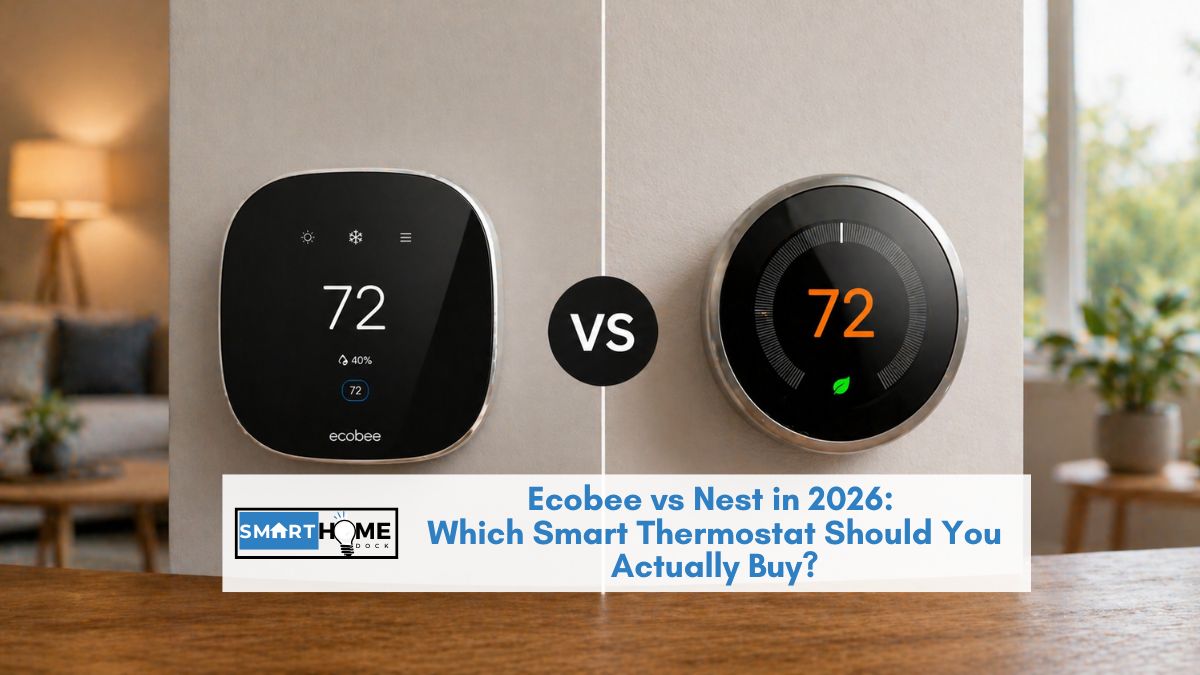
You’ve decided to buy a smart thermostat. You’ve narrowed it down to Ecobee or Nest.
Now you’re stuck because both cost $250, both claim 20%+ energy savings, and both have thousands of positive reviews.
Every comparison article you’ve read so far says “it depends on your needs” without actually telling you what to buy.
I’ve run both the Ecobee Smart Thermostat Premium and the Google Nest Learning Thermostat (4th Gen) in my own home for over a year.
Here’s the honest, experience-based comparison that actually helps you decide based on your ecosystem, your home layout, and what you actually care about.
Quick Answer:Ecobee vs Nest comes down to three questions: Do you use Apple HomeKit? Buy Ecobee, Nest doesn’t support it. Do you have a multi-room home with uneven temperatures? Buy Ecobee, the room sensors are significantly better. Do you want a thermostat you never have to programme? Buy Nest, the learning algorithm is genuinely superior. Both save comparable energy, both cost $250, and both now support Matter. If none of those three questions gives you a clear answer, buy the Ecobee Enhanced at $190 same core features, $60 less.
Ecobee vs Nest: Head-to-Head Comparison Table
| Feature | Ecobee Premium ($250) | Nest Learning 4th Gen ($280) | Winner |
|---|---|---|---|
| Room sensors | 1 included (temp + occupancy) | 1 included (temp only) | Ecobee |
| Learning algorithm | Schedule-based + Smart Home/Away | True auto-learning + AI-powered | Nest |
| Smart home | Alexa, Google, HomeKit, SmartThings, Matter | Google, Alexa, Matter (no HomeKit) | Ecobee |
| Built-in speaker | Yes (Alexa + Siri) | No | Ecobee |
| Air quality | Yes (VOC, humidity) | No | Ecobee |
| Display | Flat touchscreen (no glare) | Curved glass (reflective) | Ecobee |
| Design | Black rectangle (1 colour) | Circular, 3 finishes (gold, silver, obsidian) | Nest |
| C-wire required | No (PEK included) | No (Power Sharing) | Tie |
| Energy savings | ~23% claimed | ~10-15% claimed | Tie (real-world similar) |
| HVAC monitoring | Basic alerts | HVAC system health alerts | Nest |
| Geofencing | Yes | Yes | Tie |
| Budget option | Enhanced at $190 | Nest Thermostat at $130 | Nest (cheaper entry) |
Where Ecobee Wins: Room Sensors and Platform Support

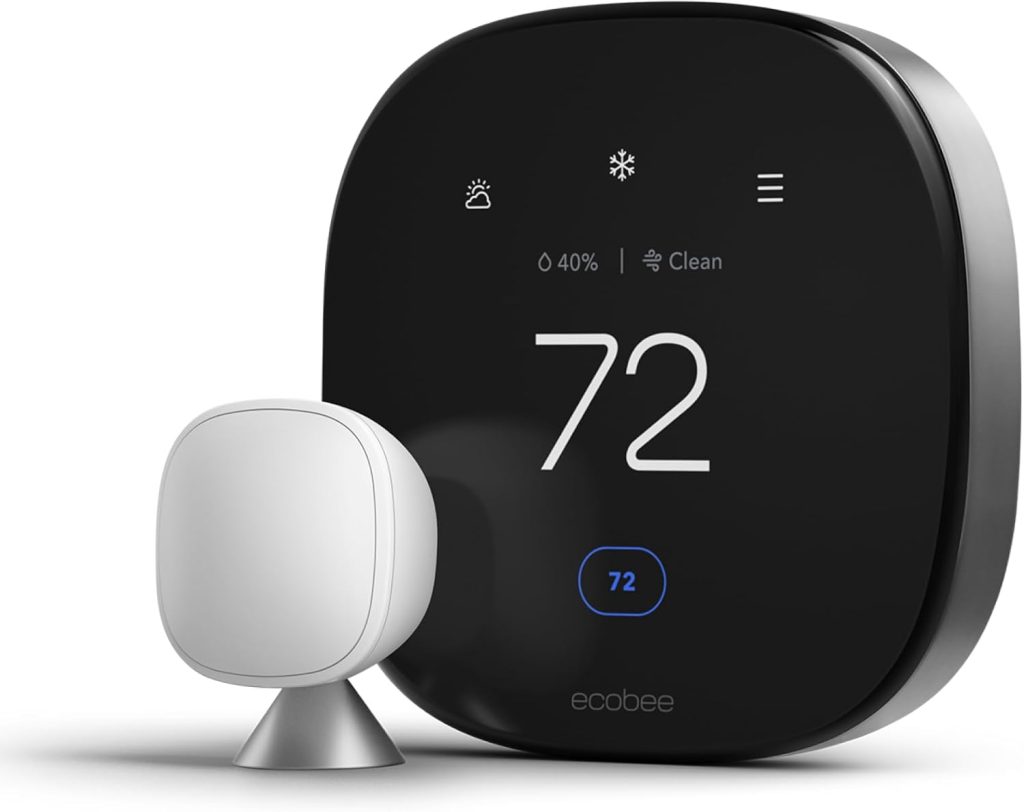
Room sensors are Ecobee’s defining advantage. The included SmartSensor detects both temperature and occupancy in whichever room you place it.
During sleep hours, the thermostat can prioritise your bedroom sensor and ignore the hallway where the thermostat is mounted.
During work hours, it can prioritise your home office. The system knows where you are and adjusts accordingly.
In my testing, the room sensor system eliminated the “freezing bedroom, boiling living room” problem that every previous thermostat created.
Nest now includes a temperature sensor too, but it lacks occupancy detection it measures temperature at a fixed location without knowing if anyone is actually in that room.
Platform support is Ecobee’s other major win. Ecobee works with Alexa, Google Home, HomeKit, SmartThings, and Matter. Nest does NOT support HomeKit, full stop.
If you use an iPhone, iPad, Apple Watch, or HomePod as part of your smart home setup, Ecobee is your only option between these two brands.
For our full Ecobee review, see our Ecobee Smart Thermostat Premium review.
Where Nest Wins: Learning Algorithm and Design

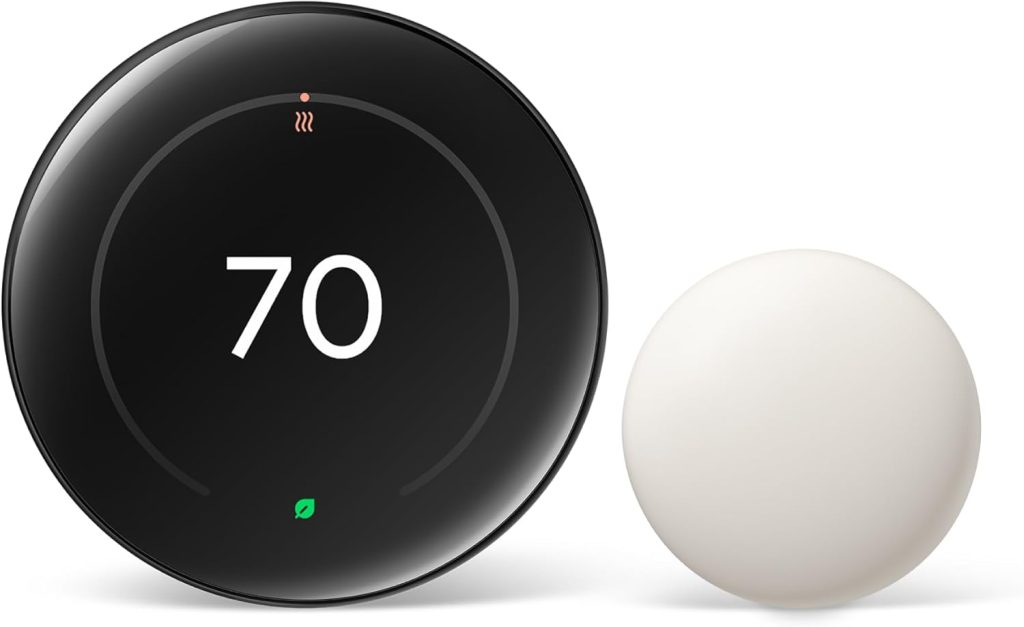
Nest’s auto-learning is genuinely magical. For the first week, you manually adjust the temperature as you normally would.
After that, Nest learns your patterns when you wake up, when you leave for work, when you come home, when you go to bed, and automatically creates a schedule without you ever touching the settings screen.
The 4th Gen adds AI-powered adjustments based on outside weather conditions, preheating or precooling your home before you need it.
Ecobee uses a more traditional approach: you set a schedule manually (home, away, sleep blocks) and the Smart Home/Away feature overrides the schedule when sensors detect you’ve left or arrived.
It works well, but it requires more initial setup than Nest’s “just use it and it learns” approach.
Design is subjective, but Nest wins for most people. The circular form with a borderless glass display and stainless steel ring looks like a luxury watch on your wall.
Three finish options (gold, silver, obsidian) let you match your decor. Ecobee’s rectangular black slab is functional but uninspiring by comparison.
However, Ecobee’s flat touchscreen is easier to read in bright rooms.
Nest’s curved glass suffers from glare and reflections that can make the display hard to see from certain angles, a legitimate usability issue that reviewers at Tom’s Guide and SmartHomeFuel have confirmed.
Smart Home Integration: Ecobee vs Nest in Your Ecosystem
This is where the Ecobee vs Nest decision gets clearest:
Apple households → Ecobee. No debate. Nest doesn’t support HomeKit, Siri, or the Apple Home app. Ecobee does. If you have HomePods, Apple TVs, or use Siri for voice control, Ecobee is the only choice.
Google households → Nest. The Nest Learning Thermostat integrates deepest with Google Home. View energy history on Nest Hub displays, adjust temperature through Google Assistant with natural language (“Hey Google, make it a bit warmer”), and integrate with other Nest/Google devices like cameras and doorbells. Ecobee works with Google, too, but the integration isn’t as deep.
Alexa households → Either works. Both integrate with Alexa for voice commands and routine triggers. Ecobee has a slight edge because the Premium model has a built-in Alexa speaker — your thermostat doubles as an Echo device. For Alexa routine ideas that include thermostat control, see our 33 Alexa routines guide.
Mixed/Matter households → Ecobee. Both support Matter, but Ecobee’s broader native platform support means fewer compatibility headaches. If your household has a mix of Apple and Google devices (increasingly common), Ecobee handles this cleanly.
💡 Expert Tip:
Both Ecobee and Nest support “Time of Use” energy optimisation in 2026. If your utility company offers variable electricity pricing (cheaper at night, expensive in the afternoon), both thermostats can pre-cool your house during cheap hours and throttle back during peak pricing automatically. This is where the real energy savings come from in 2026, and both brands do it equally well. Check with your utility company to see if they participate before buying.
The Budget Question: What If $250 Is Too Much?
| Budget Model | Price | What You Lose | Best For |
|---|---|---|---|
| Ecobee Enhanced | $190 | No built-in Alexa, no air quality monitor | Same core thermostat at $60 less |
| Nest Thermostat | $130 | No learning, no room sensor, simpler design | Budget Google households |
| Ecobee Essential | $130 | Smaller screen, fewer features | Budget with room sensor support |
My recommendation for budget buyers: the Ecobee Enhanced at $190 gives you the same thermostat, the same room sensor, and the same energy savings as the $250 Premium you just lose the built-in Alexa speaker and air quality monitor.
If you already have Echo devices in your home, you don’t need Alexa in your thermostat. The Enhanced is the best value smart thermostat available.
Frequently Asked Questions
Is Ecobee or Nest better for energy savings?
Both deliver similar real-world energy savings of 15–20%, despite different marketing claims.
Ecobee reports up to 23% savings; Nest reports 10–12% on heating and 15% on cooling.
In practice, the savings depend more on your previous habits than on the thermostat brand.
Both support Time of Use optimisation, which is where the biggest savings come from in 2026.
Does Nest work with Apple HomeKit?
No, the Google Nest Learning Thermostat does not support Apple HomeKit, Siri, or the Apple Home app. Google dropped HomeKit support after acquiring Nest.
If you need HomeKit compatibility, Ecobee is the best alternative.
Both Ecobee and Nest support Matter, but Nest’s Matter implementation still routes through Google Home rather than connecting directly to HomeKit.
Are Ecobee room sensors worth it?
Yes, if you have a multi-room home where temperatures vary between rooms.
The sensors detect both temperature and occupancy, allowing the thermostat to focus on the room you’re actually in rather than the hallway where it’s mounted.
For single-room apartments or homes with very consistent temperatures, the sensors add less value.
Can I switch from Nest to Ecobee easily?
Yes, the wiring is standard across most smart thermostats. Remove the Nest, label the wires, and install the Ecobee in the same location using the same wires.
Ecobee’s app guides you through the entire process with wire-by-wire instructions. The switch takes approximately 30 minutes.
Ecobee includes a Power Extender Kit in case your wiring doesn’t include a C-wire.
Which is easier to install — Ecobee or Nest?
Both are straightforward DIY installations that take 30–45 minutes. Nest has a slight edge because its Power Sharing technology works without a C-wire in most homes no additional hardware needed.
Ecobee requires a C-wire or the included Power Extender Kit, which adds one extra step during installation.
Both apps provide step-by-step guidance with photos.
The Verdict: Ecobee vs Nest: Which Should You Buy?
Buy the Ecobee Smart Thermostat Premium ($250) if: You use Apple HomeKit, you have a multi-room home with uneven temperatures, you want the widest platform compatibility, or you want a built-in Alexa speaker on the thermostat.
Buy the Google Nest Learning Thermostat 4th Gen ($280) if: You’re a Google household, you want a thermostat that learns your schedule automatically, you value beautiful hardware design, or you want HVAC system health monitoring.
Buy the Ecobee Enhanced ($190) if: You want the Ecobee experience at a lower price and already have smart speakers in your home.
Buy the Nest Thermostat ($130) if: You want basic smart thermostat features at the lowest possible price and don’t need learning or room sensors.
For a broader view of smart thermostat brands, including Honeywell, see our home automation systems guide.


