

This article contains affiliate links. If you buy through them, SmartHomeDock earns a small commission at no extra cost to you. We only recommend products we’ve actually tested.
You bought a strip light for your TV wall. Set it to red, got red. Set it to blue, got blue. Then you saw a gaming setup online where the strip runs orange at one end, fades through purple, and ends in blue, all at once. You went back to your strip. All red. All blue. One colour at a time.
That’s not a settings problem. It’s the wrong type of strip. RGB strips show one colour across the full length.
RGBIC strips have individually addressable LEDs with different segments and different colours, simultaneously. They’re different products that look identical in photos and get listed in the same guides without explanation.
Five smart LED strip lights tested across TV walls, under-cabinet installs, gaming desks, and stairs. By the end, you’ll know which type fits your location and which one to buy.
Quick Answer
The best smart LED strip lights in 2026 are the Govee RGBIC Pro ($35 for 16.4ft, best gradient effects and music sync for gaming and TV setups), the Philips Hue Lightstrip Plus V4 ($90 for 2m, best for Hue homes 400 lumens per metre, cleanest white), and the Kasa KL430 ($25 for 6.6ft, best budget strip for under-cabinet task lighting). For Matter-certified multi-ecosystem homes, the Nanoleaf Essentials Lightstrip ($50 for 2m) joins Alexa, Google, and HomeKit via QR code scan with no hub.
Before buying: decide whether you want gradient effects (RGBIC) or one colour at a time (RGB). This determines which products will do what you’re imagining. Read the RGBIC vs RGB section below before ordering anything.
RGBIC vs RGB: Read This Before You Buy Any Strip Light
This is the decision every buying guide buries in specs. It belongs first.
RGB strips — one colour at a time
RGB strips have three LED channels: red, green, and blue. Every LED on the strip receives the same signal. Set it to red, and the full length turns red. Set it to purple, and the full length turns purple.
Right for: under-cabinet task lighting, TV bias lighting with a consistent colour temperature, shelves, and stairs. Any installation where uniform lighting is the goal. Also, cheaper and simpler.
The Kasa KL430 and Philips Hue Lightstrip Plus V4 are RGB strips. Both are excellent for what RGB is actually for.
RGBIC strips — multiple colours simultaneously
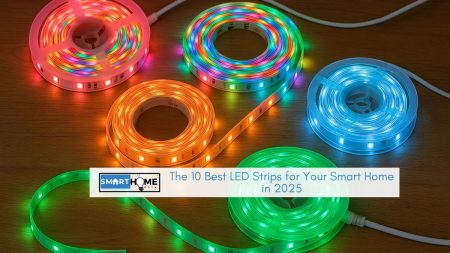
RGBIC strips have a chip in each LED for independent control. Different segments show different colours at the same time.
This produces the gradient effects, the colour-chasing animations, and music-reactive patterns where the strip changes colour along its length.
You cannot cut RGBIC strips. Individual addressing requires an unbroken circuit. Cut it, and the section after the cut stops working.
The Govee RGBIC Pro is an RGBIC strip. Right for gaming desks, gaming room walls, and TV backlighting where reactive colour is the point.
⚠️ The spec that actually matters: lumens per metre, not total lumens
Strip light listings show total lumens for the full length. For a 3ft under-cabinet run, the relevant number is lumens per metre brightness per unit length at your actual installation.
The Philips Hue Lightstrip Plus V4 produces around 400 lumens per metre, the brightest on this list. The Govee RGBIC Pro produces around 200 lumens per metre.
For under-cabinet task lighting, 400 lumens per metre is sufficient. For accent lighting behind a TV, 200 lumens per metre is enough. Always check lumens per metre, not total lumens.
Which Strip for Which Location
The right strip changes completely by location. Stop at the one that matches your plan.
TV wall backlighting
For basic bias lighting, a consistent warm glow behind the TV, the Kasa KL430 is sufficient and cheaper. For reactive colour that mirrors on-screen content, the Govee RGBIC Pro with camera sync is a genuinely different experience.
A camera clips to the TV bezel and samples screen colours in real time. The result is ambient lighting that changes with the scene not a gimmick once you’ve lived with it.
Under kitchen cabinets
Brightness first. Tunable white second. Colour last. The Hue Lightstrip Plus V4 at 400 lumens per metre and genuine tunable white (not RGB-approximated white) is the correct pick here.
Govee RGBIC is too dim and produces an orange cast at warm white settings. Kasa KL430 handles this well at a lower price if the Hue cost is a barrier.
Gaming desk or gaming room
RGBIC wins here. Gradient effects, music sync, and reactive animations are all RGBIC-only features. Govee RGBIC Pro has 65+ preset scenes.
For a desk that also needs to function as a study space, the Nanoleaf Essentials handles colour and clean tunable white in one product.
Stair lighting
Warm white at low brightness, functional and ambient. The Kasa KL430 at 2,700K and 30% brightness handles stairs cleanly and cheaply.
For a home cinema staircase where the gradient stair effect works well, the Govee RGBIC produces that look, but confirm the length fits before ordering.
Shelves and bookcases
Low-brightness ambient lighting. Tunable white or a consistent colour. RGB works. Kasa for budget. Hue for Hue ecosystem homes. LIFX Z, if you want HomeKit and zone-level colour variety on the same shelf run.
Best Smart LED Strip Lights 2026 — Quick Comparison
| Strip | Best For | Price | Type | Lumens/m | Cuttable | Works With |
|---|---|---|---|---|---|---|
| Govee RGBIC Pro | Gaming, TV sync, gradients | ~$35 (16.4ft) | RGBIC | ~200 | No ⚠️ | Alexa, Google |
| Philips Hue Lightstrip Plus V4 | Under-cabinet, Hue ecosystem | ~$90 (2m) | RGB + tunable white | ~400 | Yes (every 33cm) | Alexa, Google, HomeKit, Matter |
| LIFX Lightstrip Z | HomeKit, colour zones, no hub | ~$80 (2m) | Multi-zone | ~350 | Yes (per zone) | Alexa, Google, HomeKit |
| Kasa KL430 | Budget task and ambient lighting | ~$25 (6.6ft) | RGB + tunable white | ~180 | Yes (every 2.5cm) | Alexa, Google |
| Nanoleaf Essentials Lightstrip | Matter, multi-ecosystem | ~$50 (2m) | RGBW + tunable white | ~250 | Yes (every 5cm) | Alexa, Google, HomeKit, Matter |
The 5 Best Smart LED Strip Lights in 2026
1. Govee RGBIC Pro — Best for Gaming, TV Sync, and Gradient Effects

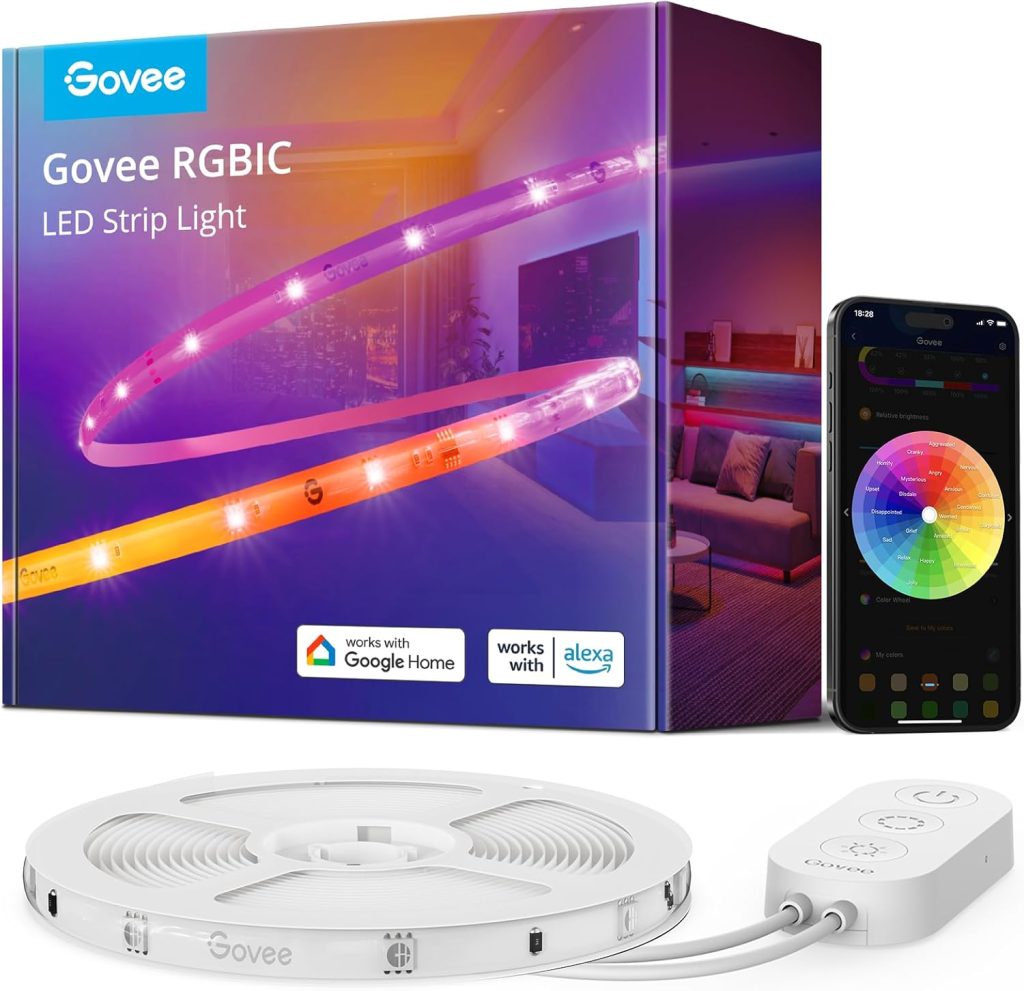
Who it’s for: Gaming desks, gaming rooms, and TV setups where gradient effects are the point
Price: ~$35 (16.4ft / 5m) | Type: RGBIC | Lumens/m: ~200 | Cuttable: No
Hub: None | Works with: Alexa, Google Home
This is the strip for accent lighting, where visual variety is the entire point. RGBIC addressing means the 16.4ft strip shows deep blue at one end and warm orange at the other, both colours simultaneously. Smooth gradients between them.
Music sync responds to bass, treble, and beat patterns independently across different strip sections. The 65+ preset scenes include chasing effects, breathing patterns, and reactive colour animations.
At $35 for 16.4ft, the per-metre cost is the lowest on this list. The trade-off is brightness, around 200 lumens per metre.
For a gaming desk edge or TV wall accent where the strip supplements overhead lighting, that’s sufficient. For under-cabinet task lighting where the strip is the primary light source, it’s not bright enough.
I ran the camera-based TV sync setup behind a 65-inch TV for three weeks. The camera clips to the TV bezel and samples on-screen colours.
There’s a 0.5-second lag. Sampling covers the full screen, not individual edges. But the ambient effect during film watching is genuinely different from static bias lighting. Worth the $20 add-on for dedicated media rooms.
Do not cut this strip. RGBIC addressing requires a continuous circuit. Cut it, and everything after the cut goes dark. Measure your installation space before ordering. If 16.4ft is too long and you need to trim to fit, buy the Kasa or Hue instead.
2. Philips Hue Lightstrip Plus V4 — Best Smart Strip for Hue Homes

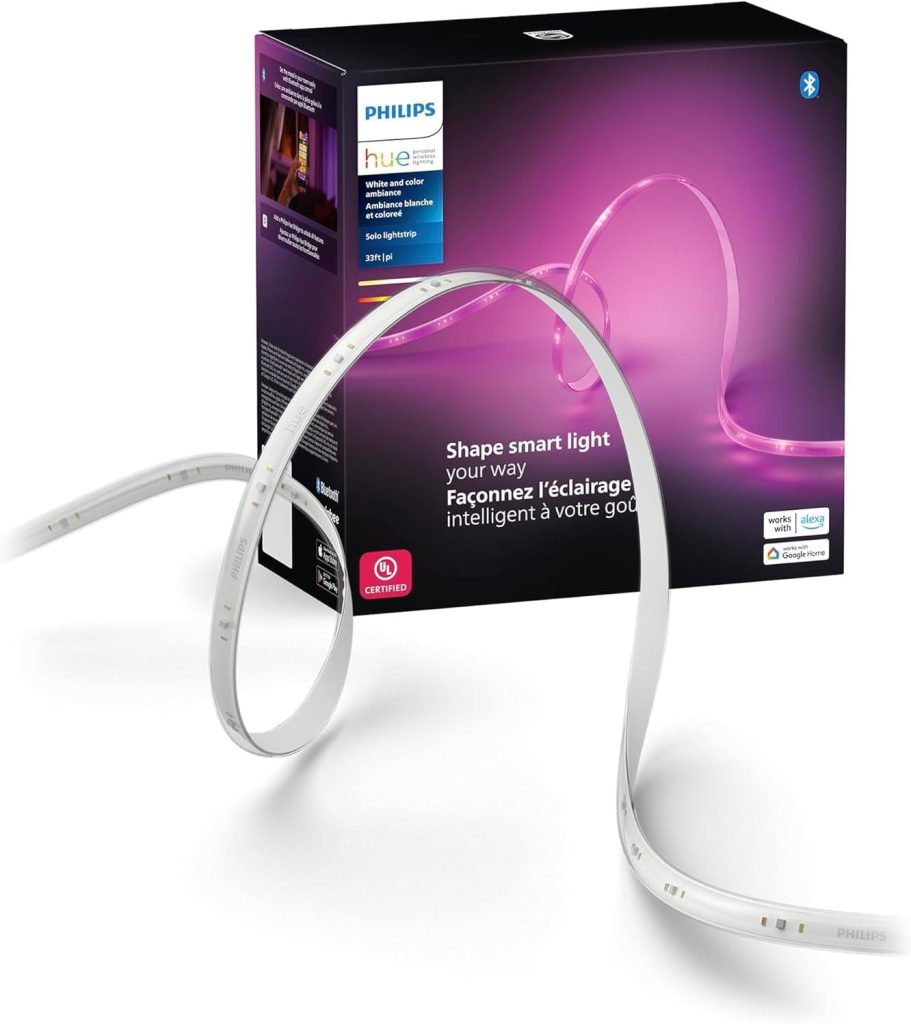
Who it’s for: Existing Hue users, under-cabinet installs, and spaces where white light quality matters most
Price: ~$90 (2m / 6.6ft starter) | Type: RGB + dedicated tunable white | Lumens/m: ~400
Hub: Optional (Bridge unlocks full features) | Works with: Alexa, Google, HomeKit, Matter | Cuttable: Every 33cm
Four hundred lumens per metre. That’s the number that puts the Hue Lightstrip in a different category from every other option on this list for task lighting applications.
A 1-metre run above a food prep surface at 400 lumens per metre produces genuinely useful task lighting.
The same run with the Govee at 200 lumens per metre produces ambience. The difference is visible and practical in a working kitchen.
The dedicated tunable white channel matters too. Cheaper strips approximate warm white by mixing RGB channels. The result at 2,700K is slightly orange.
The Hue V4 has a separate white LED driver. Warm white looks warm. Cool white looks cool. For a kitchen or home office where the strip runs as practical lighting throughout the day, that accuracy is worth paying for.
Cuttable every 33cm makes it the most installation-flexible option for cabinet runs. The 3M adhesive backing holds up in the kitchen steam, where generic adhesive on cheaper strips peels within months.
The cost reality: at $90 for 2 metres, a 5-metre kitchen run costs $225. For an existing Hue home, the strip joins the same scenes and automations as the bulbs.
That integration value is real. For a home with no Hue ecosystem, the LIFX Z below delivers similar performance at a lower cost without needing a bridge.
3. LIFX Lightstrip Z — Best Hub-Free Smart Strip with Colour Zones

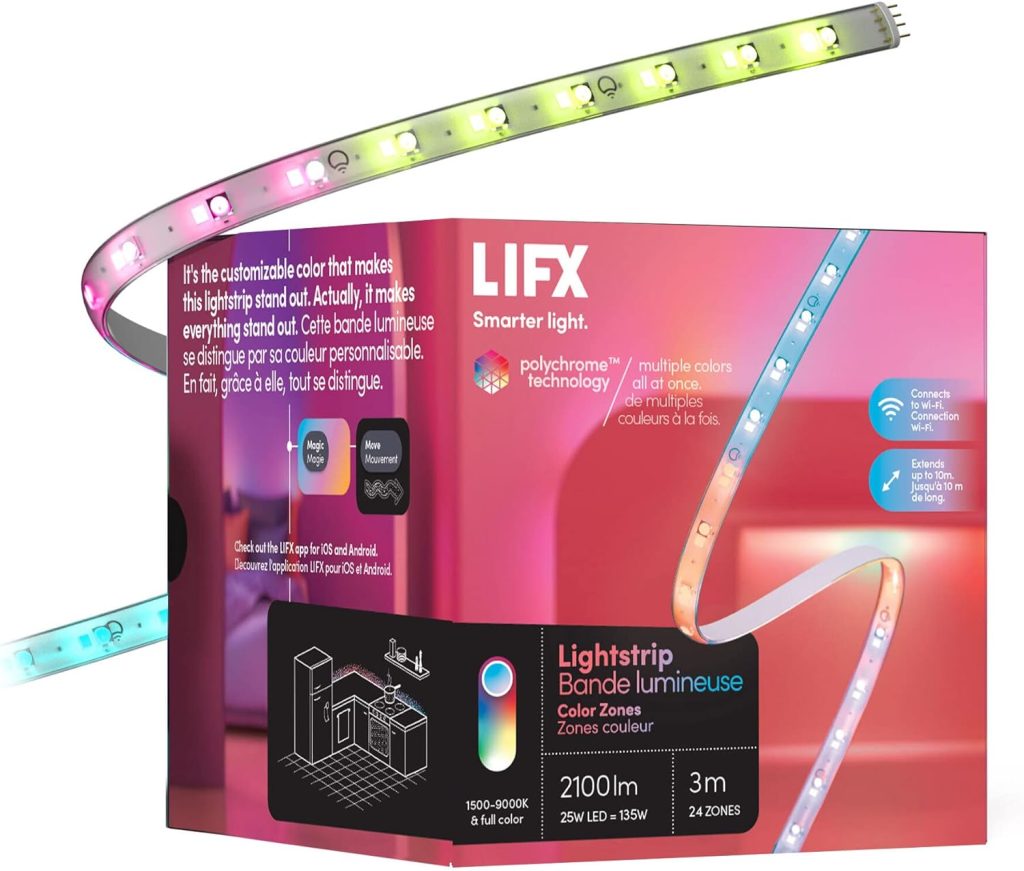
Who it’s for: HomeKit users, hub-free setups, and anyone wanting colour zone control without a bridge
Price: ~$80 (2m / 6.6ft) | Type: Multi-zone RGB + white | Lumens/m: ~350
Hub: None — ever | Works with: Alexa, Google, HomeKit | Cuttable: Per zone
The LIFX Lightstrip Z has two things no other strip on this list combines: native HomeKit support and zero hub requirement. For an iPhone household that doesn’t want a Hue Bridge, this is the correct choice.
Eight individually controlled zones divide the strip. Not the smooth gradient of full RGBIC but zone-level colour control that’s more flexible than a single-colour RGB strip.
Set one end warm white for reading and the other end dim blue for screen ambience on the same strip simultaneously.
LIFX built the strip to process local commands directly without routing through a manufacturer’s cloud. Send a colour change from the Apple Home app on the same network, and the command goes to the strip, no LIFX server involved.
I’ve run a LIFX Z behind my home office desk for two years. One disconnection at that time was resolved by restarting the controller. That’s the reliability baseline you’d expect from a premium hub-free strip.
Where it doesn’t win: no Hue ecosystem integration. If you already run Hue bulbs, the Hue Lightstrip V4 belongs in the same app and the same scenes. The LIFX is the premium alternative for everyone else who wants zone control and HomeKit without committing to a Hue Bridge.
4. Kasa KL430 Smart Light Strip — Best Budget Smart LED Strip

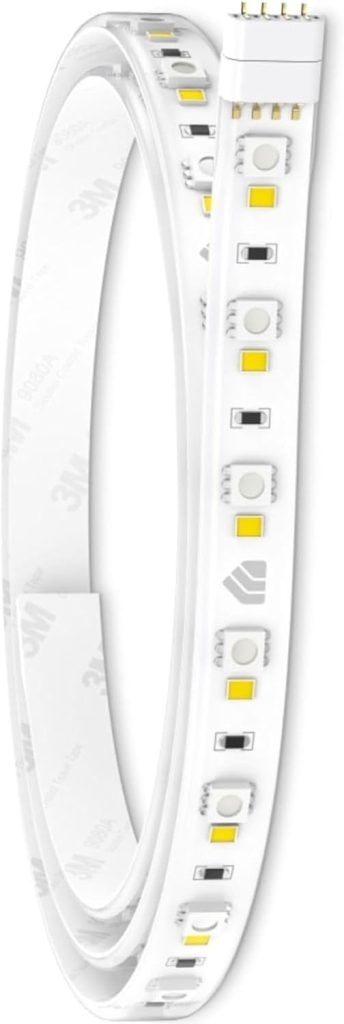
Who it’s for: Budget installs for under-cabinet, shelf, stair, and TV bias lighting where one colour at a time is fine
Price: ~$25 (6.6ft / 2m) | Type: RGB + tunable white | Lumens/m: ~180
Hub: None | Works with: Alexa, Google Home | Cuttable: Every 2.5cm
Cuttable every 2.5cm the finest cutting interval on this list. That’s the Kasa’s practical advantage for awkward cabinet runs, irregular shelf lengths, and any installation where fit matters more than features.
It integrates with Alexa and Google Home without a hub, without a separate app after initial setup, and without the reliability issues that plague cheaper strip lights.
Set it to warm white at 40%, and it stays there. Commands respond consistently. Schedules run without intervention.
Tunable white range covers 2,500K to 6,500K the widest range on this list for a budget strip. For a shelf or kitchen cabinet where you shift between warm evening light and cool task lighting, this range handles both.
What it doesn’t do: gradient effects, individual zone control, or colour animations. Every LED on the strip receives the same signal simultaneously.
Set it to red, and the full 6.6ft turns red. For uniform lighting installations, which is most practical strip lighting, this is fine. For gaming setups or reactive TV lighting, buy the Govee RGBIC Pro.
5. Nanoleaf Essentials Lightstrip — Best Matter-Certified Smart Strip

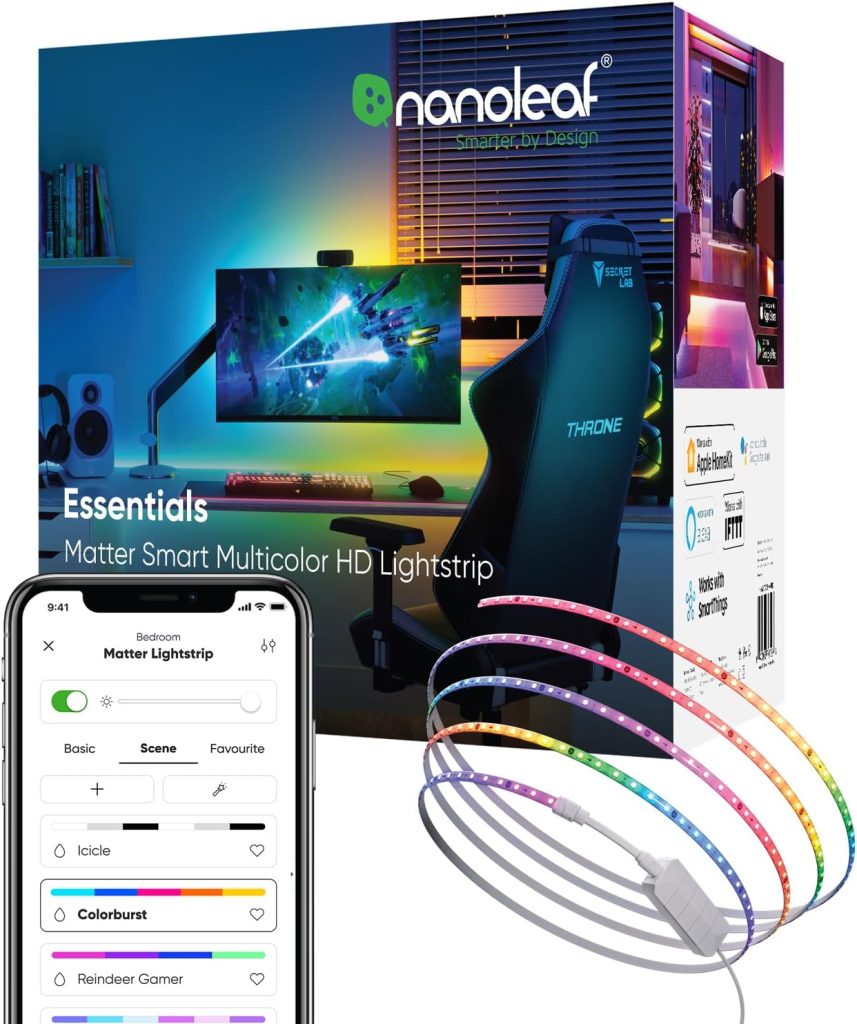
Who it’s for: Mixed-ecosystem homes wanting one strip that works natively across Alexa, Google, and HomeKit
Price: ~$50 (2m / 6.6ft) | Type: RGBW + tunable white | Lumens/m: ~250
Hub: Thread border router (built into Apple TV 4K, HomePod mini, Nest Hub 2nd Gen) | Works with: Alexa, Google, HomeKit, Matter
Cuttable: Every 5cm
One strip. One QR code scan. Three ecosystems Alexa, Google Home, and Apple HomeKit all working natively from that point. No other strip on this list offers that without a hub or bridge.
The Nanoleaf Essentials Lightstrip uses Thread. It connects through the border router built into your Apple TV 4K, HomePod mini, or Nest Hub 2nd Gen.
Commands are processed locally. No manufacturer cloud in the chain. The strip keeps working during internet outages as long as your Thread border router has power.
At 250 lumens per metre, brightness sits between the Govee and the Hue. Adequate for accent lighting and supplementary task lighting.
Not suitable as the sole light source in a dark under-cabinet space, use the Hue or Kasa there.
The specific use case this wins: homes that run Alexa in one room, Google Home in another, and Apple Home on the phone.
Previously, this meant either multiple strips or one ecosystem working better than the others. The Nanoleaf Essentials Lightstrip eliminates that compromise.
How to Install Smart LED Strip Lights: What to Expect
Before you start
- Measure the run exactly. For cuttable strips, plan your cut points. For RGBIC strips (Govee), confirm the fixed length fits before ordering.
- Clean the surface with isopropyl alcohol. Let it dry for five minutes. Strip adhesive fails on dusty or greasy surfaces. A kitchen cabinet cleaned properly lasts for years. The same strip on an unprepped surface peels within weeks.
- Plan the cable route. The controller box needs to reach a power socket. Know where it sits before pressing the strip down.
The steps
- If cuttable, cut at the marked cut points — every 2.5cm on Kasa, every 33cm on Hue, every 5cm on Nanoleaf.
- Wipe the mounting surface with isopropyl alcohol. Wait five minutes.
- Peel the backing off a short section and press firmly. Work in 30cm sections — peel and press along the length rather than all at once.
- At corners, bend carefully. For tight corners, use a connector clip rather than kinking the strip sharply.
- Connect the controller and plug it in.
- Open the app, follow the pairing steps, and link to Alexa or Google Home.
Where most installs go wrong: skipping the surface prep step causes the adhesive to fail. Cutting an RGBIC strip makes the section after the cut stop working. Bending too sharply at corners creates dark spots in the LED array. All three are avoidable with five minutes of planning before you start.
Frequently Asked Questions About Smart LED Strip Lights
What is the difference between RGB and RGBIC LED strip lights?
RGB strips show one colour across the full length.
Simultaneously set it to red, and the entire strip turns red.
RGBIC strips have individually addressable LEDs, meaning different segments show different colours at the same time.
RGBIC produces gradient effects, colour-chasing animations, and music-reactive patterns.
RGBIC strips cannot be cut; the individual addressing requires an unbroken circuit. If you need to cut the strip to fit your space, buy an RGB strip instead.
Do smart LED strip lights need a hub?
Three of the five strips on this list require no hub.
The Govee RGBIC Pro, Kasa KL430, and Nanoleaf Essentials Lightstrip all connect directly to Wi-Fi or Thread without a bridge.
The Hue Lightstrip Plus V4 works without a hub via Bluetooth for basic control.
A Hue Bridge is needed for remote access and full app integration.
The LIFX Lightstrip Z requires no hub, ever, and direct Wi-Fi with local processing for HomeKit commands.
Can I cut smart LED strip lights to fit my space?
Cuttable strips have marked cut points every 33cm on Hue, every 2.5cm on Kasa, per zone on LIFX, and every 5cm on Nanoleaf.
Cut only at these marks. Cutting between marks damages the LED circuit.
RGBIC strips like the Govee RGBIC Pro cannot be cut at all, as doing so permanently disables everything after the cut point.
Confirm whether a strip is cuttable and at what interval before ordering if you need a specific length.
Why is my LED strip adhesive falling off the wall or cabinet?
Strip adhesive fails almost exclusively from skipping surface prep.
Clean the mounting surface with isopropyl alcohol and let it dry for five minutes before applying any strip.
Press the strip firmly along its full length.
Don’t press once and move on. In kitchens with steam and grease, the Philips Hue’s 3M adhesive holds better than generic backing.
For any strip in a humid environment, adding a few adhesive mounting clips at 30cm intervals provides mechanical backup if the tape loosens over time.
What lumens per metre do I need for different uses?
For gaming setups and TV accent lighting where overhead lighting also exists: 150–250 lumens per metre is enough.
For shelf and TV bias lighting: 200 lumens per metre.
For under-cabinet kitchen task lighting where the strip is the primary light source: 350–400 lumens per metre.
The Philips Hue Lightstrip Plus V4 at 400 lumens per metre is the only strip on this list suitable as a sole task light.
The Govee RGBIC Pro at 200 lumens per metre is an accent light always pair it with overhead lighting.
Final Verdict: Which Smart LED Strip Light Should You Buy?
✅ You want gradient effects, music sync, and reactive TV colour
$35 for 16.4ft. RGBIC for simultaneous multi-colour gradients. 65+ preset scenes. Music sync. Camera TV sync as an add-on. The best value accent and gaming strip on this list. Do not cut it; confirm 16.4ft fits your space before ordering.
✅ You have existing Hue bulbs and want the strip in the same app
Buy: Philips Hue Lightstrip Plus V4.
400 lumens per metre, the brightest on this list. Cuttable every 33cm. 3M adhesive for permanent installs. Joins your Hue scenes and automations without extra setup. Right for Hue ecosystem homes, where the strip also serves as task lighting.
✅ You want HomeKit and colour zone control without a hub
Eight controllable zones. Direct Wi-Fi, no hub, no cloud dependency for local commands. Native HomeKit with Siri. Two years in my home office setup with one disconnection. Premium hub-free choice for Apple households.
✅ You want reliable budget task lighting for under cabinets, shelves, or stairs
$25 for 6.6ft. Cuttable every 2.5cm, the finest interval on this list for custom fits. Tunable white 2,500K–6,500K. Reliable Alexa and Google Home integration without a hub. Right when uniform lighting is the goal, gradient effects will never be needed.
Related Guides on SmartHomeDock
- Best Smart Bulbs 2026 — For overhead and lamp lighting alongside your strip setup.
- Best Colour Smart Bulbs — RGBWW bulbs for rooms where colour in overhead fixtures matters.
- Best Smart Recessed Lights — Ceiling fixtures to pair with strip lighting in kitchens and living rooms.
- Smart Bulbs vs Smart Switches — Which smart lighting approach works best for your home overall.
- Best Smart Light Switches — Wall switch control for overhead fixtures alongside strip lighting.