


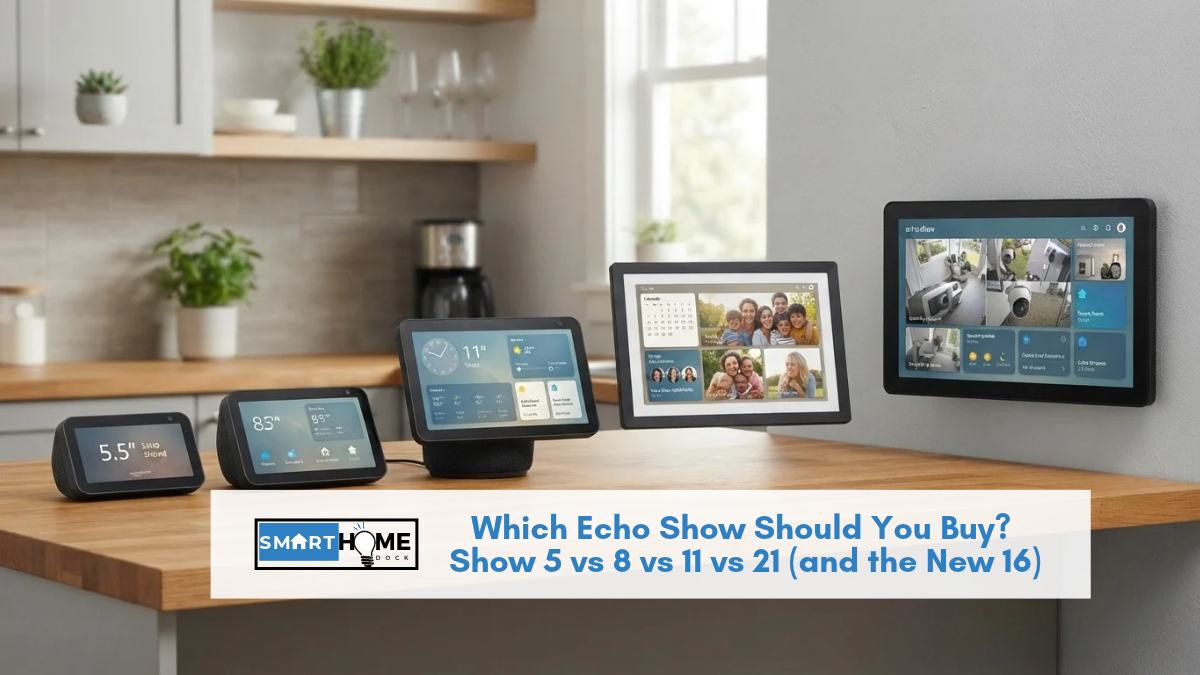
Which Echo Show should I buy? Every holiday season friends ask me this, and their worries never change.
Most fear buying a screen that’s too small or too big for the room. Others can’t tell which model is the newest.
On top of that, they’ve heard about ads, subscriptions and the camera. Most also want it to run their lights and plugs, which my smart home hub guide explains.
So here’s the short answer. Buy the Echo Show 8 (2025), which lists at $199.99 and was $99.99 on 26 Nov 2026.
After all, it has the same camera and built-in smart home hub as the bigger Show 11. Also, it fits almost any kitchen counter.
Otherwise, pick the Show 5 for a bedside or the Show 11 for recipe videos. For a family wall calendar, the Show 21 is the best Echo Show.
Meanwhile, the newest Echo Show is the Show 16, but it doesn’t ship until mid December. If you’d rather skip the camera, the Echo Hub is the better buy.
For speakers without a screen, see my guide to every Echo speaker and screen.
At home, I run a Show 8 in the kitchen and a Show 5 on my nightstand. In addition, I’ve had a Show 15 in our hallway for about a year.
Quick Answer: The Best Echo Show for Each Room
Best Echo Show for most homes: Echo Show 8 (2025), $199.99 list, $99.99 on 26 Nov 2026
Best for a bedside or desk: Echo Show 5, $99.99 list, $54.99 on 26 Nov 2026
Best for recipes and video calls: Echo Show 11, $249.99 list, $154.99 on 26 Nov 2026
Best family wall calendar: Echo Show 21, $499.99 list, $349.99 on 26 Nov 2026
Newest Echo Show: Show 16, $499.99, expected to ship 16 Dec 2026
Only on a deep discount: Echo Show 15, $229.99 on 26 Nov 2026
No camera at all: Echo Hub, $179.99 list, $74.99 on 26 Nov 2026
Every Echo Show Model Compared (2026)
In short, the number in each name is the screen size in inches. So the real question is how far away you’ll stand.
This Echo Show comparison puts the current lineup side by side.
| Model | Screen | Camera and shutter | Built-in hub | List price | Best for |
|---|---|---|---|---|---|
| Echo Show 5 (3rd gen, 2023) | 5.5 in | 2 MP, shutter | No | $99.99 | Bedside, desk |
| Echo Show 8 (2025) | 8.7 in | 13 MP, no shutter | Zigbee, Thread, Matter | $199.99 | Most kitchens |
| Echo Show 11 (2025) | 11 in | 13 MP, no shutter | Zigbee, Thread, Matter | $249.99 | Recipes, video, calls |
| Echo Show 15 (2nd gen, 2024) | 15.6 in | 13 MP, shutter | Zigbee, Thread, Matter | $349.99 | Being replaced |
| Echo Show 21 (2024) | 21 in | 13 MP, shutter | Zigbee, Thread, Matter | $499.99 | Family calendar, kitchen TV |
| Echo Show 16 (2026) | 16 in | 13 MP night vision, shutter not stated | Thread, Matter (Zigbee: confirm) | $499.99 | Newest wall display |
Also, list prices went up in August 2026. For example, the Show 8 rose from $179.99 to $199.99.
So older guides that quote lower prices are out of date.
A few terms need a plain explanation. First, auto-framing means the camera follows you around the room during a call.
Next, Zigbee, Thread and Matter are the languages small gadgets like plugs and sensors use. So a screen with them built in becomes your smart home hub, and you skip a separate box.
Finally, Fire TV is the built-in streaming app on the bigger wall models, so they can play TV shows.
What about the Echo Show 10 with the spinning screen? It’s an older model, so I stick to the current lineup here.
Which Echo Show Size Fits Your Room?
Above all, match the screen to your viewing distance, because Echo Show sizes run from 5.5 to 21 inches. So here’s the rule I use at home.
- Nightstand or desk, under 3 feet (1 m): Echo Show 5
- Kitchen counter, 3 to 6 feet (1 to 2 m): Echo Show 8
- Kitchen with recipe videos, 6 to 8 feet (2 to 2.5 m): Echo Show 11
- Wall across a room, 8 feet (2.5 m) or more: Echo Show 21, or the Show 16 once it ships
So what’s the best Echo Show for a kitchen? Generally, the Show 8 suits most counters.
However, choose the Show 11 if you cook from videos at the stove.
What about Echo Show 11 vs 15? In fact, they do different jobs.
While the 11 sits on a counter, the 15 hangs on a wall like a calendar.
In my kitchen, I can read Show 8 timers from the sink, about 6 feet away. By contrast, I can only read the Show 5 clock easily from bed.
How I Tested These Echo Shows
Because I live with these screens, I tested them the way you would use them. Then each one ran for at least four weeks in a real room. Every model got the same five checks.
- Setup time: minutes from unboxing to the first working routine.
- Readability: could I read the weather and timers from where I normally stand?
- Calls: how did I look and sound on a video call with family?
- Smart home: could it add a plug and a door sensor without another hub?
- Daily annoyances: how often did ads take over the screen?
Overall, setup was easy on every model. Each took me 10 to 15 minutes with the Alexa app on my phone. Before you start, my Alexa setup guide walks you through it.
The Best Echo Show for Each Problem
Echo Show 8 (2025): Best Echo Show for Most Homes
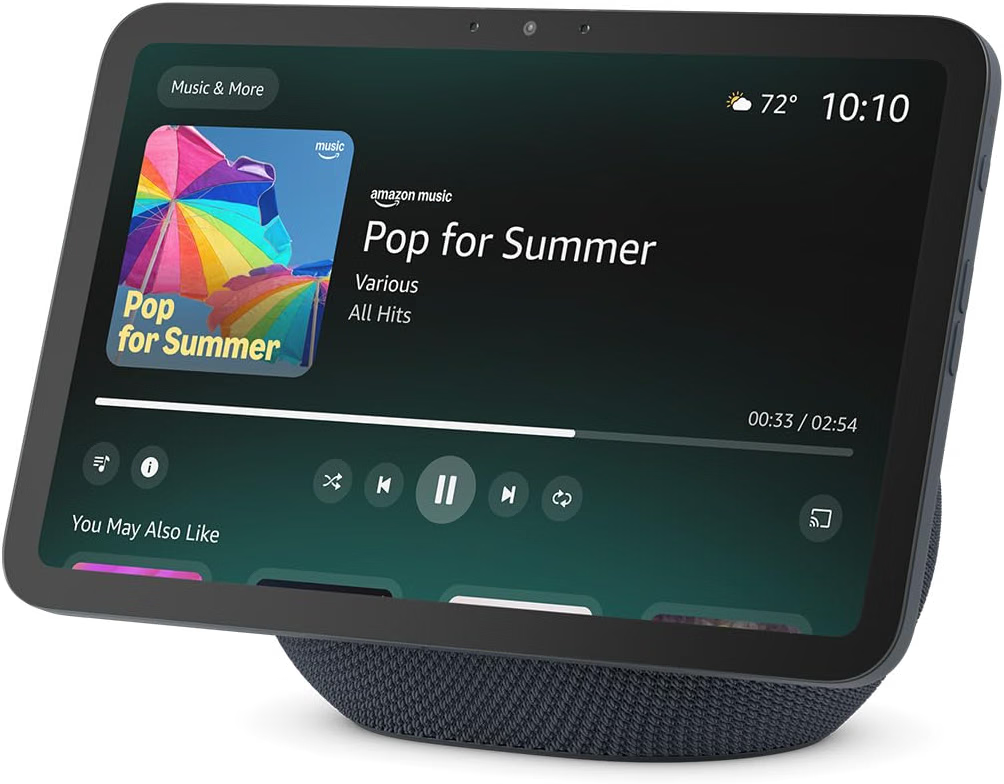
Screen: 8.7 in HD, 1340 x 800 | Camera: 13 MP, auto-framing, no shutter | Hub: Zigbee, Thread, Matter | List price: $199.99 | On 26 Nov 2026: $99.99
The problem it solves: you want one screen for timers, calls, music and your first smart gadgets. Still, you don’t want it to take over the counter or to buy a separate hub.
How it works in my home
- I’ve used the Show 8 on my kitchen counter for about eight weeks.
- Setup took me about 12 minutes, including my first routine.
- It added a Zigbee door sensor and a Matter smart plug in a few minutes each.
- My morning routine reads the weather and my calendar, then turns on the kitchen lights.
- Also, the speaker fills my kitchen far better than my old Show 8 did.
How it compares: in fact, the Show 8 has the same chip, camera and hub as the Show 11. So you only pay more for the bigger screen.
On top of that, it has a Thread border router. In plain English, that’s a built-in radio that lets small battery gadgets, like sensors, talk to your screen.
As a result, beginners can start a smart home with this one device.
Renter-friendly? Yes. It stands on the counter and only needs a wall socket, so there’s no drilling.
When you move, open Settings, then Device Options, then Network, and pick your new Wi-Fi.
Good for: most kitchens, living rooms and home offices, and anyone starting a smart home.
Skip if: you stand more than 6 feet away, or you want a sliding camera cover.
Pros
- Same chip, camera and hub as the Show 11 for less
- Built-in Zigbee, Thread and Matter hub
- No sliding shutter, only a button that turns the camera off
- The screen doesn’t tilt
Echo Show 5: Best Small Echo Show for a Bedside or Desk
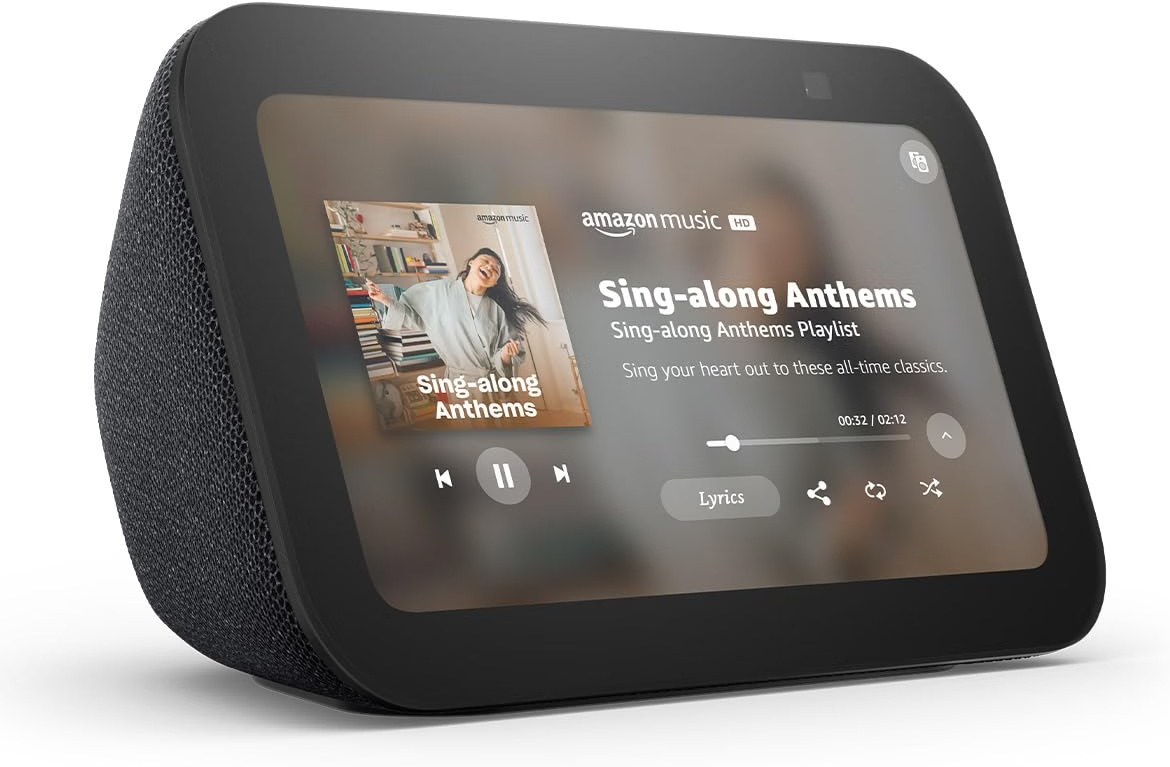
Screen: 5.5 in, 960 x 480 | Camera: 2 MP, sliding shutter | Hub: No | Extra: sunrise alarm | List price: $99.99 | On 26 Nov 2026: $54.99
The problem it solves: you want a smart alarm clock that won’t spy on you. Ideally, it shows the weather and switches off the lights from bed.
How it works in my home
- The Show 5 has sat on my nightstand for about six months.
- Setup took me under 10 minutes.
- I use the sunrise alarm every weekday, so the screen brightens slowly before it rings.
- My bedtime routine turns off every light with one sentence.
- Since I keep the shutter closed, I can see at a glance that it’s shut.
Echo Show 5 vs 8: overall, the Show 8 is better for calls, music and the smart home. However, the Show 5 is the better bedside clock, at about half the price.
Also, its 2 MP camera looks soft on calls, and it has no built-in hub.
Renter-friendly? Yes. It’s tiny, it plugs into one socket, and it moves house in a coat pocket.
Good for: bedsides, desks and anyone who wants privacy.
Skip if: you want good video calls or a hub. Torn on Echo Show 5 vs Echo Dot?
If you never look at a screen, the cheaper Dot speaker is enough.
Pros
- Cheapest way into an Echo Show
- Sliding camera shutter you can see
- Low-resolution screen
- No Zigbee, Thread or Matter hub
Echo Show 11: Best for Recipes and Calls (Echo Show 8 vs 11)
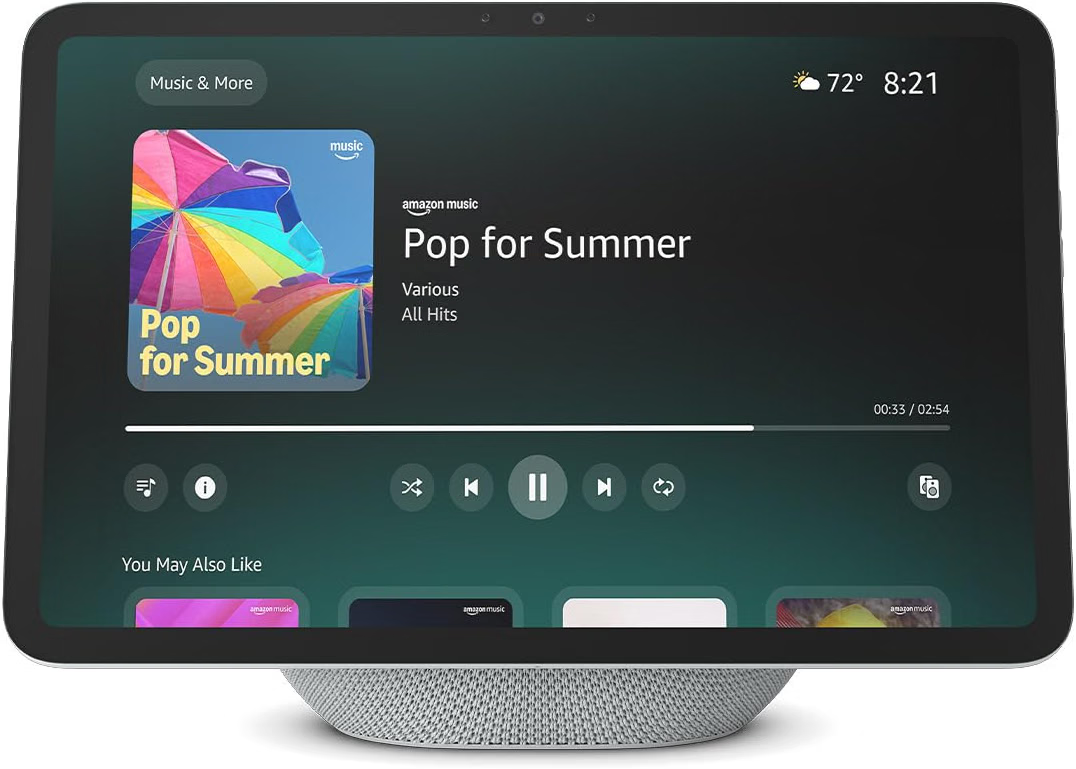
Screen: 11 in Full HD, 1920 x 1200 | Camera: 13 MP, auto-framing, no shutter | Hub: Zigbee, Thread, Matter | Extra: optional stand $34.99 | List price: $249.99 | On 26 Nov 2026: $154.99
The problem it solves: the Show 8 feels small when you follow a recipe from the stove. Even so, you don’t want a big screen on the wall.
How it works in my home
- I tested the Show 11 on my kitchen island for four weeks.
- From the stove, about 7 feet away, recipe videos were clearly easier to follow than on the Show 8.
- Video calls with family felt better, mainly because faces looked bigger.
Echo Show 8 vs 11: so what’s the difference between the Echo Show 8 and 11? In short, mainly the screen.
Both use the same chip, 13 MP camera, speakers and hub. Therefore my Echo Show 11 review is simple: pay extra for the screen, or don’t.
Renter-friendly? Yes. It stands on the counter and plugs into the wall, with no drilling.
Good for: keen cooks and video callers.
Skip if: your counter is small. Instead, the Show 8 does everything else just as well.
Pros
- Sharp 11-inch Full HD screen
- Same smart home hub as the Show 8
Cons
- About $50 more than the Show 8 at list price
- No sliding shutter, and the stand costs extra
Echo Show 21: Best Family Wall Calendar
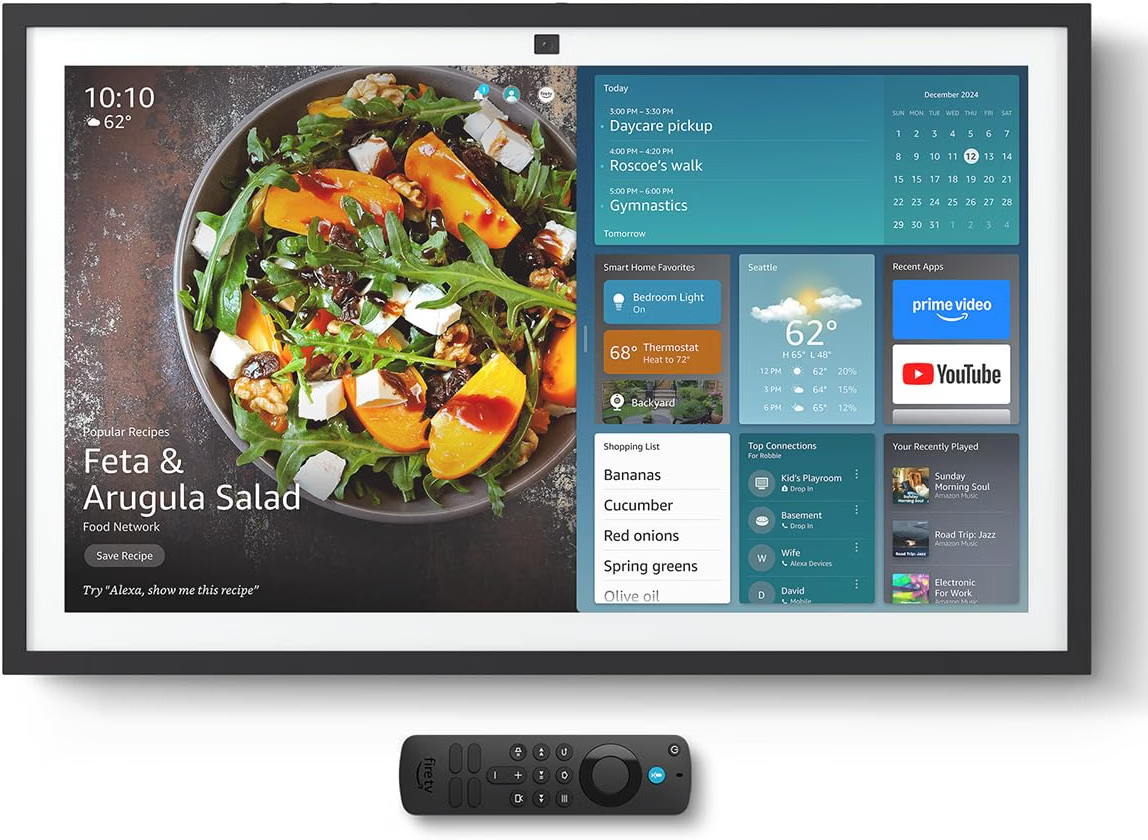
Screen: 21 in Full HD | Camera: 13 MP, auto-framing, sliding shutter | Hub: Zigbee, Thread, Matter | Weight: 10.7 lb | In the box: wall mount | Stand: $99, sold separately | List price: $499.99 | On 26 Nov 2026: $349.99
The problem it solves: a busy family needs one shared calendar and shopping list that everyone sees. Also, it doubles as a small kitchen TV.
How it works in my home
- I hung the Show 21 on our kitchen wall, and it became the family calendar within a week.
- Hanging it took two of us about 30 minutes, because it weighs 10.7 lb.
- We watch the news on it while we cook, through the built-in Fire TV.
Family calendar: can an Echo Show display a Google calendar? Yes.
In the Alexa app, tap More, then Settings, then Calendar, and add your account. Google, Apple iCloud and Microsoft Outlook calendars all work.
After that, the Echo Show calendar shows the same week to everyone at a glance.
Echo Show 15 vs 21: both hang on a wall, with the hub and a shutter. On paper, they even share the same speakers: two 2-inch woofers and two small tweeters.
So the real difference is the much bigger screen on the 21. Meanwhile, the 15 costs less, but the Show 16 is about to replace it.
Renter-friendly? Only with the stand. Although the wall mount comes in the box, a 10.7 lb screen means drilling.
So renters should buy the stand, or ask the landlord first.
My Echo Show 21 review in one line: it’s the best Echo Show for a busy family, if you have the wall space.
Good for: families who want a shared calendar and a kitchen TV.
Skip if: you rarely use calendars.
Pros
- Biggest Echo Show screen
- Works as a calendar, hub and small TV
Cons
- Expensive at list price
- Heavy, so the wall mount needs drilling
Echo Show 15: Is the Echo Show 15 Discontinued?
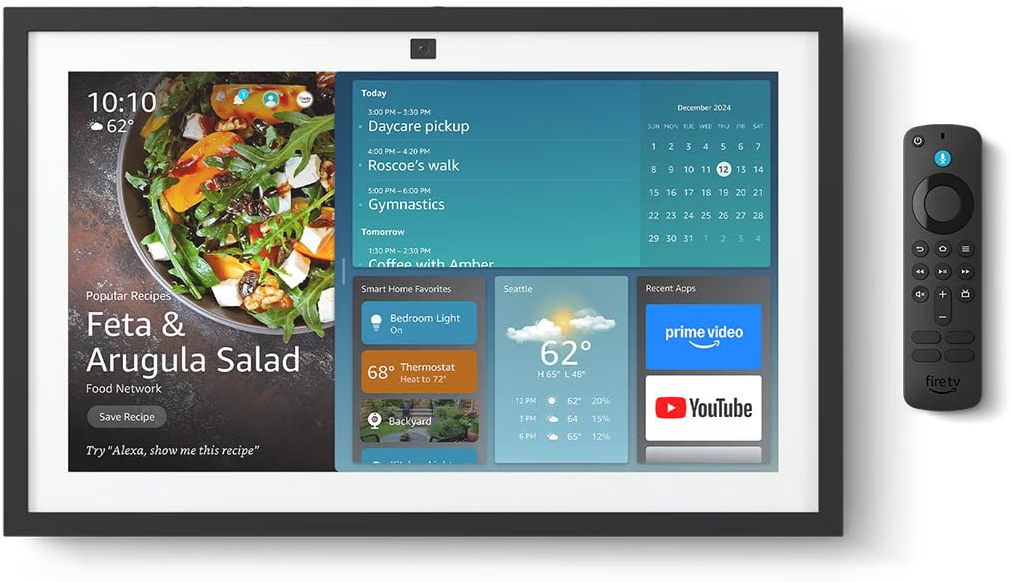
Screen: 15.6 in, 1920 x 1080 | Camera: 13 MP, auto-framing, sliding shutter | Hub: Zigbee, Thread, Matter | In the box: wall mount, Fire TV remote | Stand: $99, sold separately | List price: $349.99 | On 26 Nov 2026: $229.99
The problem it solves: you want a wall calendar and hub for less than the Show 21. So is it discontinued?
Not officially, but the new Show 16 replaces it.
How it works in my home
- I’ve used the Show 15 in our hallway for about a year.
- I screwed it to the wall, because we own our home.
- After I trimmed the home screen, the ads dropped to the odd sponsored tile.
How it compares: at $229.99, it’s still a good wall calendar. But at list price, wait for the Show 16 or buy the Show 21 on sale.
Renter-friendly? Yes, with the stand. Since the wall mount needs screws, renters should add the $99 stand and use a sideboard.
Good for: a wall calendar at a deep discount.
Skip if: you’re paying full price. Instead, wait for the Show 16.
Pros
- Good wall calendar at sale prices
- Hub, shutter and Fire TV remote included
Cons
- The Show 16 replaces it
- The stand costs an extra $99
Echo Show 16: The Newest Echo Show (Release Date and Price)
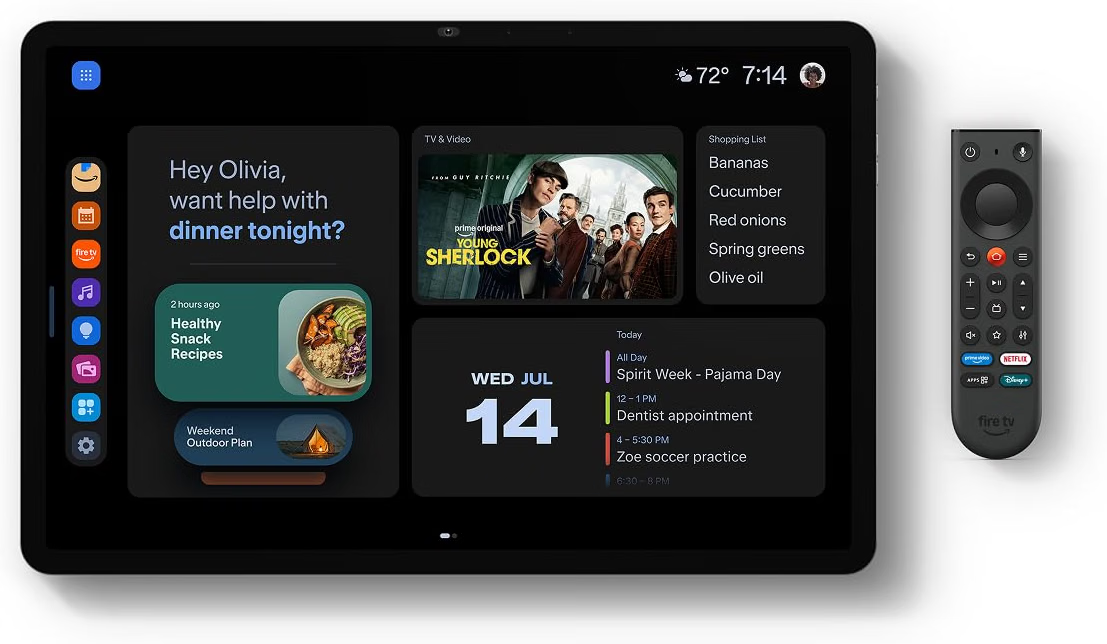
Screen: 16 in Full HD, optional nanomatte glass | Camera: 13 MP, auto-framing, night vision | Hub: Thread and Matter (Zigbee: confirm) | In the box: Fire TV remote | Stands: $69.99 or $124.99, sold separately | Price: $499.99, or $569.99 with nanomatte | Ships: 16 Dec 2026 (expected)
The problem it solves: you want a wall hub like the Show 15, but thinner, with less glare and a better camera.
How it works in my home
- I haven’t tested the Show 16 yet, because it doesn’t ship until mid December.
- I’ll update this review after a few weeks with it, by the end of January 2027.
What’s new: this new Echo Show launched on 28 October 2026 as the Show 15 upgrade. Its frame is about 40% slimmer.
In addition, the nanomatte screen option cuts glare by more than 90%, which helps in sunny rooms. Nanomatte is a frosted finish on the glass, so sunlight doesn’t bounce off it.
Echo Show 16 release date: launch coverage on 28 Oct 2026 gave a ship date of 16 December 2026. On top of that, preorders get $100 off with the code CLAIM100.
Renter-friendly? Only with a stand. Because both stands cost extra, add one to the price if you can’t drill.
Good for: anyone about to buy a full-price Show 15.
Skip if: you need it before Christmas. In that case, the Show 21 is on sale now.
Pros
- Much thinner than the Show 15
- Night vision camera and an anti-glare option
Cons
- Not tested by me yet
- Stands cost extra, and Zigbee isn’t confirmed
Will an Echo Show Work With My Lights, Plugs and Ring Doorbell?
Yes, for most homes. The Show 8, 11, 15 and 21 have a built-in Zigbee, Thread and Matter hub.
So they run most plugs, bulbs and sensors on their own.
By contrast, the Show 5 has no hub. Still, it controls Wi-Fi bulbs and plugs that work with Alexa.
So does an Echo Show work with a Ring doorbell? Yes.
In fact, every generation supports Doorbell Live View. When someone presses the bell, the screen pauses your music and shows the camera feed.
At first the sound stays muted, so you can look before you talk.
In my hallway, the Show 15 pops up the doorbell feed within a second or two. Once your gadgets work, try a few of my Alexa routines you need in your life.
Before you buy, though, know one limit. Without Wi-Fi, an Echo Show only rings alarms and timers you set earlier, or plays Bluetooth music.
Until the internet returns, voice commands stop working, including lights.
Is an Echo Show Renter-Friendly? Stand vs Wall Mount
Yes, if you pick a counter model or buy a stand. Every Echo Show needs to stay plugged in, because none run on a battery.
However, none need rewiring.
- No drilling: Show 5, 8 and 11 stand on a counter, so you won’t need an Echo Show 8 stand
- Wall mount in the box: Show 15 and Show 21, which need screws
- Echo Show 15 stand and Echo Show 21 stand: sold separately, about $99 each
- Echo Show 16 stands: $69.99 or $124.99, sold separately
So if you’re a renter eyeing an Echo Show wall mount, think about the stand first. Then you keep your deposit, and the screen moves with you.
Moving house is simple, too. On the screen, open Settings, then Device Options, then Network, and choose your new Wi-Fi.
With Alexa+, you reach Settings from the menu icon instead of swiping down.
When I moved house, switching my Show 8 to the new Wi-Fi took about five minutes. Also, my routines and gadgets stayed in the Alexa app, so I didn’t rebuild them.
Best Echo Show for Elderly Parents and Kids
For elderly parents, the Show 8 is my pick, and it’s the best Echo Show for seniors in general. Because it has a clear screen and a good camera, video calls feel easy.
Better still, you can set reminders for them, like taking pills.
Drop In: a video call that connects without them pressing anything. However, it only works once they give permission.
So the easiest setup is one family account, set up before you hand it over.
I set up a Show 8 for my parents on our family account and tested Drop In before I left. Then I taped a “please don’t unplug” note to the plug, because they kept unplugging it.
For kids, the Show 5 suits a bedroom. Plus, its sliding shutter and sunrise alarm suit school mornings.
Do You Have to Pay for Alexa+ on an Echo Show?
No, not if you have Prime. Alexa+ is the newer, chattier version of Alexa, and it’s free with Prime on every device.
Without Prime, Alexa+ costs $19.99 a month (checked 26 Nov 2026). Since February 2026, non-Prime users also get a limited free version in the Alexa app and on Alexa.com.
So does an Echo Show require a subscription? No.
The screen itself has no required monthly fee, and Alexa+ is the only extra you might pay for. In February 2026, the company also said you can still switch back to the original Alexa.
Is the Echo Show Camera Private? (Camera Cover by Model)
Partly, so it depends on the model. Every Echo Show has a button that turns off both the microphones and the camera.
However, only some have a sliding shutter, which is a little physical door over the lens.
- Sliding shutter: Show 5, Show 15 and Show 21
- No shutter, button only: the 2025 Show 8 and Show 11
- Not stated yet: Show 16
So if an Echo Show camera cover matters to you, pick the Show 5, 15 or 21. Otherwise, face the Show 8 away from where you sit, or add a stick-on cover.
On my kitchen Show 8, I use a small stick-on cover and slide it off for calls.
How to Turn Off Ads on an Echo Show (and What You Can’t)
You can cut most ads, but not all of them. Nobody can switch off ads marked “Sponsored”.
To trim the home screen, open Settings > Display & Appearance > Home Content Categories. Then switch off the categories you don’t want, like shopping tips.
When a sponsored tile shows up, swipe it away. Alternatively, tap the small “i” icon and hide it for 30 days.
To stop ads based on your interests, open Settings > Alexa Privacy > Manage Your Alexa Data on the screen. However, some models call that menu Privacy and Permissions.
In the Alexa app, the same switch sits under More, then Alexa Privacy. Note that the menus differ a little on the Show 5 and Echo Hub.
After I trimmed the categories on my Show 8, the screen felt much calmer within a day. Still, I see a sponsored tile most days.
Echo Show vs Echo Hub: Which Do You Need?
Pick the Echo Hub if you want a smart home control panel without a camera. Otherwise, pick an Echo Show 8 or bigger for calls, music and recipes.
The Echo Hub has an 8-inch screen, no camera and a full Zigbee, Thread and Matter hub. Also, it keeps your lights working locally when the internet drops.
However, its speakers are weak, so it’s not for music or video.
For renters, the Hub can sit on a stand, which you buy separately. It comes with a USB-C power cable.
Screen: 8 in, 1280 x 800 | Camera: none | Hub: Zigbee, Thread, Matter, Bluetooth | Works offline: local control of lights | List price: $179.99 | On 26 Nov 2026: $74.99
Want to compare more hubs first? Then see my guide to the best smart home hub.
Echo Show FAQ
Which Echo Show should I buy?
Most people should buy the Echo Show 8 (2025). It has the same camera and smart home hub as the Show 11, and lists at $199.99.
Otherwise, choose the Show 5 for a bedside and the Show 21 for a family wall calendar.
What is the newest Echo Show?
The Echo Show 16 is the newest model. Specifically, it launched on 28 October 2026 for $499.99.
Launch coverage gave 16 December 2026 as the ship date, with $100 off on preorder.
What’s the difference between the Echo Show 8 and 11?
Mainly the screen. The Show 11 has an 11-inch Full HD screen, while the Show 8 has an 8.7-inch HD screen.
Otherwise, they share the same chip, camera, speakers and smart home hub.
Echo Show 5 vs 8: which is better?
The Show 8, for most people. It has a sharper camera, fuller sound and a built-in smart home hub.
However, the Show 5 is the better bedside clock, and it has a sliding camera shutter.
Does an Echo Show require a subscription for Alexa+?
No, not with Prime. Alexa+ is free for Prime members.
Without Prime, it costs $19.99 a month, or you can use a limited free version in the Alexa app (checked 26 Nov 2026).
Is an Echo Show good for elderly parents?
Yes, for video calls and reminders. The Show 8 is the easiest pick.
Set it up on one family account, and test Drop In before you hand it over.
Final Verdict: Which Echo Show Should You Buy?
The Echo Show 8 (2025) is the best Echo Show for most homes. After all, it’s the same device as the Show 11, with a smaller screen and a lower price.
So is an Echo Show worth it? Yes, if you’ll use the screen for timers, calls or a calendar every day.
Otherwise, buy the Show 5 for a bedside or the Show 11 for kitchen video. For a wall calendar, get the Show 21.
Meanwhile, only wait for the Show 16 if you don’t need it before Christmas.
Keep reading
- Smart home hub guide: when you need more than an Echo Show
- Best Echo devices: every Echo speaker and screen, not just the Shows
- Google Nest Hub guide: the Google alternative to an Echo Show
- Alexa setup guide: get your new Echo Show running
- 33 Alexa routines: what to automate first
