


Disclosure: This article may contain affiliate links. SmartHomeDock participates in the Amazon Associates Program and may earn commissions from qualifying purchases at no extra cost to you.
You installed a security camera, checked the app once, then forgot about it for three months.
When you finally needed the footage after a package went missing from your porch, you discovered the free storage had expired, the camera was offline, and the only recording was a 10-second clip of your cat walking past the lens. Sound about right?
Most people buy the wrong security camera because they don’t think about what happens after the purchase: storage costs, subscription fees, Wi-Fi range, and whether the camera actually records when it matters.
The best home security cameras in 2026 solve all of these problems but the right one depends entirely on where you’re mounting it, what you want to monitor, and how much you’re willing to pay monthly (or not at all).
I’ve tested indoor, outdoor, wired, wireless, and cellular security cameras across my own home and two rental properties over the past five years.
This guide covers 10 picks organised by use case, including cameras that work without any subscription fee, so you can find exactly the right camera for your situation without reading through products that don’t apply to you.
Quick Answer: The best home security camera overall is the Arlo Pro 6 ($150) for its combination of 2K resolution, wireless flexibility, colour night vision, and smart home integration. For outdoor use without a subscription, the Reolink Argus 4 Pro offers 4K solar-powered recording with local storage. For the best budget indoor camera, the TP-Link Tapo C120 delivers 2K video with AI detection and local storage for under $30.
Best Home Security Cameras 2026: Quick Comparison Table
This table covers every pick across all categories — indoor, outdoor, no-subscription, and budget.
Use the “Best For” column to find the camera that matches your specific need, then read the detailed review below.
| Camera | Best For | Price | Resolution | Indoor/Outdoor | Subscription Required | Storage |
|---|---|---|---|---|---|---|
| Arlo Pro 6 | Best overall | $150 | 2K | Both | Optional | Cloud + local (hub) |
| Google Nest Cam (Battery) | Best for Google Home | $130 | 1080p | Both | Optional (3hr free) | Cloud |
| Ring Stick Up Cam Pro | Best for Alexa | $180 | 1080p HDR | Both | Yes (Ring Protect) | Cloud only |
| Reolink Argus 4 Pro | Best outdoor no-sub | $130 | 4K | Outdoor | No | Local (microSD) |
| Reolink Duo 3 PoE | Best 180° coverage | $130 | 16MP | Outdoor | No | Local (NVR/microSD) |
| Eufy Indoor Cam C120 | Best budget indoor | $28 | 2K | Indoor | No | Local (microSD) |
| TP-Link Tapo C120 | Best value indoor/outdoor | $25 | 2K | Both | No | Local (microSD) |
| Wyze Cam v4 | Cheapest camera | $25 | 2K | Both | Optional | Local + cloud |
| Eufy 4G Starlight Camera | Best cellular (no Wi-Fi) | $170 | 2K | Outdoor | No | Local (8GB onboard) |
| Blink Outdoor 4 | Best battery life | $100 | 1080p | Outdoor | Optional | Local (USB) + cloud |
What to Look for in a Home Security Camera
Before spending money, answer these four questions they’ll eliminate most of the options and leave you with the right camera for your home.
Indoor or outdoor? Indoor cameras are typically smaller, cheaper, and designed for plug-in power. Outdoor cameras need weather resistance (look for IP65 or higher rating), wider viewing angles, and often battery or solar power since running cables outside is impractical for most homes. Several cameras on this list work both indoors and outdoors, giving you flexibility.
Do you want to pay for a monthly subscription? Most major brands, Ring, Arlo, Nest, offer better features behind a monthly paywall ($3–$18/month). However, Reolink, Eufy, TP-Link Tapo, and Wyze all offer excellent cameras with local storage on a microSD card and no ongoing fees. If avoiding subscriptions is a priority, those four brands should be your shortlist.
Which smart home ecosystem do you use? Ring cameras work best with Alexa. Google Nest cameras work best with Google Home. Arlo, Eufy, Reolink, and Tapo work across multiple ecosystems. If you already have an Echo or Nest device, choosing a camera from the same family gives you tighter integration, like viewing your front door camera on your Echo Show when someone rings the doorbell.
Wired or wireless? Wireless (battery or solar) cameras are easier to install no drilling holes for cables. Wired cameras (PoE or plug-in) never run out of battery and provide continuous recording rather than motion-triggered clips. For most homeowners, wireless is simpler. For serious surveillance coverage (driveways, large properties), wired PoE is more reliable.
💡 Expert Tip:
The biggest regret I hear from readers who bought security cameras is “I didn’t realise I’d need a subscription to actually use it.” Ring cameras, for example, don’t record video at all without a Ring Protect plan — you only get live viewing. Before buying any camera, check what you get for free versus what requires a monthly fee. The cameras I recommend below from Reolink, Eufy, and TP-Link Tapo give you full functionality including recording, playback, and AI alerts with zero subscription cost — everything stores on a local microSD card that you own.
The 10 Best Home Security Cameras in 2026
1. Arlo Pro 6 — Best Home Security Camera Overall
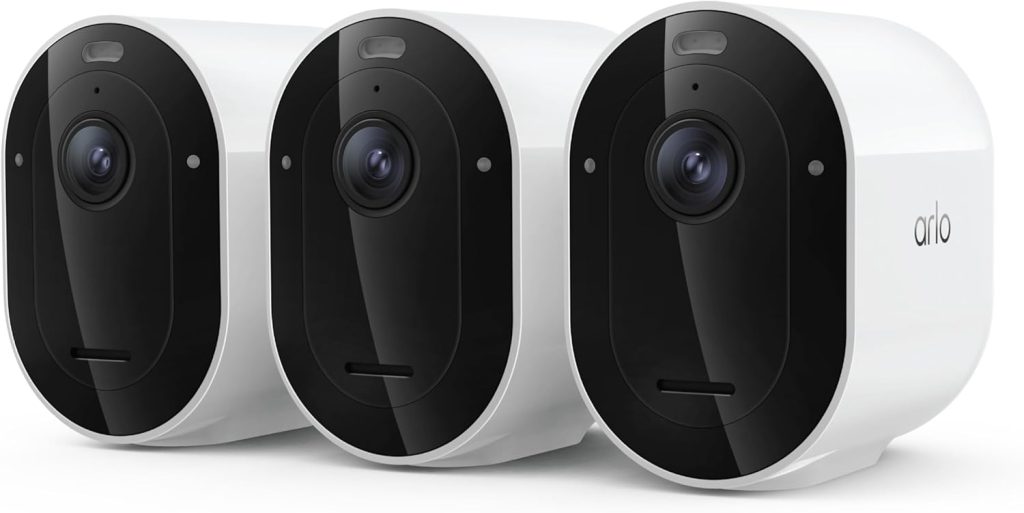
The Arlo Pro 6 replaces the Pro 5S as Arlo’s flagship, and it addresses the two biggest complaints about its predecessor: the price has dropped from $250 to $150, and dual-band Wi-Fi eliminates the connectivity dropouts that plagued the 5S on congested 2.4 GHz networks.
At 2K resolution with HDR, colour night vision, a 160-degree field of view, and a built-in spotlight, the Pro 6 captures clear, detailed footage in any lighting condition.
The integrated siren adds an active deterrence layer. I’ve triggered it remotely through the Arlo app twice to scare off people lingering on my porch, and it works.
AI-powered smart alerts distinguish between people, vehicles, animals, and packages, reducing false notifications from moving trees and passing cars.
The camera works both indoors and outdoors (IP65 rated), runs on a rechargeable battery or optional solar panel, and integrates with Alexa, Google Home, and Apple HomeKit.
Local storage requires the Arlo SmartHub, while cloud recording comes with an Arlo Secure subscription ($3–$18/month). The free tier provides basic motion alerts and live viewing, but no recording a significant limitation if you’re not willing to subscribe.
- Best for: Anyone who wants the best all-around security camera with smart home integration
- Works with: Alexa, Google Home, HomeKit, SmartThings, IFTTT
- Honest limitation: Full recording requires either the SmartHub for local storage or an Arlo Secure subscription
2. Google Nest Cam (Battery) — Best Home Security Camera for Google Home
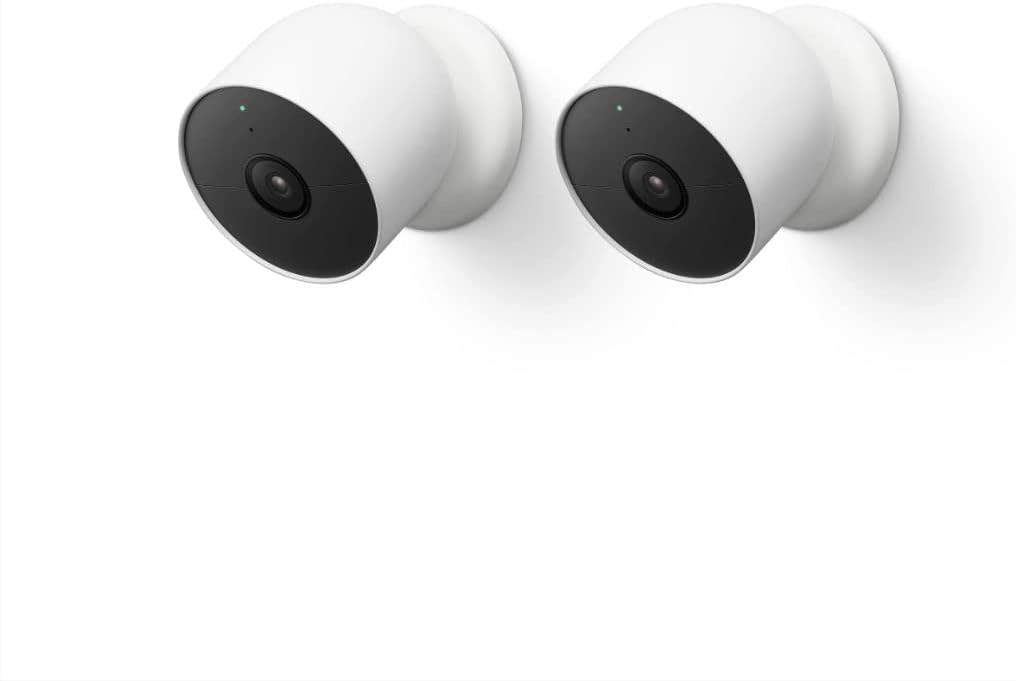
If your smart home runs on Google, the Nest Cam Battery is the natural choice.
It integrates deeply with Google Home, you can view live feeds on Nest Hub displays, get AI-powered alerts for people, packages, vehicles, and animals, and set up automations that trigger other Google devices when the camera detects activity.
The standout feature is three hours of free cloud video storage with no subscription required. That’s enough to capture and review recent events without paying monthly.
Stepping up to Google Home Premium ($10/month) extends this to 10 days of event history and adds facial recognition genuinely useful for distinguishing between family members and strangers.
At 1080p, the resolution is lower than Arlo’s 2K or Reolink’s 4K. For most indoor and porch-monitoring purposes, 1080p is sufficient, but if you need to read licence plates or identify faces at a distance, consider the Reolink Duo 3 at #5 for sharper detail.
The magnetic base makes installation effortless pop it on, adjust the angle, done.
- Best for: Google Nest and Google Home households, anyone wanting free cloud storage
- Works with: Google Home, Google Assistant (Alexa integration limited)
- Honest limitation: 1080p resolution is lower than competitors at this price, no local storage option
3. Ring Stick Up Cam Pro — Best Home Security Camera for Alexa
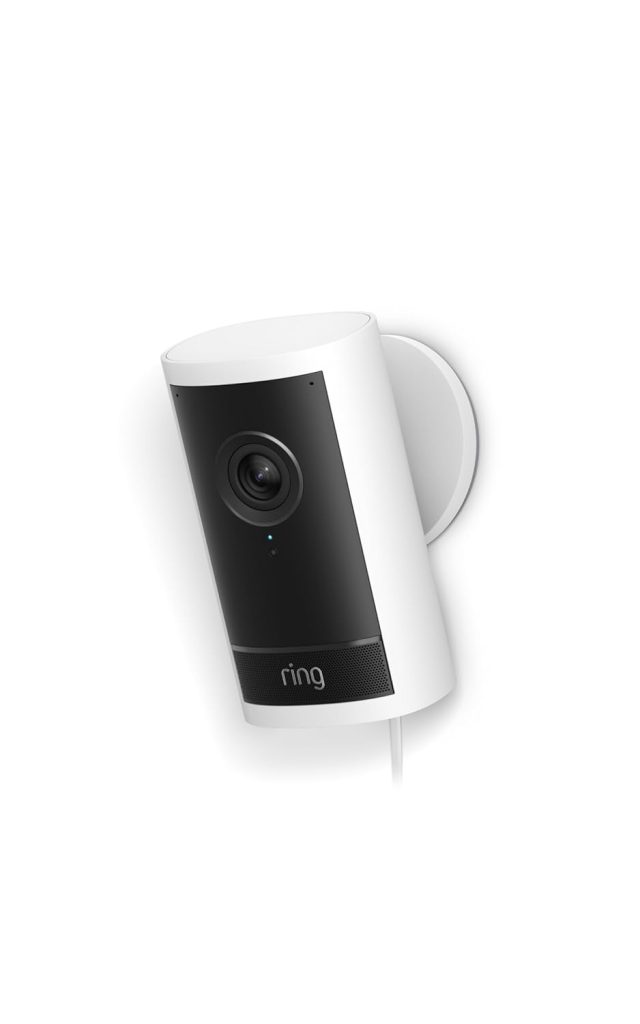
Ring is Amazon’s security brand, and the integration with Alexa is the tightest of any camera on this list. Ask “Alexa, show me the front door” and the live feed appears on your Echo Show instantly.
Ring cameras also integrate into Alexa routines motion detected at your front door can trigger your smart lights to turn on, your Echo to announce a visitor, and a notification to land on your phone simultaneously.
The Stick Up Cam Pro delivers 1080p HDR video with 3D motion detection that maps the area in front of the camera to reduce false alerts.
The “Bird’s Eye View” feature shows you the exact path a person took across your property, not just a motion alert, but a map of where they went. Two-way audio and a built-in siren add active deterrence.
The critical caveat: Ring cameras require a Ring Protect subscription ($4/month per camera or $10/month for unlimited cameras) for any video recording.
Without it, you get live view only, no playback, no event history. This makes Ring the most subscription-dependent brand on this list. Additionally, Ring does not offer local storage on any camera model.
- Best for: Alexa households, Ring doorbell owners, anyone who wants the deepest Echo integration
- Works with: Alexa (Ring does not support Google Home or HomeKit)
- Honest limitation: Requires Ring Protect subscription for any recording — no local storage option
4. Reolink Argus 4 Pro — Best Outdoor Security Camera Without a Subscription
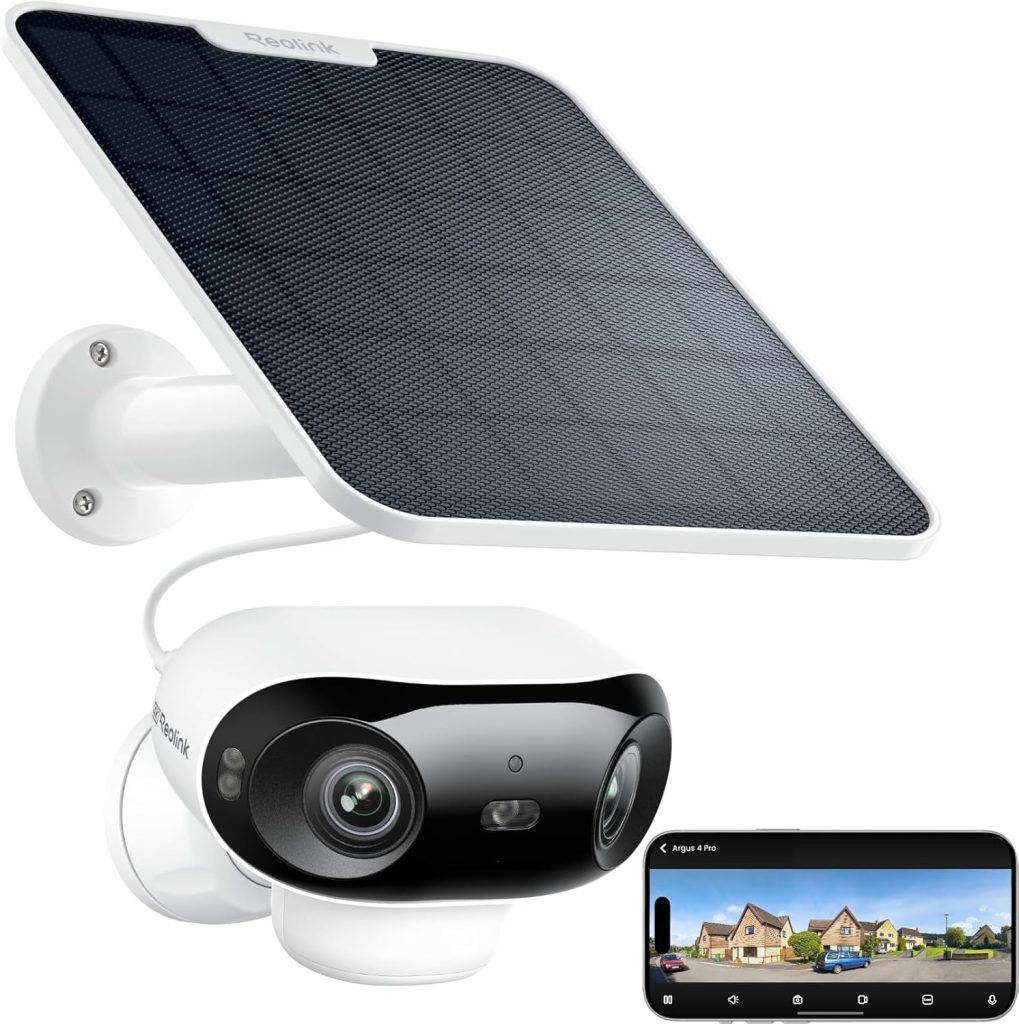
If you want a high-quality outdoor camera with zero ongoing costs, the Reolink Argus 4 Pro is the pick.
It records in full 4K resolution the sharpest on this list and stores everything on a local microSD card with no subscription required.
You own your footage, it stays on your property, and Reolink never charges you a monthly fee for any feature.
The camera runs on a rechargeable battery with an optional solar panel (Reolink sells a purpose-built one), making it truly wireless no cables to run outside.
Dual-band Wi-Fi keeps the connection stable, colour night vision captures usable detail after dark, and the 180-degree field of view covers a wide area from a single mounting point.
AI-powered person and vehicle detection reduces false alerts from animals and weather.
Reolink’s app is functional but not as polished as Ring’s or Arlo’s. Smart home integration is limited; it works with Google Home and Alexa for live viewing, but doesn’t support automations or routines.
For pure camera performance and no-subscription value, though, nothing else at this price comes close.
- Best for: Outdoor monitoring with no subscription, anyone who wants 4K resolution on a budget
- Works with: Google Home, Alexa (basic live view only)
- Honest limitation: Limited smart home integration — no routine or automation support
5. Reolink Duo 3 PoE — Best Security Camera for Full Property Coverage
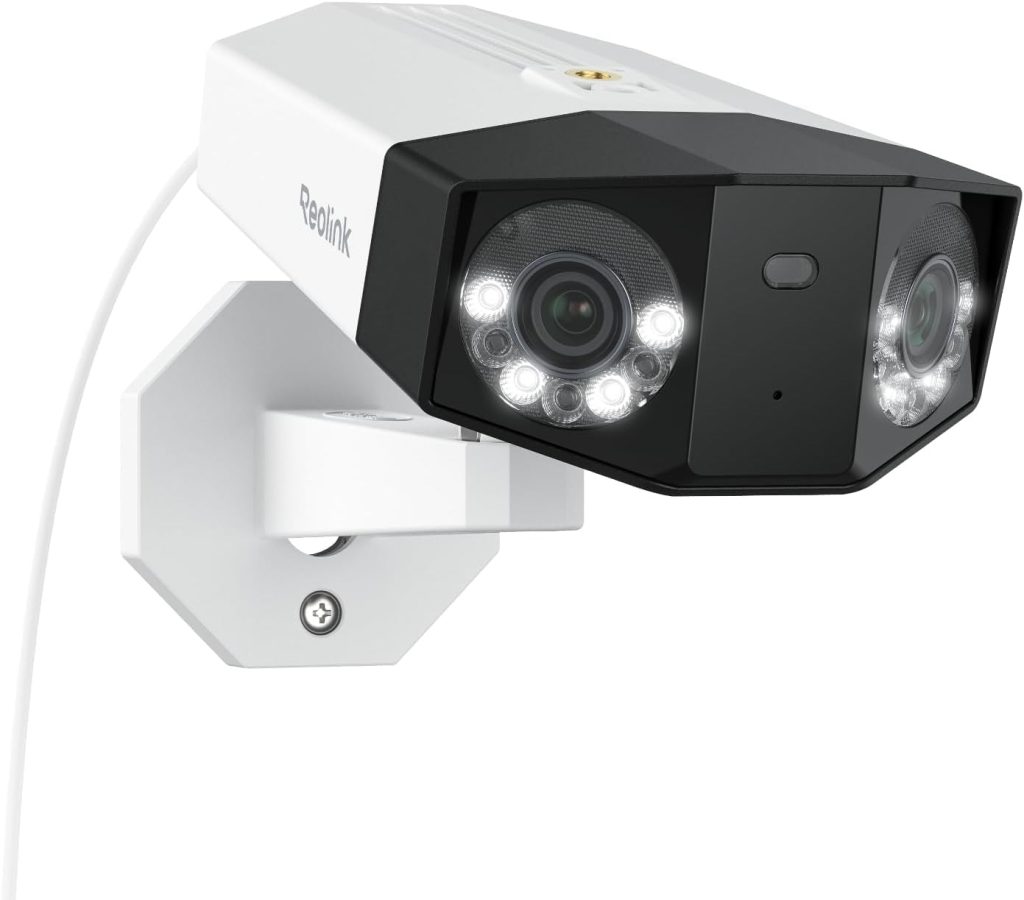
The Reolink Duo 3 PoE uses a dual-lens design to deliver a seamless 180-degree panoramic view in a single camera covering what would normally require two or three standard cameras.
At 16MP resolution, the detail is extraordinary.
I can read licence plates, identify faces, and track movement across my entire driveway and front yard from one mounting point.
As a PoE (Power over Ethernet) camera, it runs on a single Ethernet cable that provides both power and data.
This means continuous 24/7 recording rather than motion-triggered clips, and no battery to recharge.
The trade-off is installation complexity; you’ll need to run an Ethernet cable from your router or NVR to the camera location, which may require drilling through walls.
Like all Reolink cameras, the Duo 3 requires no subscription. All recording stores locally on the NVR or a microSD card.
The IK10 vandal-proof rating means someone can’t simply smash the camera to destroy the evidence.
The Motion Track feature records the exact path of people and vehicles in a single frame, which is incredibly useful for reviewing incidents.
- Best for: Large property surveillance, driveways, anyone wanting 180° coverage from a single camera
- Works with: Google Home, Alexa (basic live view), Reolink NVR
- Honest limitation: Requires PoE wiring — not a quick wireless install
6. Eufy Indoor Cam C120 — Best Budget Indoor Home Security Camera
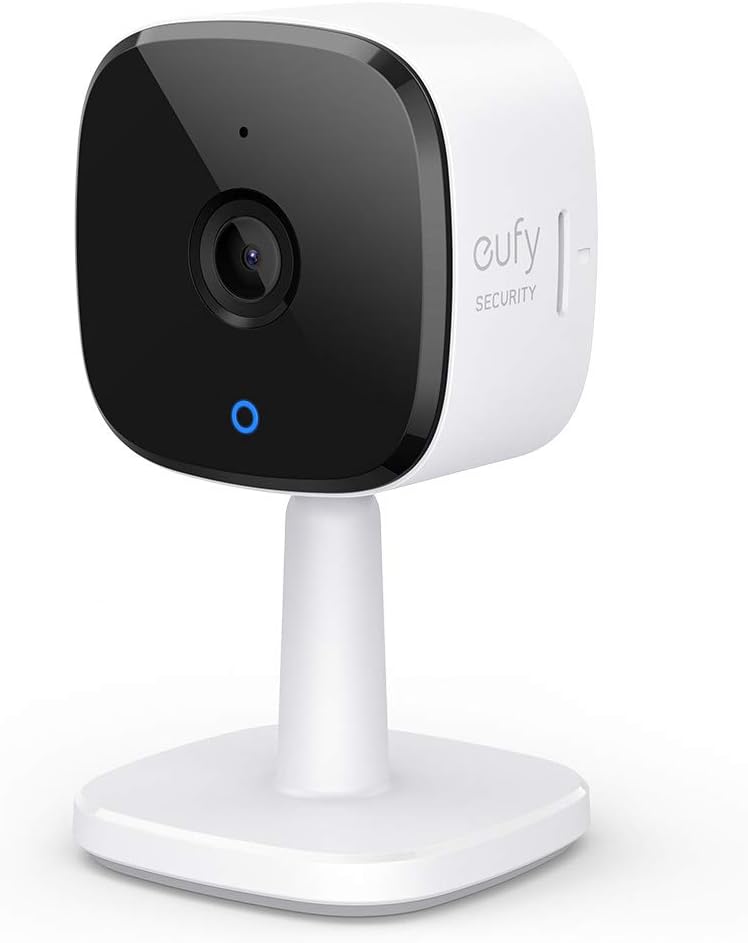
The Eufy C120 consistently ranks as one of the best budget security cameras across Consumer Reports, Security.org, and SafeWise, and after using one in my living room for eight months, I understand why.
At $28, it delivers 2K video quality that rivals cameras costing three times as much, with AI-powered person, pet, and sound detection that sends detailed notifications rather than generic “motion detected” alerts.
Storage is entirely local on a microSD card; no subscription is required for any feature. The camera also works with Alexa, Google Home, and Apple HomeKit, giving it the widest ecosystem compatibility of any budget camera.
Two-way audio lets you talk to whoever’s in the room, and the physical privacy shutter gives you genuine peace of mind that the camera isn’t watching when you don’t want it to.
- Best for: Indoor monitoring on a budget, baby/pet monitoring, and anyone avoiding subscription fees
- Works with: Alexa, Google Home, Apple HomeKit
- Honest limitation: Indoor only, not weather-rated for outdoor use
7. TP-Link Tapo C120 — Best Value Indoor/Outdoor Camera
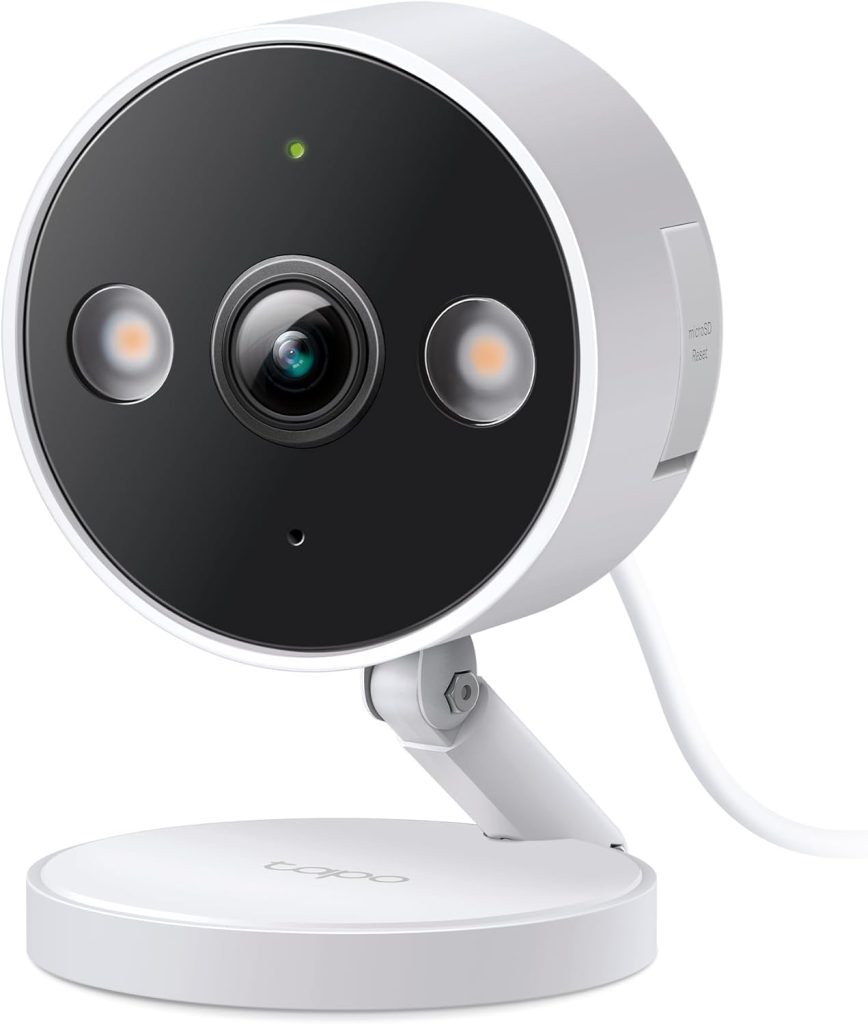
The Tapo C120 is the most versatile camera under $30 it works both indoors and outdoors (IP66 rated), records in 2K, stores footage locally on a microSD card with no subscription, and has one of the cleanest apps in the security camera market.
Consumer Reports gave it high marks for both video quality and data security.
Smart detection covers people, pets, and vehicles with customisable activity zones that reduce false alerts.
Starlight night vision produces colour footage in low-light conditions rather than the black-and-white that most budget cameras default to. Two-way audio and a built-in siren complete the package.
The Tapo app provides scheduling, live view, playback, and alert customisation all free, no subscription needed.
Alexa and Google Home integration enables voice-triggered live viewing on Echo Show and Nest Hub displays.
- Best for: Budget buyers who need one camera that works indoors and outdoors with no fees
- Works with: Alexa, Google Home
- Honest limitation: Requires wired power — no battery option
8. Wyze Cam v4 — Cheapest Home Security Camera Worth Buying
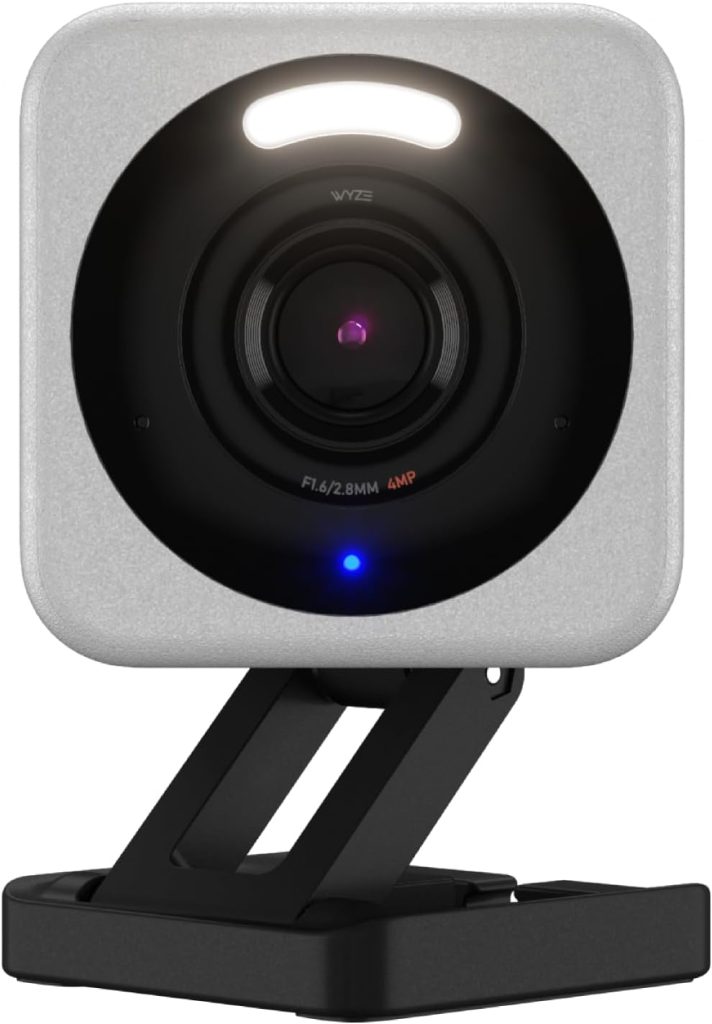
At $25, the Wyze Cam v4 delivers 2K resolution with colour night vision, AI-powered person detection, and local storage on a microSD card.
Wyze also offers 12-second cloud clips for free (with a 5-minute cooldown between events), which means you get basic cloud recording without paying anything.
Stepping up to Cam Plus ($2/month) removes the cooldown and adds continuous event recording.
The Wyze Cam v4 is IP65 rated for outdoor use, which makes it one of the cheapest outdoor-capable cameras available.
The app is functional with scheduling, live view, time-lapse recording, and two-way audio. Alexa and Google Home integration covers basic voice-triggered live viewing.
The trade-off at this price is build quality and app polish. The Wyze app is cluttered with ads for Wyze’s other products, and some users report occasional firmware update issues.
Nevertheless, for $25 with no required subscription, the Wyze Cam v4 provides more security coverage than cameras costing four times as much.
- Best for: Absolute budget buyers, renters, first-time camera buyers, testing the waters
- Works with: Alexa, Google Home
- Honest limitation: App is ad-heavy, occasional firmware issues reported
9. Eufy 4G Starlight Camera S320 — Best Security Camera Without Wi-Fi
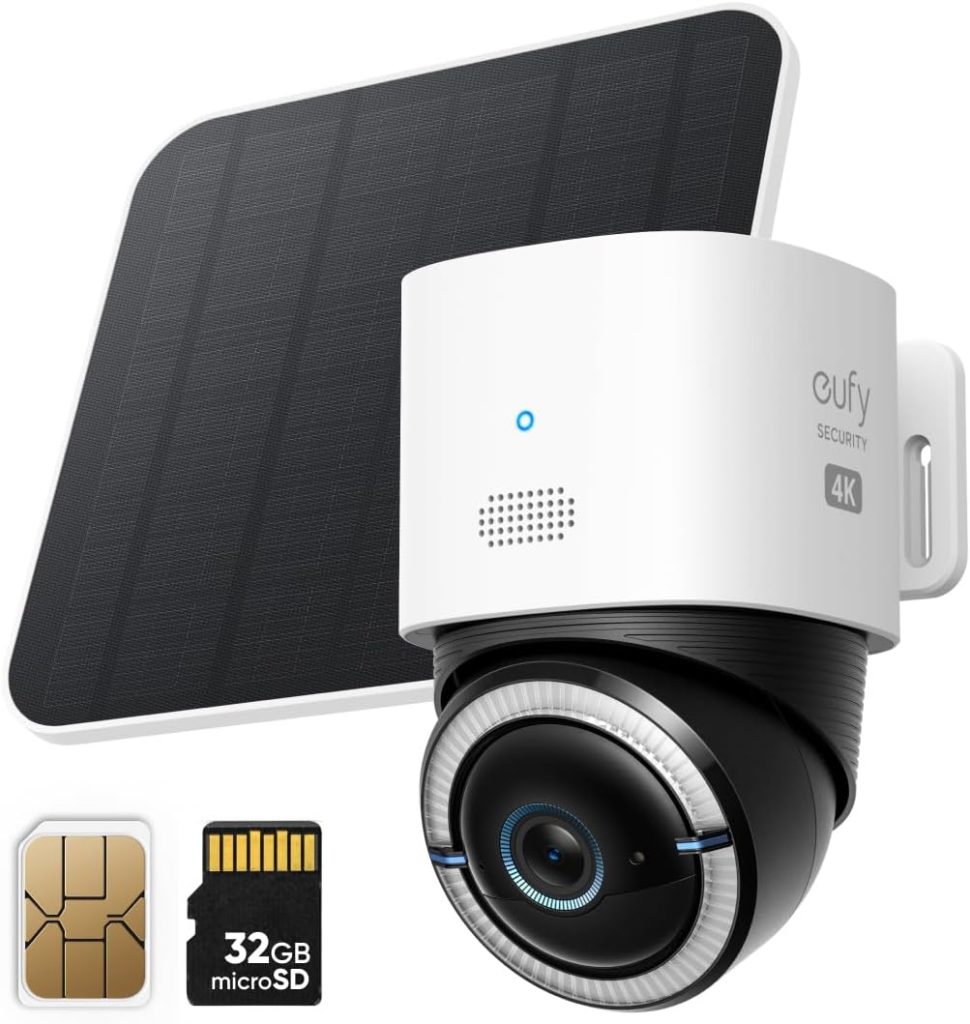
Not every location has Wi-Fi coverage. Detached garages, construction sites, vacation properties, rural driveways, and outbuildings often sit beyond your router’s reach.
The Eufy 4G Starlight Camera solves this by connecting over cellular (LTE) with a SIM card, no Wi-Fi required.
At 2K resolution with a starlight sensor for enhanced night vision, the image quality is strong. AI-powered person detection keeps alerts relevant, and the IP67 weather rating handles any outdoor conditions.
Storage is local, only 8GB onboard with no subscription fees. The camera also supports solar panel charging for truly maintenance-free operation.
The 8GB onboard storage is the main limitation it fills up faster than you’d expect with 2K video. Managing storage by regularly clearing old footage (or setting the camera to overwrite) is necessary.
For the specific use case of “I need a camera where there’s no Wi-Fi,” this is the best solution available without a monthly fee.
- Best for: Locations without Wi-Fi garages, rural properties, construction sites, outbuildings
- Works with: Standalone (limited smart home integration via Eufy app)
- Honest limitation: Only 8GB onboard storage, requires a SIM card with a data plan
10. Blink Outdoor 4 — Best Battery Life for a Wireless Security Camera
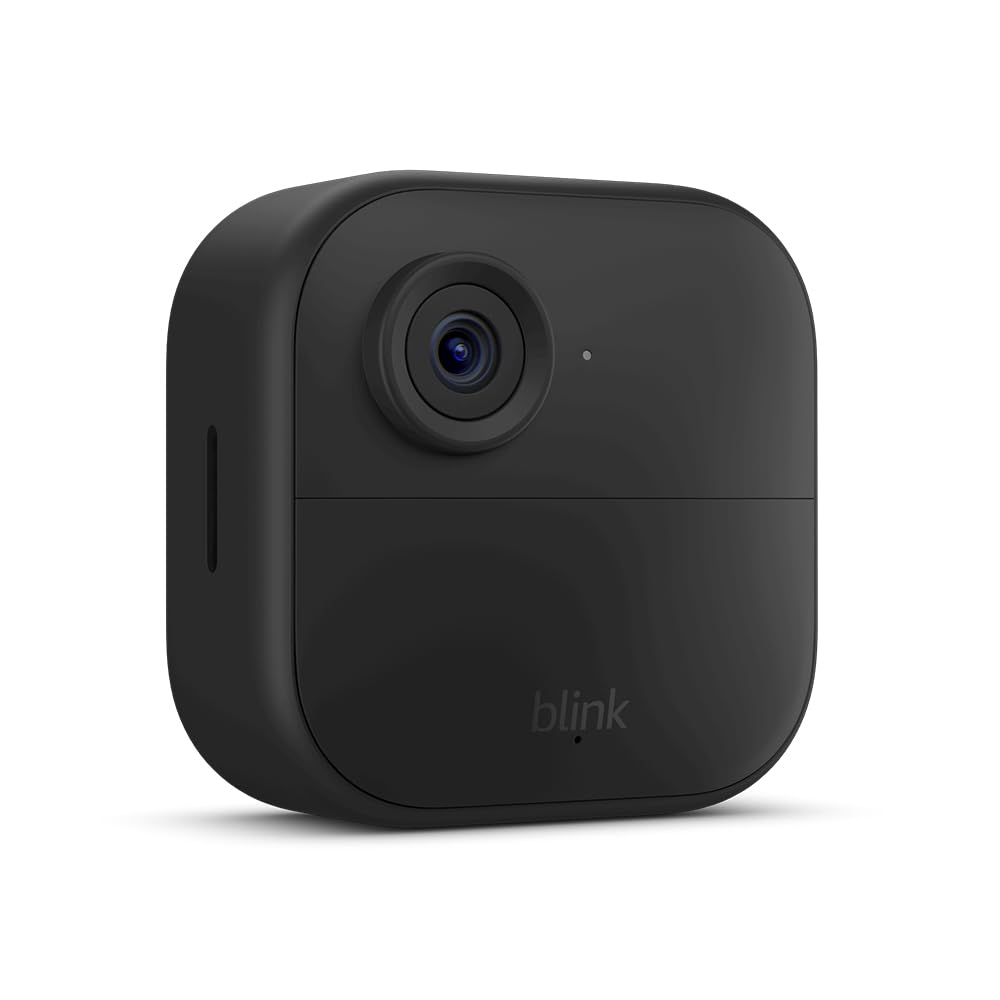
If you don’t want to think about charging your camera for up to two years, the Blink Outdoor 4 runs on two AA lithium batteries with an advertised battery life of up to two years on typical usage.
In my testing, I got approximately 14 months before needing a battery swap still exceptional compared to cameras that need recharging every 2–3 months.
As an Amazon-owned brand, Blink integrates well with Alexa you can view feeds on Echo Show devices and include Blink cameras in Alexa routines.
The Sync Module 2 (required for local storage on a USB drive) lets you avoid the Blink subscription ($3/month) while keeping recording capability.
At $100 for the camera, it’s a reasonable investment for set-and-forget outdoor monitoring.
The resolution is 1080p lower than Reolink’s 4K or Eufy’s 2K. Night vision is infrared black-and-white rather than colour.
For casual monitoring of side gates, back gardens, and secondary entry points where you don’t need forensic-level detail, the Blink Outdoor 4 delivers reliable, long-lasting coverage.
- Best for: Set-and-forget outdoor monitoring, secondary camera locations, and anyone who hates recharging
- Works with: Alexa (Blink does not support Google Home or HomeKit)
- Honest limitation: 1080p only, no colour night vision, requires Sync Module for local storage
Best Home Security Cameras Without a Subscription
Subscription fatigue is real. If you’re specifically looking for the best home security cameras that work fully without monthly fees, here are the top picks from the list above, all offering local storage, AI detection, and full recording with no ongoing costs:
- Reolink Argus 4 Pro ($130) — 4K outdoor, solar-powered, microSD storage
- Reolink Duo 3 PoE ($130) — 16MP 180° view, PoE wired, NVR or microSD
- Eufy Indoor Cam C120 ($28) — 2K indoor, microSD, works with HomeKit
- TP-Link Tapo C120 ($25) — 2K indoor/outdoor, microSD, excellent app
- Eufy 4G Starlight ($170) — 2K cellular, no Wi-Fi needed, 8GB onboard
All five cameras give you complete functionality, recording, playback, AI alerts, and remote viewing without ever entering credit card details for a subscription. Your footage stays on local storage that you physically own.
Frequently Asked Questions About Home Security Cameras
Do home security cameras work without Wi-Fi?
Most home security cameras require Wi-Fi for remote viewing and cloud storage. However, the Eufy 4G Starlight Camera connects over cellular LTE without any Wi-Fi, and cameras with local microSD storage (Reolink, Eufy, Tapo) will continue recording even if Wi-Fi drops you just can’t view the footage remotely until the connection is restored. For locations without any internet, the Eufy 4G with a SIM card is the only practical wireless option.
Are home security cameras with no subscription worth it?
Absolutely — and in 2026, the best no-subscription cameras from Reolink, Eufy, and TP-Link Tapo match or exceed the video quality of subscription-based brands. The main trade-off is that local storage requires you to manage the microSD card (replacing it when full or setting auto-overwrite), and you won’t have the extended cloud history that subscriptions provide. For most homeowners, local storage with a 128GB microSD card covers 7–14 days of footage, which is more than enough.
Where should I place home security cameras?
The four most important camera positions for a typical home are: the front door (captures 34% of break-in attempts), the back door or side entrance, the driveway or garage area, and one indoor camera covering the main living area or hallway. Mount outdoor cameras at 8–10 feet height, angled slightly downward, to capture faces rather than just the tops of heads. Avoid pointing cameras directly at areas with strong backlighting (like windows facing the sunset) — the glare will wash out the footage.
How much storage do I need for a home security camera?
A 128GB microSD card typically stores 7–14 days of motion-triggered recording at 2K resolution, depending on how much activity the camera captures. For continuous 24/7 recording (PoE cameras), a 256GB card or an NVR with a hard drive is recommended. Most cameras support auto-overwrite, which means the oldest footage is automatically deleted when the card fills up — you never run out of space, you just lose the oldest recordings.
Can I install home security cameras myself?
Yes — wireless battery cameras (Arlo, Ring, Blink, Reolink Argus) are designed for DIY installation. Mount the bracket with two screws, attach the camera, connect through the app, and you’re done in 15 minutes. PoE wired cameras (Reolink Duo 3) require running Ethernet cable, which may involve drilling through walls — many homeowners hire an electrician for this part. Indoor plug-in cameras (Eufy C120, Tapo C120) simply sit on a shelf or mount with adhesive.
The Bottom Line
The best home security cameras in 2026 are dramatically better and more affordable than they were even two years ago.
You can now get 2K resolution, AI-powered alerts, colour night vision, and local storage for under $30 with no subscription required.
For most homeowners, I recommend starting with two cameras: one outdoor (the Reolink Argus 4 Pro for no-subscription 4K, or the Arlo Pro 6 if you want the deepest smart home integration) and one indoor (the Eufy C120 at $28 is unbeatable for the price).
That combination covers your front entrance and your main living area, the two highest-priority monitoring points in any home.
If you’re already in the Alexa ecosystem with Ring doorbells and Echo devices, the Ring Stick Up Cam Pro makes sense despite the subscription requirement the integration is seamless.
For Google Home households, the Nest Cam Battery’s free 3-hour cloud storage is a genuine differentiator.
Whatever you choose, remember that the best security camera is the one that’s actually recording when something happens. Set it up, test it, confirm the storage is working, and then let it do its job.
